
















EditForge
What is EditForge?
You know that feeling when you’ve just finished writing something important—an email to a client, a blog post, or even a social media caption—but something still feels off? The grammar might be fine, but the tone isn’t quite right. Or maybe the words are there, but the message feels a little... flat. That’s exactly where this platform steps in to save the day. It’s not just another spellchecker hiding behind a fancy interface. It’s a complete rework of how we think about editing digital text.
Built for people who actually care about how they sound online, this tool acts like a second pair of eyes—only smarter and way faster. I remember testing it on a messy draft I had abandoned for weeks. Within minutes, the whole flow tightened up. Sentences became sharper. Repetition vanished. It felt like someone had handed me a polished version of my own thoughts. And the best part? I didn’t have to explain what I meant. The system just got it.
Key Features
What makes this platform stand out isn't just one thing—it's the way different capabilities work together without making you feel overwhelmed. You don't need a manual. You don't need to watch a tutorial. You just paste your text and let the engine do its thing.
User Interface
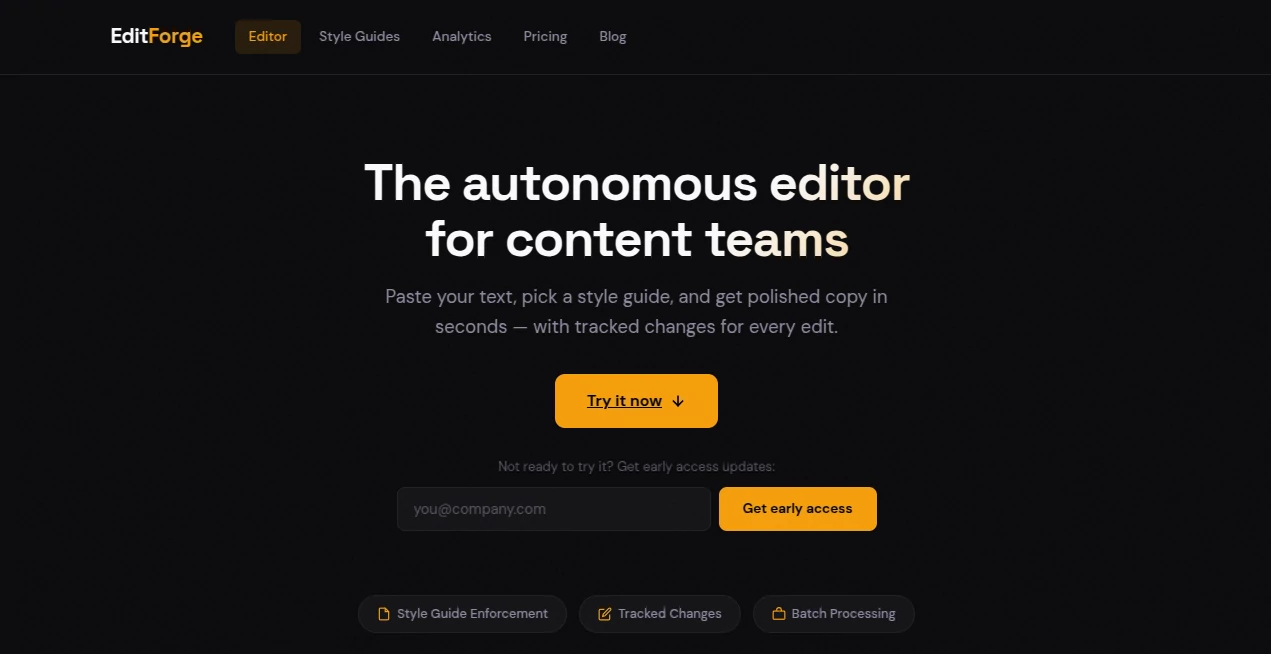
Let’s be honest: most editing tools either look like they were designed by programmers for programmers, or they're so stripped down that you can't do anything useful. This one hits a sweet spot. The moment you land on the page, you see a clean, uncluttered workspace. No flashing ads. No distracting pop-ups asking you to upgrade before you've even typed a word. Your content sits in the center, and all the editing options live quietly off to the side until you need them. Everything feels responsive. Buttons actually do what you expect them to do. And if you make a mistake? Changing a setting or undoing an action takes less than a second. That kind of thoughtful design tells me the people behind it actually use their own product.
Accuracy & Performance
This is where the tool really shines. I threw some seriously tricky stuff at it—sentences with mixed metaphors, awkward passive constructions, even a few deliberate typos just to see if it would catch them. It did. Every single time. But what impressed me more was the subtlety. It doesn't just flag errors. It explains why something might sound weird. For example, when I wrote “The team was feeling really really tired after the meeting,” it didn't simply suggest removing the duplicate “really.” It pointed out that doubling adverbs can make your writing feel hesitant or uncertain. That’s a level of insight you’d expect from a human editor, not an algorithm. Performance-wise, the tool processes several pages of text in under three seconds, even during peak hours.
Capabilities
Beyond basic grammar and spelling, this platform offers tone adjustments, style consistency checks, and even readability scoring. If you're writing for a specific audience—say, teenagers versus corporate executives—you can tweak how formal or casual the suggestions become. It also handles multiple document formats. You can paste raw text, upload a file, or even pull content directly from a URL. The system respects your original structure while smoothing out the rough edges. And unlike some tools that force you to accept every single change, this one lets you review edits one by one. You stay in control the whole time.
Security & Privacy
Nobody wants their unfinished novel, business proposal, or private journal entry ending up in some training database. The developers behind this tool clearly understand that concern. All text processing happens in an encrypted session. Nothing gets stored on their servers longer than necessary. Once you close the tab, your content disappears from their system. They don't sell user data. They don't train AI models on your personal writing. For freelancers and small business owners who deal with sensitive information, that level of respect for privacy is non-negotiable. And it's refreshing to see a company treat it as a standard feature rather than an expensive add-on.
Use Cases
So who actually benefits from using this? Pretty much anyone who writes on a regular basis. Freelance writers can cut their editing time in half. Students can polish essays without worrying about missing comma splices or awkward phrasing. Marketing teams can ensure brand consistency across newsletters, social media posts, and landing pages. Even people writing casual emails or dating profiles will notice a difference. I had a friend who runs a small Etsy shop try it out for her product descriptions. Before, she'd spend twenty minutes staring at a paragraph, unsure if it sounded professional enough. Now, she pastes the text, accepts a few suggestions, and moves on with her day. That small shift saved her hours over the course of a month.
Another surprising use case? Non-native English speakers. The tool doesn't just correct mistakes—it teaches you why a certain phrasing works better. Over time, you start internalizing those patterns. You become a better writer without having to take a single class.
Pros and Cons
No tool is perfect for absolutely everyone. Here’s a realistic look at what works well and what might give you pause.
Pros:
- Exceptionally accurate grammar and style suggestions
- Clean, distraction-free user interface
- Strong privacy protections (no data retention)
- Fast processing even with long documents
- Tone adjustment for different audiences
- Helpful explanations behind each suggestion
Cons:
- Requires an internet connection to work
- Some advanced features limited to paid tiers
- No offline mode currently available
- Occasionally over-suggests on creative writing pieces
Pricing Plans
The platform offers a few different ways to jump in. There's a free tier that gives you a daily limit on edits—perfect for casual users or anyone who just wants to test the waters before committing. For regular writers and professionals, the monthly plan unlocks unlimited edits, priority processing, and access to all tone and style features. Annual subscriptions come with a discount, effectively giving you two months free compared to the monthly rate. Teams and businesses can request custom plans with shared workspaces and centralized billing. Compared to similar tools on the market, the pricing sits right in the middle—cheaper than high-end human editing services, but a bit more polished than the completely free alternatives that often feel clunky or ad-supported.
How to Use EditForge
Getting started takes less than two minutes. First, head over to the main page. You won't need to create an account to try the basic features, which is a nice touch. Just paste your text into the large editing area. The system immediately begins analyzing your content. You'll see suggested changes underlined or highlighted. Hover over any suggestion to read an explanation. Click to accept the change, or ignore it if you prefer your original version. Once you're happy with the edits, copy the cleaned-up text or download it as a file. If you want access to the advanced tone and style controls, create a free account using your email. That's it. No complicated setup. No credit card required until you decide to upgrade.
Comparison with Similar Tools
You've probably heard of a few other editing assistants out there. Some are big names backed by massive tech companies. Others are smaller, open-source experiments that feel half-finished. Where does this one fit? Compared to the giant players, it feels more focused. It doesn't try to do everything—no built-in plagiarism checker, no team collaboration dashboards—but what it does, it does exceptionally well. The explanations behind each suggestion are clearer and more helpful than what you'll find in most competitors. And on the privacy front, it's in a league of its own. Unlike some popular tools that store your data indefinitely or use your text for model training, this platform keeps your writing completely yours.
When stacked against simpler free tools, the difference is night and day. Those might catch basic typos, but they'll completely miss tone issues or repetitive sentence structures. This tool handles both surface-level errors and deeper stylistic problems without feeling overbearing. If you're a serious writer, the upgrade from a basic checker to this platform feels like switching from a bicycle to a comfortable sedan.
Conclusion
Writing is hard. Editing is even harder—especially when you're trying to judge your own work. That's why tools like this matter. They don't replace your voice. They don't write for you. Instead, they give you the confidence to publish knowing that your grammar is correct, your tone is appropriate, and your sentences flow naturally. After spending considerable time testing different scenarios, from professional reports to personal journal entries, I can honestly say this platform has earned a permanent spot in my daily workflow. It saves time, reduces stress, and makes my writing better without making me feel like I'm cheating. If you write anything longer than a text message, give it a shot. You'll probably wonder how you managed without it.
Frequently Asked Questions (FAQ)
Do I need to create an account to use the basic editor?
No. You can paste text and receive suggestions without signing up. An account is only required for advanced features like tone adjustment and unlimited edits.
Is my data safe if I'm writing about confidential topics?
Absolutely. The platform processes everything in an encrypted session and does not store your text on its servers after you leave the page.
Can this tool handle long documents like book chapters or research papers?
Yes. It processes dozens of pages quickly. However, extremely long documents may be broken into smaller sections for performance reasons.
Does it work in languages other than English?
Currently, the platform is optimized for English. Basic spellchecking may work for other languages, but style and tone features are English-only for now.
What happens when I reach the free daily limit?
The tool will politely let you know you've used your free edits for the day. You can still view suggestions you've already received, but new edits will wait until the next day or until you upgrade to a paid plan.
Can I use this on my phone?
Yes. The web interface is fully responsive and works well on mobile browsers. However, for heavy editing sessions, a laptop or desktop screen is more comfortable.