

















VibeMe AI
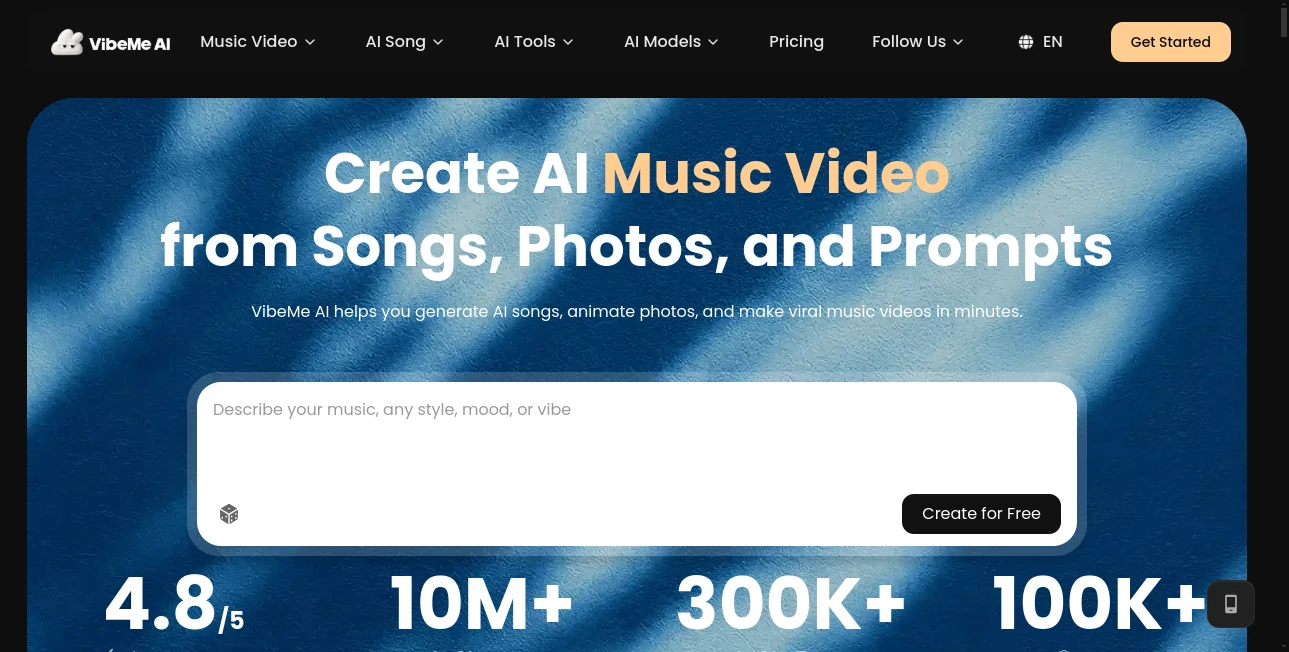
What is VibeMe AI?
Turning a simple photo into a convincing music performance usually takes video editing skills, animation software, and quite a bit of time. VibeMe AI takes a much simpler approach: upload a photo, choose a song, and let artificial intelligence turn the image into a lively singing performance.
The platform is built around music and visual creativity. It can transform portraits into animated cover videos, create performances for different visual settings, and even combine multiple people for group singing moments. For creators who want something entertaining to share on social media without spending hours in an editor, the concept is refreshingly straightforward.
Beyond photo-based singing videos, the platform has expanded into AI music creation and music-video workflows. Users can generate songs from prompts or lyrics, remix tracks, create visuals from audio, and experiment with image-to-video and lip-sync features. This makes it useful not only for casual experiments but also for musicians, social creators, and anyone looking for a faster way to turn an idea into a shareable visual.
Key Features
- AI-powered singing and cover video generation from photos
- Photo animation with music synchronization
- Lifelike AI performances with different visual atmospheres
- Support for group and duet-style performances
- Music generation from text prompts and lyrics
- Song remixing with changes to genre, mood, vocals, and instrumentation
- Audio-to-video generation for music and social content
- Image-to-video and text-to-video workflows
- AI lip-sync for synchronizing facial movements with audio
- Lyric video creation with timed captions and animated typography
- Vertical 9:16 and horizontal 16:9 video formats
- Creation history for revisiting generated projects
User Interface
The interface follows a creator-first workflow rather than presenting users with a complicated editing timeline. The main idea is simple: provide an image, song, lyrics, audio file, or creative prompt and then guide the generation process from there.
This approach is particularly useful for beginners. Someone who has never worked with professional video software can experiment with a portrait and a favorite track without first learning layers, keyframes, masks, or audio synchronization. For more experienced creators, the streamlined workflow can also be useful when testing concepts before moving a finished idea into a traditional editor.
Accuracy & Performance
Performance depends on the type and length of generation, but the platform states that many music videos can be completed within roughly 2 to 5 minutes, depending on resolution and project length. Priority processing is available with the Creator plan for users who need faster rendering.
The most interesting part is the relationship between audio and visuals. Music-video generation can use the rhythm, mood, and structure of a track to guide the visual result, while the lip-sync workflow is designed to coordinate mouth movement, head movement, and facial expressions with the supplied audio.
As with any generative video system, results can vary depending on the source image, audio, prompt, and requested style. A clear portrait and a well-defined creative direction generally give the system more useful information to work with.
Capabilities
The platform covers a surprisingly broad portion of the music-creation process. Users can start with their own lyrics and turn them into a complete song with vocals and instrumental accompaniment. The lyrics workflow supports up to 5,000 characters and provides controls for genre, style, mood, and vocal direction.
There is also a remix workflow for users who already have a track. MP3 and MP4 files between 10 seconds and 5 minutes can be used as references, with options to reshape the genre, mood, vocal direction, or instrumental treatment.
For video creators, audio can become the starting point rather than an afterthought. Uploading an MP3, WAV, M4A, or another supported audio file allows users to develop animated visuals, performance scenes, abstract sequences, and social-ready clips around the existing track.
The platform also includes more playful options such as pet singing, cartoon music videos, duets, baby songs, and other themed music-generation experiences. This variety makes it suitable for both serious creative projects and quick experiments designed for social media.
Security & Privacy
When working with personal photos, original music, or unpublished creative material, users should always review the applicable privacy and terms documentation before uploading sensitive content. The platform provides dedicated terms and privacy information, while its workflows are designed around user-provided images, audio, lyrics, and creative instructions.
Creators should also make sure they have the necessary rights to any photo, recording, song, or other material they upload. This is especially important when remixing existing music or creating content intended for commercial publication.
Use Cases
- Social media creators: Create unusual singing clips and music visuals for TikTok, Instagram, YouTube Shorts, and other short-form platforms.
- Musicians: Turn songs, demos, and finished tracks into visual content without building every scene manually.
- Songwriters: Transform original lyrics into complete musical ideas with vocals and instrumentation.
- Music marketers: Produce release teasers, animated clips, and promotional visuals from existing audio.
- Family projects: Create playful singing videos featuring friends or family members.
- Pet content: Turn pet photos into entertaining musical performances.
- Creative experimentation: Test different genres, moods, visual concepts, and performance styles quickly.
- Lyric video production: Build videos with timed captions, animated typography, and beat-synchronized visuals.
- Personalized gifts: Create custom songs and music videos around birthdays, memories, family events, or special occasions.
Pros and Cons
Pros
- Very approachable for people without video-editing experience
- Combines music generation and video creation in one workspace
- Supports both original lyrics and existing audio
- Useful lip-sync and photo-animation capabilities
- Multiple video-generation workflows for different creative needs
- Free access makes it possible to test the platform before upgrading
- Creator plan includes commercial usage and priority processing
Cons
- Generation quality can vary depending on the source material
- Advanced generation consumes credits
- Some export and usage benefits require a paid subscription
- Users working with copyrighted material need to verify their rights before uploading it
Pricing Plans
A free plan is available for users who want to explore the platform before paying. It includes daily free credits, access to standard models, and video generation of up to 30 seconds.
The Ultimate plan is listed at $19 per month, with a promotional price of $15 per month when the current discount applies. It includes 1,000 credits per month, access to the latest models, videos of up to 3 minutes, HD exports, unlimited downloads, and no watermark.
The Creator plan is listed at $59 per month, with a promotional price of $45 per month when the current discount applies. It includes 3,500 monthly credits plus a bonus, the same generation and export benefits as the Ultimate plan, fast-lane processing, priority support, and commercial usage benefits.
Yearly billing is also offered with a 25% discount according to the current pricing information. Because plans and promotional prices can change, users should check the pricing page before subscribing.
How to Use the Tool
- Choose a starting point: Begin with a portrait, song, lyrics, audio file, or creative idea depending on the type of project you want to make.
- Upload your material: Add a suitable image or audio file. For a singing video, a clear portrait generally works best.
- Select the creative direction: Choose a genre, mood, vocal style, visual atmosphere, or describe the type of performance you want.
- Generate the first version: Start the generation process and allow the system to create the music or video.
- Review the result: Check the synchronization, visual style, lyrics, and overall performance.
- Refine the idea: Try another prompt, mood, genre, or visual direction when the first version is not quite what you imagined.
- Export and share: Download the finished content and use it for social media, music promotion, personal projects, or other permitted purposes.
Comparison with Similar Tools
Many AI video generators focus primarily on creating short clips from text prompts or images. This platform takes a more music-centered route by bringing song generation, audio-driven visuals, singing performances, and lip-sync into the same creative environment.
That distinction matters for musicians and social creators. Instead of generating a generic video and then manually trying to match it to a soundtrack, users can begin with the music itself and build the visual direction around it. The lyrics-to-song workflow also makes it more useful for people who are starting with words rather than finished audio.
For someone who only needs conventional text-to-video generation, a general-purpose video generator may provide a more focused experience. But for music videos, singing portraits, audio-driven visuals, remixes, and playful music content, the integrated workflow is a strong advantage.
Conclusion
Creating a music video traditionally means bringing together several different pieces: music, visuals, animation, editing, synchronization, and sometimes lip-sync. This platform removes much of that friction by putting those creative steps into a single workflow.
Its biggest strength is not simply that it can generate an impressive-looking clip. It is the range of ways users can begin. A photo can become a singing performance. Lyrics can become a finished song. An existing track can become a visual sequence. A simple family idea can turn into a playful musical memory.
For musicians, short-form creators, and curious users who want to experiment with AI-powered music and video, it offers a practical place to start. The free tier also lowers the barrier to experimentation, while the paid plans provide more credits, better exports, and additional benefits for creators producing content regularly.
Frequently Asked Questions (FAQ)
What can I create with the platform?
You can create AI singing videos, music videos, songs from lyrics or prompts, remixes, audio-driven visuals, lyric videos, lip-sync performances, and several themed music experiences.
Can I use my own song?
Yes. You can upload your own audio and use it as the foundation for visual generation. The audio-to-video workflow supports common formats such as MP3, WAV, and M4A.
Can I turn a photo into a singing video?
Yes. Upload a portrait, pair it with a song, and the AI can animate the image into a singing performance with synchronized facial movement.
Can I create a song from my lyrics?
Yes. The lyrics workflow allows you to paste your own lyrics and guide the resulting track with genre, style, mood, and vocal direction. Lyrics of up to 5,000 characters are supported in the dedicated workflow.
Is there a free plan?
Yes. The free plan provides daily credits, access to standard models, and video generation of up to 30 seconds. Paid plans add more credits, longer generations, higher-quality exports, and additional creator features.
Can I use generated videos commercially?
Commercial usage is included with the Creator plan according to the current pricing information. Users should still review the applicable terms and make sure that any uploaded third-party material is properly licensed.
AI Image to Video , AI Music Video Generator , AI Lip Sync Generator , AI Singing Generator .
These classifications represent its core capabilities and areas of application. For related tools, explore the linked categories above.

VibeMe AI Alternatives Product

HappyHorse A…
gpt video
AI Makes Song

AI Motion Co…

Ltx AI - Ltx…

Seedance 2.0

Happy Horse

Viewra
seedance2-pro
