
VideoExpander
What is VideoExpander?
Creating content for multiple platforms often means dealing with different aspect ratios. A video that looks perfect on YouTube may lose important details when converted for Instagram Reels, TikTok, or other vertical formats. Instead of cropping valuable content or filling empty space with blurred backgrounds, this solution introduces a much smarter approach.
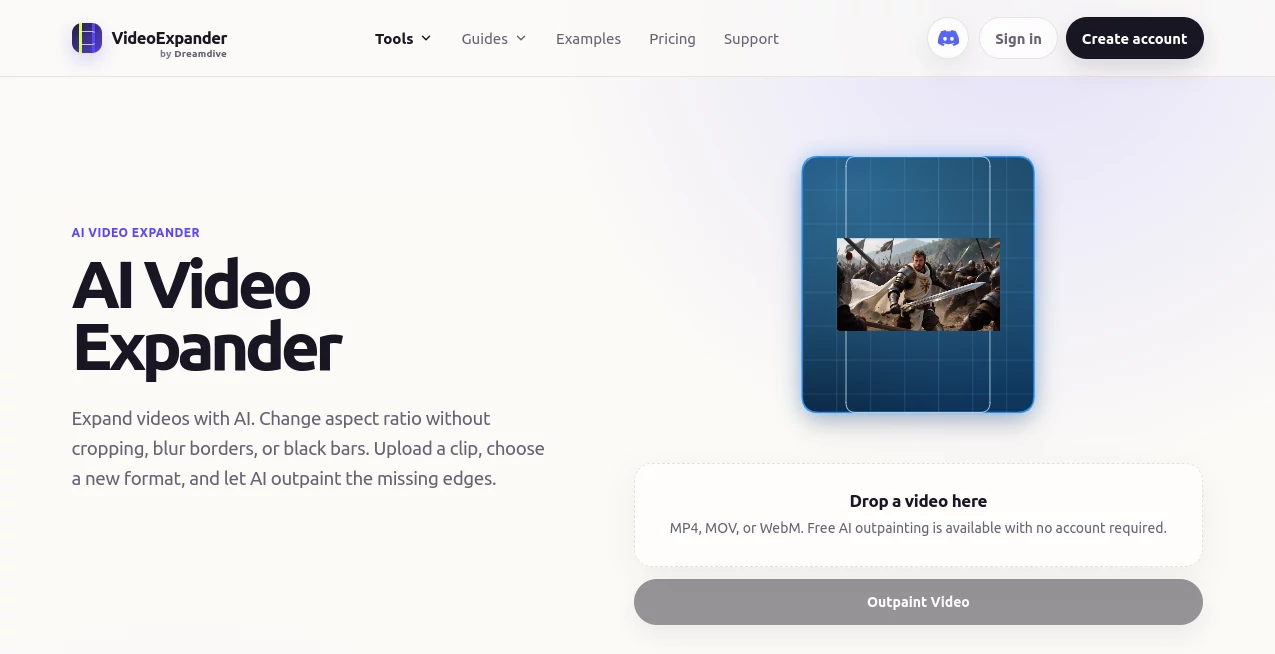
Built around advanced AI video outpainting technology, it generates realistic new visual areas around the original footage while preserving every important part of the existing frame. Rather than modifying the source video itself, the AI extends the surrounding environment so the final result feels naturally composed for the new format.
The workflow is refreshingly simple. Upload a video, choose the desired aspect ratio, preview the generated result, and export it when you're satisfied. Whether you're a content creator, marketer, video editor, or business owner, this approach significantly reduces the time normally spent recreating videos for different social platforms.
One particularly impressive advantage is that the original footage remains untouched. Faces, products, subtitles, and carefully designed compositions stay exactly where they belong while AI creates believable surroundings that blend seamlessly with the existing scene.
Key Features
- AI-powered video outpainting
- Expand videos without cropping
- Supports MP4, MOV, and WebM files
- Convert between 16:9, 9:16, 1:1, and 4:5 formats
- Maintain original frame quality
- Browser-based workflow with no installation
- Free trial available without creating an account
- High-quality Pro processing for longer videos
- Natural scene expansion using AI
- Fast preview before exporting
User Interface
The interface is intentionally minimal and beginner-friendly. Users simply drag and drop a video, select a target aspect ratio, and allow the AI to generate additional visual space. The clean workflow removes unnecessary complexity, making professional-looking video adaptation accessible even to users with little editing experience.
Accuracy & Performance
The AI performs particularly well on stable footage featuring natural backgrounds and clearly defined subjects. Instead of stretching pixels or adding artificial borders, it analyzes lighting, scenery, and motion to generate consistent frame extensions throughout the entire clip. This produces results that look considerably more natural than traditional resizing techniques.
Capabilities
The platform is designed specifically for expanding video frames rather than extending video duration. It can transform landscape videos into vertical formats, convert portrait clips into widescreen presentations, remove black bars, and prepare a single video for multiple publishing platforms without sacrificing composition or quality.
Security & Privacy
Uploaded files and generated content are stored temporarily for processing and downloading. This temporary storage model helps users complete their projects while reducing long-term retention of uploaded media. The browser-based experience also eliminates the need for software installation.
Use Cases
- Convert YouTube videos into TikTok or Shorts formats.
- Create vertical marketing campaigns from existing landscape footage.
- Remove black bars from archived videos.
- Prepare website hero videos with improved framing.
- Repurpose advertising videos for multiple social platforms.
- Create square videos for LinkedIn and Instagram feeds.
- Adapt promotional content without expensive re-editing.
- Improve AI-generated videos for different publishing formats.
Pros and Cons
- Pros
- Maintains the original composition without cropping.
- Produces realistic AI-generated scene extensions.
- Simple workflow requiring only a few clicks.
- No installation required.
- Supports popular video formats.
- Free version available for testing.
- Cons
- Longer videos require a Pro subscription.
- Complex scenes with heavy motion may produce less consistent results.
- Best performance depends on stable footage and natural backgrounds.
Pricing Plans
A free tier allows users to test AI video expansion on the first portion of a video without creating an account. Users who need full-length processing, higher-quality output, and more advanced workflows can upgrade to the Pro plan.
How to Use VideoExpander
- Upload an MP4, MOV, or WebM video.
- Select the desired aspect ratio.
- Allow the AI to generate the missing visual areas.
- Preview the expanded video.
- Export the finished version when satisfied.
Comparison with Similar Tools
Traditional video editors typically rely on cropping, zooming, blurred backgrounds, or black borders when changing aspect ratios. While these techniques are quick, they often remove important visual information or reduce the overall presentation quality.
This solution approaches the problem differently by using AI video outpainting to generate entirely new surroundings while leaving the original frame untouched. The result is a far more professional appearance, especially for creators who regularly publish the same content across YouTube, Instagram, Facebook, TikTok, LinkedIn, and other platforms.
Conclusion
Repurposing videos for multiple platforms has traditionally required compromises. Cropping important content or rebuilding scenes from scratch consumes valuable production time. This AI-powered solution removes much of that frustration by intelligently expanding the frame instead of sacrificing the original composition.
For creators, marketers, editors, agencies, and businesses seeking an efficient way to publish across different aspect ratios, it offers an elegant workflow backed by impressive AI technology. The ability to preserve the original footage while naturally extending the surrounding scene makes it one of the most practical innovations in modern video editing.
Frequently Asked Questions (FAQ)
What is AI video outpainting?
It is an AI technique that generates new visual content outside the original video frame while keeping the source footage unchanged.
Does it make videos longer?
No. The tool expands the frame rather than increasing the video's duration.
Which aspect ratios are supported?
Popular formats including 16:9, 9:16, 1:1, and 4:5 are supported.
Can I try it without registering?
Yes. A free version is available that lets users test AI video expansion before creating an account.
What type of videos produce the best results?
Videos with stable camera movement, clear subjects, and natural backgrounds generally deliver the highest-quality AI-generated expansions.
AI Image to Video , AI Video Editor , AI Video Enhancer , AI Video Generator .
These classifications represent its core capabilities and areas of application. For related tools, explore the linked categories above.

VideoExpander Alternatives Product

Happy Horse:…

Khuram Youraj

Wan 2.7 AI

Muse AI

Veo 4

RunwayAI

Gemini Omni …

AISeedance2

LatentSync