
















OmniVideo
What is OmniVideo?
You know that feeling when you have a brilliant video idea but zero time to learn complicated editing software? We've all been there. Luckily, the game has changed. This platform steps in as your creative sidekick, turning plain text descriptions and static images into eye-catching videos and visuals in what feels like magic time. Built on some seriously smart tech like Seedance 2.0, it makes high-quality content creation accessible to everyone—from solo freelancers hustling on social media to marketing teams needing rapid results. Forget about rendering queues and timeline struggles; this tool puts professional-grade creativity right in your browser.
Key Features
What makes this platform stand out is how it bundles six powerful creation models under one simple dashboard. You don't need to jump between different websites to get things done.
User Interface
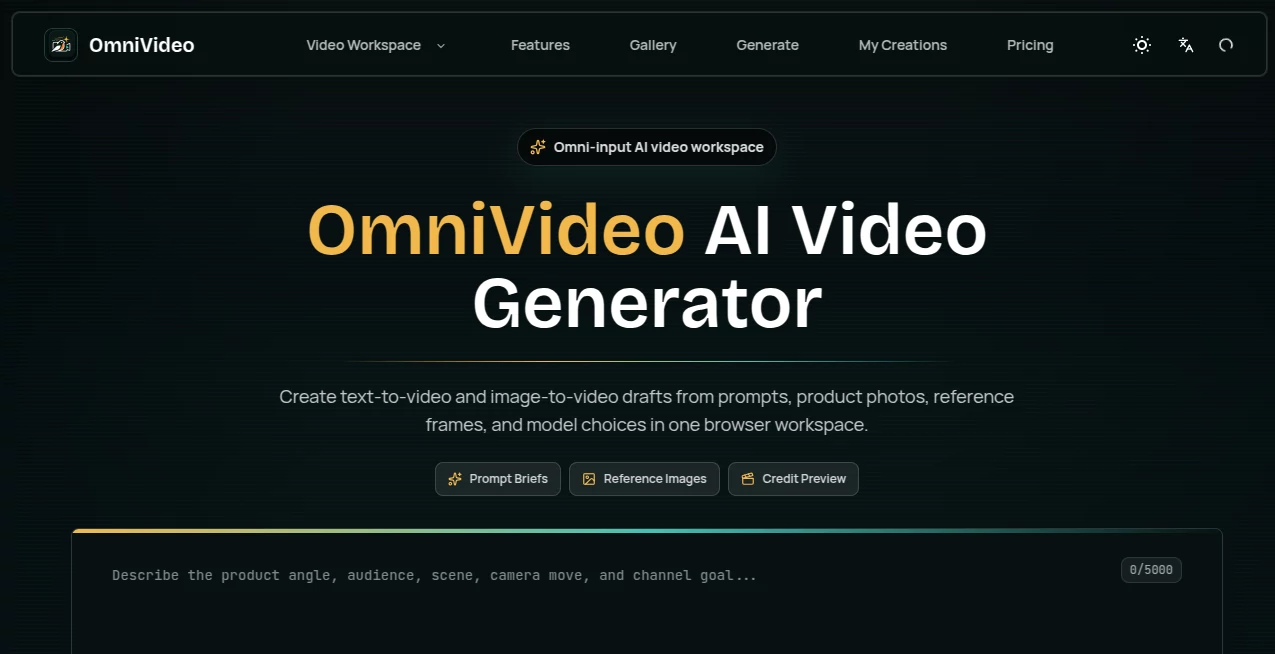
Simplicity is the name of the game here. The dashboard is clean, uncluttered, and feels more like a canvas than a control room. You won't get lost in a maze of dropdown menus. Instead, you focus on your prompt—whether it is a sentence or an uploaded photo—and the tool handles the heavy lifting. It supports multiple aspect ratios right from the get-go, including the all-important 9:16 for TikTok and Reels, 1:1 for Instagram feeds, and classic 16:9 for YouTube. Everything is browser-based, so there is zero installation time.
Accuracy & Performance
Speed matters when inspiration strikes. We are talking sub-60-second generation times for most clips, which is a lifesaver when you are up against a tight deadline. But it isn't just fast; the output quality holds up. With models like Google Veo 3.1 integrated, the platform nails accurate text rendering within videos and keeps native audio synced perfectly. Whether you need a quick social media burst or a high-bitrate cinematic shot, the resolution options climb all the way up to stunning 4K. It handles motion smoothly without that weird "AI warping" effect that ruins the vibe.
Capabilities
This isn't a one-trick pony. You can generate fresh content from scratch using text prompts, but you can also feed it an existing image to bring it to life with realistic motion. The video-to-video style transfer is particularly wild—it takes your raw footage and applies artistic transformations while keeping the original movement intact. Want to dolly in for dramatic effect or pan across a landscape? You have full camera controls (think dolly, pan, tilt, zoom) that usually require a physical camera crew. Plus, batch generation lets you produce multiple assets at once, and the multi-language narration covers global audiences without needing a voice actor.
Security & Privacy
When you upload raw footage or brand assets, you want assurance that your work stays yours. The platform operates with standard cloud security practices. More importantly, any asset you generate on a paid plan comes with full commercial licensing and watermark-free downloads. You own the output, plain and simple. No hidden clauses about the platform reselling your creative prompts.
Use Cases
Imagine you are a social media manager juggling three brands. Instead of spending hours in Premiere Pro, you type "slow-motion coffee pour, golden hour lighting, cinematic" and get a clip ready to post in minutes. For e-commerce stores, turning product photos into lifestyle videos boosts conversion rates instantly. Content creators use the style transfer to turn boring vlogs into anime-inspired sequences or cyberpunk aesthetics. Even educators are jumping on board, transforming dense lecture notes into engaging visual summaries. If you need to tell a story quickly, this is your tool.
Pros and Cons
Pros: The sheer speed is unbeatable; having six models in one dashboard saves so much headache; the camera motion controls (dolly, pan, tilt) add a professional touch that most AI generators miss; 4K export capability for high-end projects; commercial rights included means no legal fears when monetizing.
Cons: The free tier is limited (just 30 starting credits), so heavy users will need a subscription; live customer support is available 24/7 but mostly through chat; it requires a stable internet connection since it runs entirely in the cloud; absolute beginners might still need a minute to learn how to write effective prompts for specific styles.
Pricing Plans
Getting started is painless with a freemium model that gives you 30 credits to test the waters. From there, the Basic plan runs at $13.90 per month, which removes watermarks and unlocks commercial use. Most active creators gravitate toward the Pro plan at $35.00 per month—it ramps up the generation speed and credit limits significantly. For agencies and production teams, the Business plan at $70.00 per month offers the highest throughput. There's also a 7-day money-back guarantee if it doesn't click for you. Compared to hiring a video editor, these prices are a steal.
How to Use OmniVideo
First, head to the website and sign up. You will see the main dashboard with six model options staring back at you. Start by selecting whether you want Text-to-Video, Image-to-Video, or Video-to-Video style transfer. Type your prompt in plain English—be specific about the mood, lighting, and movement. Use the camera control sliders to set your dolly or zoom amount. Pick your aspect ratio (9:16 for vertical, 16:9 for horizontal). Hit generate and wait a few seconds. If the output isn't perfect, tweak the prompt or use the negative prompting feature to exclude unwanted elements. Once satisfied, export in your preferred resolution and download the watermark-free file. That is literally the whole workflow.
Comparison with Similar Tools
Other tools like Runway or Pika Labs are great, but they often limit you to one model or slow rendering queues. This platform stands out because it aggregates six different models—including the powerful Veo 3.1—under one subscription. You aren't forced to pay extra for higher resolutions or specific aspect ratios. While some competitors charge per second of video, this platform uses a credit system that feels more predictable. The camera motion controls are also more granular here, giving you that "real cinematographer" feeling rather than random AI movement. That said, if you only need basic animated stickers, a simpler tool might save you a few bucks. But for serious content production, this is the winner.
Conclusion
If you are tired of wrestling with timelines, rendering errors, and expensive stock footage, give this a serious look. It turns the creative process into a conversation rather than a chore. The speed, the quality ceiling (hello 4K), and the freedom of commercial licensing make it a no-brainer for anyone producing video content regularly. Whether you are a one-person band or a growing marketing agency, having six AI models ready to roll in one dashboard changes the game. Stop waiting for inspiration to strike perfectly—generate it instead.
Frequently Asked Questions (FAQ)
Is there a free version available?
Yes, the platform offers a freemium tier with 30 free credits to start exploring the features without entering credit card details.
Can I use the videos for my YouTube channel or business ads?
Absolutely. All paid plans include full commercial licensing, so you can monetize your content without worrying about royalties.
What resolutions are supported?
You can export videos up to 4K quality, with standard options for 1080p and 720p as well, depending on your credit usage and plan.
How fast is the generation process?
Most video generations complete in under 60 seconds, making it suitable for rapid iteration and tight deadlines.
Do I need a powerful computer to run this?
Not at all. Everything runs on cloud servers, so even a basic laptop or tablet with a browser works perfectly.