


















Video Text Remover
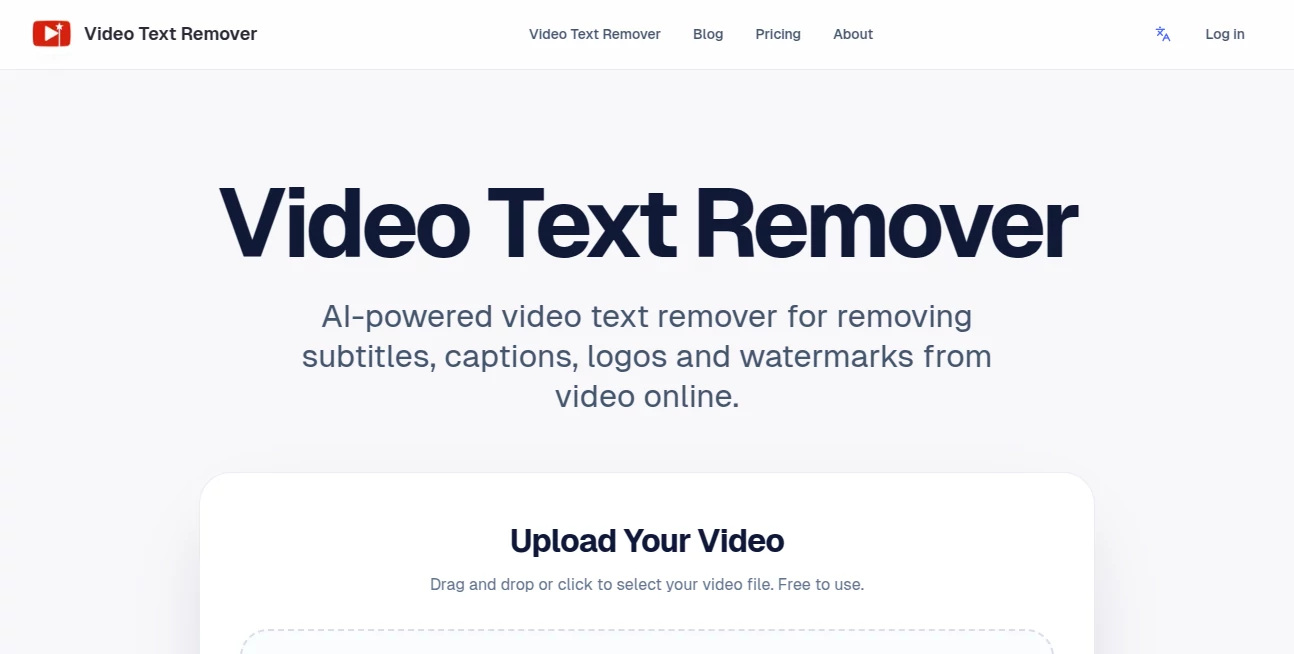
What is Video Text Remover?
Removing unwanted subtitles, captions, logos, and watermarks from videos used to require advanced editing software and plenty of patience. Today, AI has changed that process completely. This online solution makes it possible to clean video footage in just a few simple steps, helping creators produce polished content without spending hours on manual editing.
Built for modern content creators, marketers, educators, and businesses, the platform focuses on preserving the original scene instead of simply covering unwanted elements with blur or cropping. By intelligently rebuilding the hidden background, it delivers natural-looking results that are ready for publishing across popular social media platforms. Whether you're repurposing content, preparing promotional videos, or restoring original footage, the workflow remains fast, intuitive, and accessible directly from a web browser. The service supports popular formats including MP4, MOV, and WEBM while providing preview generation before exporting the final version. :contentReference[oaicite:0]{index=0}
Key Features
User Interface
The interface is refreshingly simple. Upload a video, highlight the unwanted text or object, generate a preview, and export the cleaned result once satisfied. There are no complicated timelines, keyframes, or professional editing tools to learn, making the platform approachable for beginners while remaining efficient for experienced editors. Everything runs online, eliminating software installation.
Accuracy & Performance
Instead of relying on traditional blur effects, the AI analyzes surrounding frames and reconstructs the background behind subtitles, captions, logos, and watermarks. This produces cleaner footage with minimal visual artifacts. Preview generation allows users to evaluate the quality before consuming credits on a full export, making the editing process both practical and cost-effective. :contentReference[oaicite:1]{index=1}
Capabilities
- Remove subtitles and closed captions.
- Erase logos and branded overlays.
- Clean TikTok watermarks and social media labels.
- Remove distracting objects or unwanted people from scenes.
- Generate preview videos before exporting.
- Maintain natural-looking backgrounds.
- Support multiple common video formats.
- Cloud-based editing with no software installation.
- Optimized for short-form content including Reels, Shorts, and TikTok videos.
- Credit-based processing for flexible usage.
Security & Privacy
The platform stores generated projects within a personal account history, allowing users to revisit previous edits without restarting the workflow. Since processing happens online, creators can access their projects from virtually anywhere while avoiding the need for local rendering hardware. :contentReference[oaicite:2]{index=2}
Use Cases
- Repurposing social media videos for multiple platforms.
- Removing watermarks before re-editing original footage.
- Cleaning tutorial videos by eliminating embedded captions.
- Preparing marketing videos for commercial campaigns.
- Removing distracting objects from promotional content.
- Creating professional UGC advertisements.
- Editing educational materials for cleaner presentation.
- Restoring archived videos with unwanted overlays.
Pros and Cons
Pros
- Easy browser-based workflow.
- Natural AI-powered background reconstruction.
- No editing software installation required.
- Preview before final export.
- Supports watermark, subtitle, logo, and object removal.
- Suitable for creators of all experience levels.
Cons
- Full-quality exports require paid credits or subscriptions.
- Complex scenes may take longer to process.
- Requires an internet connection for cloud processing.
Pricing Plans
The service offers flexible credit-based pricing alongside recurring subscription plans. Users can choose between one-time credits or annual plans designed for individuals, professional creators, and agencies. Subscription tiers include increasing monthly credits, priority processing, commercial usage support, and higher processing capacity for larger workloads. :contentReference[oaicite:3]{index=3}
How to Use Video Text Remover
- Upload your video file.
- Select the subtitle, watermark, logo, or unwanted object.
- Generate a preview to inspect the results.
- Adjust the selected area if necessary.
- Export the cleaned video once satisfied.
- Download and publish the final version.
Comparison with Similar Tools
Many video editors remove overlays by cropping the frame or applying blur effects, which often reduce visual quality. This solution takes a more advanced approach by reconstructing the missing background with AI, helping preserve the original appearance of the footage. Its browser-based workflow also makes it considerably faster for users who need occasional editing without investing time in learning professional desktop software. The preview-first workflow further distinguishes it by allowing users to evaluate quality before committing to a full export. :contentReference[oaicite:4]{index=4}
Conclusion
For creators looking to produce cleaner, more professional videos without complex editing software, this AI-powered solution offers an excellent balance of simplicity and impressive results. Its intelligent background reconstruction, streamlined editing workflow, and support for subtitle, watermark, logo, and object removal make it especially valuable for social media creators, digital marketers, educators, and businesses. The combination of cloud processing, flexible pricing, and preview generation creates a reliable editing experience that saves both time and effort while maintaining high visual quality.
Frequently Asked Questions (FAQ)
Can it remove subtitles from videos?
Yes. It is designed to remove embedded subtitles while preserving the surrounding background naturally.
Does it remove watermarks?
Yes. Logos, watermarks, captions, and other text overlays can all be removed using the same editing workflow.
Can unwanted objects also be removed?
Yes. Besides text removal, the AI can eliminate distracting objects and even people from selected scenes.
Do I need to install software?
No. Everything works directly inside a web browser.
Which video formats are supported?
The platform supports common formats including MP4, MOV, and WEBM for uploading and processing. :contentReference[oaicite:5]{index=5}
AI Video to Video , AI Video Editor , AI Video Enhancer , Other .
These classifications represent its core capabilities and areas of application. For related tools, explore the linked categories above.
Video Text Remover details
Website unavailable — View Alternatives
Pricing
- Free
Apps
- Web App
Categories

Video Text Remover Alternatives Product

JSON to Video

AiToolsObser…

Lessgames

AI Fruit

Riverside.fm

Artaivo

LatentSync

Nodu AI

AI Motion Co…
