


















VideotoLink
What is VideotoLink?
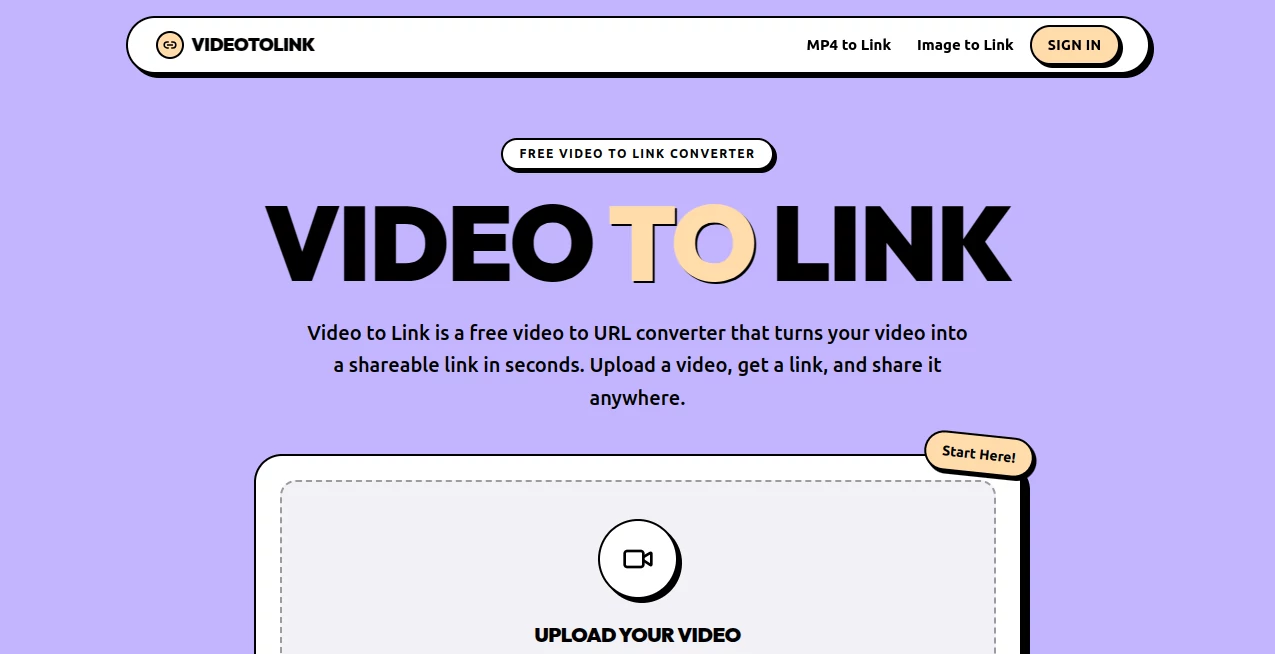
Video to Link is a free video-to-URL service designed for one simple job: turning a video file into a shareable web link. Instead of attaching a large video to an email or sending it through a messaging app that may compress the file, users can upload their video and receive a link that opens a dedicated player page.
The service keeps the process deliberately straightforward. There is no software to install, no conversion queue, and no account required for videos up to 100MB. Supported files include MP4, MOV, WebM, MKV, and M4V, making it useful for videos created on phones as well as files exported from common editing applications.
One particularly useful detail is that the original file is not re-encoded or compressed. That means the shared version retains the quality of the uploaded video rather than being altered simply to make sharing easier.
Key Features
- Free video-to-link conversion for files up to 100MB.
- No sign-up is required for basic uploads.
- Support for MP4, MOV, WebM, MKV, and M4V formats.
- No re-encoding or compression of uploaded videos.
- Shareable links that open in a dedicated video player.
- Browser playback on phones, tablets, and desktop computers.
- Preview cards for supported platforms such as Slack, Discord, WhatsApp, and X.
- Guest links remain available for 21 days.
- Signed-in users can keep links available for as long as their account remains active.
- Signed-in users can delete videos and disable their links immediately.
- Password protection can be added to shared links.
- Video pages are designed to remain outside search engine results.
User Interface
The interface focuses on the upload rather than surrounding users with unnecessary controls. The main uploader supports drag-and-drop as well as file browsing, so someone who simply needs to share a video can get started immediately.
The workflow is especially easy to understand because there are only three practical steps: upload the file, receive the link, and share it. This makes the service approachable even for people who are not familiar with video hosting platforms.
Accuracy & Performance
Performance here is less about video editing and more about getting a usable link quickly. The service states that there is no processing queue because the upload itself produces the shareable URL. On a typical connection, a video can therefore become a usable link in well under a minute, depending primarily on upload speed.
Another advantage is preservation of the original file. Since the service does not re-encode or compress uploaded videos, users do not have to worry about an additional quality reduction caused by the sharing process.
Capabilities
The core capability is intentionally narrow but practical. A video can be uploaded in one of the supported formats and then shared through a short URL. The resulting page contains a browser-based player, allowing recipients to watch the video without installing an application or creating an account.
This makes the service useful for everything from a quick screen recording to a product demonstration. Links can also be placed in emails, support tickets, documents, resumes, social posts, or QR codes.
Security & Privacy
Sharing is based on access to the link rather than public discovery. Videos are not presented as public posts, and the service states that video pages stay out of search engine results. However, anyone who obtains a link can access the associated video, so users should treat shared URLs accordingly.
There is also a useful deletion option for signed-in users. Removing a video causes its link to stop working immediately. Password protection can also be added to a link when an additional layer of access control is needed.
Use Cases
Work and collaboration: A screen recording showing a software problem can be shared with a colleague without attaching a large file to an email or chat message.
Developers and QA teams: Reproduction videos can be attached to bug reports, pull requests, or support tickets as lightweight links.
Freelancers and job seekers: A portfolio video or short introduction can sit behind a clean URL in a resume, proposal, or application.
Product sellers: A demonstration video can be connected to a product listing, customer message, or QR code without sending viewers through a distracting social platform.
Teachers and coaches: Lesson recordings, demonstrations, and feedback videos can be shared directly with students.
Friends and family: Large phone videos can be shared through a link instead of being compressed by messaging services.
Pros and Cons
Pros:
- Free uploads up to 100MB.
- No account is necessary for basic use.
- Simple three-step workflow.
- Several popular video formats are supported.
- No video re-encoding or compression.
- Recipients do not need an account to watch.
- Clean, ad-free playback pages.
- Signed-in users can keep links permanently while their account remains active.
- Links can be deleted by signed-in users.
Cons:
- The maximum file size is currently 100MB.
- Guest links expire after 21 days.
- Anyone who receives a shareable link can access the video unless additional protection is used.
- It is focused on video sharing rather than full video editing or project management.
Pricing Plans
The service is currently free for video uploads up to 100MB per file. Users can upload without an account, while signing in adds longer-term storage for the resulting links. Guest uploads remain available for 21 days, whereas signed-in uploads remain available for as long as the account is active.
There is no trial period or paid subscription requirement presented for the core video-to-link service. For someone who only needs to turn an occasional video into a convenient URL, the free offering covers the main workflow.
How to Use It
- Open the video-to-link service in a browser.
- Drag a video into the uploader or choose a file from your device.
- Make sure the file is one of the supported formats and is no larger than 100MB.
- Wait for the upload to finish.
- Copy the generated shareable URL.
- Paste the link into an email, message, document, support ticket, post, or QR code.
- Sign in if you want the link to remain available beyond the 21-day guest period.
Comparison with Similar Tools
Traditional cloud storage platforms are built around file storage, synchronization, folders, permissions, and collaboration. Temporary file hosts, on the other hand, often prioritize short-lived transfers. This service occupies a more focused position: it is designed specifically for quickly turning a video into a link that people can open and watch.
That distinction can matter in everyday situations. If the goal is to manage a large collection of documents and files, a cloud drive may be more appropriate. If the goal is simply to share a video without creating an account for the viewer, installing software, or sending a bulky attachment, a dedicated video link service can be considerably more convenient.
Conclusion
For users who regularly need to share videos but do not want to upload them to a social network or manage a full cloud-storage account, this service offers a refreshingly focused solution. The workflow is quick, the supported formats cover many common video files, and the 100MB free limit is sufficient for many short recordings and demonstrations.
The strongest feature is arguably its simplicity. Upload a file, receive a link, and send it wherever it needs to go. With browser playback, no viewer account requirement, original video quality, and an option for longer-term links after signing in, it is a practical choice for straightforward video sharing.
Frequently Asked Questions (FAQ)
Is the video-to-link service free?
Yes. Videos up to 100MB can be converted into shareable links for free, with or without an account.
What video formats are supported?
The supported formats are MP4, MOV, WebM, MKV, and M4V.
Do I need an account to upload a video?
No. An account is optional for files up to 100MB. Signing in is useful when you want your links to remain available beyond the guest retention period.
How long does a guest video link last?
Guest links remain available for 21 days. Signed-in links remain available for as long as the user's account is active.
Will the video lose quality?
The service states that uploaded videos are not re-encoded or compressed, so the original uploaded quality is preserved.
Can recipients watch without an account?
Yes. Recipients can open the link and watch the video directly in a browser without creating an account or installing an application.
Can I delete a shared video?
Yes. Signed-in users can delete their videos, after which the associated link stops working immediately.
Can I protect a video link?
Yes. A password can be added to a video link when additional access protection is required.
These classifications represent its core capabilities and areas of application. For related tools, explore the linked categories above.
VideotoLink details
Website unavailable — View Alternatives
Pricing
- Freemium
Apps
- Web App
Categories

VideotoLink Alternatives Product

Tea Checker
X-Installer

Hunty Zombie…

Clean Paste

CRIMSON DESE…

Ssave App

vizstudio

Hall Of Tarot

URL to Any
