
VioEvo
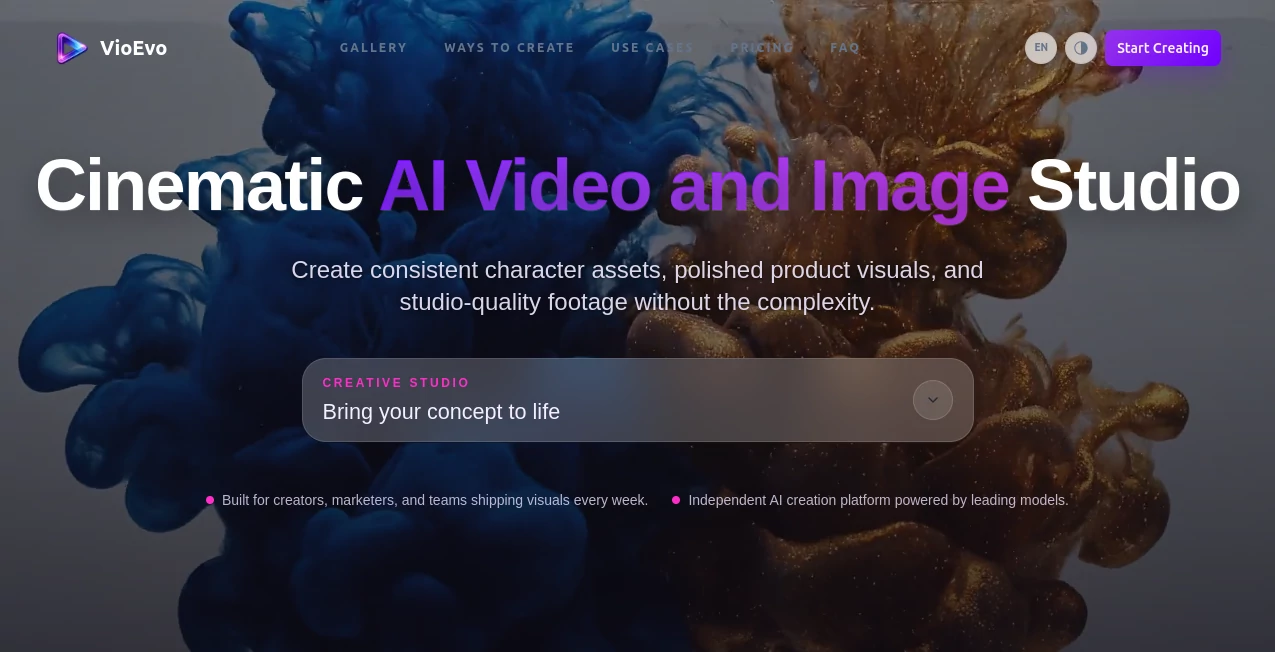
What is VioEvo?
Creating professional-looking videos no longer requires advanced editing skills or expensive production teams. This platform transforms simple text prompts, reference images, or existing clips into visually stunning AI-generated videos with remarkable speed. Whether you're preparing marketing campaigns, social media content, product showcases, or creative storyboards, it provides an efficient workflow that dramatically reduces production time while maintaining impressive visual quality.
Instead of forcing creators into complicated editing software, the platform focuses on a prompt-first experience. Users simply describe the desired scene, select a preferred AI model, choose an aspect ratio, and generate multiple cinematic variations in minutes. The result is a streamlined creative process that works equally well for individual creators, marketing teams, agencies, and businesses looking to produce engaging visual content.
Key Features
User Interface
The interface is clean, intuitive, and designed for rapid content creation. Every important option—including model selection, resolution, aspect ratio, and generation controls—is accessible without overwhelming new users. Even someone creating AI videos for the first time can quickly understand the workflow and begin generating professional-quality content.
Accuracy & Performance
The platform delivers highly detailed cinematic outputs by utilizing multiple production-ready AI video models. Users can prioritize either faster rendering for rapid iterations or higher-quality rendering for polished commercial projects. Support for both horizontal and vertical formats makes it suitable for websites, YouTube, TikTok, Instagram Reels, and advertising campaigns.
Capabilities
- Generate videos from text prompts.
- Create videos from reference images.
- Transform existing videos into new visual styles.
- Produce cinematic marketing clips.
- Generate storyboard previews.
- Create social media content.
- Support multiple AI generation models.
- Choose between 720P, 1080P, and 4K output options.
- Generate videos in both 16:9 and 9:16 aspect ratios.
- Create several variations for comparison before exporting.
Security & Privacy
The service is built for commercial creators and businesses that require reliable content generation. User projects remain organized inside personal workspaces, while commercial licensing is available on paid plans for professional publishing. This makes it suitable for agencies and companies producing client-facing media.
Use Cases
- Marketing campaigns and advertisements.
- Product demonstration videos.
- Social media content creation.
- YouTube intros and promotional clips.
- Startup product launches.
- Creative storytelling.
- Concept visualization.
- Storyboard generation.
- Educational visual presentations.
- Short-form promotional videos.
Pros and Cons
Pros
- Simple prompt-based workflow.
- Supports multiple AI video generation models.
- High-resolution output up to 4K.
- Vertical and horizontal video support.
- Fast iteration with multiple generated variations.
- Suitable for commercial content production.
- Free credits available for new users.
Cons
- Advanced generations consume credits quickly.
- Long-form video creation is limited compared to traditional editors.
- Internet connection is required for all processing.
Pricing Plans
New users receive free credits to explore the platform before upgrading. Paid subscription options provide additional credits, commercial usage rights, watermark-free exports, and access to more advanced AI models and generation capabilities. Pricing is flexible enough for individual creators as well as professional teams.
How to Use VioEvo
Start by writing a detailed description of the desired scene, including the subject, environment, movement, and camera style. Next, choose the AI model that matches your quality or speed requirements, then select the preferred resolution and aspect ratio. Generate several versions, compare the results, refine the prompt if necessary, and export the final video for marketing, presentations, social media, or commercial projects.
Comparison with Similar Tools
Compared with many AI video generators that focus on a single workflow, this platform offers greater flexibility by supporting text-to-video, image-based generation, reference-driven creation, and video transformation within one environment. Its emphasis on cinematic motion, multiple production-ready AI models, and rapid iteration makes it particularly attractive for creators who need professional results without lengthy editing sessions.
Conclusion
For creators looking to produce visually impressive AI videos with minimal effort, this platform offers an excellent balance of quality, flexibility, and ease of use. The prompt-first workflow removes unnecessary complexity while still providing powerful customization options for marketers, designers, agencies, and content creators. From social media campaigns to product launches and storyboard creation, it delivers an efficient creative experience that helps transform ideas into cinematic videos in just a few minutes.
Frequently Asked Questions (FAQ)
Can beginners create videos without editing experience?
Yes. The interface is designed for users with little or no video editing background.
Does it support commercial projects?
Yes. Paid plans include commercial usage rights suitable for business and marketing content.
Can videos be generated in vertical format?
Yes. Both 16:9 and 9:16 aspect ratios are supported for desktop and mobile platforms.
Does it generate videos from images?
Yes. Users can create videos using existing images or reference visuals in addition to text prompts.
Is there a free version?
Yes. New accounts receive free credits that allow users to test the platform before purchasing a subscription.
AI Image to Video , AI Video Generator , AI Video Editor , AI Text to Video .
These classifications represent its core capabilities and areas of application. For related tools, explore the linked categories above.

VioEvo Alternatives Product

Paper Animat…

FaceSwaply
SkyReels-V4

Seedance AI

Seedance

Veo

Sora 2
wan2-6.org

Video to GIF…