


















Vital Care Finder MCP Server
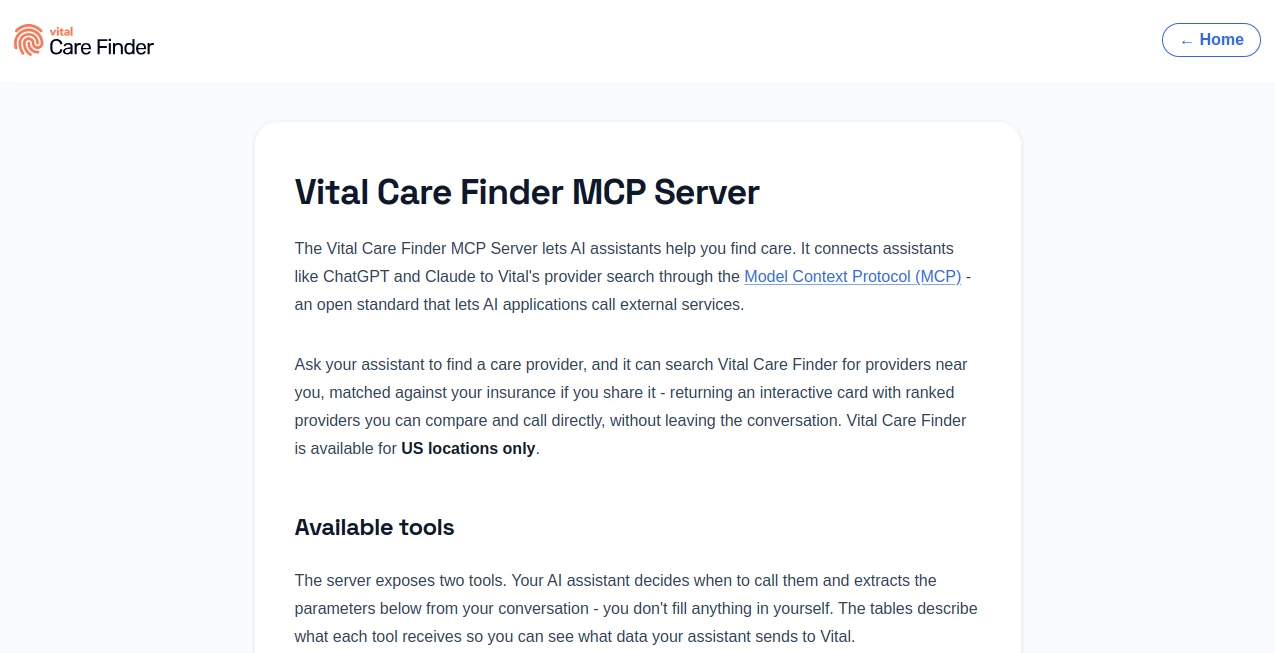
What is Vital Care Finder MCP Server?
Finding the right healthcare provider can take more time than expected, especially when specialty, location, insurance coverage, and the reason for a visit all matter. Vital Care Finder MCP Server brings provider search directly into AI conversations, allowing assistants such as ChatGPT and Claude to look for suitable healthcare professionals without forcing users to switch between several websites.
The service works through the Model Context Protocol (MCP), an open standard that allows AI applications to connect with external services. Instead of manually filling out a traditional search form, users can simply explain what kind of care they need and where they want to find it. The assistant handles the search parameters and presents relevant providers in an interactive format.
For people in the United States, this creates a much more conversational way to explore healthcare options. The experience is particularly useful when insurance coverage or a specific medical concern needs to be considered alongside location and specialty.
Key Features
- AI-assisted healthcare provider discovery through MCP.
- Searches for medical specialists based on specialty and US location.
- Optional insurance matching at the carrier or specific plan level.
- Clinical context can be used to identify providers whose treatment focus fits the user's needs.
- Patient age can help exclude practices that are not appropriate for a particular age group.
- Results can include provider credentials, specialty, distance, phone number, ratings, insurance-match signals, and treatment focus.
- Results are presented through interactive cards with map information and tap-to-call functionality.
- Read-only searches mean the service does not make appointments or modify information on the user's behalf.
- No login is required when connecting through a compatible MCP client.
User Interface
One of the strongest aspects of the experience is that users do not have to learn a new healthcare search interface. The interaction happens inside the AI assistant they are already using. Once a suitable search is triggered, provider results are returned as interactive cards that make important details easier to compare.
The result format is practical rather than overloaded. Users can review names, credentials, specialties, distance, ratings, insurance-related information, and treatment focus, while map and phone actions make the next step straightforward.
Accuracy & Performance
The system is designed around structured search parameters rather than a simple keyword lookup. Specialty terms are interpreted using clinical terminology, while everyday descriptions such as asking for a heart doctor can be translated by the assistant before the search is performed.
Insurance information can also be refined. A separate insurance-plan search can identify candidate plans before provider matching takes place. This extra step can make results more useful for users who need to consider their exact coverage rather than relying only on a broad insurance carrier name.
Healthcare information can change, however. Provider availability, ratings, and insurance network status are not permanent guarantees, so users should confirm important details with the clinic before scheduling a visit.
Capabilities
The MCP server currently exposes two main capabilities. The first searches for healthcare providers by specialty and location, returning up to eight ranked providers. The second matches plain-language insurance descriptions against a catalog of specific insurance plans and can return up to ten candidate plans for confirmation.
The provider search can consider a US ZIP code or a city and state, an insurance carrier or confirmed plan, clinical context, and patient age. This makes it possible to create searches that are considerably more specific than simply looking for a doctor in a particular city.
It is also compatible with MCP clients that support Streamable HTTP. The stateless connection does not require users to sign in, making the technical setup relatively straightforward for supported applications.
Security & Privacy
Privacy is an important part of the design. According to the service's documentation, the system receives only the parameters sent by the AI assistant, such as specialty, search location, insurance information when provided, clinical context, and patient age.
It does not receive the user's full chat history, account details, or identity. The tools are also read-only, meaning the service is intended for searching and displaying provider information rather than making bookings or changing records.
Users should still be thoughtful about the information they share with any AI assistant, particularly when discussing personal healthcare matters. The provider search should be treated as a discovery tool rather than a replacement for professional medical advice.
Use Cases
- Finding a specialist: Ask an AI assistant to find a particular medical specialty in a US city or ZIP code.
- Insurance-aware searches: Use an insurance carrier or confirmed plan to narrow the provider results.
- Condition-focused discovery: Add the reason for an appointment so the search can consider a provider's treatment focus.
- Age-specific searches: Patient age can help remove practices that are clearly unsuitable for the intended patient.
- Comparing nearby providers: Review several ranked options along with distance, ratings, credentials, and contact information.
- Conversational healthcare discovery: Find providers without leaving an AI conversation to open a separate directory.
- MCP experimentation: Developers and AI enthusiasts can connect a compatible MCP client to the service using Streamable HTTP.
Pros and Cons
Pros
- Works directly through supported AI assistants.
- Uses conversational requests instead of requiring a traditional search form.
- Supports specialty and location-based provider discovery.
- Can incorporate insurance information into provider searches.
- Clinical context and patient age can make results more relevant.
- Interactive provider cards make comparison and calling convenient.
- No login is required for the MCP connection.
- Read-only functionality reduces the risk of unintended bookings or account changes.
Cons
- Availability is currently limited to healthcare searches within the United States.
- The service does not make appointments for users.
- Insurance and provider information should still be confirmed directly with the clinic.
- It is a provider directory and search service, not a source of diagnosis or treatment advice.
- The experience depends on having access to a compatible MCP client or supported AI assistant.
Pricing Plans
The official MCP documentation does not list a conventional paid subscription or tiered pricing structure for accessing the provider-search server. It states that searches can be performed without signing in, which makes the initial experience simple for users of compatible AI clients.
Because healthcare provider information and external AI platforms can have their own terms and limitations, users should check the current service and client documentation for any changes before relying on the integration for regular use.
How to Use the Tool
Getting started is straightforward for users of supported AI platforms. The service is available through the ChatGPT plugin directory and the Claude Connectors directory, while other MCP-compatible clients can connect through Streamable HTTP.
- Open a supported AI assistant that can use MCP integrations.
- Add the healthcare provider search integration through the available connector or plugin directory.
- Ask the assistant to find a doctor or specialist in a US location.
- Include useful details such as the specialty, city or ZIP code, insurance carrier, medical reason, or patient age when appropriate.
- Review the returned provider cards and compare the available information.
- Use the map or phone option to continue researching or contact a clinic.
- Confirm insurance coverage, availability, and provider details directly with the clinic before making plans.
Comparison with Similar Tools
Traditional healthcare directories usually require users to open a website, select a specialty, enter a location, apply insurance filters, and manually inspect provider profiles. This MCP-based approach moves much of that interaction into the AI conversation itself.
Compared with a basic AI chatbot that can only provide general healthcare information, the service is connected to a provider-search system and can return structured local results. That distinction is important: the assistant is not simply generating names from memory; it can request provider information through the connected search tools.
It also offers a practical middle ground between general web search and conventional healthcare directories. Users can describe what they need naturally, while the underlying tools still work with structured information such as specialty, location, insurance, clinical context, and age.
Conclusion
For anyone in the United States who wants a faster way to discover healthcare providers through an AI assistant, this MCP integration offers a thoughtful approach. Its biggest advantage is not simply the ability to search for doctors, but the way it combines conversational AI with structured provider and insurance information.
The ability to consider specialty, location, insurance, clinical context, and patient age can make searches more useful than a broad internet query. Interactive results also reduce the friction between finding a provider and deciding which options are worth contacting.
It is not designed to diagnose conditions or replace professional medical guidance, and provider information should always be verified before a visit. Used for what it does best—helping people discover and compare healthcare providers—it provides a convenient bridge between AI assistants and real-world healthcare search.
Frequently Asked Questions (FAQ)
What does the MCP server do?
It allows compatible AI assistants to search for healthcare providers through Vital Care Finder and return relevant provider information directly inside the conversation.
Can it find doctors near me?
Yes, but searches are currently limited to US locations. A user can provide a ZIP code or a city and state as the search location.
Can it search by insurance?
Yes. The system can use an insurance carrier or a confirmed specific insurance plan when matching healthcare providers.
Can it identify the right specialist for a medical condition?
It can use the clinical context supplied to the search to check whether a provider's treatment focus may fit the user's needs. This is provider discovery rather than medical diagnosis.
Does it book medical appointments?
No. The available tools are read-only and are intended to search for and display providers. Users need to contact the clinic directly to arrange an appointment.
Does it require a login?
The MCP connection uses a stateless transport and does not require a login to perform searches.
Does the service receive my entire conversation?
No. Its documentation states that it receives the tool parameters sent by the assistant rather than the user's chat history, account details, or identity.
Is the service available outside the United States?
No. The provider search is currently designed for US locations, and searches outside the United States return an error.
Should provider information be verified before visiting?
Yes. Insurance network status, ratings, provider availability, and other details can change. It is recommended to confirm important information directly with the clinic before a visit.
Is this a medical advice service?
No. It is a healthcare provider directory and discovery service. It should not be used as a substitute for professional medical advice or emergency medical care.
AI Chatbot , AI Healthcare , AI Developer Tools .
These classifications represent its core capabilities and areas of application. For related tools, explore the linked categories above.
Vital Care Finder MCP Server details
Website unavailable — View Alternatives
Pricing
- Freemium
Apps
- Web App
Categories

Vital Care Finder MCP Server Alternatives Product

GetFIT App

Dewy Chat

CrushonAI

Defapi

Mythx AI

ClawBridge

AI Agent Ski…

PZERO

TWT Chat
