


















Vizcom
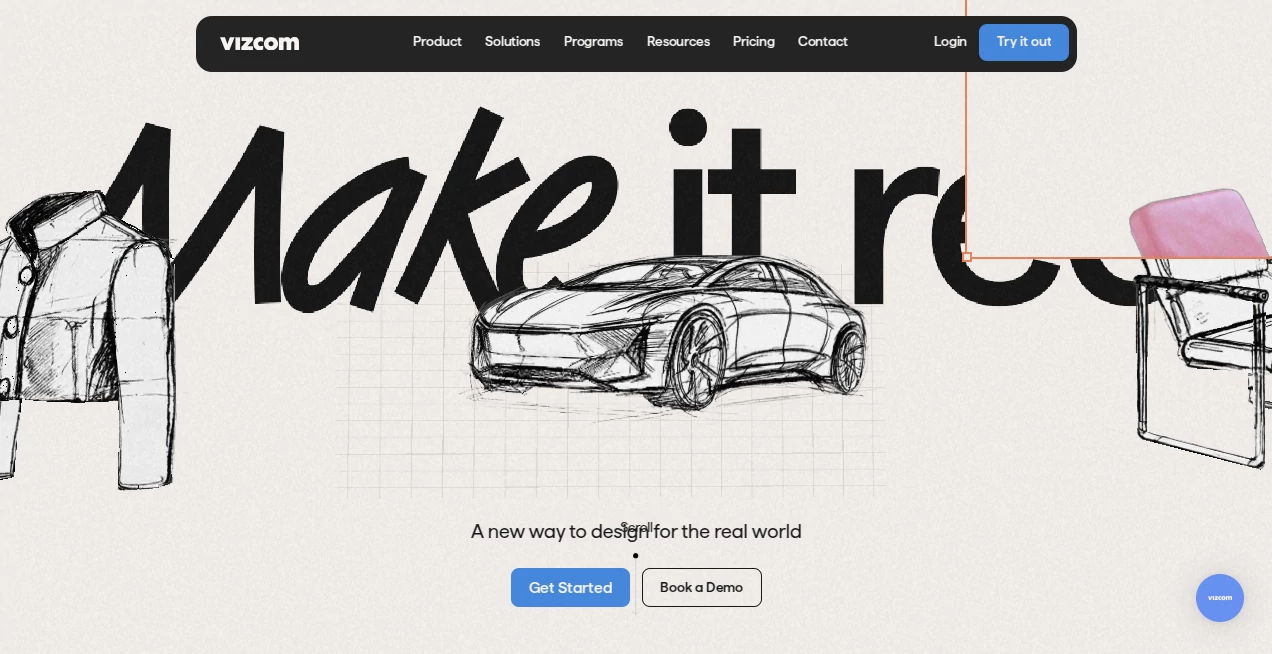
What is Vizcom?
I still remember the first time I tried it. I drew a messy, half-baked concept on my iPad — nothing special, just loose lines and notes — and thirty seconds later I was staring at a polished, professional-looking render that actually captured the feeling I was going for. That moment of surprise is what makes this tool special. It doesn’t just “enhance” your sketch; it understands intent and turns early ideas into visuals that feel alive and intentional. For anyone who designs products, interfaces, or concepts, it removes one of the biggest creative bottlenecks: the jump from rough idea to something you can actually show people.
Introduction
Most designers know the struggle — you have the vision in your head, but getting it out fast enough to share with clients or teammates is painful. Traditional rendering takes too long, and generic AI tools often miss the point entirely. Vizcom bridges that gap beautifully. It takes your imperfect sketches and transforms them into high-quality, style-consistent renders while preserving your original vision. Whether you’re an industrial designer, UI/UX designer, illustrator, or product thinker, it feels like having a talented junior designer who works at lightning speed and actually gets your style.
Key Features
User Interface
The workspace is clean and focused, designed by designers for designers. You draw or upload a sketch, choose a style, and watch the magic happen in real time. The controls are intuitive — no deep menus or confusing sliders. You can iterate quickly by adjusting prompts, strength, or style references. Everything from the brush feel to the preview quality feels thoughtful. It never gets in your way, which is exactly what you want when you’re deep in creative flow.
Accuracy & Performance
What impresses most is how well it respects your original lines and intent. It doesn’t flatten your sketch into something generic — it builds on top of it. The AI understands perspective, form, and design language remarkably well. Generations are fast enough that you can try multiple directions in minutes instead of hours. In my experience, the first or second render is often already usable, which is rare in this space.
Capabilities
It supports everything from quick concept sketches to detailed product visualizations. You can guide it with text prompts, reference images, or style presets. It excels at industrial design, UI concepts, character work, environments, and architectural ideas. The consistency across iterations is excellent — change one element and the rest stays coherent. It also handles complex compositions and maintains good anatomy and perspective, which many similar tools still struggle with.
Security & Privacy
Your sketches and projects stay private by default. The platform was built with professional workflows in mind, so there’s proper attention to data handling and intellectual property. You can work confidently knowing your early concepts aren’t being used to train models or shared publicly unless you choose to.
Use Cases
A product designer sketches three concepts for a new gadget and generates polished renders to present to the team before lunch. A UI designer rapidly explores different dashboard directions for a client project and gets client feedback the same day. An illustrator uses it to test lighting and color variations on character concepts. Architecture students turn hand sketches into compelling presentations. The common thread is speed paired with quality — turning ideas into visuals fast enough to keep momentum alive.
Pros and Cons
Pros:
- Exceptional respect for your original sketch lines and intent.
- Fast iteration that keeps creative flow alive.
- Beautiful, usable results suitable for client presentations.
- Great balance between control and automation.
- Designed by creatives who understand real design workflows.
Cons:
- Best results still come from decent initial sketches (garbage in, garbage out applies).
- Very complex or highly detailed scenes can need multiple attempts.
- Advanced features and higher resolution live behind paid plans.
Pricing Plans
It offers a generous free tier that lets you explore and create meaningful work without pressure. Paid plans unlock faster generations, higher resolution, more styles, commercial rights, and priority access. The pricing feels fair for the time and quality it saves — many professionals say it pays for itself after the first couple of client projects.
How to Use Vizcom
Start by sketching directly in the app or uploading an existing drawing. Add a short text prompt to guide the style or mood if needed. Choose from available styles or upload a reference image. Hit generate and watch your sketch transform. Use the iteration tools to refine — change prompts, adjust strength, or try different styles. Once you’re happy, download in high resolution. The whole loop from rough idea to polished visual is remarkably fast and satisfying.
Comparison with Similar Tools
While many AI image tools exist, few understand design intent and sketching language as well as this one. Generic generators often ignore your lines or produce overly polished but soulless results. Vizcom stands out by feeling like a true creative partner rather than a blunt instrument. It bridges the gap between rough concept and presentation-ready visual better than most alternatives currently available.
Conclusion
Design is about exploring ideas quickly and communicating them clearly. This tool makes both parts significantly easier and more enjoyable. It respects your craft while removing the tedious parts, letting you spend more time thinking and less time rendering. For anyone who turns ideas into visuals for a living, it’s quickly becoming one of those tools you wonder how you ever managed without.
Frequently Asked Questions (FAQ)
How good do my initial sketches need to be?
They don’t need to be perfect — clean lines help, but the AI is surprisingly good at understanding loose sketches.
Can I use it for client work?
Yes — paid plans include full commercial rights.
Is it only for certain design fields?
No — it works beautifully for product design, UI/UX, illustration, architecture, and more.
How fast are generations?
Most renders appear in 10–30 seconds, depending on complexity.
Do I need to be an amazing artist to use it?
Not at all. Many users with average sketching skills get excellent results because the tool understands intent.
AI Illustration Generator , AI Design Assistant , AI Design Generator , AI Graphic Design .
These classifications represent its core capabilities and areas of application. For related tools, explore the linked categories above.

Vizcom Alternatives Product
Free AI Kiss…
Image To Ima…

SlideStorm AI

qwen image 2…

textile gen

MuseCraft.AI

AI Interior …

z-image.me

Nano Banana …
