
Vocal Remover
What is Vocal Remover?
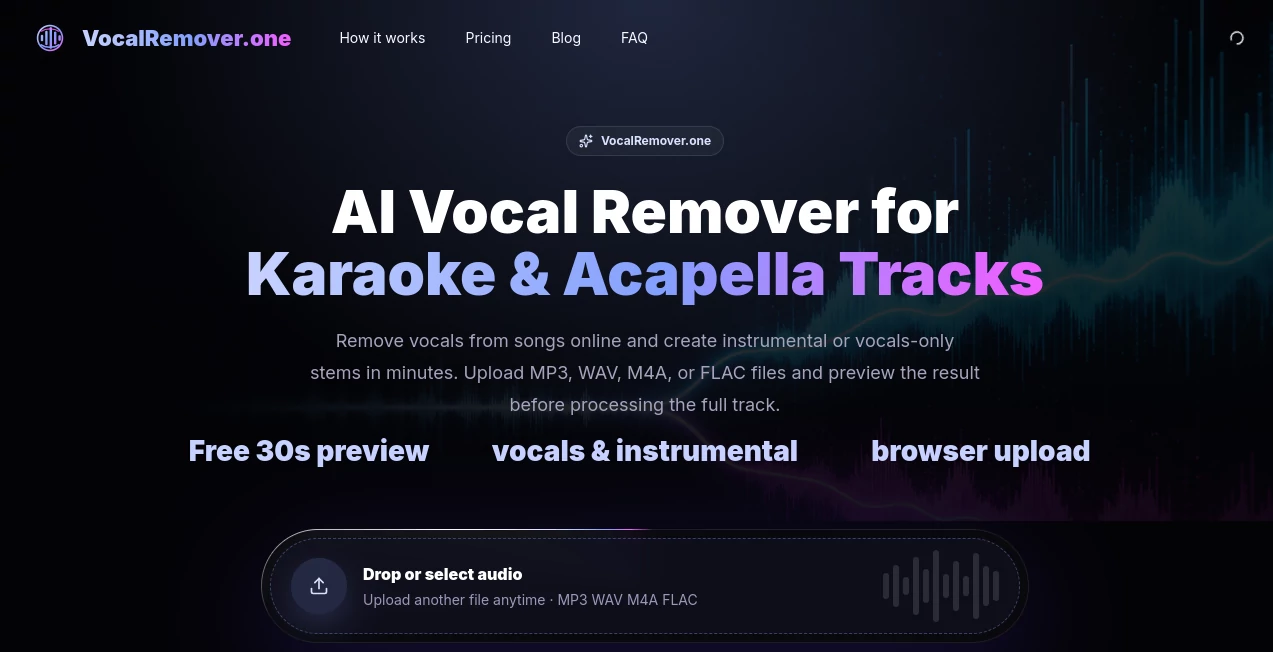
There’s something satisfying about taking a full song and cleanly pulling the voice out, leaving a perfect backing track for karaoke, or isolating the vocals for a remix. This tool makes that process feel effortless. Upload your track, listen to a free 30-second preview, and if it sounds good, get clean vocal and instrumental stems without complicated software or long waits. I’ve used it to create practice tracks for singing and quick acapellas for ideas, and the quality consistently surprises me for how simple the whole thing is.
Introduction
Most of us have wished we could turn a favorite song into a karaoke version or grab just the vocals for a project, but traditional methods were either expensive, technical, or produced mediocre results. This platform changes that by using AI to separate vocals from instrumentals right in your browser. No downloads, no steep learning curves — just upload, preview, and download. It supports common formats like MP3, WAV, M4A, and FLAC, and the free preview lets you judge quality before committing any time or credits. For singers, producers, content creators, and casual users, it removes the biggest barriers and delivers usable stems fast.
Key Features
User Interface
The design is wonderfully straightforward. A large upload area welcomes you, supported formats are clearly listed, and the process flows in three simple steps. After uploading, you get a 30-second preview of both the isolated vocals and the instrumental track so you can hear the separation quality immediately. Controls are minimal and intuitive — no confusing sliders or hidden menus. Everything feels built for speed and clarity, so you spend more time creating and less time figuring things out.
Accuracy & Performance
The separation quality stands out, especially on clean studio mixes. Vocals come through with minimal bleed, and the instrumental track retains punch and clarity. Processing is quick for most songs, and the preview gives you confidence before running the full track. While live recordings or heavily layered tracks can still have some challenges (as with any tool), clean sources produce impressively usable results that work well for karaoke, remixes, or practice.
Capabilities
You get both a clean instrumental (perfect for karaoke or backing) and an isolated vocal stem (great for remixing or covers) from a single upload. The tool handles a variety of music genres and lengths effectively. The preview feature is particularly smart — it saves time and credits by letting you test separation quality first. Exports are ready to use in any DAW or editing software, making it a practical part of real workflows rather than just a novelty.
Security & Privacy
Your uploads are processed privately and not stored longer than necessary. The platform focuses on delivering the service without unnecessary data collection, giving you peace of mind when working with personal recordings or client material.
Use Cases
A singer preparing for a gig uploads backing tracks and quickly creates custom karaoke versions to practice with. A producer isolates vocals from reference tracks to build remixes or sample ideas. A content creator turns popular songs into instrumental backgrounds for videos without copyright worries on the music bed. Music teachers generate practice tracks for students by removing lead vocals. The speed and simplicity make it useful for both serious creators and casual weekend projects.
Pros and Cons
Pros:
- Free 30-second preview lets you check quality before processing.
- Browser-based — no software installation or accounts required to start.
- Fast processing with solid results on most commercial tracks.
- Clear separation of vocals and instrumentals in one go.
- Simple workflow that respects your time.
Cons:
- Live recordings or very dense mixes can still have some vocal bleed.
- Longer or more complex tracks may need the paid tier for full processing.
- Results vary depending on the original mix quality.
Pricing Plans
You can start completely free with the 30-second preview on any track. For full songs, there are affordable credit-based or subscription options that unlock longer processing, higher priority, and more frequent use. The pricing is transparent and scales with your needs — casual users stay free or low-cost, while regular creators find good value in the paid tiers.
How to Use Vocal Remover
Go to the site, drag your audio file (MP3, WAV, M4A, or FLAC) into the upload area. Wait for the 30-second preview to generate so you can hear both the vocal and instrumental versions. If you like the separation, confirm and process the full track. Download the stems you need — instrumental for karaoke or vocals for remixing. The entire process is fast enough that you can test several songs in one sitting.
Comparison with Similar Tools
Many vocal removers require desktop software, complicated setups, or produce lower-quality results with heavy artifacts. This one stands out for its browser simplicity, smart preview system, and balanced quality for everyday use. It’s not trying to be a full studio suite — it focuses on being quick, effective, and accessible, which makes it the practical choice for most singers, producers, and creators who just need good stems without the hassle.
Conclusion
When you need clean vocals or instrumentals fast, this tool delivers without drama. It respects your time, gives you a chance to preview quality, and produces usable results that actually help creative projects move forward. Whether you’re making karaoke tracks for fun, building remixes, or preparing practice material, it turns what used to be a headache into a simple, reliable step. For anyone working with music, that kind of ease is worth experiencing.
Frequently Asked Questions (FAQ)
What file types can I upload?
MP3, WAV, M4A, and FLAC files work best.
Is the preview really free?
Yes — you get a 30-second sample with no payment or account required.
How good is the separation quality?
It performs very well on clean studio mixes. Live or heavily processed tracks may have some bleed, but the preview lets you check first.
Can I use the stems commercially?
You can use them for your own projects, but you still need proper rights to the original song.
Do I need to install anything?
No — everything runs directly in your browser.
AI Voice Changer , AI Music Generator , AI Speech to Text , AI Voice & Audio Editing .
These classifications represent its core capabilities and areas of application. For related tools, explore the linked categories above.

Vocal Remover Alternatives Product

Fine Voice

Seedance

AI Song Maker

AI Music Gen…

Blinkly AI

TurboScribe

Custom Song

Flow Song

Lyria.run