


















Wan 3
What is Wan 3?
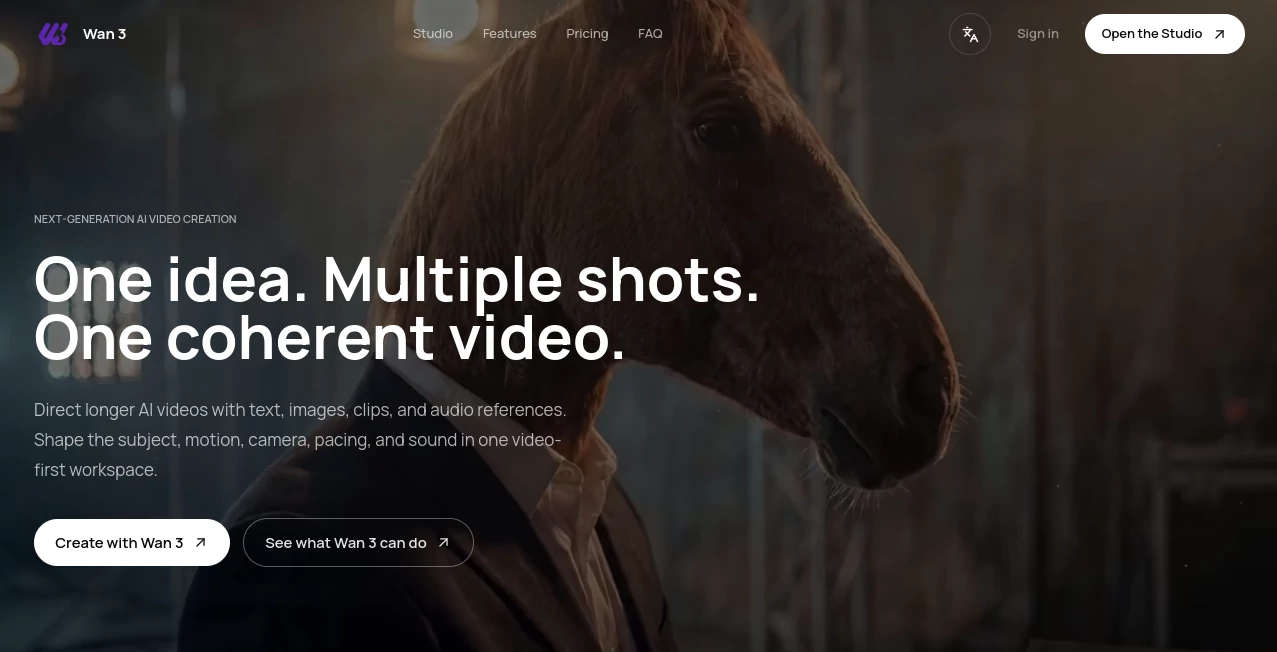
Wan 3 is a video-first AI creation workspace designed for turning an idea into a connected sequence rather than another collection of unrelated clips. You can begin with a written description, an image, a video clip, or audio references, then shape the subject, movement, camera direction, pacing, and sound as the project develops.
What makes the workflow particularly appealing is its focus on continuity. Instead of generating every shot from scratch, creators can carry important visual details from one scene into the next. That makes it useful for product videos, social content, campaign concepts, moving storyboards, presentations, and creative experiments where consistency matters.
The experience is also straightforward. A creator can describe the first story beat, add reference material, generate a shot, compare variations, and continue building from the strongest result. It feels closer to directing a small video project than simply entering a prompt and hoping for a good clip.
Key Features
- Text-to-video generation for creating scenes from written descriptions.
- Image-to-video workflows for adding movement to still images.
- Reference-guided generation using images, clips, audio, and other source material.
- Multi-shot sequence creation for developing a connected story.
- Character and product consistency across different shots.
- First-and-last-frame transition workflows for controlled scene changes.
- Support for landscape, portrait, and square video directions.
- Audio-aware workflows for dialogue, ambience, music, and visual action.
- Flexible control over subject, camera movement, pacing, and visual direction.
- Useful workflows for product films, social stories, campaigns, and moving storyboards.
User Interface
The interface is built around the creative process rather than a complicated collection of technical controls. The workspace lets users describe a scene, choose references, review generation settings, and continue developing the result. A simple starting point such as a product image or character frame can become the foundation for an entire sequence.
This approach is especially helpful for creators who do not want to spend hours learning a traditional production environment. You can start with one clear moment and gradually add detail as the project takes shape.
Accuracy & Performance
Performance depends on the selected workflow, generation settings, and the complexity of the requested scene. The platform is designed to preserve the creative direction established in earlier shots, which is important when a video needs to feel like one continuous piece rather than several unrelated generations.
For stronger results, prompts should describe the subject, action, setting, camera movement, lighting, pacing, and sound. Reference images and other source material can also provide useful anchors when a particular character, product, composition, or visual style needs to remain recognizable.
Capabilities
The platform covers several common AI video workflows in one environment. Creators can generate scenes from text, animate images, work with reference material, experiment with first-and-last-frame transitions, and assemble multiple completed shots into longer sequences.
Its multi-shot approach is one of the more practical aspects of the workflow. A creator might begin with a product introduction, generate a close-up detail shot, add a transformation sequence, and finish with a wider closing frame while keeping the overall visual direction connected.
It also supports different delivery orientations, including landscape, portrait, and square formats. This makes the same creative idea easier to adapt for cinematic projects, presentations, YouTube content, Shorts, Reels, TikTok, and other social campaigns.
Security & Privacy
Privacy and usage considerations depend on the applicable terms of the service and the assets being uploaded. Creators should make sure they have the necessary rights for reference images, video clips, audio, characters, logos, and other materials used in their projects.
Commercial use should also be checked against the current generation and asset terms before publishing or distributing finished work. This is particularly important for businesses creating advertising material or branded content.
Use Cases
Product Marketing: Turn product photography and brand references into promotional sequences with opening shots, detail views, transformations, and closing frames.
Social Media Content: Create connected vertical, square, or landscape stories instead of publishing isolated AI clips. This can be useful for short-form campaigns and recurring content.
Moving Storyboards: Directors, agencies, and creative teams can turn treatments or mood boards into moving scenes to communicate camera direction, atmosphere, pacing, and visual ideas before production.
Creative Storytelling: Build short narrative sequences while maintaining recognizable characters, visual language, and settings across multiple shots.
Advertising Concepts: Quickly explore different campaign directions and visualize how a product or message could develop from the opening frame to the final shot.
Presentations: Produce visual sequences that make presentations, pitches, and demonstrations more engaging without starting with a complete traditional storyboard.
Pros and Cons
- Pros: Multi-shot workflow, reference-guided generation, support for several video orientations, image and video inputs, audio-aware creation, and a strong focus on visual continuity.
- Pros: The workflow allows creators to develop an idea gradually instead of requiring a perfect prompt at the beginning.
- Cons: Available durations, resolutions, aspect ratios, reference options, and generation limits can vary by workflow and settings.
- Cons: Users creating commercial projects need to review the applicable asset and generation terms before publishing.
Pricing Plans
The service offers paid access starting at $19.90 per month for users who need additional credits. The exact available options and generation settings can vary, so creators should review the pricing information and settings displayed in the Studio before starting a larger project.
For someone experimenting with AI video, starting small makes sense. Once a workflow proves useful, a paid plan can provide additional capacity for developing more shots and longer sequences.
How to Use Wan 3
- Open the Studio and start with the first scene or story beat you want to create.
- Describe the subject, action, setting, camera movement, lighting, pacing, and sound.
- Add reference images, clips, audio, or earlier generations when they are important to the final look.
- Choose the available format, duration, audio, and generation settings.
- Generate the first shot and compare the available results.
- Keep the strongest version and use it as the foundation for the next shot.
- Repeat the process until the individual scenes form a coherent sequence.
- Review the pacing, visual continuity, and sound before using the final result.
Comparison with Similar Tools
Many AI video generators are built around the idea of producing one impressive clip from a prompt. This platform takes a somewhat different route by emphasizing the development of a complete sequence. The ability to carry references, creative direction, characters, products, motion, and visual language between shots makes the workflow particularly interesting for projects that need more structure.
It is not necessarily a replacement for a full professional editing suite. Instead, it works well earlier in the creative process, where an idea needs to become a visual sequence quickly. For a social campaign, product concept, pitch, or moving storyboard, that distinction can save considerable time.
Conclusion
AI video creation becomes much more useful when it can handle the second, third, and fourth shots as thoughtfully as the first. The biggest strength here is the attempt to keep the creative direction connected while a project grows.
For marketers, content creators, designers, agencies, and storytellers who want to move from a simple concept toward a complete sequence, the combination of text, images, video, audio references, and multi-shot direction offers a practical creative workflow. It gives experimentation more structure without taking away the freedom to try different scenes, camera choices, and pacing.
Frequently Asked Questions (FAQ)
What is this AI video generator used for?
It is designed for creating AI-generated video scenes and developing multiple shots into connected sequences. Common applications include product films, social stories, campaign concepts, moving storyboards, presentations, and creative projects.
Can I create longer AI videos?
Yes. Supported workflows can reach longer durations, including generation paths of up to 30 seconds, while multiple completed shots can also be assembled into a longer sequence. The available duration depends on the selected workflow and settings.
Can I use images as references?
Yes. Image references can help establish a character, product, composition, visual style, or other important details that should remain recognizable throughout a project.
Which video formats are available?
The platform supports landscape, portrait, and square directions. Available resolutions and aspect ratios depend on the selected workflow and generation settings.
Can the generated videos be used commercially?
Commercial usage depends on the applicable generation and asset terms. Users should review those terms and make sure they have the necessary rights to any uploaded reference material before publishing or distributing their videos.
AI Image to Video , AI Video Generator , AI Video Editor , AI Text to Video .
These classifications represent its core capabilities and areas of application. For related tools, explore the linked categories above.

Wan 3 Alternatives Product

Runway Gen-4…

Blinkly AI

AI Dance Vid…

OmniVideo
renderpop

Veo 3.2

VO4 AI
gpt video

Wan 2.7 AI
