Whisper AI
What is Whisper AI?
I’ve sat through too many sales calls where great conversations happened but nothing was captured properly. Notes were incomplete, follow-ups got missed, and golden opportunities slipped away. Then I started using this tool and everything changed. It listens to every call, transcribes with impressive accuracy, pulls out the key points, and even suggests next steps. Suddenly, every conversation turns into structured, usable intelligence instead of vanishing into thin air. It feels like finally having a super-sharp assistant who never misses a beat.
Introduction
In sales and customer conversations, the real value is often in what gets said between the lines. Whisper AI captures that value by turning spoken words into organized, actionable data. Whether you’re on a discovery call, demo, or follow-up, it records, transcribes, analyzes, and helps you act on what matters. It’s built for teams that live on the phone — sales reps, account managers, recruiters, and support teams — giving them superpowers without adding extra work. The best part? It turns every call into a learning opportunity and every lead into something you can actually follow through on.
Key Features
User Interface
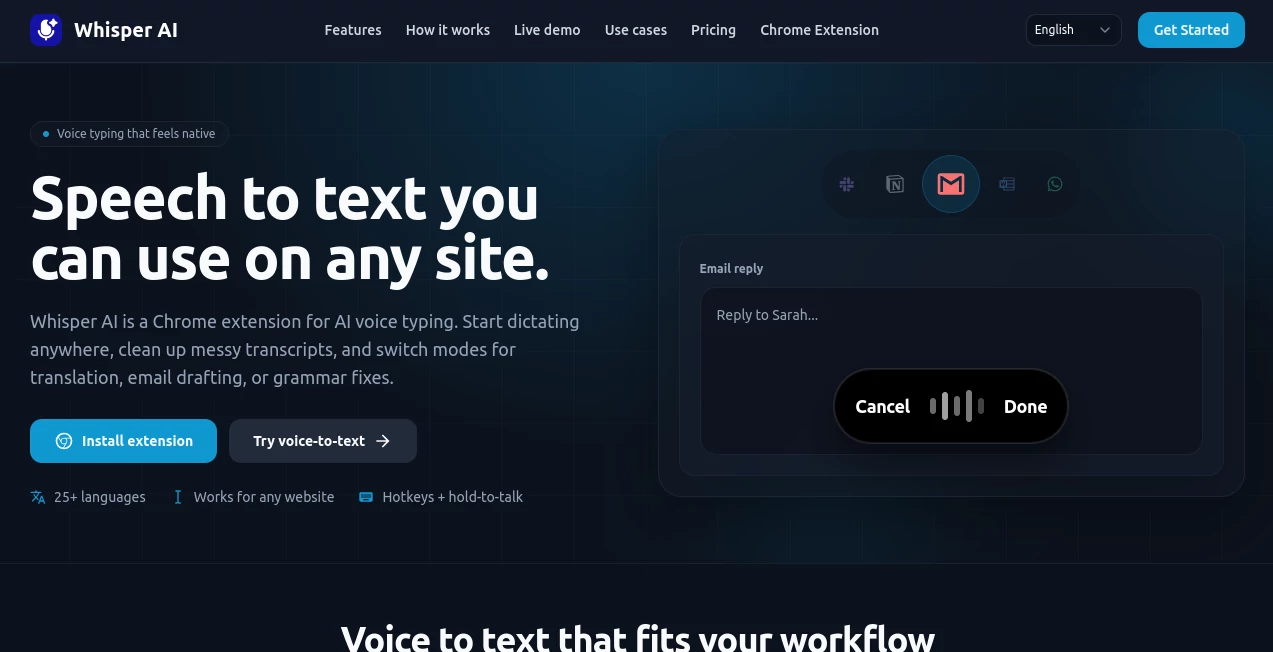
The dashboard is clean and practical. You see your recent calls listed clearly, with one-click access to full transcripts, highlighted moments, and AI-generated summaries. Everything loads fast, and the player lets you jump straight to important parts of the conversation. It never feels bloated — just focused on helping you get more from every call without wasting time scrolling through long recordings.
Accuracy & Performance
The transcription quality is genuinely strong, even with accents, background noise, or fast-talking prospects. It picks up context well and rarely makes the silly mistakes that make other tools frustrating. Summaries are concise yet complete, and the AI highlights objections, buying signals, and action items reliably. In real use, it saves an enormous amount of time while increasing confidence that nothing important was missed.
Capabilities
It handles real-time or recorded calls, delivers accurate transcripts, generates smart summaries, identifies key moments (pain points, excitement, next steps), and suggests follow-up actions. You can search across all your calls, track conversation patterns over time, and even integrate with your CRM to push insights automatically. It’s powerful for both individual reps who want to improve and teams that need consistent visibility into what’s happening on the phones.
Security & Privacy
Call recordings and data are handled with care and proper encryption. The platform is built for professional environments where confidentiality matters. You stay in control of who can access which conversations, and sensitive information is treated with the seriousness it deserves.
Use Cases
A sales rep reviews a long discovery call in minutes instead of hours, spotting three clear buying signals they almost missed. A sales manager listens to a fraction of team calls but gets AI insights from all of them, coaching more effectively. A recruiter turns candidate screening calls into structured notes that make better hiring decisions. A customer success team catches early churn signals in support calls and acts before problems grow. Wherever voice conversations drive business, this tool turns them into a real competitive advantage.
Pros and Cons
Pros:
- Excellent transcription accuracy even in challenging conditions.
- Actionable insights and summaries that actually save time.
- Clean, focused interface that reps actually want to use.
- Strong search and history features across all calls.
- Helps both individual performance and team visibility.
Cons:
- Best value comes with consistent usage and proper setup.
- Advanced analytics and CRM integrations are on higher plans.
Pricing Plans
It offers flexible options that scale with your team size and call volume. The entry plan is generous enough for individuals and small teams to see real results. As you grow, higher tiers unlock more storage, advanced insights, team management, and deeper integrations. Many users find the return on investment comes quickly through better follow-up, higher close rates, and saved time.
How to Use Whisper AI
Sign up, connect your phone system or use the web dialer, and start making calls. After each conversation, open the call in your dashboard to see the full transcript, AI summary, and highlighted moments. Mark important parts, add your own notes if needed, and turn insights into tasks or CRM updates. Over time, you can review patterns across calls to improve your approach. The whole process feels natural and becomes part of your regular workflow very quickly.
Comparison with Similar Tools
Many call recording tools stop at basic transcription. Others offer analytics but feel overwhelming or inaccurate. This one balances accuracy, usability, and actionable intelligence better than most. It’s less about dumping data on you and more about surfacing what actually matters so you can take smarter action. For teams that live by their calls, that focused approach makes a noticeable difference.
Conclusion
Every important conversation is full of potential — if you can capture and act on it. Whisper AI makes that possible without adding complexity to your day. It turns spoken words into structured intelligence you can actually use, helping individuals perform better and teams stay aligned. In a world where so much business still happens through voice, having a reliable, intelligent listener on your side is a serious advantage. If your success depends on conversations, this tool deserves a serious look.
Frequently Asked Questions (FAQ)
How accurate is the transcription?
Very strong, even with accents and background noise. It continues improving with use.
Can I use it with my existing phone system?
Yes, it integrates with most popular VoIP and calling platforms.
Is it suitable for small teams?
Absolutely — many small sales and support teams use it successfully.
Do calls get stored permanently?
You control storage and retention based on your plan and needs.
AI Speech to Text , AI Speech Recognition , AI Voice Assistants , AI Customer Service Assistant .
These classifications represent its core capabilities and areas of application. For related tools, explore the linked categories above.

Whisper AI Alternatives Product

Models by Ha…

Fish Voice

Sourcetable

Weblo AI

mp3tourl

FeatureShark

Elispeak

Speechara

Klyra AI