


















Z Image Turbo
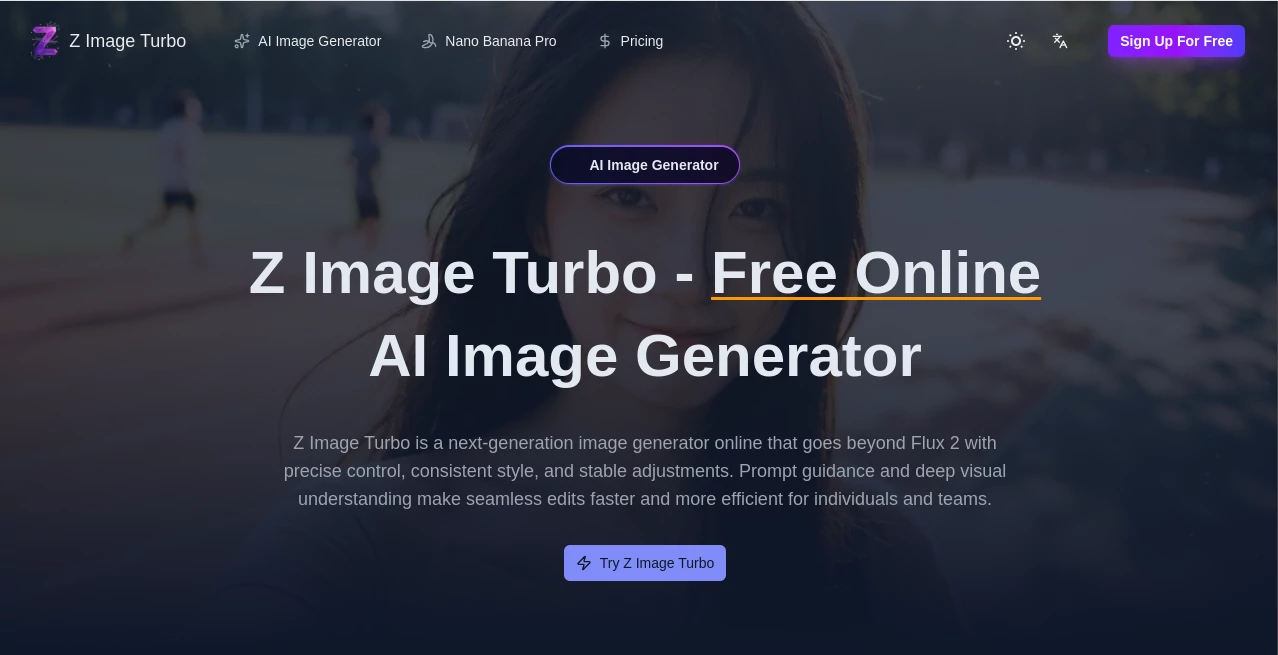
What is Z Image Turbo?
Ever had that moment where you're trying to describe a visual idea, but words just don't cut it? Then you wait forever for an image generator to finally spit something out, only to realize it's completely wrong. Frustrating, right? That's exactly why this tool caught my attention. It throws away the old "set it and forget it" approach and replaces it with something way more natural: speed. We're talking about turning your rough sketches of thought into actual images before your coffee gets cold. This isn't about pixel-perfect, gallery-ready masterpieces right out of the gate. Think of it more like having a super-powered visual brainstorming buddy who never gets tired of your crazy ideas. It's built for those moments when you just need to see something—anything—to get the creative juices flowing. Whether you're stuck on a logo, need a quick mood board, or just want to mess around with styles, this platform changes how fast you can move from "what if" to "oh, that's interesting."
Key Features
Don't let the simple look fool you. Behind the scenes, there's some seriously smart tech working to make things feel effortless. It uses a clever 8-step inference process, which is a fancy way of saying it cuts out a ton of the usual waiting without trashing the quality. The goal here is to remove friction, to let you play, experiment, and fail fast so you can succeed faster. You get all the essential controls without drowning in a thousand sliders that you never really understand anyway.
User Interface
The layout is surprisingly clean. You won't find yourself hunting through nested menus. Everything you need sits right in front of you: a text box for your prompt, a few key parameters like aspect ratio and batch size, and a big generate button. It feels almost too simple at first, especially if you're used to those sprawling, technical dashboards. But that's the point. It puts the focus back on your words and the ideas behind them, not on wrestling with the software. The learning curve is basically flat. You type, you click, you get images. It's that straightforward.
Accuracy & Performance
This is where things get interesting. The platform has been benchmarked on the Alibaba AI Arena, holding its own against some much heavier, slower models . It's not trying to win every single beauty contest, but for raw speed and getting the vibe right, it's a serious contender. You can tweak a prompt, hit generate, and see six to ten variations in the time it used to take to bake one image elsewhere . The trade-off? Don't expect flawless hands, microscopic text, or print-ready perfection every single time. But for screens, for concepts, for social posts? It's more than good enough, and sometimes, it genuinely surprises you with a photorealistic gem.
Capabilities
You can feed it fairly short prompts—often 12 to 25 words work better than long paragraphs . It handles standard aspect ratios like square, portrait, and landscape with a single click. Need to refine a look? Lock the seed to keep the composition consistent while you tweak the mood or lighting. And if you land on a keeper, built-in upscaling helps polish it for final use. It also supports bilingual text rendering (English and Chinese) , which opens up some neat possibilities for localized social content.
Security & Privacy
When you're trying out new tools, you want to know your stuff is safe. The site uses SSL encryption issued by WE1, so your connection is secure . It also integrates standard verification services like Google Sign-in and Google Tag Manager . Domain registration is handled through Spaceship, Inc. with privacy protection for the owner. While the domain is relatively new (registered in late 2025), security checkers like BitDefender and Google Safebrowsing currently give it a clean bill of health, meaning no major red flags have been reported . Always smart to use common sense with any new platform, but the basics are solid here.
Use Cases
The real magic of this tool shows up when you stop treating it like a final-output machine and start using it as a creative sidekick. Here are a few ways it genuinely shines:
- Concept thumbnails for creative briefs: Generate a dozen quick variations to explore mood, lighting, and composition before you commit to a final direction. It's like doing napkin sketches without the napkin .
- Social graphics and story covers: When a trend breaks or you need a timely post, speed matters. Generate a handful of options, pick the one that reads well at small sizes, and add your real text later in an editor .
- Product mockups and pitch visuals: Need to show a client or your team how a feature might look? Create lightweight mock scenes with devices, hands, and backdrops to sell the idea without overcommitting to final art .
- Learning prompts and style studies: Because the feedback loop is so short, you can actually practice prompt engineering. Change one variable at a time—camera angle, lighting, color palette—and see the impact instantly .
- Storyboards and quick sequences: Outline app flows, onboarding steps, or narrative arcs. Lock a seed for rough consistency and accept small drift as part of the process .
- Content Marketing & Educational Materials: Quickly generate illustrative assets for blog posts, newsletters, or simple diagrams for learning resources .
Pros and Cons
Let's be real. No tool is perfect for every job. Here's a quick, honest breakdown of what works and what might leave you wanting more.
Pros:
- Lightning-fast generation, often under a second.
- Very low learning curve; great for beginners and pros who want speed.
- Cost-effective for high-volume, iterative work.
- Supports batch generation to explore multiple directions at once.
- Solid for social media, concept art, and prototyping.
- Bilingual text rendering (English and Chinese).
Cons:
- Struggles with fine details: hair, hands, small text, and micro-patterns can get messy .
- Consistent character identity across long sequences is tricky (seed locking helps, but it's not bulletproof) .
- Photoreal backgrounds sometimes look a bit "too clean" or artificial.
- Not ideal for print-grade, pixel-accurate final art.
- Domain is relatively new, so long-term reputation is still building.
Pricing Plans
Specific pricing details aren't plastered everywhere, but the model itself is open-source (6B parameters from Alibaba) . That usually means you'll find a few ways to access it. Some platforms offer free tiers with limited daily generations, perfect for testing the waters. Others charge by compute time or offer subscription plans for heavy users. The good news is that because it's optimized for speed and efficiency, even paid options tend to be very cost-effective compared to slower, high-fidelity models. You're paying for iteration speed and volume, not just a single pretty picture. Check the website directly for the most current plans, but expect something flexible for casual explorers and power users alike.
How to Use It
Getting started is refreshingly simple. There's no PhD in prompt engineering required. Here's a simple workflow that works wonders:
- Start with intent: Jot down one line: "What should this image do?" Keep it visible as you work .
- Write a short prompt: Aim for 10–25 words. Describe the subject, action, and mood. Example: "Minimal desk setup, soft morning light, open notebook, calm palette, overhead angle".
- Generate a small batch: Ask for 4 images at first. Resist doing 12 right away or you'll drown in near-duplicates .
- Pick a winner: Even if it's messy, note which one carries your intent best.
- Nudge one thing at a time: Change the camera angle, the lighting, or the palette. Change one, regenerate 4. Repeat twice. You'll quickly see patterns .
- Lock the seed for consistency: When you like a frame, lock the seed before your next set of variations. This keeps the structure steady while you adjust the mood .
- Upscale or hand off: If a frame works, use the built-in upscaler or export it to your favorite editor for final polish .
Comparison with Similar Tools
How does it stack up against the competition? The most direct comparison is with models like FLUX.1, Seedream, or even Google's Imagen. According to the Alibaba AI Arena rankings, Z-Image Turbo holds a strong Elo score of 1025, placing it right in the mix with some big names . It's not the absolute top for raw fidelity (Imagen 4 Ultra takes that crown), but it beats out tools like GPT Image 1 and FLUX.1 Kontext Pro in user preference tests . The key difference is philosophy. Most other tools optimize for "the best possible single image," even if it takes a minute or more. This tool optimizes for "the best 50 images in that same minute." It's a trade-off: some fine detail for massive speed. If you're a perfectionist working on a print ad, stick with the slower giants. But if you're a content creator, marketer, or designer who needs to explore, iterate, and produce at scale, this speed-first approach is a game-changer.
Conclusion
Don't think of this as just another image generator. Think of it as a creativity accelerator. It's built for the messy, exciting, trial-and-error part of making things, where most ideas die because they take too long to visualize. It gives you permission to be wrong, to try stupid prompts, to go down weird rabbit holes, because the cost of failure is basically zero. Is it going to replace a careful, high-end render for a movie poster? No. But it will absolutely change how you brainstorm, how you pitch, and how fast you can turn a passing thought into something you can actually see. For social media managers, content creators, UI/UX designers, and anyone who's ever been stuck staring at a blank page, this tool is a breath of fresh air. It's fast, it's fun, and it gets out of your way so you can focus on what matters: the ideas.
Frequently Asked Questions (FAQ)
What exactly is this tool best for?
It's best for rapid ideation, concept visualization, social media graphics, storyboards, and any scenario where speed and volume of ideas matter more than print-ready perfection. Think of it as a visual sketchpad that happens to be incredibly fast.
How fast is "fast" exactly?
Most images generate in under a second or just a few seconds. You can realistically generate and review 6-10 prompt variations in the time it takes some other tools to finish a single high-fidelity render .
Can I use it for free?
Because the underlying model is open-source, many hosting platforms offer free tiers with daily limits. Specific pricing for hosted versions varies, so check the website for current offers. Expect entry-level access to be very affordable.
Does it handle text inside images well?
This is a known weak point. Small text, logos, and typography can come out wobbly or incorrect. The platform supports bilingual text rendering (English and Chinese), but for anything critical, it's best to leave space for text and add it afterward in an image editor .
Can I generate the same character consistently across multiple images?
You can get close by locking the "seed" once you find a composition you like. This helps maintain rough consistency in structure and style. However, for perfect character consistency across long sequences, you might need a more specialized tool. For short sequences or storyboards, it works surprisingly well .
What about adult or NSFW content?
Some hosting versions of the model support it, but availability depends entirely on the specific platform you use. Check their terms of service for clear guidelines .
Is the platform safe and legitimate?
Security scans show it uses SSL encryption and standard verification services. Major security checkers currently give it a clean report . The domain is relatively new (registered late 2025), so the reputation is still building, but no major red flags have been raised. Always use standard caution when signing up for new services.
AI Photo & Image Generator , AI Art Generator , AI Design Generator , AI Image to Image .
These classifications represent its core capabilities and areas of application. For related tools, explore the linked categories above.

Z Image Turbo Alternatives Product

Muse AI

Image to Pro…

4o Image Gen
Album Cover …
ai image cre…
seedream 6
nano banana

Nano Banana …

Seedream 5.0
