
360Learning
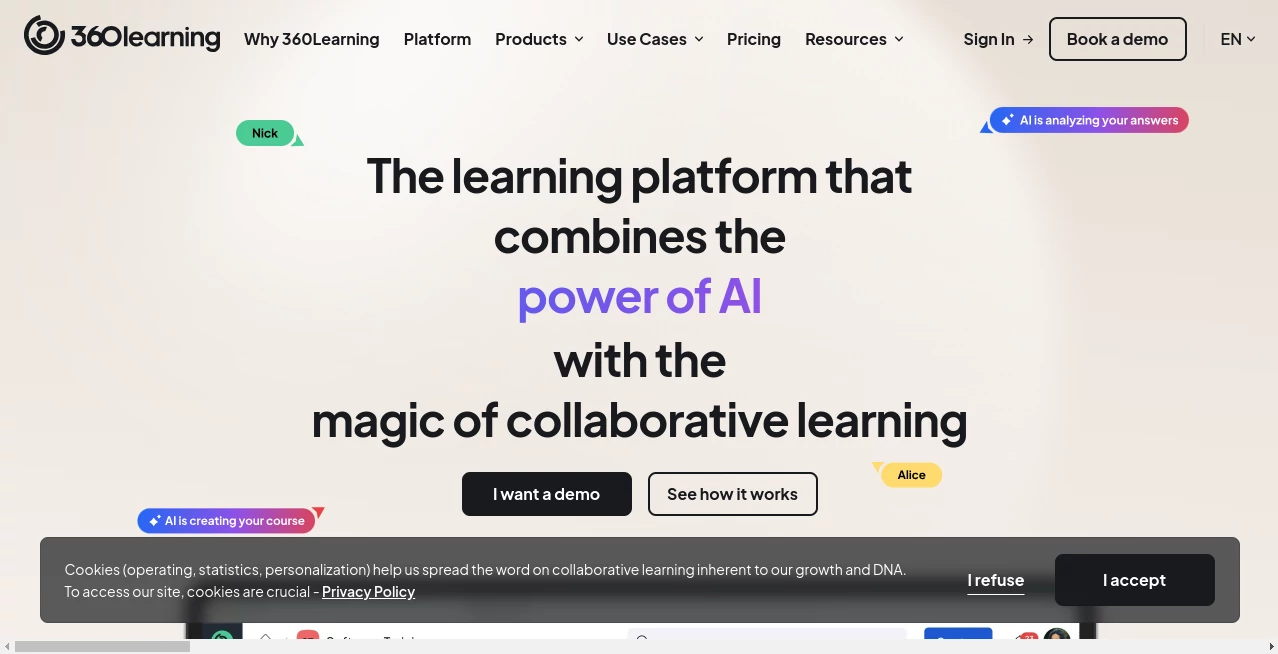
What is 360Learning?
There's a moment most L&D professionals know well: you've spent weeks building a training course, launched it company-wide, and a month later the completion rate sits at 23%. The content was solid. The intentions were good. But something about the traditional top-down approach just didn't stick.
That's exactly the problem this platform was built to solve. Rather than treating employees as passive recipients of knowledge, it flips the model entirely — turning subject-matter experts inside your organization into active course creators, and turning learning itself into a collaborative, social experience. Add a robust layer of AI on top, and you have something genuinely different from the crowded LMS market.
Trusted by over 2,500 organizations worldwide — including Cisco, LVMH, Michelin, Duolingo, and Dior — this platform has earned a 4.6/5 rating on G2 (based on 585 reviews) and a 4.7/5 on Capterra (484 reviews). It's been recognized as the #1 AI LMS by eLearning Industry and sits comfortably at the top of G2's enterprise and mid-market LMS rankings in 2026.
But numbers aside, what makes it worth your attention is the philosophy behind it. The bet here is that the people who already work at your company hold most of the knowledge your teams need — and that AI can help unlock, scale, and deliver that knowledge faster than any external content vendor ever could.
Key Features
User Interface
The interface is clean without being sterile. Navigation is intuitive enough that new learners rarely need hand-holding, and course creators — even those with zero instructional design background — can typically build and publish their first course within a day. The dashboard gives L&D managers a clear view of what's being created, who's completing what, and where engagement is dropping off.
On mobile, the experience holds up well. The app is specifically highlighted as the top-rated LMS app for frontline staff, which tells you something about how seriously the mobile experience has been prioritized. For distributed teams or field workers who can't sit at a desk to complete training, this matters a lot.
Collaboration features are woven into the UI itself rather than bolted on as an afterthought. Learners can leave reactions, post questions, and flag outdated content directly within a course — meaning the feedback loop between learners and creators is constant and built into the workflow rather than requiring a separate channel.
Accuracy & Performance
One of the standout capabilities is AI-assisted course authoring. The system can help generate course structures, suggest content, and even handle translations — which is particularly valuable for global organizations running training in multiple languages. Heineken, for instance, highlighted the AI translation feature as a significant operational benefit.
The AI Companion (which recently added a Search Mode for instant answers) helps learners find relevant content without having to manually browse through course libraries. Think of it as a learning-focused search assistant that understands the context of what someone is trying to learn, not just keyword matching.
Smart recommendations surface relevant courses and content based on a learner's role, skills, and learning history. It's not perfect — no recommendation engine is — but it meaningfully reduces the "I don't know where to start" friction that kills engagement on larger platforms.
Capabilities
The feature set covers the full spectrum of modern workplace learning. Here's what's included across the platform:
- LMS + LXP in one: You don't need separate systems for managed learning and self-directed discovery. Both live under the same roof.
- Academies: Build structured, multi-module learning programs for specific audiences — whether that's new hires, sales teams, partners, or customers.
- Skills management: Map learning content to specific skills, track skill development over time, and identify gaps at the individual or team level.
- Blended and hybrid learning: Combine self-paced modules with live instructor-led sessions (ILT and virtual ILT) in a single learning path.
- SCORM player: Existing content isn't wasted. SCORM files, PDFs, and videos can all be imported and played natively.
- Gamification: Points, leaderboards, and badges are available to drive engagement — especially useful for compliance training that learners might otherwise resist.
- Advanced analytics: Detailed reporting on completion rates, engagement scores, assessment results, and learning impact tied to business outcomes.
- Co-authoring: Multiple subject-matter experts can collaborate on a single course simultaneously, which dramatically speeds up content creation at scale.
For enterprise organizations, the integrations list is genuinely comprehensive. Workday, SAP SuccessFactors, BambooHR, Microsoft Teams, Slack, Zoom, LinkedIn Learning, Go1, and more are all supported. There's also API access for custom integrations when you need to connect something more bespoke.
Security & Privacy
Enterprise security is not an add-on here — it's a foundational commitment. The platform is GDPR compliant, ISO 27001 certified, and SOC 2 audited. For organizations operating in regulated industries or across multiple jurisdictions, these certifications matter and the team behind the platform clearly understands that.
Data residency, role-based access controls, and single sign-on (SSO) are all available. The enterprise tier specifically includes priority SLA and dedicated security support, so if your legal or IT team has questions during procurement, there are people equipped to answer them properly.
Use Cases
The platform shines across several distinct use cases, and it's worth being specific about where the value is clearest:
- Employee onboarding: Build structured onboarding programs that ramp new hires quickly. Safran, for example, built a program with over 300 subject-matter experts creating courses, resulting in 5,000 courses produced in a single year.
- Compliance training: Automate mandatory training assignments, track completions, and manage re-certification cycles without manual administration overhead. The gamification layer helps make compliance content less painful for learners.
- Sales enablement: Combine self-paced product knowledge modules with 1:1 video coaching at scale. Sales managers can review pitches, give feedback, and certify reps without booking wall-to-wall calendar time.
- Frontline staff training: Deliver relevant, mobile-first training to people on shop floors, in warehouses, or in the field — people who often fall through the cracks of traditional LMS deployments.
- Customer and partner training: External audiences can be trained on the same platform as internal employees, with flexible licensing models that accommodate different billing structures for registered versus active users.
- Upskilling and reskilling: The skills mapping and smart recommendation features make it easier to build organization-wide capability development programs rather than just one-off course catalogs.
Pros and Cons
- Pro: The collaborative learning model genuinely works. Organizations that successfully activate internal SMEs as course creators see faster content production and higher learner engagement.
- Pro: AI features are practical and well-integrated, not just marketing buzzwords. The authoring assistance, smart recommendations, and AI Companion all solve real workflow problems.
- Pro: One platform handles both internal and external audiences with mixed billing models — a CFO-friendly consolidation play.
- Pro: Strong enterprise-grade security and compliance certifications make procurement conversations easier.
- Pro: The mobile app is genuinely good, not an afterthought.
- Con: The collaborative model requires organizational buy-in to work. If leadership won't encourage subject-matter experts to spend time creating content, the platform's core value proposition is harder to realize.
- Con: Business and Enterprise pricing requires a conversation with the sales team rather than a transparent self-serve option, which some buyers find frustrating.
- Con: For organizations that just want a simple, traditional course delivery tool, the feature depth may feel like more than they need.
- Con: Advanced customization and deeper integrations are gated to higher-tier plans.
Pricing Plans
There are three pricing tiers, designed to scale with your organization:
- Team Plan: $8 per user per month, for up to 100 users. Billed monthly with no annual commitment required, and there's a 30-day free trial available. Ideal for small to mid-sized businesses that want to get started without a long procurement process.
- Business Plan: Custom pricing. Designed for growing organizations ready to scale their L&D programs. Includes flexible user models — you can mix registered users and monthly active users in a single contract — which is particularly useful for organizations training both employees and external audiences.
- Enterprise Plan: Custom pricing. Built for large organizations seeking platform-wide L&D transformation. Includes premium onboarding, dedicated account management, priority SLA, enterprise-level security, advanced integrations, and strategic L&D maturity guidance.
A few things worth noting: there's no minimum number of users required, you only pay for active users (not total registered accounts sitting dormant), and there are no hidden setup fees. The Team plan can be cancelled anytime. Annual contracts are typical for Business and Enterprise tiers.
How to Use 360Learning
Getting started is faster than most enterprise software. Here's what the typical journey looks like:
- Step 1 – Set up your workspace: After signing up or completing onboarding with the implementation team, you configure your platform: upload your logo, set up user groups, and connect any existing HRIS or HR tools via the integrations marketplace.
- Step 2 – Invite subject-matter experts: Rather than waiting for an L&D team to create everything, identify 5–10 internal experts who have knowledge worth sharing. Invite them as course authors. The co-authoring tools mean multiple people can collaborate on the same course without version control nightmares.
- Step 3 – Build your first learning path: Use the AI-assisted authoring tools to generate course outlines, add videos, PDFs, quizzes, and interactive elements. If you have existing SCORM content, upload it directly.
- Step 4 – Launch to learners: Assign courses manually, trigger them automatically based on HRIS data (new hire start date, role change, etc.), or let smart recommendations surface content organically.
- Step 5 – Analyze and iterate: Use the analytics dashboard to track completion rates, assessment scores, and learner feedback. The built-in feedback loop — where learners can flag outdated or unclear content — means your courses improve continuously without requiring manual audits.
Comparison with Similar Tools
The LMS market is crowded, so it's worth understanding where this platform genuinely differentiates and where alternatives might be a better fit.
vs. Docebo: Docebo is a strong enterprise LMS with solid AI features. The key difference is philosophy — Docebo leans heavily into content curation and external content libraries, whereas this platform's core strength is activating internal knowledge creation. If your organization has deep internal expertise to share, the collaborative model wins. If you primarily want to deliver third-party content, Docebo may have an edge.
vs. Cornerstone: Cornerstone is a heavyweight in the talent management space with strong compliance training capabilities. It tends to be more complex to administer and more expensive for mid-market organizations. For teams that want L&D without the HR suite overhead, the leaner and more modern UX here is a meaningful advantage.
vs. TalentLMS: TalentLMS is popular among smaller businesses for its simplicity and price point. It lacks the collaborative learning model, AI-assisted authoring, and enterprise integrations. Good for basic course delivery; less suited for organizations trying to build a genuine learning culture.
vs. Workday Learning: Workday Learning makes sense if your organization is already deeply embedded in the Workday ecosystem and wants a single-vendor approach. The tradeoff is that purpose-built learning platforms generally outperform HCM-bundled learning modules on user experience and feature depth — and this platform actually integrates with Workday, so you don't have to choose one or the other.
Conclusion
If you've ever felt like your organization's best training material is locked inside your most experienced employees' heads, this platform was built for that exact frustration. The combination of AI-powered authoring, collaborative content creation, and smart delivery isn't just a feature checklist — it's a coherent answer to why traditional top-down learning programs so often underdeliver.
It's not the right fit for every organization. If you need the simplest possible tool to tick a compliance box, there are cheaper options. But if you're building a serious learning culture — one where knowledge flows across teams, where learning data informs business decisions, and where training keeps pace with how fast your organization actually changes — this is one of the most thoughtfully designed platforms available in 2026.
The free trial on the Team plan makes it easy to pressure-test the approach before committing. For larger organizations, the demo process is worth the time — the implementation team is genuinely consultative rather than just doing a feature tour.
Frequently Asked Questions (FAQ)
- Is there a minimum number of users required? No. You only pay for active users, with no minimum volume commitments. You can start small and scale as your programs grow.
- Can I import my existing training content? Yes. SCORM files, PDFs, videos, and more can all be uploaded directly. The AI-assisted authoring tool can also help you rebuild or expand existing content.
- How long does it take to get up and running? Most teams launch their first training programs within a few weeks. The exact timeline depends on the scope of your rollout, number of integrations, and how many programs you're launching simultaneously.
- Is the platform secure enough for enterprise use? Yes. The platform is GDPR compliant, ISO 27001 certified, and SOC 2 audited. Enterprise plans include additional security controls and priority compliance support.
- Can external audiences — like customers or partners — be trained on the same platform? Yes. The Business and Enterprise plans support mixed billing models that combine internal employees and external learners in a single contract.
- What integrations are available out of the box? The platform integrates with Workday, SAP SuccessFactors, BambooHR, Microsoft Teams, Slack, Zoom, LinkedIn Learning, Go1, and many others. API access is also available for custom integrations.
- Is there a free trial available? Yes. The Team plan includes a 30-day free trial with no commitment required.
- What makes the AI features actually useful versus just a marketing claim? The AI assists with course authoring (generating outlines and content suggestions), handles translations for multilingual organizations, powers smart content recommendations for learners, and provides an AI Companion with search capabilities for instant answers — all integrated into real workflows rather than sitting as standalone features.
AI Course , AI Knowledge Management , AI Productivity Tools , AI Education Assistant .
These classifications represent its core capabilities and areas of application. For related tools, explore the linked categories above.

360Learning Alternatives Product

Linkflare

Jamy.ai | Au…

Sendmux

Free AI Chat

ukamiru

VercelAPP

TryApplyNow

Discord Time…

Toolquix