
AgentHost
What is AgentHost?
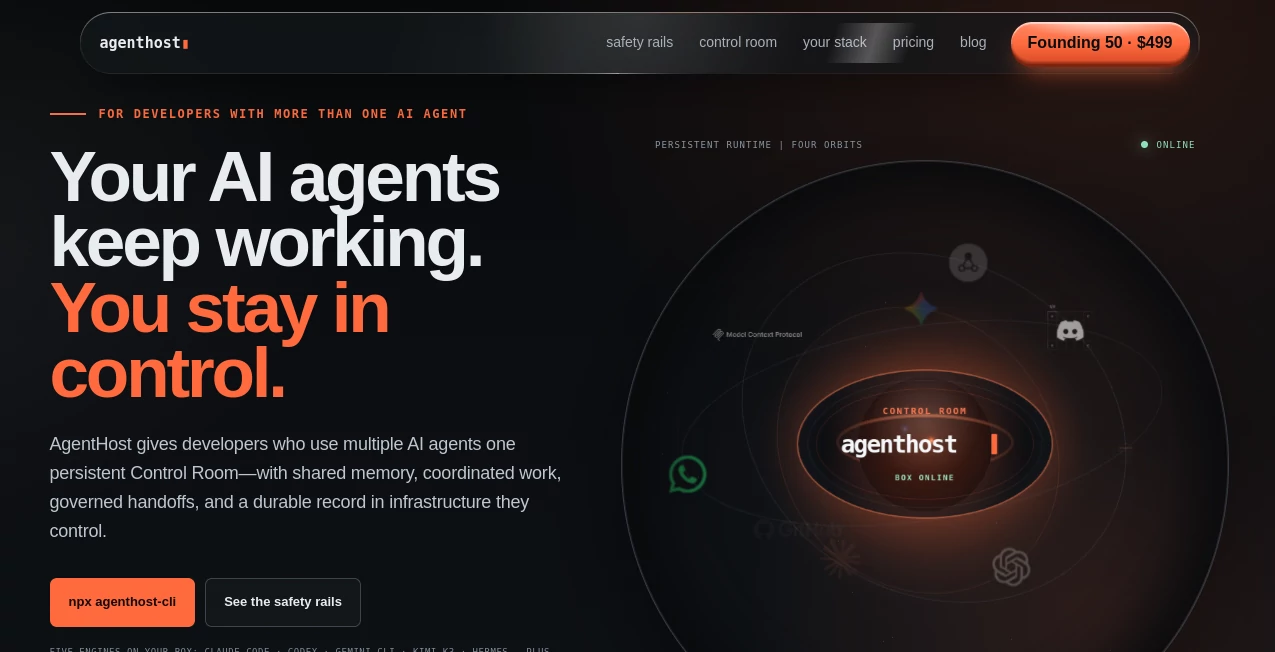
Building an AI-powered product used to require a combination of software engineering, infrastructure management, payment integration, and ongoing maintenance. Today, creators, startups, and businesses can launch intelligent assistants much faster through an all-in-one platform designed specifically for AI agent deployment. It removes much of the technical complexity while giving creators the flexibility to build, customize, publish, and monetize AI experiences.
The platform is designed for entrepreneurs who want to transform ideas into working AI applications without spending weeks configuring servers or writing backend code. Whether the goal is creating a customer support chatbot, an internal knowledge assistant, a lead generation tool, or a subscription-based AI service, everything can be managed from a single dashboard.
One feature that stands out is its focus on business growth rather than simple chatbot creation. Instead of stopping at deployment, users can connect thousands of third-party applications, collect customer information, publish on custom domains, analyze conversations, and even generate recurring revenue through subscription plans. This combination makes it suitable for both independent creators and growing companies looking to scale AI-powered services.
Key Features
User Interface
The interface is clean, modern, and beginner-friendly. Creating an AI agent follows a guided workflow that allows users to define instructions, upload knowledge files, customize branding, configure actions, and publish their assistant in just a few steps. The dashboard keeps everything organized, making it easy to manage multiple projects without unnecessary complexity.
Accuracy & Performance
Knowledge files, custom instructions, and integrations help produce responses that remain relevant to the intended use case. The platform supports modern AI models while allowing creators to improve responses with their own documentation and resources. Analytics also help identify common questions so assistants can be refined over time.
Capabilities
- Create AI agents without coding.
- Import existing AI assistants.
- Upload documents as a knowledge base.
- Connect with thousands of external applications.
- Embed assistants on websites.
- Publish using a custom domain.
- Create subscription plans and paid access.
- Support custom actions and workflow automation.
- Analyze conversations and user engagement.
- Collaborate with team members on projects.
Security & Privacy
The service provides account management, team collaboration, custom domains, and secure payment integration for subscription-based services. Knowledge files remain associated with each individual assistant, giving creators control over the information available to their AI experiences while offering business-friendly deployment options.
Use Cases
- Customer support automation.
- Lead generation assistants.
- Personal knowledge bases.
- Product recommendation bots.
- AI SaaS products.
- Internal company assistants.
- Educational tutors.
- Documentation search tools.
- Sales assistants.
- Subscription-based AI businesses.
Pros and Cons
Pros
- No programming experience required.
- Fast deployment process.
- Supports custom domains.
- Powerful monetization features.
- Large integration ecosystem.
- Built-in analytics dashboard.
- Scales from individual creators to business teams.
Cons
- Some advanced capabilities require paid plans.
- Customization options increase with higher subscription tiers.
- Large knowledge bases may require premium plans.
Pricing Plans
A free plan allows users to build and test AI agents with essential functionality. Paid subscriptions unlock additional agents, larger knowledge bases, custom branding, custom domains, monetization features, higher messaging limits, file uploads, advanced integrations, analytics, and collaboration tools. Enterprise-level options are also available for organizations with larger deployment requirements.
How to Use Agenthost
Create an account and start a new project. Define your assistant's purpose, upload supporting documents, and customize its behavior with detailed instructions. Configure integrations, branding, and optional payment plans before publishing the assistant through an embedded widget or a custom domain. After launch, monitor analytics and conversation history to continuously improve performance.
Comparison with Similar Tools
Many AI chatbot builders focus only on creating conversational experiences. This platform extends beyond that by combining deployment, monetization, integrations, analytics, custom branding, and subscription management in one environment. It is especially appealing for creators who want to launch revenue-generating AI products rather than simple website chat widgets.
Conclusion
For creators looking to build professional AI-powered products without the overhead of traditional software development, this platform offers an impressive balance of simplicity and functionality. From launching customer support assistants to creating fully monetized AI services, it provides the essential tools needed to transform an idea into a polished product. Its combination of automation, scalability, business-focused features, and ease of use makes it an excellent choice for startups, agencies, entrepreneurs, and growing teams.
Frequently Asked Questions (FAQ)
Can beginners build AI agents without coding?
Yes. The platform is designed to help users create, customize, and publish AI assistants through a visual interface.
Can AI agents be embedded on websites?
Yes. Agents can be embedded into websites or published using a custom domain.
Does it support monetization?
Yes. Users can create paid subscriptions, usage limits, and recurring payment plans for their AI services.
Can documents be uploaded as knowledge sources?
Yes. Knowledge files can be added so assistants can answer questions using uploaded content.
Is there a free version?
Yes. A free plan is available for testing and building AI agents before upgrading to more advanced plans.
AI No-Code & Low-Code , AI Developer Tools , AI Chatbot , AI Workflow Management .
These classifications represent its core capabilities and areas of application. For related tools, explore the linked categories above.

AgentHost Alternatives Product

RepoClip

vivgrid

Skygen AI

Velokey

FINIITE AI

Astrology Bot

KaneAI
ClearWork

Sendmux