

















DeepSeek V4
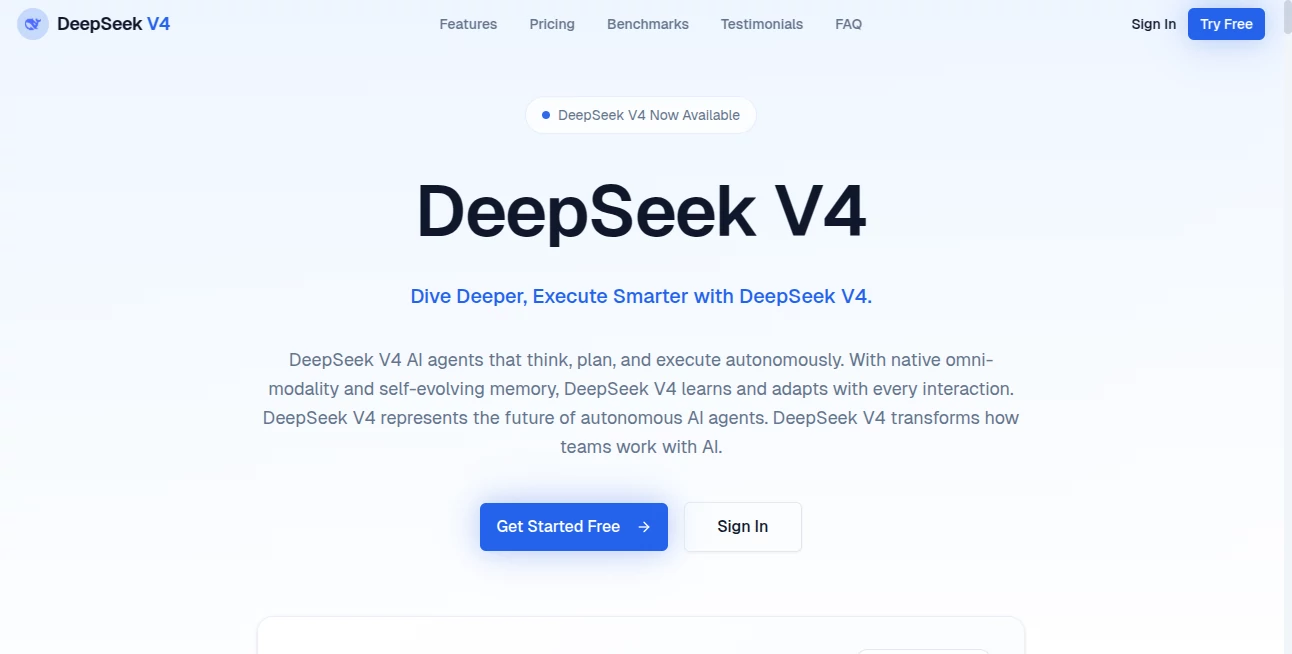
What is DeepSeek V4?
Let’s face it—working with most AI models these days feels like talking to a very smart goldfish. You pour your heart out, share a 50-page document, and three questions later, it’s forgotten everything you said. Frustrating, right?
That’s exactly why this tool caught my attention. It doesn’t just talk the talk; it actually remembers. We’re talking about a model that can digest your entire codebase, a full year of meeting transcripts, or even a trilogy’s worth of text in one go. No slicing, no dicing, no losing the plot halfway through.
And here’s the kicker—it does all of this without asking for an arm and a leg. In fact, compared to what you’d pay for similar performance elsewhere, it’s almost stealing. After spending a solid week pushing this thing to its limits, I’m genuinely impressed. It’s not just another AI; it’s the kind of tool that quietly makes your workflow feel ten times lighter.
Key Features
Let’s cut through the marketing fluff and talk about what this thing actually does well. From the moment you start a conversation, you’ll notice it thinks before it speaks. No rushed, generic answers. It takes a beat, processes the context, and then delivers something that actually makes sense for your specific situation.
User Interface
If you’ve used any modern chat interface, you’ll feel right at home. Clean, minimal, and surprisingly fast. But the real magic isn’t in the buttons—it’s in how the system handles long, winding conversations without stumbling.
I threw a messy 80-page technical document at it, jumped to a completely different topic halfway, and then circled back with a obscure question about page 42. It didn’t flinch. The answer was spot on, complete with the exact section reference. That kind of seamless navigation usually requires a human assistant, not a chatbot.
On the developer side, the API integration is refreshingly straightforward. It speaks the same language as OpenAI’s and Anthropic’s APIs, so you’re not rewriting your entire codebase. A few line changes, and you’re up and running. No headaches, no hidden surprises.
Accuracy & Performance
Numbers on a benchmark are one thing. Real-world, messy, unpredictable tasks are another. I tested this model on coding problems that usually trip up even the expensive alternatives. The results? Surprisingly solid.
In coding tests like LiveCodeBench, it scored an impressive 93.5%, which puts it right up there with the top-tier models . On competitive programming platforms like Codeforces, it hit a rating of 3206. To put that in perspective, that’s not just good—that’s “I’d trust this code in production” territory.
But let’s be honest—it’s not perfect. For extremely complex engineering tasks that require deep, multi-step reasoning across massive codebases, the absolute best closed-source models still have a slight edge. The gap is closing fast, though. For 95% of daily work—writing documentation, debugging scripts, generating reports, analyzing data—you won’t feel the difference. And your wallet definitely will.
Capabilities
The headline feature here is the million-token context window. That’s roughly 750,000 English words, or enough to hold the entire Lord of the Rings trilogy plus commentary. But big numbers don’t mean much if the model can’t actually use that information effectively.
This is where the tool shines brightest. It doesn’t just store everything you’ve said—it understands the relationships between ideas, picks up on subtle references, and maintains logical consistency across conversations that would make most humans dizzy. I fed it a collection of meeting notes spanning six months and asked for a summary of decisions made every two weeks. It delivered a timeline that was accurate enough to use in a board presentation.
For developers, the Agent capabilities are a game-changer. This thing can act as a coordinator—planning tasks, calling external tools, writing and executing code, then reporting back results. In internal tests, the company actually uses it as a primary coding assistant, saying the experience feels better than some well-known commercial alternatives .
Security & Privacy
Nobody wants their proprietary code or sensitive business data feeding someone else’s training set. The good news? Because this model is fully open-source under an MIT license, you can run it entirely on your own infrastructure . No data leaves your servers. No third-party APIs peek at your conversations.
For teams using the cloud API, the service maintains standard enterprise-grade protections. But the real peace of mind comes from knowing you’re not locked in. If privacy regulations tighten or your risk tolerance changes, you can migrate to a self-hosted setup without losing functionality. That kind of flexibility is rare in the AI world right now.
Use Cases
So who actually benefits from this? Pretty much anyone who works with text, code, or complex information. Let me give you a few concrete examples.
For developers: Imagine feeding an entire repository into the context, then asking for a detailed security audit. Or describing a feature in plain English and watching the model generate working code that fits seamlessly with your existing architecture. It’s like having a junior developer who never sleeps and actually reads the documentation.
For researchers and analysts: Think about those massive PDFs—annual reports, academic papers, legal documents. Instead of Ctrl+F searching for keywords, you can ask real questions. “What were the three main risk factors mentioned across all quarterly reports?” “Summarize the dissenting opinions from this Supreme Court ruling.” It turns hours of skimming into minutes of conversation.
For content creators and writers: Long-form content just got easier. Keep your style guide, previous chapters, and character notes all in context. The model remembers who said what and maintains consistency across hundreds of pages. No more flipping back to check if your protagonist’s eye color changed halfway through.
For business teams: Automate the boring stuff. Meeting summaries, email drafts, project plans, client reports—all generated from your raw notes and data. And because it handles structured output so well, you can feed the responses directly into other business systems without manual reformatting .
For students: Drop in your textbook, lecture notes, and assignment requirements. Then ask for explanations, study guides, or even practice problems. It’s like having a patient tutor who’s read every page of your syllabus.
Pros and Cons
Let’s keep this real. No tool is perfect, and you deserve to know where this one excels and where it stumbles before you commit.
Pros:
- Massive context window – 1 million tokens is genuinely useful, not just a marketing number.
- Unbeatable pricing – At $0.28 per million output tokens for the Flash version, it’s up to 99% cheaper than competitors .
- Open-source freedom – MIT license means you can modify, self-host, or build on top of it without restrictions.
- Strong coding ability – Top scores on coding benchmarks and real-world programming tasks.
- Agent-ready architecture – Built-in support for tool use, function calling, and multi-step planning.
- Easy migration path – Compatible with OpenAI and Anthropic APIs, so switching is painless.
Cons:
- No native vision support (yet) – You can’t just throw in an image and ask questions about it. Text-only for now, though a vision version is reportedly coming .
- Slight lag behind absolute best – For the hardest of the hard problems, Claude Opus and GPT-5.5 still have a small edge in complex reasoning.
- Rate limits during peak times – Popularity has its downsides. High-traffic periods can trigger rate limits, though this is improving as infrastructure scales.
- Occasional “expert switching” quirks – As a Mixture-of-Experts model, you might notice very rare shifts in tone when the model switches between different specialist sub-models.
Pricing Plans
This is where things get genuinely exciting. Remember when AI APIs cost a small fortune just to run a few thousand tokens? Those days are over.
The model comes in two flavors: Pro and Flash. V4-Flash is the budget-friendly workhorse. At $0.14 per million input tokens and $0.28 per million output tokens, it’s cheaper than almost anything else in its class . For context, running a thousand conversations that each produce a page of output would cost you less than a cup of coffee.
V4-Pro is the heavyweight. Priced at $1.74 per million input tokens and $3.48 per million output tokens, it’s still dramatically cheaper than competitors. When you compare it to GPT-5.5’s $30 per million output tokens, the math gets embarrassing . You could run the same workload on this platform for literally one-tenth the cost.
There’s also a smart caching feature. If you reuse the same system prompts or reference documents repeatedly, the system automatically caches them. Cache hits cost up to 90% less, which adds up fast in production environments .
And if you’re handy with infrastructure? Self-host the open-source version for completely free, aside from your own compute costs. No per-token fees, no usage limits, no surveillance. Just you and the model on your own machines.
How to Use
Getting started takes about five minutes, even if you’re not a hardcore developer. Head to the chat interface at chat.deepseek.com, create an account, and you’re off to the races. The web interface is intuitive—just type your question or upload a document and start talking.
For developers, integration is just as simple. The API uses standard authentication and accepts the same message format you’re used to if you’ve worked with OpenAI's services. Just change the model parameter to deepseek-v4-pro or deepseek-v4-flash, keep your existing code structure, and you’re done .
If you want the absolute best results, especially for complex reasoning or coding tasks, turn on the “deep thinking” mode. It takes a bit longer to respond, but the extra deliberation shows in the output quality. For simple Q&A or high-volume classification tasks, stick with Flash mode—it’s faster and cheaper, and you won’t notice the difference.
One pro tip: take advantage of the large context right away. Don’t trickle-feed information. Give it everything upfront—your project documentation, style guides, previous conversations, whatever’s relevant. The model works best when it has the full picture from the start.
Comparison with Similar Tools
Let’s put this next to the big names. Against GPT-5.5, the Chinese model holds its own remarkably well. On pure performance benchmarks, GPT-5.5 still leads by a small margin in complex reasoning. But when you factor in price—$3.48 per million output tokens versus $30 for GPT-5.5—the value proposition shifts dramatically . You’re getting roughly 85-90% of the performance for 10% of the price.
Against Claude Opus 4.7, the story is similar. Anthropic’s model is excellent, especially for nuanced writing and safety-critical applications. But it costs around $25 per million output tokens . For most businesses, the small quality gap doesn’t justify the massive cost difference. And in coding tasks specifically, some independent tests actually show the Chinese model outperforming Claude on certain benchmarks .
Google’s Gemini 3.1 Pro sits somewhere in the middle at $12 per million output tokens. It’s more affordable than OpenAI or Anthropic but still significantly pricier than this option. Google also offers strong integration with their ecosystem, so if you’re deeply embedded in Workspace, that might be a consideration. But for pure price-to-performance ratio, there’s no contest.
The real differentiator here is the open-source nature. Every other major player keeps their models locked down. You can’t download GPT-5.5 and run it on your own servers. You can’t audit Claude’s internals. With this tool, you get full transparency and freedom. For enterprises with strict data requirements or researchers who need to understand model behavior, that’s not a nice-to-have—it’s essential.
Conclusion
After a week of pushing this thing to its limits, I’m convinced it’s one of the smartest choices available right now. Not because it’s the absolute best at every single task—it isn’t. But because it’s good enough at almost everything, and it costs so little that you don’t have to think twice about using it.
The million-token context isn’t a gimmick. The coding ability is genuinely impressive. The API pricing is almost unbelievable. And the open-source license means you’re never locked into someone else’s platform.
Is it perfect? No. The lack of vision support is frustrating if you work with images. And when you need the absolute last 5% of reasoning capability, the top-tier closed models still win. But for 95% of real-world tasks—business analysis, software development, content creation, research—this tool delivers everything you need without emptying your budget.
If you’ve been hesitant to integrate AI into your workflow because of cost or data privacy concerns, this is your sign to take another look. The barriers are gone. The only question left is: what will you build with it?
Frequently Asked Questions (FAQ)
Does it support images or vision tasks?
Not yet. The current version is text-only, but the development team has confirmed a vision-capable version is in active development and expected soon .
Can I run this completely offline on my own servers?
Absolutely. The model is open-source under an MIT license, meaning you can download it, modify it, and run it on your own hardware without any restrictions .
How does the context caching work?
When you reuse the same system prompts or reference documents, the system automatically caches them. Subsequent calls that hit the cache pay up to 90% less. It’s automatic—you don’t need to configure anything .
Which should I choose, Flash or Pro?
Start with Flash. Seriously. For most daily tasks, you won’t notice a difference. If you’re working on complex reasoning, advanced coding problems, or research requiring deep analysis, switch to Pro. You can always upgrade when needed.
Is it really as cheap as it sounds?
Yes. Independent analyses confirm the pricing is accurate and dramatically lower than competitors. A task costing $35 with GPT-5.5 costs about $5 with this tool .
Does it work with existing OpenAI or Anthropic code?
Yes. The API is compatible with both ecosystems. In most cases, just change the model name in your existing code, and everything works .