AgentID
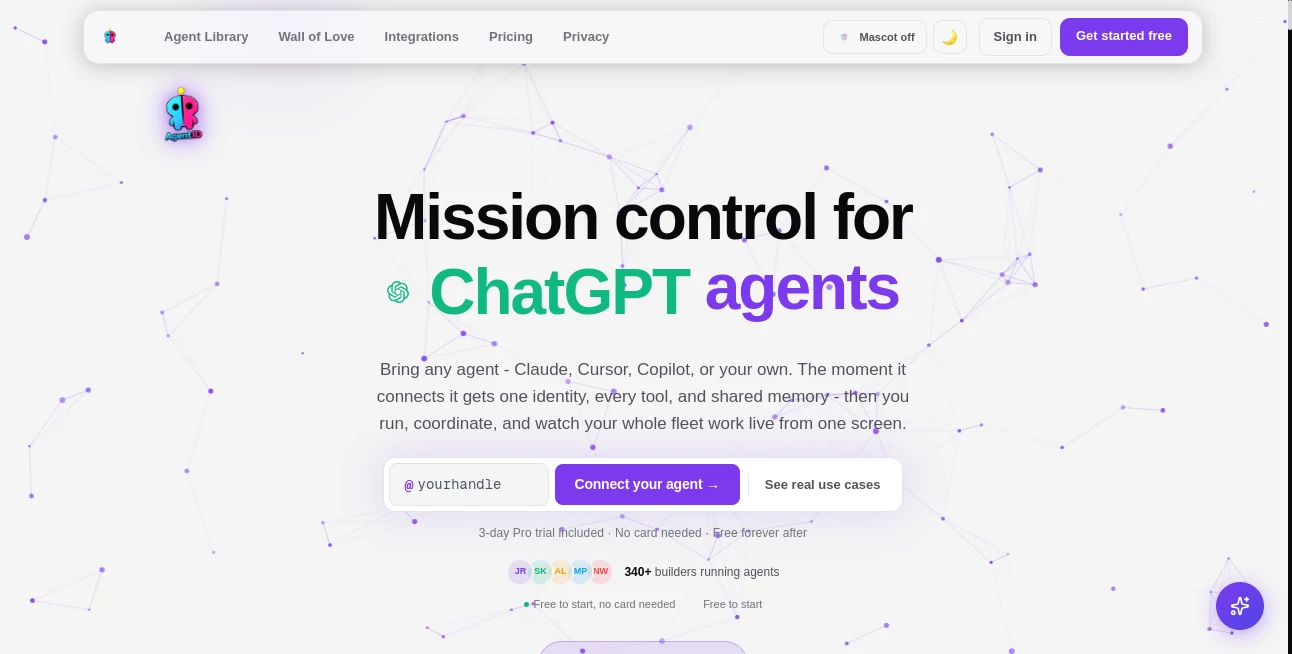
What is AgentID?
Managing multiple AI agents across different platforms can quickly become overwhelming. Each assistant often has its own memory, personality, settings, and workflow, making it difficult to maintain consistency. This platform solves that challenge by providing a centralized environment where every AI agent shares the same identity, persistent memory, connected tools, and live activity monitoring.
Instead of rebuilding prompts or configuring every assistant individually, users can create a single portable identity that follows their AI agents wherever they work. Whether developers use coding assistants, autonomous workflows, research agents, or productivity tools, everything remains synchronized from one dashboard.
One of the most impressive aspects is its compatibility with the growing AI ecosystem. It supports Model Context Protocol (MCP) clients, developer frameworks, automation platforms, and popular coding assistants while keeping agent behavior consistent across every environment. For professionals building long-term AI workflows, this creates a smoother, more organized experience that saves both time and effort.
Key Features
User Interface
The dashboard is clean, responsive, and designed around real-time visibility. Users can monitor active agents, view task progress, inspect shared memory, organize files, manage workflows, and supervise every connected assistant from one place. Navigation is intuitive, making it easy to switch between live monitoring, agent management, and workflow automation.
Accuracy & Performance
Rather than improving language model accuracy directly, the platform improves consistency. Every connected agent works from the same identity, shared knowledge, and predefined rules, dramatically reducing repeated instructions and conflicting outputs. Persistent memory helps AI assistants remember previous interactions and decisions across sessions.
Capabilities
- Create portable AI identities.
- Persistent shared memory across multiple agents.
- Real-time monitoring of agent activities.
- Coordinate tasks between multiple AI agents.
- Support for hundreds of AI clients and frameworks.
- Secure API key management.
- Shared file storage for AI assistants.
- Workflow automation with scheduling and webhooks.
- Ready-made AI agent library covering multiple professions.
- Marketplace for reusable AI skills.
- Integration with thousands of external services.
- Cross-platform deployment without rebuilding prompts.
Security & Privacy
Security is built into every layer of the platform. API credentials are stored in an encrypted vault, allowing agents to access authorized services without exposing sensitive information inside prompts. Permission controls, scoped access, secure connectors, and centralized credential management help organizations maintain better governance while working with multiple AI systems.
Use Cases
- Managing multiple coding assistants across different IDEs.
- Creating long-term AI research assistants with persistent memory.
- Building autonomous business workflows.
- Coordinating marketing, writing, and analytics agents.
- Sharing organizational knowledge between AI assistants.
- Automating repetitive business operations.
- Managing AI-powered development teams.
- Providing centralized AI infrastructure for startups and enterprises.
Pros and Cons
Pros
- Portable AI identity across many platforms.
- Persistent shared memory improves continuity.
- Excellent live monitoring dashboard.
- Large integration ecosystem.
- Built-in workflow automation.
- Secure credential management.
- Ready-made professional AI agents.
- Free plan available for beginners.
Cons
- Advanced features require a paid subscription.
- Most benefits are realized when using multiple AI agents.
- New users may need time to understand agent orchestration concepts.
Pricing Plans
A generous free plan allows users to connect several AI agents, access the agent library, experiment with shared memory, and build basic workflows. Power users can upgrade to a Pro subscription that unlocks unlimited agents, expanded storage, unlimited workflows, advanced integrations, team collaboration, premium skills, and larger shared memory capacity.
How to Use AgentID
Start by creating your AI identity and defining its personality, rules, and memory preferences. Connect your preferred AI clients using the provided integration method, then grant access to files, API keys, and external services. Once connected, every agent automatically inherits the same identity, shared memory, and capabilities. From the dashboard, monitor live activities, coordinate tasks, manage workflows, and continuously expand your AI ecosystem without repeating configuration work.
Comparison with Similar Tools
Many AI platforms focus on a single chatbot or automation workflow, while this solution approaches AI management from an orchestration perspective. Instead of creating isolated assistants, it establishes one persistent identity that travels across different AI clients, coding environments, automation tools, and frameworks.
Compared with traditional prompt managers or workflow builders, it offers deeper coordination through shared memory, centralized monitoring, agent collaboration, secure credential storage, and reusable skills. This makes it particularly valuable for developers, AI power users, and organizations managing multiple intelligent assistants simultaneously.
Conclusion
As AI agents become an essential part of daily work, maintaining consistency between them becomes increasingly important. This platform introduces an elegant solution by combining persistent identity, shared memory, live monitoring, secure infrastructure, and workflow automation into one unified workspace.
Its extensive integration support, modern interface, and scalable architecture make it an excellent choice for developers, businesses, and professionals who rely on multiple AI assistants every day. Whether building autonomous workflows or coordinating entire fleets of AI agents, it provides the structure needed to keep everything organized and productive.
Frequently Asked Questions (FAQ)
What is the primary purpose of this platform?
It centralizes AI agent management by providing shared identity, memory, workflows, and monitoring across multiple AI tools.
Does it support multiple AI assistants?
Yes. Users can connect numerous AI agents, coding assistants, and automation platforms into one coordinated environment.
Is there a free version?
Yes. A free plan is available with core features suitable for individual users and experimentation.
Can developers integrate their own AI agents?
Yes. Custom AI agents can connect through supported protocols, SDKs, and integration methods.
Who benefits most from this platform?
Developers, AI engineers, startups, research teams, automation specialists, and organizations managing multiple intelligent agents will benefit the most.
AI Workflow Management , AI Productivity Tools , AI Team Collaboration , AI Developer Tools .
These classifications represent its core capabilities and areas of application. For related tools, explore the linked categories above.

AgentID Alternatives Product

SkipBait

cznull

Standard Com…

Khuram Youraj

Miro

HISAB 360

Candidate Sc…

Ptero

PZERO