AI Caricature Maker
What is AI Caricature Maker?
There’s a special kind of joy in seeing yourself or someone you love turned into a playful, exaggerated cartoon that still somehow looks exactly like them. This tool makes that magic happen in seconds. You upload a photo, choose a style, and it delivers a caricature that captures personality with humor and charm. I’ve used it to create birthday gifts, social media avatars, and even office prank pictures—people always light up when they see their own version. It’s the kind of lighthearted creativity that brightens any day.
Introduction
Caricatures have this wonderful ability to make us laugh at ourselves while feeling recognized. Traditional artists are talented but expensive and slow. This platform brings that same fun spirit to everyone using smart AI that understands faces and exaggeration in a natural way. No drawing skills needed, no waiting days for results—just upload and enjoy. It’s become popular for personal gifts, team events, content creators, and anyone who wants a quick, shareable laugh. The best part? The results feel artistic rather than robotic, striking a nice balance between exaggeration and recognition.
Key Features
User Interface
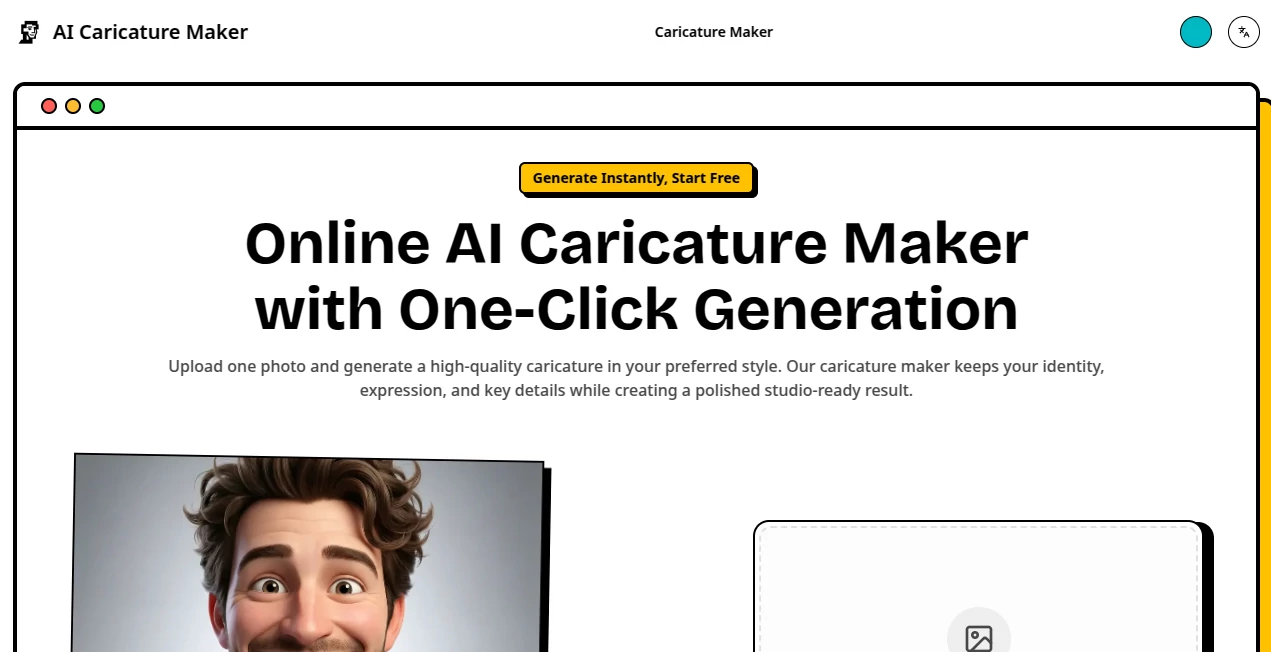
The design is delightfully simple. Big upload area right in the center, clear style options, and a big “Generate” button. You can adjust exaggeration level with an easy slider and see multiple variations side by side. Everything loads quickly, and the preview lets you zoom in on details before downloading. It never feels intimidating—even grandparents have created their first caricature on the first try without any help.
Accuracy & Performance
It does an impressive job reading facial features—big smiles get bigger, distinctive noses get highlighted, and unique hairstyles stay recognizable. Generation is fast, usually just a few seconds, and the output quality is consistently high. It handles group photos surprisingly well too, giving each person their own playful touch without turning anyone into a mess. The balance between fun exaggeration and keeping people looking like themselves is one of its strongest points.
Capabilities
You can create single portraits, couple caricatures, group photos, and even pet versions. Multiple artistic styles are available—from classic cartoon to bold comic book, watercolor, or minimalist line art. It supports different exaggeration strengths so you can go subtle for professional settings or wild for party fun. High-resolution downloads make the images perfect for printing on mugs, t-shirts, or posters.
Security & Privacy
Your photos are processed quickly and not stored after you download the result. No account is forced for basic use, so you can experiment privately. It’s a respectful approach that lets you have fun without worrying about where your images end up.
Use Cases
A daughter creates a caricature of her dad as a birthday gift and prints it on a mug—he still laughs every time he uses it. A content creator turns weekly selfies into cartoon versions for social media posts that get great engagement. Teams make funny group caricatures for company events or farewell gifts. Wedding planners create custom illustrations of the couple for invitations or thank-you cards. Even teachers make lighthearted versions of class photos for end-of-year memories. The uses are as creative as the people using it.
Pros and Cons
Pros:
- Results are genuinely fun and flattering rather than mean-spirited.
- Fast processing with multiple style and exaggeration options.
- Works well on both individual and group photos.
- High-quality outputs suitable for printing and sharing.
- Easy enough for anyone to use immediately.
Cons:
- Very low-quality or blurry source photos can affect the final result.
- Some advanced styles and unlimited generations require a paid plan.
- Extremely complex group photos with many overlapping faces may need careful cropping.
Pricing Plans
You can start for free and create several high-quality caricatures to test the fun. Paid plans unlock unlimited generations, higher resolution downloads, priority processing, and access to premium styles. The pricing is reasonable for how much joy and time it delivers—many users say it quickly becomes their go-to for gifts and content.
How to Use AI Caricature Maker
Upload a clear photo of yourself or someone else. Choose a style you like and adjust the exaggeration level if you want it more subtle or more dramatic. Click generate and browse the variations. Pick your favorite, download it in high resolution, and you’re ready to share or print. For group photos, try cropping or generating individuals first. The whole process usually takes less than a minute from upload to finished caricature.
Comparison with Similar Tools
Many caricature apps either look too generic or go overboard with exaggeration. This one finds a sweet spot—playful but respectful, artistic but fast. It offers more style variety and better quality than most free options while staying much simpler than professional illustration software. For everyday fun and quick results, it consistently delivers where others fall short.
Conclusion
In a world full of serious filters and heavy editing, this tool brings back pure, lighthearted fun. It turns ordinary photos into memorable caricatures that make people smile and laugh. Whether you’re creating gifts, content, or just entertaining yourself, it makes the process easy and the results delightful. Sometimes the best technology is the kind that helps us laugh at ourselves a little more kindly. If you haven’t tried turning your favorite photo into a caricature yet, you’re missing out on a lot of joy.
Frequently Asked Questions (FAQ)
How long does it take to generate a caricature?
Usually just a few seconds per image—fast enough to try multiple styles quickly.
Can I use it for group photos?
Yes, it handles small to medium groups well. For best results, make sure faces are clearly visible.
Are the images high resolution?
Yes—downloads are sharp enough for printing on posters, mugs, or t-shirts.
Do I need to create an account?
No account is needed to start creating right away.
Is it suitable for professional use?
Absolutely—many businesses use it for team photos, marketing, and fun branding content.
AI Fun Tools , Photo & Image Editor , AI Design Generator , AI Image to Image .
These classifications represent its core capabilities and areas of application. For related tools, explore the linked categories above.
AI Caricature Maker details
Website unavailable — View Alternatives
Pricing
- Free
Apps
- Web App
Categories

AI Caricature Maker Alternatives Product
PatchDesign.…
Before After…

Editaimg

Fiddl.art
tarotguide
Circle Crop …
Photo Grid C…

MuseArt AI

Z-Image