
















Brainrotshorts
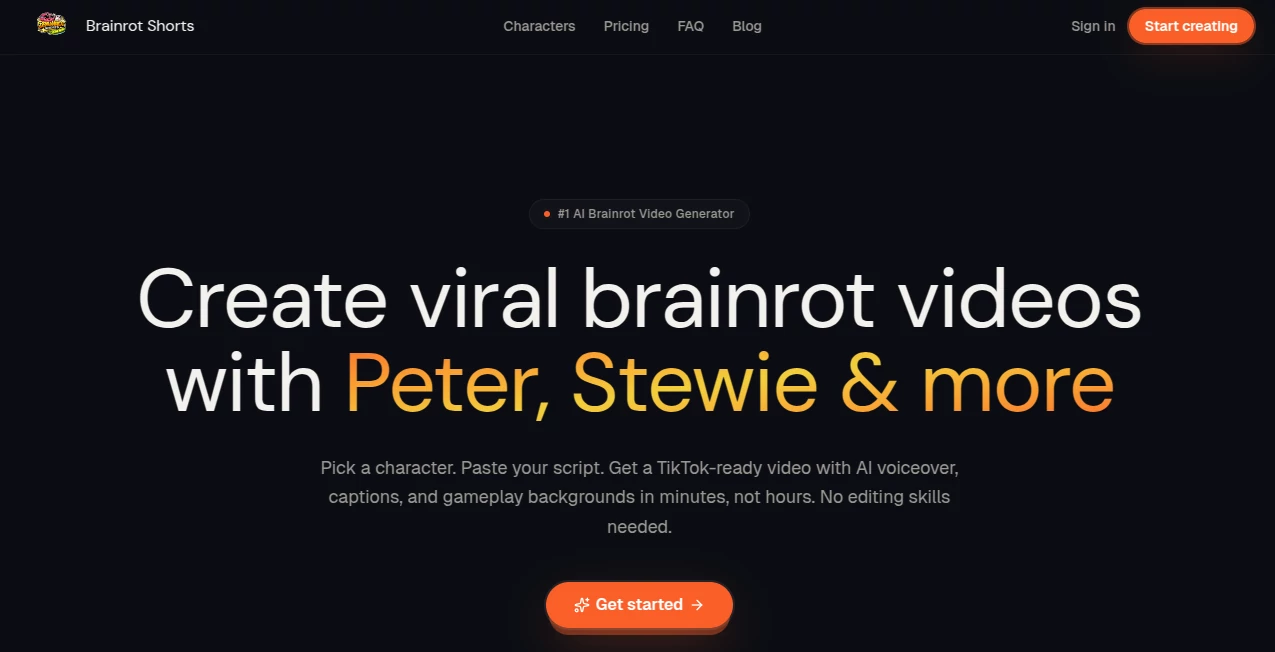
What is Brainrotshorts?
Let’s be honest for a second. You’ve got a brand to grow, a product to sell, or maybe just a personal page you want to blow up. But every time you sit down to make a TikTok, Reel, or Short, you hit a wall. The scripting feels awkward, the editing takes forever, and by the time you’re done, the trend has already passed.
That frustration is exactly why this platform was built. It’s not another complicated video editor with a million buttons. It’s a straightforward machine that takes your raw thoughts—whatever they are—and spits out a ready-to-post video in minutes. Honestly, it feels like having a full-time editor who works for free and never sleeps. Whether you’re a complete beginner or a seasoned creator, the interface just clicks. No steep learning curve. No staring at a blank timeline wondering where to start.
I’ve personally sat for hours trying to chop up long videos into short clips, only to give up halfway. With this, that pain just disappears. You feed it a link, a topic, or even just a vibe, and it handles the heavy lifting. The result? You get to focus on what actually matters: connecting with your audience and staying consistent.
Key Features
User Interface
The dashboard is refreshingly clean. You won’t find any cluttered sidebars or confusing jargon here. Everything you need sits right in front of you. Most actions take just one or two clicks. For anyone who has ever felt overwhelmed by tools like Premiere Pro or even CapCut’s deeper menus, this feels like a breath of fresh air. You log in, paste your input, and let the engine do its thing. It’s designed for speed, not for show.
Accuracy & Performance
This is where the platform really shines. When you ask it to pull highlights from a long video, it doesn’t just grab random chunks. It actually understands pacing and retention. It finds the "hook," the juicy middle part, and a solid outro. The transcription is scarily accurate, even with strong accents or background noise. And the vertical reframing? It tracks faces and movement intelligently, so your main subject never gets cut out of the frame. You aren't getting sloppy, automated trash. You’re getting clips that look hand-picked by a pro.
Capabilities
You can throw almost anything at this tool. Got a blog post? Turn it into a narrated video script. Have a podcast episode? Chop it into six daily clips. There is also an "AI actor" feature that blew my mind. You can describe a product, pick a digital avatar, and the system will generate a realistic UGC-style (User Generated Content) video where the avatar talks about your brand with perfect lip-sync . It handles captions dynamically, adds those eye-catching hook texts, and even suggests background music that fits the mood. It turns one piece of content into a week’s worth of posts.
Security & Privacy
Nobody wants their raw footage or drafts floating around on some public server. If you are working with unreleased products or private client info, that’s a dealbreaker. With this platform, depending on how you use it, you have options to keep things locked down. For the tech-savvy, there is even a self-hosted version where you control the data entirely. No watermarks are forced onto your videos, so your content stays yours. It respects your privacy while still delivering the speed of cloud AI.
Use Cases
Content Creators & Streamers: You stream for three hours on Twitch or YouTube. Instead of letting that VOD collect dust, drop the link into the tool. It will find the funniest or most interesting 60-second moments and prep them for TikTok. It’s hands-down the fastest way to cross-promote.
E-commerce Owners: You have a Shopify store selling ergonomic chairs or skincare. Write a simple description or paste your product URL. The AI will generate a sales script, find an "actor," and create a video that looks like a real customer review. No need to hire influencers or rent a studio.
Marketing Agencies: managing social media for five different clients means you need volume. This tool workflows let you batch-produce. Turn a client’s weekly newsletter into a Reel. Turn their "About Us" page into an origin story short. You can schedule posts directly to Instagram, Facebook, and TikTok from one dashboard.
Course Creators: You have hours of training material. Use the AI to extract key lessons and create hype Shorts that drive traffic to your full course. It makes your educational content look entertaining.
Pros and Cons
Pros:
- Insanely fast processing speed. Most clips render in minutes.
- No watermark on exports (huge for branding).
- Supports direct publishing to all major social platforms.
- The "Viral Moment Detection" actually works; it picks good clips, not random ones.
- Flexible pricing; you can self-host or use cloud versions.
Cons:
- Some advanced voice cloning features require third-party API keys (like ElevenLabs).
- The AI actors, while impressive, are still recognizable as AI if you look too closely at the hands or edges.
- Free tiers of some built-in services have usage limits, though the core tool remains accessible.
Pricing Plans
The platform operates on a freemium model that is actually generous. If you choose the open-source route and self-host, the software itself costs nothing. You only pay for the external AI services you use (like transcription or voice generation), and most of those have healthy free trials. For the managed cloud version, there are typically tiered plans starting from a very low entry point for casual creators, moving up to pro plans for agencies needing bulk processing and scheduling. Compared to hiring a video editor (costing hundreds a week), the subscription feels like pocket change.
How to Use BrainrotShorts
Step 1: Sign up or spin up your instance. Connect your social accounts (TikTok, Instagram, YouTube).
Step 2: Choose your mode. Paste a YouTube URL to clip long videos, or type a prompt to generate an AI short from scratch.
Step 3: Let the AI analyze. It takes a minute to scan for the best moments or generate a script.
Step 4: Review the clips. You can adjust the captions, swap the background music, or change the aspect ratio.
Step 5: Hit "Export" or "Schedule". The video is rendered and sent directly to your queue. Done.
Comparison with Similar Tools
You might have heard of Opus Clip or CapCut. They are great, but they have limits. Opus is expensive for what it does, and CapCut feels like it’s pushing a subscription for basic features now. This tool stands out because of transparency and power. Unlike most competitors, the open-source version removes all limits. You aren’t paying for "credits" to export. You aren't forced to keep a logo on your video. Furthermore, while Opus just clips, this tool also generates entirely new videos with AI actors. It’s like combining Opus with HeyGen into one streamlined package.
Conclusion
If you are serious about growing on short-form video platforms, you cannot afford to ignore automation. The algorithm rewards consistency, but humans have limited energy. This service bridges that gap perfectly. It respects your time by doing the boring, technical work, allowing your creativity to shine where it matters most. The lack of forced watermarks and the option for self-hosting prove the developers actually care about creators, not just locking them into a subscription. Give it a shot with a long video you’ve been neglecting. You’ll wonder why you wasted so many hours editing manually.
Frequently Asked Questions (FAQ)
Q: Do I need to download software?
A: No. It runs entirely in your browser. You can access it from any computer.
Q: Are there watermarks on the free version?
A: Generally, no. Even on free tiers, the output is clean, which is rare in this industry.
Q: Can I schedule posts for a specific time?
A: Yes. The integrated scheduler lets you plan your content calendar days or weeks in advance.
Q: How long does it take to make a video?
A: For clipping existing content, usually 2-3 minutes. For generating AI actor videos, about 5-8 minutes.
Q: Do I own the videos I make?
A: Absolutely. You retain full commercial rights to your output.