AIImageExtender
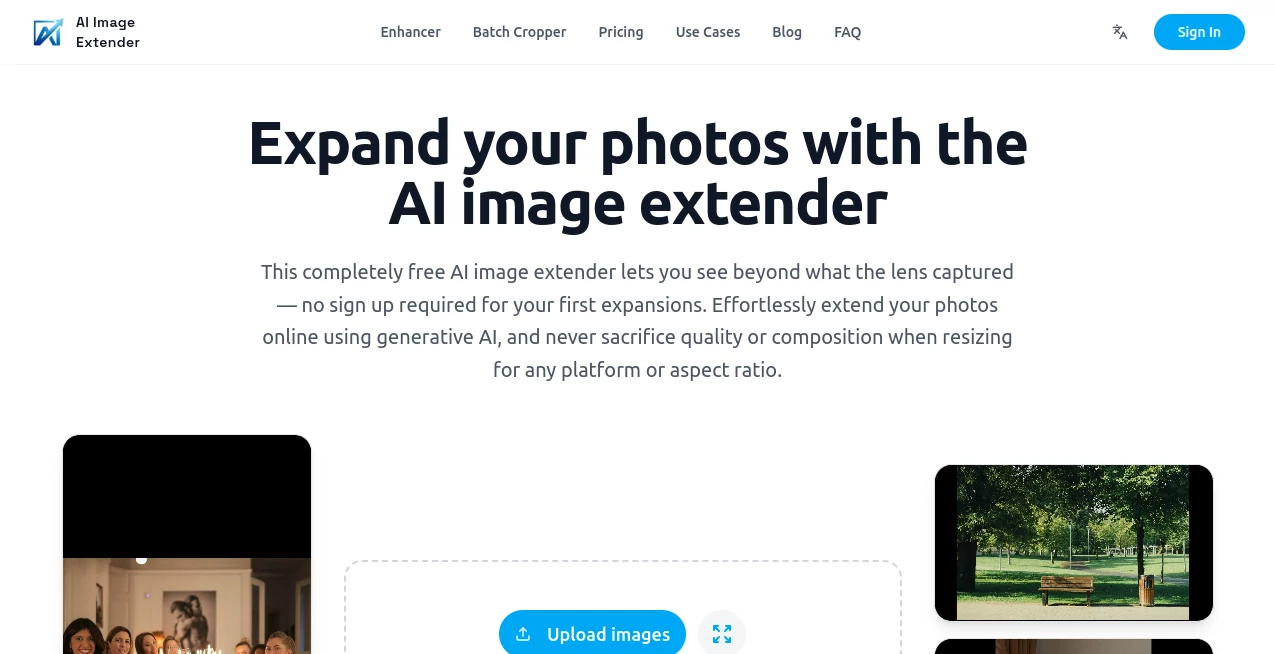
What is AIImageExtender?
In today’s visual-first world, creators often run into a common limitation: the image they have is almost perfect, but the frame feels too tight or incomplete. This is where an advanced AI-powered image expansion platform steps in, helping users naturally extend images beyond their original boundaries while keeping everything visually consistent.
Instead of manually editing pixels or struggling with complex design tools, users can simply upload an image and let intelligent algorithms predict and generate missing areas with impressive realism. The result feels seamless, as if the image was originally captured in a wider frame.
Key Features
User Interface
The platform is designed with simplicity in mind. Even first-time users can quickly upload an image and choose how they want it extended. The layout is clean, minimal, and focused entirely on the creative workflow without unnecessary distractions.
Accuracy & Performance
One of the strongest aspects of this tool is its ability to maintain visual harmony. Whether dealing with landscapes, portraits, or product photos, it analyzes textures, lighting, and composition to generate highly coherent extensions that blend naturally with the original image.
Capabilities
- Expands images in all directions while preserving original style
- Generates realistic backgrounds and environments
- Supports high-resolution outputs for professional use
- Works with portraits, scenery, digital art, and product photography
Security & Privacy
User privacy is treated with care. Uploaded images are processed securely, and data handling is kept minimal to ensure users maintain control over their content throughout the process.
Use Cases
This type of AI-powered image expansion is useful in many creative and professional scenarios. Designers use it to adjust compositions for advertisements. Photographers rely on it to rescue cropped shots. Social media creators use it to make visuals more engaging and better suited for different platform ratios. It is also helpful for e-commerce sellers who need clean, expanded product backgrounds.
Pros and Cons
Pros
- Fast and intuitive workflow
- High-quality, realistic image expansion
- Useful for both creative and commercial projects
- No advanced editing skills required
Cons
- Highly complex scenes may require multiple attempts
- Output quality can vary depending on original image quality
Pricing Plans
The platform typically offers flexible pricing options, including free access with limited features and premium plans for higher resolution outputs and faster processing. This makes it accessible for casual users while still powerful enough for professionals.
How to Use AI Image Extender
Getting started is straightforward. Users begin by uploading an image, then selecting the direction or size of the expansion area. After processing, the system generates a new version of the image with extended borders. Users can preview results and refine if needed before downloading the final output.
Comparison with Similar Tools
Compared to traditional photo editing software, this AI-driven approach significantly reduces effort and time. While manual tools require precision and experience, this solution focuses on automation and intelligent generation. It stands out by delivering more natural blending and faster results than many standard editing platforms.
Conclusion
For anyone working with visuals, having the ability to expand images without losing quality opens up new creative possibilities. Whether you are a designer, marketer, or casual creator, this tool offers a practical and efficient way to enhance your visuals while maintaining a natural look.
Frequently Asked Questions (FAQ)
Can it work with low-resolution images?
Yes, but results are generally better when starting with clearer and higher-quality inputs.
Does it change the original subject of the image?
No, it focuses on extending the surrounding areas while keeping the main subject intact.
Is it suitable for professional use?
Yes, many professionals use it for marketing, design, and content creation workflows.
Do I need editing experience?
No, the process is designed to be simple enough for beginners.
AI Photo Enhancer , AI Background Generator , AI Photography , AI Image to Image .
These classifications represent its core capabilities and areas of application. For related tools, explore the linked categories above.
AIImageExtender details
Website unavailable — View Alternatives
Pricing
- Free
Apps
- Web App
Categories

AIImageExtender Alternatives Product

RoomStaging

Better Image

Free AI Kiss…

GPTIMG2 AI

Kirkify

PaperYak

Kogashitsuka…

BeadPattern

Seedream 5.0