

















ImageVids AI
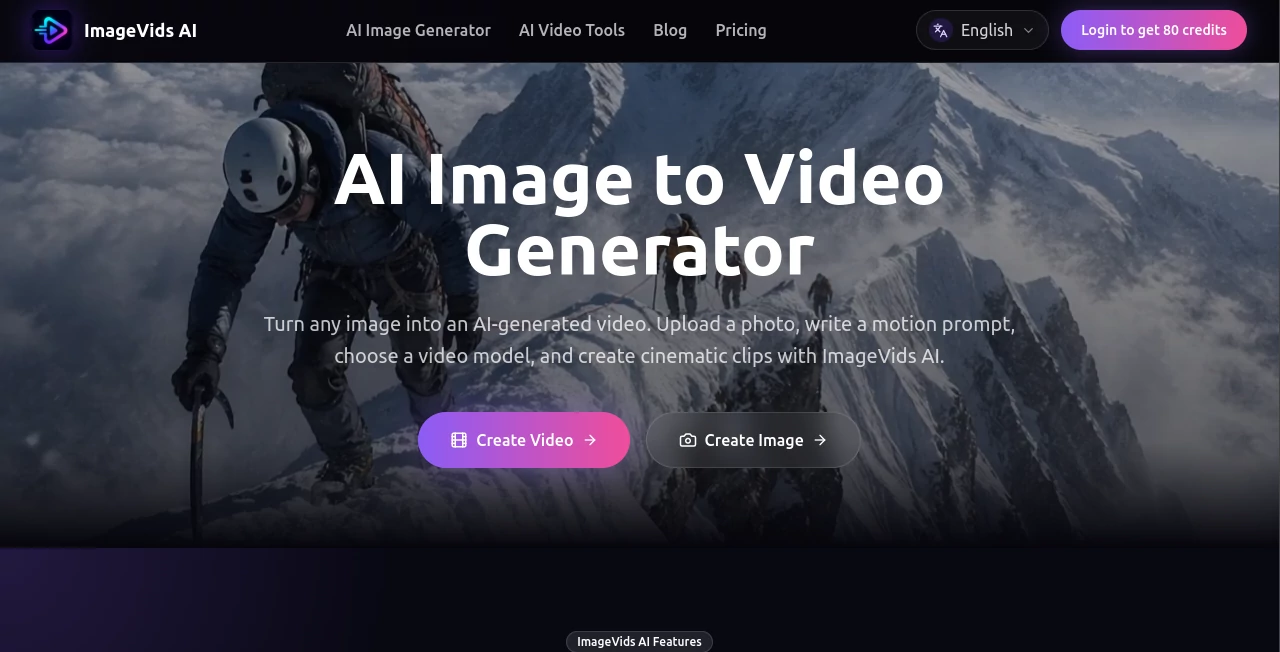
What is ImageVids AI?
Turning a good image into a video can completely change the way people experience visual content. A product photo can become a short advertisement, a portrait can gain subtle movement, and an illustration can turn into a cinematic scene. ImageVids AI focuses specifically on this transition, giving creators a straightforward way to animate still images with AI.
The workflow is refreshingly simple: upload an image, describe the movement you want, select a video model, and generate. Instead of starting from a blank video timeline, users begin with an image they already like and use a motion prompt to decide how the scene should come alive.
It supports a broad range of visual material, including product photography, portraits, anime artwork, landscapes, concept art, real estate images, and social media graphics. For someone who already has strong visual assets but needs more engaging content, this approach can save a considerable amount of time.
Key Features
- AI-powered image-to-video generation from uploaded images
- Prompt-based control over camera and subject movement
- Multiple AI video models available in one workspace
- Free trial credits for testing generations
- Support for different video aspect ratios
- HD output options on eligible plans
- Watermark-free exports on eligible paid plans
- Commercial use available with eligible paid plans
- Generation workflows suitable for social media and advertising
- Ability to experiment with different prompts and models before finalizing a clip
User Interface
The workflow is designed around the task rather than around complicated video-editing controls. Users start by selecting an image, then provide a description of the desired movement and choose an appropriate model. This makes the experience particularly approachable for people who may have little or no traditional video-editing experience.
The image remains the visual anchor while the prompt explains what should happen next. A creator might ask for a slow camera push, gentle hair movement, changing light, a rotating product, or drifting background elements. The result can then be reviewed and refined with another generation.
Accuracy & Performance
Image-to-video generation depends heavily on the source image, the selected model, and the motion prompt. Clear images with a strong subject generally provide a better starting point, while detailed prompts can help define the intended movement more precisely.
One useful advantage is the ability to choose between multiple video models rather than relying on a single generation system. The available selection includes models such as Seedance, Kling, Wan, Veo, Grok Imagine, and other options. This gives users room to experiment when one model produces movement that does not quite fit the original image.
AI video generation is naturally iterative. A first result may capture the right camera movement but miss a small detail, while another prompt can produce a more convincing version. The platform is well suited to this trial-and-refinement workflow.
Capabilities
The platform goes beyond simply adding motion to a photograph. Users can describe camera direction, subject actions, lighting changes, atmosphere, and background movement through prompts.
For example, a product image can be turned into a commercial-style shot with a gentle camera rotation and controlled studio lighting. A portrait can receive subtle head movement, blinking, and a slow camera approach. Anime artwork can gain moving hair, glowing particles, and a cinematic camera pan.
Different aspect ratios make the generated material useful for a variety of publishing environments, including vertical social media content, square posts, widescreen videos, and portrait-oriented projects.
Security & Privacy
According to the service information, generated images and videos are private by default. Account-based features are used to manage generations, credits, and saved work, while users remain responsible for the material they upload and the way generated results are used.
Commercial use is available on eligible paid plans. Users should still make sure they have the necessary rights to uploaded photographs, logos, characters, trademarks, or likenesses before using generated content commercially. The service also places restrictions on prohibited and unlawful content.
Use Cases
Product Advertising: Ecommerce sellers can turn static product photographs into short promotional clips. A slow camera rotation, changing light, or subtle background movement can make a product listing feel much more dynamic.
Social Media Content: Creators can transform existing photos into short vertical videos for platforms such as TikTok, Instagram Reels, and YouTube Shorts. This is especially useful when there is already a library of photographs available.
Portrait Animation: Portrait photography can be given restrained movement rather than being presented as a completely static image. Small facial or camera movements can create a more natural video effect.
Anime and Illustration: Artists can experiment with animating characters and illustrated scenes by describing movements such as blinking, hair blowing in the wind, camera pans, and atmospheric effects.
Real Estate: Property photographs and interior images can be transformed into short cinematic clips, offering another way to present spaces on property websites and social platforms.
Storytelling: Concept art, storyboards, character illustrations, and scene references can become short visual sequences for creative projects without requiring every scene to be manually animated.
Travel Content: Landscape and destination photographs can be enhanced with camera movement and atmospheric motion, giving travel creators another format for repurposing existing imagery.
Pros and Cons
Pros
- Focused workflow for converting images into videos
- Multiple AI video models available for experimentation
- Prompt-based control over motion and camera behavior
- Free trial credits allow users to test the service
- Useful for advertising, social media, creative work, and ecommerce
- Supports several aspect ratios for different publishing formats
- HD and watermark-free options are available on eligible plans
Cons
- AI-generated motion can vary between generations
- Getting the desired result may require several prompt attempts
- Higher-volume production requires a paid plan
- Credit consumption can vary depending on the selected model and generation settings
- Commercial permissions depend on the applicable plan
Pricing Plans
The service uses a credit-based subscription model, with different plans designed for different levels of usage. New users can start with free trial credits, making it possible to test image-to-video generation before committing to a subscription.
The Starter plan costs $19 per month and includes 1,000 credits. Creator is priced at $39 per month with 3,000 credits, while Pro costs $79 per month and provides 7,000 credits. The Studio plan is $149 per month and includes 15,000 credits for larger production requirements.
Paid plans also provide access to additional credit purchases. Creator, Pro, and Studio subscribers receive bonuses on credit-pack purchases, at 5%, 10%, and 15% respectively. The exact amount of credits consumed can depend on factors such as the selected model, video duration, resolution, number of outputs, and other generation settings.
How to Use It
Start with a clear image that has a strong and recognizable subject. Product photographs, portraits, artwork, landscapes, and scene references can all work well.
Next, describe the movement rather than simply repeating what is already visible in the image. Instead of writing “a woman in a room,” a more useful prompt could describe the person slowly turning toward the camera while soft light changes across the scene.
Choose a video model based on the style and quality you are looking for, then generate the first version. Review the movement carefully. If the result feels too strong, too slow, or simply does not match the original visual, adjust the motion prompt and try again.
This iterative process is one of the most practical aspects of image-to-video creation. A few small changes to camera direction, subject movement, lighting, or atmosphere can make a noticeable difference in the final clip.
Comparison with Similar Tools
Many AI video platforms are built around text-to-video generation, traditional editing, or broad creative suites. This solution takes a more focused approach by putting the existing image at the center of the workflow.
That distinction can be useful for photographers, ecommerce sellers, designers, and marketers who already have visual assets and do not need to generate an entire scene from scratch. The multi-model setup is another advantage for experimentation, since different models can produce noticeably different interpretations of the same motion prompt.
For quick social clips, product animations, animated artwork, and cinematic variations of existing images, a dedicated image-to-video workflow can be more direct than opening a full video editor and building the animation manually.
Conclusion
For creators who have good images but want to get more value from them, this image-to-video workflow is a compelling option. It removes much of the complexity normally associated with animation and replaces it with a simple combination of an image, a motion prompt, and a model choice.
The combination of multiple video models, free trial credits, prompt-based motion control, flexible formats, and commercial options makes it suitable for both experimentation and practical content production. Whether the goal is a product advertisement, a social media clip, an animated portrait, an anime scene, or a cinematic property shot, the workflow gives users a practical starting point.
The strongest results will still come from good source images and thoughtful prompts. But for anyone looking to turn existing visual material into short, engaging AI videos without learning traditional animation software, it offers a particularly accessible way to get started.
Frequently Asked Questions (FAQ)
What is an AI image-to-video generator?
An AI image-to-video generator takes a still image and creates a moving video from it. Users can typically describe the desired movement, select generation settings, and produce a short video based on the original visual.
Can I try the service for free?
Yes. New users can receive free trial credits that can be used to test prompts, models, and image-to-video generations before choosing a paid subscription.
What type of images work best?
Clear photographs and artwork with a strong, recognizable subject are good starting points. Product photos, portraits, anime artwork, landscapes, and concept images are all supported use cases.
Can I create videos for social media?
Yes. The service supports different aspect ratios, including formats suitable for vertical social content. Images can be transformed into short clips for platforms such as TikTok, Instagram Reels, and YouTube Shorts.
Can I create product advertisements from images?
Yes. Product photographs can be animated with camera movement, lighting changes, background motion, and other effects described through a motion prompt, making the workflow suitable for ecommerce and advertising content.
Does it support multiple AI video models?
Yes. Users can choose from multiple video-generation models, including different Seedance, Kling, Wan, and Veo options, as well as other available models. This makes it possible to compare different approaches to the same source image.
Are watermark-free exports available?
Watermark-free exports are available on eligible paid plans. The exact export options depend on the selected subscription and current service terms.
Can generated videos be used commercially?
Commercial use is available on eligible paid plans. Users should also make sure that they have the appropriate rights to the source images and any protected material represented in their content.