
SongExtender
What is SongExtender?
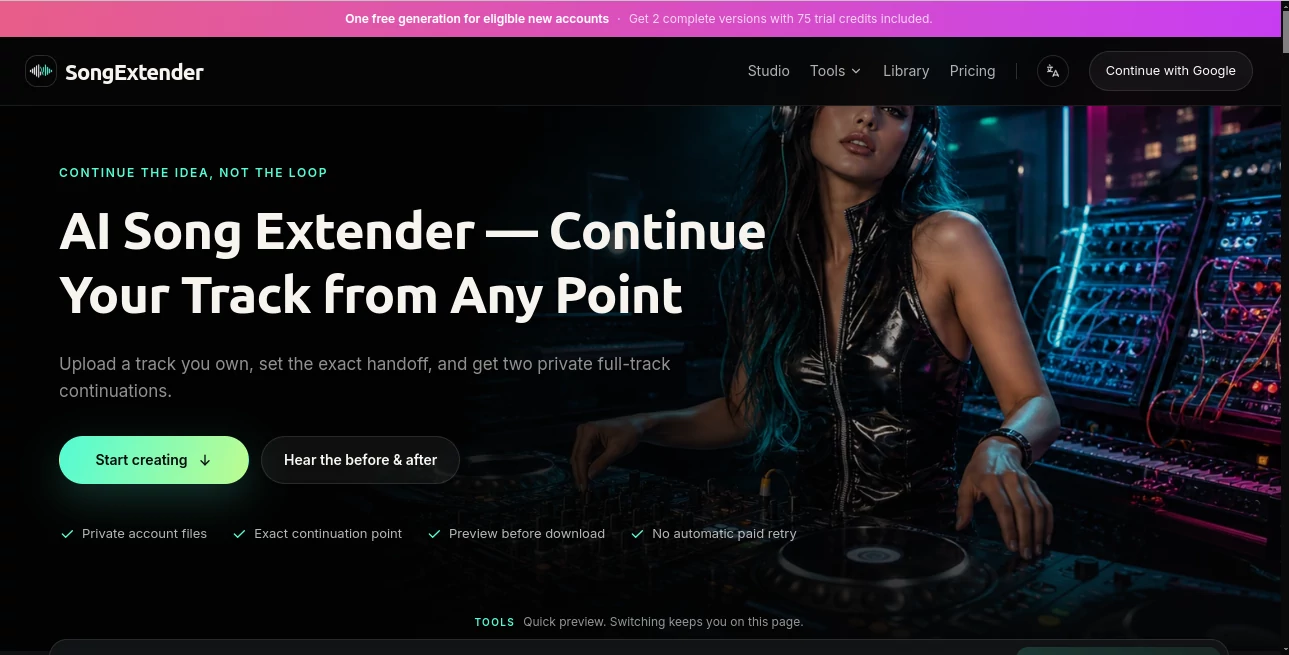
Sometimes a song has the right idea but ends too soon. A demo may need another chorus, a bridge may feel unfinished, or a music cue simply needs more time to fit a video scene. AI Song Extender is designed for exactly that situation, allowing creators to upload music they own or are authorized to use and generate new material from a specific point in the track.
Instead of simply repeating an existing section, the platform analyzes the musical context around the selected handoff point and creates a fresh continuation. Users can guide the direction with lyrics or a short style description, then listen to two independently generated versions before deciding which one works best.
This focused approach makes the service particularly interesting for songwriters, producers, video editors, podcast creators, and game audio teams who already have a piece of music and want to develop it further rather than start from scratch.
Key Features
- Continue a song from an exact musical handoff point.
- Generate two complete continuation versions from one request.
- Use lyrics or a style direction to influence the new section.
- Support both lyric-guided and instrumental extensions.
- Preview generated results before downloading them.
- Download completed results as real MP3 files.
- Keep source and generated audio private to the user's account.
- Compare separate A and B versions without overwriting either result.
- Move the continuation marker precisely using the waveform, seconds input, five-second controls, or the current playback position.
User Interface
The interface is built around the part of music that matters most for an extension: the transition point. Users can drop an audio file onto the workspace, preview it, and move a marker to the exact moment where the new composition should begin.
The workflow stays relatively focused instead of surrounding the creator with unnecessary controls. A Simple mode provides the essential audio, handoff, lyrics, style, and rights options, while Custom mode exposes additional controls such as song title and vocal selection. This makes it possible to begin with a quick idea and move into more detailed direction when a project requires it.
For example, a producer working on a short demo can place the handoff inside the final phrase rather than simply at the end of the file. That gives the system useful musical context before it starts building the continuation.
Accuracy & Performance
The quality of an AI music extension depends heavily on the source material and the chosen handoff point, but the platform takes a practical approach to this problem. The original track remains the musical reference while the generated section is intended to follow its tempo, harmony, instrumentation, energy, and overall production character.
The exact continuation point is especially useful when a creator wants to control the structure. A marker can be moved slightly earlier or later if the first attempt does not transition naturally. Instead of randomly regenerating an entire idea, users can adjust one element at a time and compare the results.
Two complete variations are produced from a successful generation. This is useful because musical decisions are subjective: one version might have a stronger bridge while another may provide a better final section.
Capabilities
The platform is more than a simple loop creator. It can be used to develop unfinished songs into bridges, additional choruses, instrumental passages, or more deliberate endings. It also supports manually selected instrumental extensions, giving producers a way to continue backing music without requiring a lyric-driven workflow.
Creators can provide lyrics for the new section or describe what they want musically. A useful direction might specify the intended section, energy, instruments, vocal presence, and transition. Keeping that instruction focused generally makes the desired change easier to evaluate.
The system also offers different model versions with different source-length limits. Depending on the selected version, supported source audio can be up to four or eight minutes long. Generated results are delivered as MP3 files, making them straightforward to preview and use in common music workflows.
Security & Privacy
Privacy is an important part of the workflow. Audio selected for preview remains in the browser before generation, and source and generated files are kept private to the user's account. Generated results are retained privately for approximately seven days.
The service also makes an important distinction between privacy and music rights. Keeping a file private does not give the uploader permission to use someone else's copyrighted recording. Users are required to upload music they own or are legally authorized to extend.
This is a sensible approach for creators who are working with original demos, commissioned music, licensed tracks, or other audio for which they already have the necessary rights.
Use Cases
Songwriters and independent artists: A short demo can become a more developed composition with an additional bridge, final chorus, instrumental section, or extended ending. This can be particularly helpful when the main musical idea is already strong but the arrangement needs more room.
Music producers: Producers can experiment with different continuation points and directions without rebuilding an arrangement manually. Having two independent results also makes it easier to compare creative alternatives.
Video and film editors: A music cue that is too short can be extended to better match a longer scene or revised edit. Instead of forcing a noticeable loop into the timeline, editors can explore a new musical section that follows the existing material.
Podcast producers: Intro and outro music can be developed into longer beds when an episode requires additional duration. This can be useful when a simple repeated loop would sound distracting.
Game and interactive audio teams: Instrumental extensions can help explore longer musical development for menus, scenes, transitions, and other interactive situations where a short source needs additional material.
Pros and Cons
Pros
- Precise control over the musical continuation point.
- Creates new material instead of relying on structural looping.
- Two complete versions are generated for comparison.
- Supports both lyrics-guided and instrumental workflows.
- Useful for several real-world production scenarios.
- Private source and generated audio storage.
- Real MP3 downloads are available.
- Credits do not expire.
Cons
- The quality of the result can vary depending on the source audio.
- Users need appropriate rights to the music they upload.
- Generation consumes credits, so repeated experimentation can require additional usage.
- The service is focused specifically on extending existing music rather than replacing a complete professional DAW.
- Source-duration limits vary depending on the selected model.
Pricing Plans
New eligible accounts can receive one free generation with 75 credits, producing two complete versions. For users who want continued access, the pricing structure includes both one-time credit purchases and recurring subscriptions.
- Pay Once: Credit packs start at US$9.90, with 1,500 or more credits and approximately 40 or more complete versions. There is no automatic renewal.
- Pro Monthly: US$19.90 per month with 3,000 credits and approximately 80 complete versions.
- Starter Yearly: US$96 per year with 18,000 credits and approximately 480 complete versions.
The availability of non-expiring credits is particularly convenient for occasional creators who may not need to generate music every week. Someone working on a project only when inspiration strikes can purchase credits without having to maintain an ongoing subscription.
How to Use It
Start by uploading an MP3 track that you own or have permission to use. The current workspace supports source files within the applicable size and duration limits, with the exact limit depending on the selected model.
Next, preview the track and choose the precise moment where the continuation should begin. The waveform gives you a visual way to find the right musical handoff, while additional controls allow the position to be adjusted with greater precision.
After selecting the handoff, provide optional lyrics or a concise style direction. Instead of describing the entire song, explain what should happen next. For example, you might request a restrained bridge that keeps the existing drums and bass before building toward a wider final chorus.
Confirm that you own the audio or have the necessary permission, then start the generation. The system produces two complete versions that can be played and compared independently. If one does not fit, small changes to the handoff point, lyrics, or musical direction can help guide the next attempt.
Comparison with Similar Tools
Many AI music platforms focus primarily on creating a complete song from a text prompt. That approach is useful when starting with a blank page, but it is not always the right solution for an existing composition.
This service takes a narrower and more practical route. The starting point is an existing piece of music, and the main objective is to continue it from a deliberately chosen moment. That makes it better suited to situations where the creator already likes the original material and wants to preserve its musical identity while developing what comes next.
Another notable difference is the emphasis on the handoff itself. Instead of treating an uploaded track as a general prompt, the workflow gives the creator direct control over where the new composition begins. The ability to compare two separate complete results also makes the process more useful for iterative production.
Conclusion
For creators who already have a promising piece of music but feel that it ends before the idea is fully developed, this platform offers a focused solution. Its strongest feature is not simply generating more audio; it is giving the creator control over where and how that additional music begins.
The combination of precise handoff selection, style and lyric guidance, instrumental support, private results, and two-version generation makes it a practical addition to an experimental music workflow. It will not replace every part of a traditional production setup, and results naturally depend on the source material, but it can save considerable time when the goal is to explore what a song could become beyond its original ending.
For independent musicians, producers, editors, and other audio creators, it is an appealing way to turn a promising musical fragment into something longer without abandoning the character of the original idea.
Frequently Asked Questions (FAQ)
What type of audio can I upload?
You can use MP3 audio that you own or are authorized to use. Source-duration limits depend on the selected model, with some versions supporting up to four minutes and others supporting up to eight minutes.
Can I extend instrumental music?
Yes. Instrumental mode is available as a manually selected option across the supported versions. This allows creators to work with music that does not require lyrics.
Does the system simply repeat the original music?
No structural looping is used for the continuation. The generated section is intended to develop new musical material based on the source and the selected handoff point. As with any generative music system, the final quality can vary depending on the source.
How many versions do I receive from one generation?
A successful generation provides two complete, independently usable variations. You can preview, download, extend, or delete either result without affecting the other.
Are my uploaded files private?
Source and generated audio are kept private to the user's account. Source and result files are retained privately for approximately seven days.
Can I use generated music commercially?
Commercial use depends on having the required rights to the source material and complying with the applicable output terms. Users should review the service terms before publishing or commercially distributing a generated result.
Are the generated files downloadable?
Yes. Both lyric-guided and instrumental results can be downloaded as real MP3 files.
Do credits expire?
The site's current pricing information states that credits do not expire, which can be useful for creators who use the service occasionally rather than on a fixed schedule.
Is there a free option?
Eligible new accounts can receive one free generation with 75 credits. That generation produces two complete versions.
Can I control exactly where the new section starts?
Yes. The continuation marker can be moved directly on the waveform, positioned using seconds, adjusted in five-second increments, or placed using the current playback position.
AI Text to Music , AI Music Generator .
These classifications represent its core capabilities and areas of application. For related tools, explore the linked categories above.
SongExtender details
Website unavailable — View Alternatives
Pricing
- Freemium
Apps
- Web App
Categories

SongExtender Alternatives Product

AI Rap Gener…

SeedMusic 1.0

Lyria3 AI

Solmi AI

AISongsGener…

Lyrics to So…

AI Song Maker

Lyria.run

lyria 3