

















SeedMusic 1.0
What is SeedMusic 1.0?
Creating original music no longer requires expensive software or years of production experience. This platform makes songwriting faster by transforming written lyrics into complete songs, generating melodies in the browser, and offering realistic voice cloning for personalized performances. Whether the goal is producing demo tracks, social media music, or creative experiments, it provides an accessible workflow that feels both simple and powerful.
Key Features
User Interface
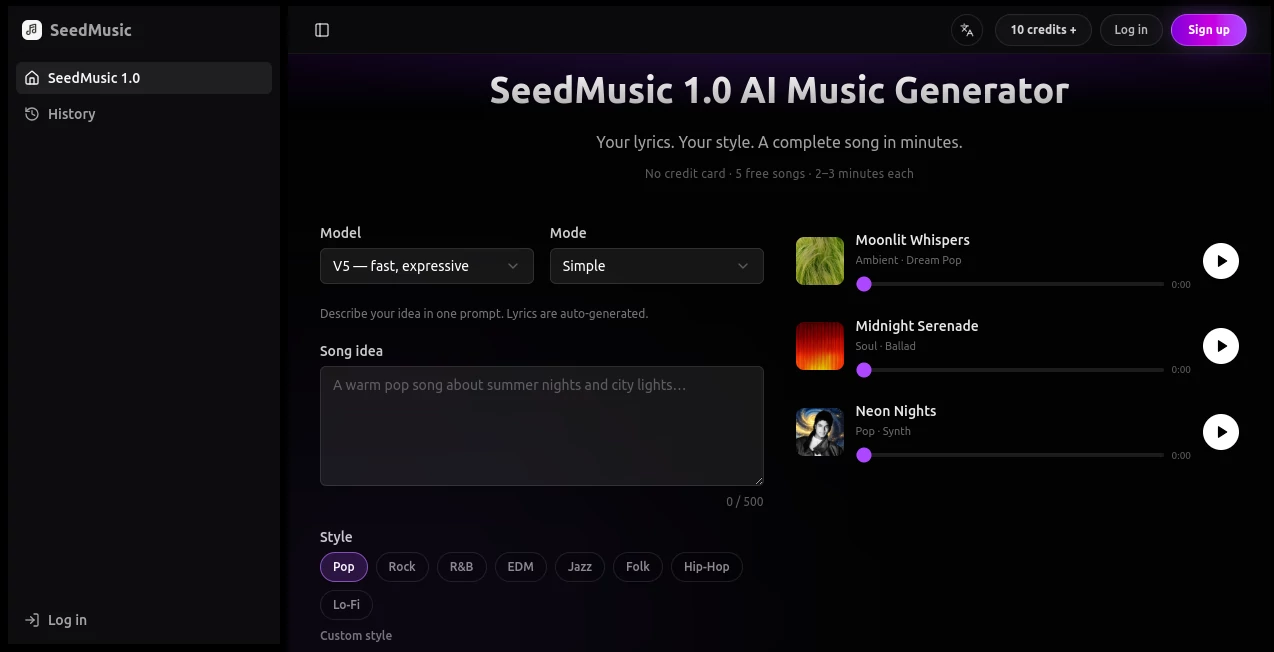
The clean browser-based workspace keeps every step easy to follow. Lyrics, vocals, and melody editing are organized into straightforward panels, allowing beginners and experienced creators to build songs without a steep learning curve.
Accuracy & Performance
Music generation is fast, while voice synthesis delivers natural-sounding vocals with smooth timing. Melody adjustments can be made in real time, helping users fine-tune compositions before exporting the final result.
Capabilities
- Generate complete songs from lyrics.
- Create original melodies with AI assistance.
- Clone voices for personalized vocal performances.
- Edit melodies directly in the browser.
- Produce tracks suitable for content creation and demos.
Security & Privacy
User projects remain accessible through personal accounts, while cloud-based processing removes the need for powerful local hardware. Creators can manage their work online and continue editing whenever inspiration strikes.
Use Cases
- Writing original songs without music production experience.
- Creating background music for videos and podcasts.
- Producing demo tracks for artists and songwriters.
- Generating unique vocal performances using cloned voices.
- Experimenting with melodies before recording in a professional studio.
Pros and Cons
- Pros
- Fast lyrics-to-song generation.
- Natural voice cloning capabilities.
- No software installation required.
- Easy browser-based melody editing.
- Suitable for beginners and professionals alike.
- Cons
- Advanced producers may still prefer dedicated DAWs for detailed mixing.
- Some premium features may require a paid subscription.
Pricing Plans
The platform offers free access for getting started, while premium plans unlock additional generation credits, advanced voice options, and expanded creative features.
How to Use
Start by entering your lyrics or writing new ones inside the editor. Choose a preferred music style, generate the song, customize the melody if needed, and optionally apply voice cloning. Once satisfied, export the finished track for sharing or further production.
Comparison with Similar Tools
Unlike many AI music platforms that focus only on melody generation or vocal synthesis, this solution combines lyrics-to-song creation, browser-based editing, and voice cloning in one streamlined workflow. That combination makes it especially useful for creators who want to move from an idea to a complete song without switching between multiple applications.
Conclusion
This platform offers a practical and enjoyable way to turn ideas into music. The combination of AI songwriting, melody editing, and realistic voice generation creates a flexible environment for musicians, content creators, and anyone interested in producing original songs with minimal effort.
Frequently Asked Questions (FAQ)
Can beginners use the platform?
Yes. The interface is designed to help users create songs even without music production experience.
Does it generate songs from lyrics?
Yes. Users can provide lyrics and receive a complete AI-generated song.
Is voice cloning available?
Yes. Voice cloning allows personalized vocal performances for generated tracks.
Can melodies be edited?
Yes. Melody editing is available directly in the browser before exporting the final song.
Is there a free version?
Yes. A free option is available, while premium plans provide additional features and higher usage limits.