
Ai tex tkit
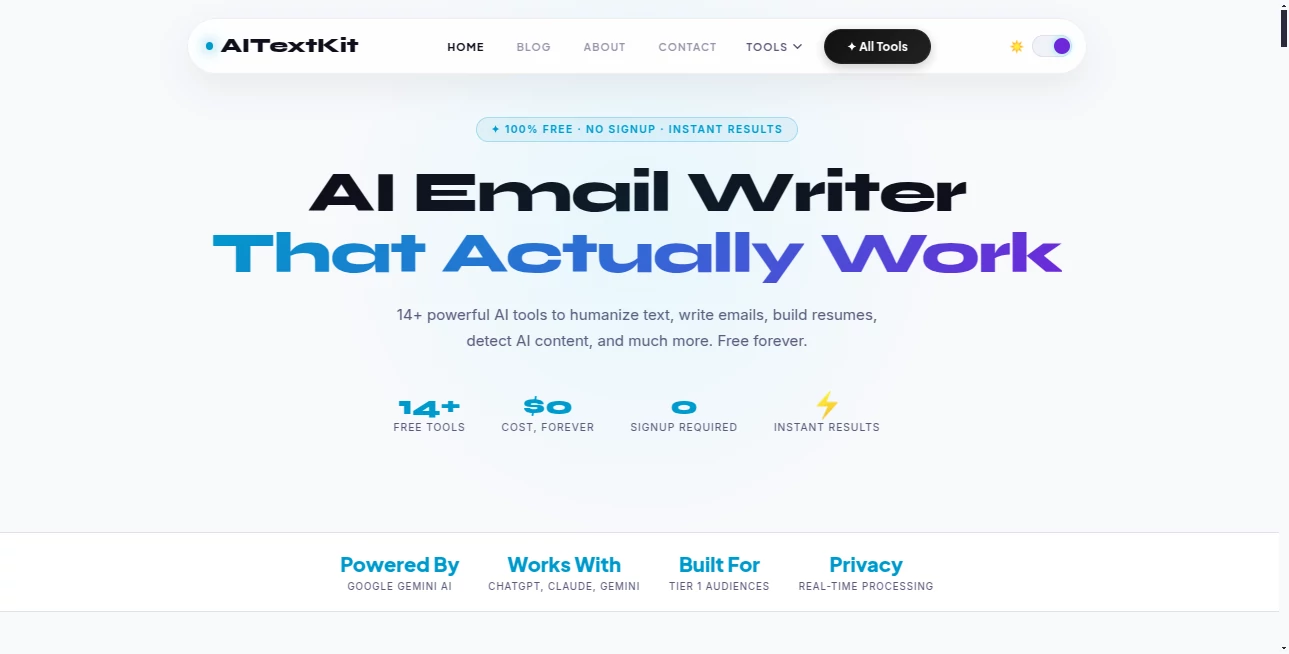
What is Ai tex tkit?
There are days when the words just won’t come, and other days when you have the ideas but they don’t sound quite right. This platform quietly solves both problems by gathering a whole collection of smart writing tools under one roof. Whether you need to rewrite something better, expand a short note into a full piece, or polish a draft until it shines, everything is right there in a single, clean workspace. I’ve watched friends go from staring at a blank screen to having a finished LinkedIn post, blog draft, or email in minutes. It feels less like using software and more like having a thoughtful writing partner who never gets tired.
Introduction
Most writers juggle between different tools—one for paraphrasing, another for summarizing, yet another for generating ideas. This one brings them all together without the mess of switching tabs or learning new interfaces. It’s designed for real people: marketers who need consistent brand voice, students who want clearer essays, freelancers who must deliver fast, and everyday users who just want their words to land better. What makes it special is how naturally the tools work together. You can start with a rough idea, expand it, rewrite sections, check tone, and polish—all without losing context. It respects your voice instead of replacing it.
Key Features
User Interface
The design is pleasantly straightforward. A central editor where you write or paste text, surrounded by clear tool buttons that do exactly what they say. No overwhelming sidebars or hidden menus. You highlight a paragraph and choose “Rewrite,” “Expand,” or “Make More Professional” with one click. The results appear right next to your original so you can compare instantly. It feels calm and focused—like a quiet workspace rather than a crowded toolbox.
Accuracy & Performance
The outputs stay remarkably close to your original intent while improving clarity, flow, or tone. It understands context well, so rewrites don’t suddenly change meaning or add random fluff. Processing is fast enough that you stay in the zone instead of waiting. Whether you’re working on short social captions or longer articles, the quality holds steady without that robotic stiffness you often see elsewhere.
Capabilities
You get a full suite: smart paraphrasing that keeps your voice, length control (shorten, expand, or keep similar), tone adjustment (professional, casual, persuasive, friendly), summarization, idea generation, grammar polishing, and even creative rewrites for storytelling. The tools play nicely together—you can take a generated draft and immediately refine it further. It supports multiple languages and various content types, from marketing copy to emails to blog posts.
Security & Privacy
Your text stays private during processing. No unnecessary storage or sharing of your content. You can work anonymously if you want, and there’s no aggressive data collection. For freelancers and businesses handling client material, that discretion is genuinely appreciated.
Use Cases
A busy founder writes rough product descriptions and turns them into compelling sales copy in one pass. A student takes messy lecture notes and transforms them into clear, well-structured summaries before exams. A marketer creates ten LinkedIn posts from a single bullet list of ideas. A non-native English speaker polishes important emails until they sound confident and natural. The common thread is saving time while actually improving quality instead of just speeding things up.
Pros and Cons
Pros:
- All the essential writing tools in one place—no more jumping between apps.
- Respectful rewrites that keep your personal voice intact.
- Fast, practical results you can actually use without heavy editing.
- Clean, distraction-free interface that helps you stay focused.
- Generous free access lets you test real workflows before upgrading.
Cons:
- Very creative or highly specialized writing still benefits from human touch.
- Heavy daily use eventually requires a paid plan for unlimited access.
Pricing Plans
The free tier is surprisingly usable for occasional needs and light daily work. Paid plans unlock unlimited generations, priority processing, longer documents, and advanced tone controls. Pricing stays reasonable—many users say it quickly pays for itself through time saved and better output quality. No dramatic price jumps; it grows with your needs.
How to Use AI Text Kit
Start by pasting your text or typing directly in the editor. Highlight the section you want to improve, choose the tool (Rewrite, Expand, Summarize, Change Tone, etc.), and pick any specific instructions. Review the suggestion side-by-side with your original, accept what you like, or generate another variation. Keep refining until it feels right, then copy the final version. The whole process stays inside one window, so you never lose momentum.
Comparison with Similar Tools
Many AI writers focus on one strong feature but force you to use separate platforms for the rest. This one brings everything together without sacrificing quality. Where some tools sound generic or overly salesy, the outputs here feel more natural and adaptable to different voices. It’s less about replacing writers and more about removing friction so writers can do their best work faster.
Conclusion
Good writing doesn’t have to be painful or slow. This platform makes the process smoother and the results stronger without taking away your control or voice. Whether you write every day or only when you have to, having a reliable set of smart tools at your fingertips changes how you approach the blank page. It’s practical, thoughtful, and genuinely helpful—the kind of companion every writer secretly wishes they had.
Frequently Asked Questions (FAQ)
Can I keep my personal writing style?
Yes—the tools are designed to enhance rather than replace your voice.
Is there a limit on free use?
Free tier offers solid daily usage; paid plans remove limits for heavier work.
Does it work for non-English languages?
It supports multiple languages with good results, especially major ones.
Can I use it for commercial projects?
Absolutely—paid plans are built for professional and commercial use.
How does it compare to ChatGPT for writing?
It’s more focused and specialized for writing tasks, often giving better-structured, ready-to-use results.
AI Paraphraser , AI Content Generator , AI Summarizer , AI Writing Assistants .
These classifications represent its core capabilities and areas of application. For related tools, explore the linked categories above.

Ai tex tkit Alternatives Product

Automateed

Humanize AI …

PromptFix

Semantic SEO…
Schema Synth

Pterocos

Astic AI

Cataseo AI

MaxAEO