


















AllSubConverter
What is AllSubConverter?
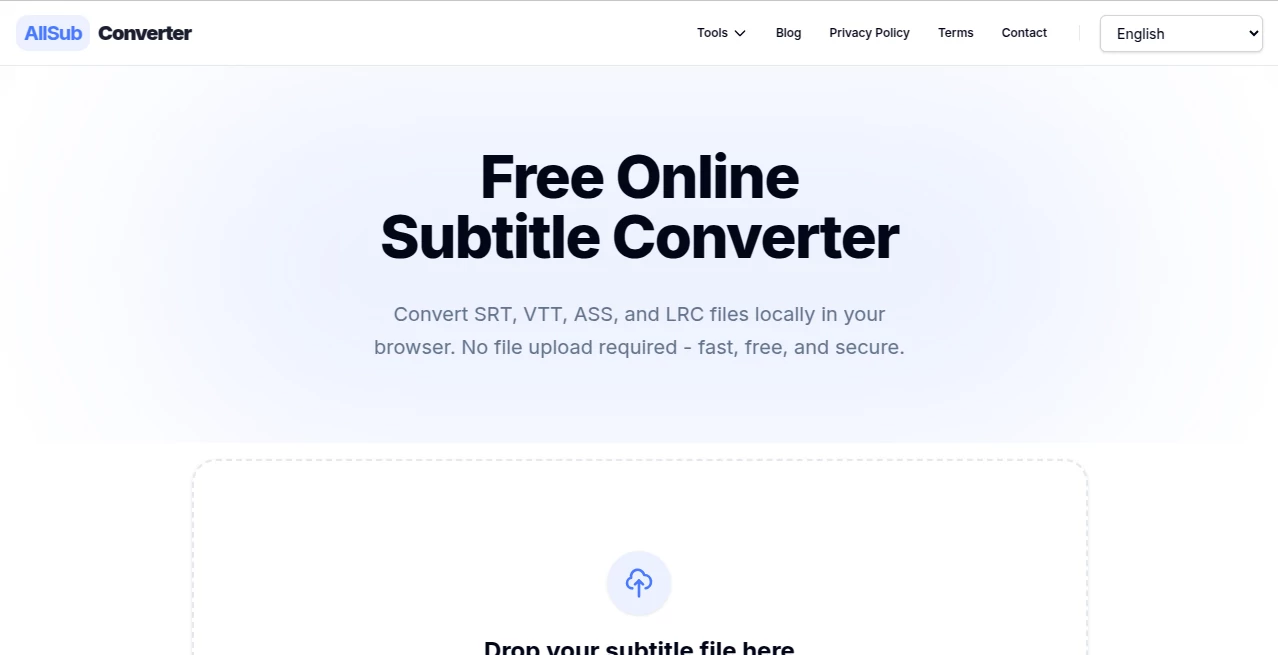
I can’t tell you how many times I’ve been stuck with the wrong subtitle format — SRT when I needed VTT for a web player, or ASS for styling but only had basic SRT. Hunting for converters, uploading files to sketchy sites, worrying about privacy… it always felt unnecessarily painful. Then I found this tool and it changed everything. You drop your subtitle file in the browser, pick the format you need, and it converts instantly without ever leaving your device. No uploads, no accounts, no waiting. It’s one of those rare tools that feels like it was built by someone who actually understands the frustration.
Introduction
Subtitle files come in many shapes — SRT for simplicity, VTT for web video, ASS for advanced styling, LRC for lyrics. Switching between them used to mean installing software, dealing with sketchy online converters, or writing scripts. This platform makes it effortless and private. Everything happens locally in your browser using modern web technologies, so your files never touch a server. It’s fast, clean, and focused purely on getting the job done right. Whether you’re a video editor, content creator, translator, or just someone who wants properly formatted subtitles for personal use, it removes the hassle and lets you move on with your project.
Key Features
User Interface
The design is wonderfully minimal. Just drag and drop your subtitle file or click to browse, choose your target format from clear options, and hit convert. The interface stays out of your way with a clean progress indicator and instant download when it’s ready. No cluttered dashboards, no forced sign-ups, no distracting ads. It feels like a tool that respects your time and intelligence.
Accuracy & Performance
Conversions are precise and reliable. Timings stay accurate, formatting is preserved where possible, and it handles different encodings smoothly. Even larger subtitle files process quickly because everything runs locally on your device. I’ve thrown tricky ASS files with complex styling at it and gotten clean SRT or VTT results without losing important cues. The speed is impressive — most files convert in seconds.
Capabilities
It supports the most common formats: SRT ↔ VTT, SRT ↔ ASS, SRT ↔ LRC, and more. You can convert in both directions, preserving as much structure as each format allows. It handles multi-language subtitles well and works with various encodings. The client-side approach means you can use it offline once the page is loaded, which is perfect for travel or spotty connections.
Security & Privacy
This is where it really shines. Because all processing happens in your browser, your subtitle files never leave your computer. No server uploads, no data collection, no privacy worries. In a world full of tools that ask you to upload sensitive content, this privacy-first approach feels refreshing and trustworthy.
Use Cases
A YouTuber quickly converts SRT subtitles to VTT for better web player compatibility. A translator turns complex ASS files into simple SRT for client delivery. Someone editing karaoke tracks converts LRC lyrics to SRT for video use. A language learner converts subtitles between formats to work with their favorite media player. It fits naturally into almost any video workflow where format compatibility matters.
Pros and Cons
Pros:
- Completely private — files never leave your browser.
- Lightning fast local processing with excellent accuracy.
- Simple, no-nonsense interface that just works.
- Free with no hidden limits or watermarks.
- Supports all major subtitle formats in both directions.
Cons:
- Very complex styling in ASS files may not transfer perfectly to simpler formats.
- Requires a modern browser for best performance.
Pricing Plans
It’s completely free. No premium tiers, no limits on usage, no hidden costs. The creators built it as a genuinely useful tool for the community, and that generosity shows in every aspect of the experience.
How to Use AllSubConverter
Go to the site, drag your subtitle file (.srt, .vtt, .ass, or .lrc) into the drop zone or click to select it. Choose your desired output format from the available options. Click convert and wait a few seconds. Download the new file once it’s ready. That’s it — no sign-up, no fuss. You can do this as many times as you need, even offline after the page loads.
Comparison with Similar Tools
Other converters usually require uploading your files to their servers, which raises privacy concerns and adds delays. Many also push ads or limit free usage. This one stands apart by keeping everything local, staying fast and private, and remaining truly free. It’s not trying to be everything — it focuses on doing one thing exceptionally well, and that focus makes it more reliable than broader, heavier alternatives.
Conclusion
In a world full of complicated tools and privacy trade-offs, this platform is a breath of fresh air. It solves a common pain point with elegance, speed, and respect for your data. Whether you work with subtitles professionally or just need the right format for personal viewing, it delivers exactly what you need without any extra baggage. Simple, private, and effective — sometimes that’s all you really want from a tool.
Frequently Asked Questions (FAQ)
Is it really private?
Yes — everything happens locally in your browser. No files are uploaded to any server.
Which formats does it support?
SRT, VTT, ASS, and LRC in both directions.
Do I need to create an account?
No account is required. Just open the site and start converting.
Can I use it on mobile?
Yes, it works well on modern mobile browsers.
What’s the file size limit?
It handles files up to several megabytes comfortably since processing is local.
These classifications represent its core capabilities and areas of application. For related tools, explore the linked categories above.
AllSubConverter details
Website unavailable — View Alternatives
Pricing
- Free
Apps
- Web App
Categories

AllSubConverter Alternatives Product

Blackbox AI

Geekflare AI

Timestamp Ro…
Dedoctive

VercelAPP

DeepSeek V4

ZoraInsights

Al Maze Gene…

cznull
