
Any Video Converter
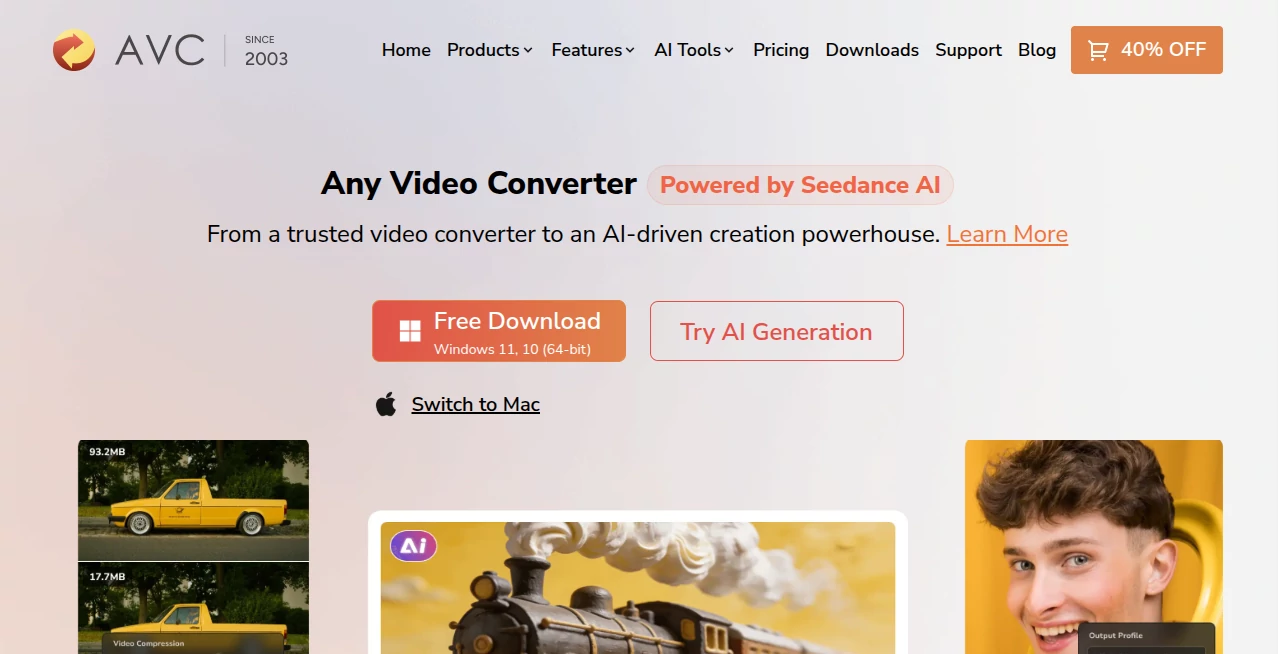
What is Any Video Converter?
Managing videos should be simple, whether you need to convert formats, compress large files, edit clips, or create fresh content with AI. This all-in-one platform combines classic media tools with modern AI-powered features, making it a practical choice for creators, students, marketers, and everyday users. With support for more than 1,000 media formats, hardware acceleration, and local processing, it delivers impressive speed without sacrificing quality.
Key Features
User Interface
The interface is clean and beginner-friendly. Common tasks such as converting, trimming, compressing, and enhancing videos are clearly organized, allowing new users to get started in minutes without a steep learning curve.
Accuracy & Performance
GPU acceleration dramatically speeds up processing while maintaining excellent output quality. Batch conversion, support for large files, and reliable handling of modern codecs make everyday workflows smooth and efficient.
Capabilities
- Convert video and audio between 1,000+ formats.
- Generate videos and images with integrated AI tools.
- Enhance low-quality footage using AI-powered models.
- Edit videos with trimming, cropping, rotating, subtitles, and watermark tools.
- Compress media without noticeable quality loss.
- Extract audio and convert speech into text.
Security & Privacy
Most media processing takes place locally on your computer, giving users greater control over private files while reducing the need to upload sensitive content to external servers.
Use Cases
- Prepare videos for YouTube, TikTok, or Instagram.
- Convert recordings for different devices and platforms.
- Improve old or blurry videos with AI enhancement.
- Create promotional content from text or images.
- Compress large videos before sharing or archiving.
Pros and Cons
Pros
- Supports an extensive range of media formats.
- Fast conversion with GPU acceleration.
- Includes editing, enhancement, and AI generation in one application.
- Free version offers generous functionality.
Cons
- Some advanced AI features require a paid plan.
- Desktop installation is required.
Pricing Plans
A free version is available with powerful conversion and editing features. Premium editions unlock advanced AI tools, professional workflows, and additional creative capabilities.
How to Use Any Video Converter
Install the application, import your media files, choose the desired output format or AI feature, adjust optional settings, and start processing. Finished files can be exported in just a few clicks.
Comparison with Similar Tools
Unlike many traditional converters that focus only on format conversion, this solution combines video editing, AI enhancement, AI generation, compression, and audio tools inside one workspace. That reduces the need to switch between multiple applications during a project.
Conclusion
For anyone looking beyond a simple video converter, this platform delivers an impressive collection of creative tools in one package. Its balance of speed, AI-powered features, broad format support, and straightforward design makes it a valuable choice for both casual users and professional creators.
Frequently Asked Questions (FAQ)
Is there a free version?
Yes. A free edition includes video conversion, editing, and several essential media tools.
Can it convert large 4K videos?
Yes. It supports high-resolution files and uses hardware acceleration for faster processing.
Does it include AI features?
Yes. AI-powered video generation, enhancement, image creation, and speech-related tools are available.
Can beginners use it?
Absolutely. The simple interface makes common tasks easy, even for first-time users.
Is local processing supported?
Yes. Many media operations are processed locally, helping protect personal files and improve privacy.
AI Image to Video , AI Video Generator , AI Video Editor , AI Video Enhancer .
These classifications represent its core capabilities and areas of application. For related tools, explore the linked categories above.
Any Video Converter details
Website unavailable — View Alternatives
Pricing
- Free
Apps
- Web App
- Windows App
- Mac App
Categories

Any Video Converter Alternatives Product

Sora 2 Video…

Omnigen Stud…

AI Pixel Ani…

DomoAI

Vidtool AI

Banana AI

VIGGLE

You.bot

HappyHorse A…