


















Anyvids
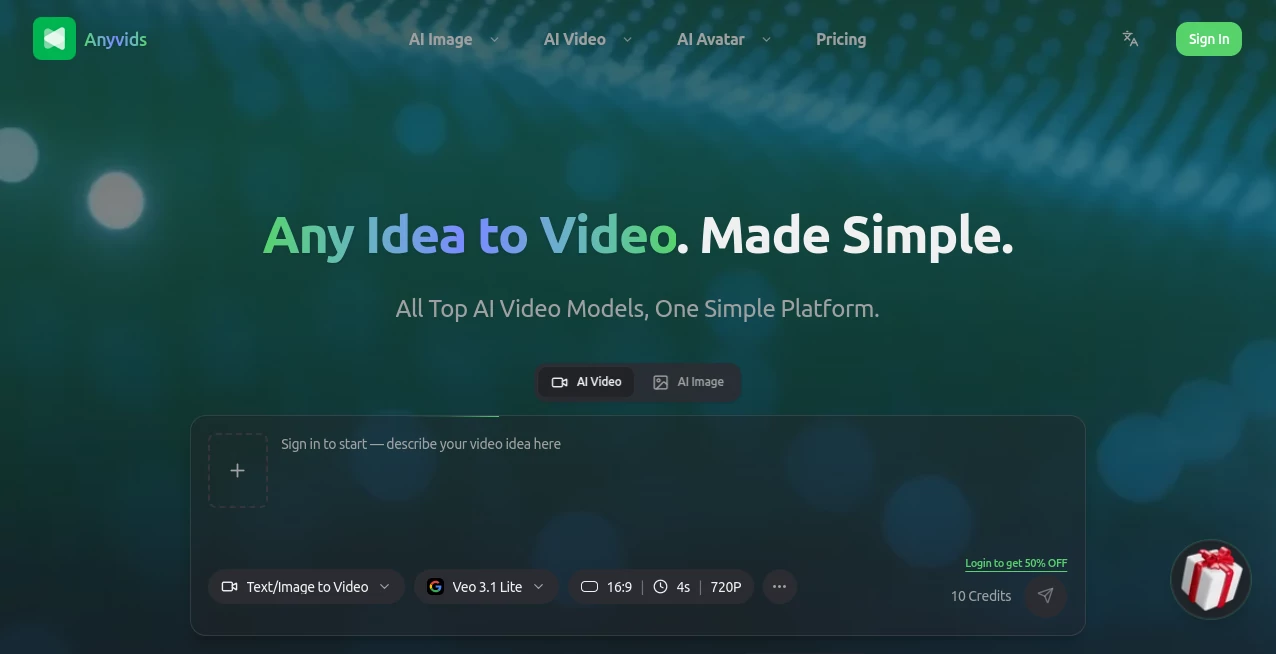
What is Anyvids?
There's a particular kind of frustration that comes from having a great creative idea and zero patience for the technical hoops needed to bring it to life. You open one app for image generation, another for video, a third for editing, and by the time everything lines up, the spark of the original idea has dimmed a little. This platform was built around a simple observation: creators don't want to juggle a dozen disconnected AI tools, they want a single workspace where an idea can travel from text prompt to finished video without friction.
What stands out right away is the sheer breadth of models packed into one dashboard. Instead of picking a single AI engine and living with its quirks, you get access to leading names like Veo, Kling, Seedance, Wan, Flux, and GPT-image style generators, all sitting side by side. For anyone who has spent time comparing outputs across different AI video generators, that kind of consolidated access genuinely saves hours.
Key Features
User Interface
The dashboard follows a four-step flow that feels almost deliberately uncomplicated: describe your idea, choose your output settings, let the AI generate, then download and share. There's no steep learning curve here. A first-time visitor can type a prompt, pick a model, and have a result within minutes, while more experienced users can dig into the finer settings to push their results further. Navigation between image tools, video tools, and the model library is clean, and switching from one creative task to another rarely requires more than a couple of clicks.
Accuracy & Performance
Because the platform routes requests to top-tier underlying models rather than a single in-house engine, output quality tends to track closely with whichever model you select. Choosing something like Kling or Veo for cinematic motion versus a lighter model for quick social clips gives users real control over the trade-off between speed and polish. In practice, generation times stay reasonable, and the HD output quality holds up well even when content is repurposed for platforms with stricter compression, like Instagram Reels or YouTube Shorts.
Capabilities
This is where the platform really shows its range. Text-to-video and image-to-video sit alongside frame-to-video, reference-to-video, motion control, and even video character swapping. On the image side, there's text-to-image, image-to-image editing, and a dedicated AI character generator for anyone building consistent personas across a content series. An AI movie maker and animation generator round things out for users working on longer-form or stylized content, and a built-in video upscaler helps when older or lower-resolution footage needs a quality boost before publishing.
Security & Privacy
Generated content defaults to private visibility on paid tiers, so creative work in progress isn't exposed publicly until the user decides to share it. The platform also states that enterprise-grade encryption protects creative files, which matters for agencies or brand teams handling unreleased campaign material. Clear policies around billing, credit usage, and refunds add another layer of trust that's often missing from smaller AI tools.
Use Cases
- Social media managers turning a single product photo into a short promotional video clip
- Photographers animating portfolio stills into dynamic, shareable content
- Small business owners producing ad creatives without hiring a video editor
- Film students and storyboard artists visualizing concepts before full production
- Content teams batch-producing short-form video for multiple platforms at once
Pros and Cons
Pros:
- Access to multiple leading AI video and image models in a single subscription
- Straightforward four-step workflow suitable for beginners and professionals alike
- No watermark on outputs across paid plans
- Commercial license included, useful for client and agency work
- Transparent credit system with visible cost per generation
Cons:
- Free or entry-level access is limited compared to the full model library on higher tiers
- Annual credit allotments may require careful budgeting for heavy daily users
- Some advanced features, like multiple concurrent tasks, are reserved for higher-priced plans
Pricing Plans
Pricing is structured around annual credit allotments rather than a simple flat monthly fee, with three main tiers. The Lite plan suits testers and casual creators, offering a limited set of video and image models along with a yearly credit grant. The Pro plan opens up the full model library, increases the credit allowance substantially, adds priority support, and allows multiple concurrent generation tasks, making it the natural fit for active content creators. The Premium plan is built for professional studios and high-volume producers, offering the largest credit pool, the most concurrent tasks, and the deepest discount on additional credit packs. Users who burn through their allotment can also top up with standalone credit packs at any time, and the platform's refund policy promises processing within a few business days for qualifying purchases.
How to Use Any Idea to Video. Made Simple.
- Sign up and choose a plan based on your expected monthly output
- Describe your video idea in a detailed text prompt, or upload a reference image
- Select a specific AI model or let the system auto-choose the best fit
- Fine-tune output settings such as resolution and format
- Generate the video or image and review the result
- Download in HD quality and share directly to your platform of choice
Comparison with Similar Tools
Most standalone AI video generators lock users into one underlying model, which means switching styles or fixing a disappointing result often means switching tools entirely. The advantage here is consolidation: rather than maintaining separate subscriptions to several single-model platforms, creators get one unified credit system that works across many of the industry's most talked-about engines. Where dedicated single-model tools may offer slightly deeper customization within their own ecosystem, this kind of multi-model approach wins on flexibility and is particularly appealing for teams that don't want to commit to just one AI's aesthetic.
Conclusion
For creators who are tired of bouncing between apps to turn a single idea into finished video content, this platform offers a refreshingly consolidated answer. The combination of multiple top-tier models, a genuinely simple workflow, and transparent pricing makes it a strong pick whether you're a solo creator experimenting with short clips or a small team producing content at scale. It won't replace a full professional editing suite for complex post-production work, but as a starting point for fast, high-quality AI-generated video and imagery, it's hard to beat.
Frequently Asked Questions (FAQ)
Is there a free way to try it before subscribing?
Limited access is available to explore the interface, though the full model library and credit allowance require a paid plan.
Do generated videos include a watermark?
No, outputs across paid plans are delivered without watermarks.
Can I use the generated content commercially?
Yes, paid plans include a commercial license suitable for client work and brand campaigns.
What happens if a generation fails?
Failed generations are not expected to consume credits, keeping the credit system fair for users.
Do unused credits carry over to the next cycle?
Credit rollover depends on the specific plan terms, so it's worth checking the current FAQ section before subscribing.
Which model should a beginner start with?
New users are generally encouraged to start with the auto-select option, letting the system choose an appropriate model based on the prompt before experimenting with specific engines.
AI Photo & Image Generator , AI Image to Video , AI Video Generator , AI Text to Video .
These classifications represent its core capabilities and areas of application. For related tools, explore the linked categories above.

Anyvids Alternatives Product

Aura AI

Flow Veo 3

Seedance AI …

Playyy AI

Image2

Genmi AI

z-image.me

Happy Horse:…

JSON to Video
