


















Archonum
What is Archonum?
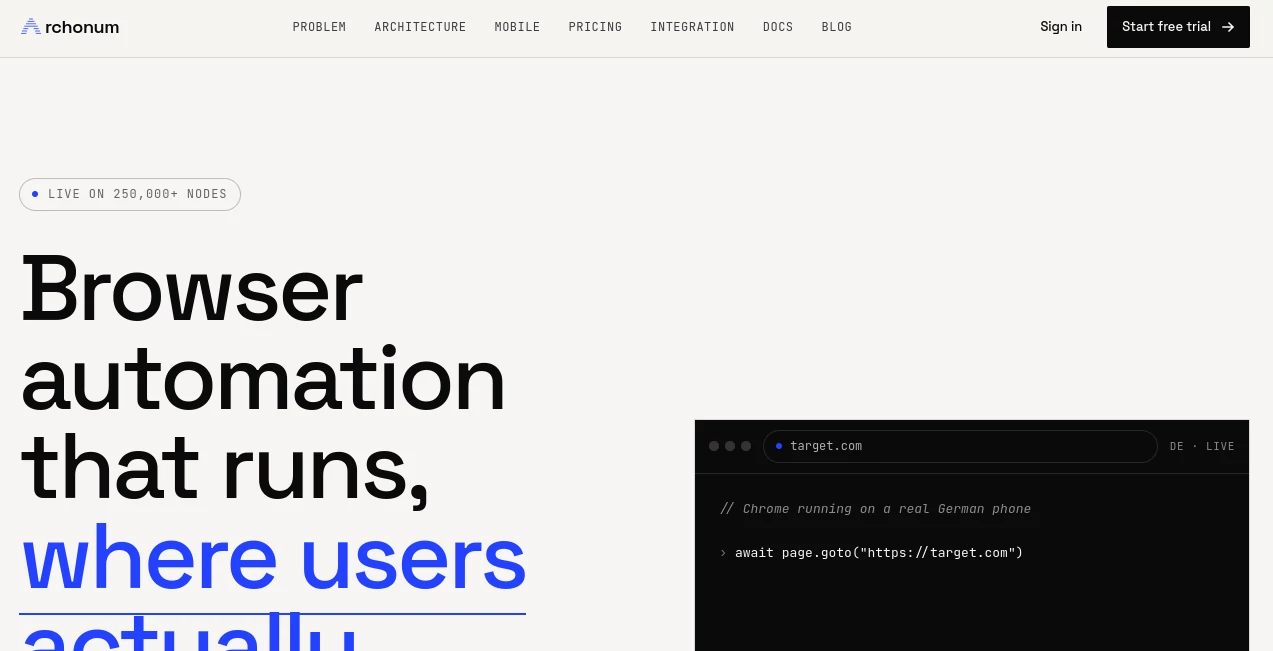
Modern web automation is becoming harder to run reliably. A script can be perfectly written and still encounter blocks when the browser environment, IP address, and device signals do not look consistent. Archonum takes a different approach by running Chrome directly on real consumer smartphones rather than placing a cloud browser behind a residential proxy.
The platform is designed for teams working with web scraping, price intelligence, AI agents, and mobile-first websites. Its infrastructure currently spans more than 250,000 real Android phones across 175+ countries, giving developers access to genuine mobile execution and geographically distributed sessions.
For someone building an automated research pipeline, this architecture can make a practical difference. Instead of trying to imitate a phone from a cloud server, the automation actually runs on a phone. That means the browser, IP address, GPU, touch input, sensors, and other device characteristics come from the same physical environment.
Key Features
- Real-device browser automation: Chrome runs on genuine Android smartphones rather than an emulated mobile environment.
- 250,000+ smartphone nodes: The infrastructure provides access to a large distributed network of real devices.
- 175+ countries: Developers can run workflows from different geographic locations and compare localized web experiences.
- Playwright and Puppeteer support: Existing browser automation workflows can be directed through the infrastructure without requiring a completely new automation stack.
- HTTP API: Developers can integrate browser execution into applications and automated pipelines.
- Fleet execution: One automation workflow can be replayed across multiple sessions and locations.
- Country targeting: Sessions can be configured for specific geographic locations.
- Sticky sessions: A session can maintain the same device identity and exit country across multiple actions.
- MCP support: AI agents can interact with real-device browser sessions through an MCP endpoint.
- Geo comparison: The same workflow can be compared across multiple countries to identify differences in localized content, prices, or availability.
- Real mobile signals: Hardware-backed touch events, device characteristics, battery information, GPU rendering, and sensor data are available because execution takes place on actual phones.
User Interface
The service is primarily built for developers rather than casual users, so the experience centers around APIs, browser automation libraries, sessions, and integration workflows. This makes sense for its target audience. A developer can keep working with familiar tools such as Playwright or Puppeteer instead of learning an entirely separate browser automation language.
The integration approach is particularly straightforward for teams that already have automation code. The browser configuration can be pointed toward the provided infrastructure while the underlying workflow remains largely familiar. Documentation and API references are also provided for developers who want more control over sessions and execution.
Accuracy & Performance
The biggest performance advantage comes from the architecture rather than a simple speed claim. Each session executes Chrome on a real smartphone, while that same device also provides the network connection. This keeps the browser environment and network identity closely aligned.
This can be useful when collecting information that changes according to device or location. For example, an e-commerce website may display different prices, promotions, inventory, or layouts to mobile visitors in different countries. Running the workflow on genuine mobile hardware can provide a more representative result than simply changing a desktop browser's user-agent string.
The platform also advertises a one-hop network path between the device and target, which can reduce the mismatch commonly introduced when cloud browser infrastructure is combined with a separate residential proxy layer.
Capabilities
The platform covers several demanding automation scenarios. Developers can use Playwright, Puppeteer, Python-based workflows, REST requests, or MCP-connected AI agents depending on the project.
Its MCP implementation is especially interesting for AI workflows. The service provides browser tools that allow an agent to read rendered pages, maintain stateful sessions, navigate websites, interact with page elements, and compare results between countries. A named session can preserve its device identity and geographic exit while an agent moves through a multi-step workflow such as a login, shopping cart, or booking process.
For larger workloads, fleet execution allows the same automation to be distributed across multiple real devices. This is useful for research systems that need to compare localized web experiences rather than repeatedly querying the same environment.
Security & Privacy
The architecture is designed around real consumer devices and their network connections, so organizations should evaluate their own data-handling requirements before deploying sensitive workflows. The service documentation and integration model focus heavily on browser execution, device identity, sessions, and API authentication.
For production deployments, developers should avoid sending unnecessary credentials or private information through automated workflows and should configure authentication carefully. As with any third-party browser infrastructure, teams handling confidential data should review the provider's current documentation and terms before using it for sensitive applications.
Use Cases
- AI agents: Give autonomous agents access to rendered web pages and stateful browser sessions when ordinary HTTP fetching is insufficient.
- Web scraping: Collect information from websites using genuine browser execution and geographically distributed devices.
- Price intelligence: Monitor regional pricing, promotions, inventory, and mobile-specific offers from different locations.
- Competitive research: Compare how websites present products and information to visitors in different countries.
- Social and mobile data: Automate workflows involving mobile-first platforms where a desktop-emulated mobile browser may not accurately represent the real experience.
- Localization testing: Check how websites behave for users in different countries, languages, and network environments.
- Automated research: Combine browser automation with Python pipelines, scheduled jobs, data warehouses, or AI-agent frameworks.
- Multi-country testing: Replay the same workflow across several geographic locations and compare the resulting pages.
Pros and Cons
Pros
- Runs Chrome on genuine Android hardware.
- Large network of real smartphones distributed across 175+ countries.
- Strong fit for Playwright and Puppeteer users.
- Supports AI-agent workflows through MCP.
- Useful for mobile-specific and location-dependent web research.
- Supports fleet execution for larger automation workloads.
- No separate mobile-browser surcharge is listed in the pricing plans.
Cons
- The service is primarily aimed at developers and technical teams.
- Runtime and bandwidth are billed separately from the monthly subscription.
- Projects requiring very large concurrency may need a higher-tier plan.
- Teams unfamiliar with browser automation may need some development experience before getting the most from the platform.
Pricing Plans
The pricing structure combines a monthly plan with usage-based browser runtime and bandwidth charges. Mobile browsers are included rather than carrying a separate mobile surcharge, and annual billing offers a 15% discount.
- Developer: $24.99/month, up to 25 concurrent requests, $5.00/GB bandwidth, and $0.12/hour browser runtime.
- Startup: $49.99/month, up to 50 concurrent requests, $4.50/GB bandwidth, and $0.11/hour browser runtime.
- Business: $99.99/month, up to 100 concurrent requests, $4.25/GB bandwidth, and $0.10/hour browser runtime.
- Scale: $299.99/month, up to 250 concurrent requests, $4.00/GB bandwidth, and $0.09/hour browser runtime.
A free trial is also offered, allowing developers to test the infrastructure against their actual target websites before committing to a production setup.
How to Use It
Getting started is aimed at developers who already have a browser automation workflow.
- Create an account and start the available trial or select an appropriate plan.
- Generate the required API credentials or authentication token.
- Choose an integration method such as Playwright, Puppeteer, Python, REST, or MCP.
- Configure the browser connection to use the provided gateway.
- Set the desired country or session configuration when geographic targeting is required.
- Run the existing automation workflow and monitor the returned pages and results.
- For larger workloads, distribute the workflow across multiple sessions and devices.
Comparison with Similar Tools
Traditional cloud browser platforms generally execute browsers inside data centers and may combine them with proxy networks when residential IP addresses are needed. That approach can be convenient, but the browser environment and network origin may not naturally belong to the same device.
A real-device approach takes a different route. Instead of making a cloud browser appear mobile through configuration, the browser itself runs on Android hardware. This distinction is particularly relevant for websites that inspect more than an IP address or user-agent string.
For basic automation, conventional cloud browsers may still be perfectly adequate. However, projects involving mobile-specific content, regional pricing, sophisticated browser detection, or AI agents that need persistent sessions can benefit from an infrastructure designed around genuine device execution.
Conclusion
Reliable web automation is no longer just about writing a good Playwright or Puppeteer script. The environment in which that script runs can be equally important. By placing Chrome directly on real smartphones, this platform offers a compelling solution for developers who need genuine mobile execution rather than desktop browsers dressed up as mobile devices.
The combination of real-device infrastructure, broad geographic coverage, familiar automation tools, fleet execution, and MCP support makes it particularly well suited to AI agents, web research, price intelligence, and mobile-focused data workflows. Developers who have struggled with inconsistent results from conventional cloud browser setups may find the architecture worth testing against their own targets.
Frequently Asked Questions (FAQ)
What is this platform used for?
It provides real-device browser automation for tasks such as web scraping, AI agents, price intelligence, geographic research, and mobile-first web automation.
Does it use real smartphones?
Yes. The service states that Chrome runs directly on real Android smartphones, with more than 250,000 smartphone nodes distributed across 175+ countries.
Can I use Playwright or Puppeteer?
Yes. Existing Playwright and Puppeteer workflows can be connected to the browser infrastructure without requiring a completely different automation framework.
Does it support AI agents?
Yes. An MCP server provides browser tools that can be used by AI agents for reading pages, navigating websites, maintaining sessions, and comparing geographic results.
Can I compare websites from different countries?
Yes. The fleet and geo-comparison capabilities allow developers to run workflows across multiple countries and compare localized results such as pricing, content, or availability.
How much does it cost?
Plans start at $24.99 per month for the Developer tier. Usage also includes separate bandwidth and browser-runtime charges, with lower rates available on higher plans.
AI Data Mining , AI Web Scraping , AI Developer Tools .
These classifications represent its core capabilities and areas of application. For related tools, explore the linked categories above.

Archonum Alternatives Product

Simple Dev T…
Dedoctive

Scillus

AI Complianc…

AllInOneTools

AIQualityHQ

BootstrapKing

Defapi

Apify
