

















What is Atracker?
For media buyers, performance marketers, and affiliate teams, knowing where traffic comes from is only the beginning. The real challenge is understanding what happens after the click, which campaigns produce valuable conversions, where money is being wasted, and how quickly those decisions can be acted on. Atracker is built as a professional tracking and analytics platform for paid traffic, bringing campaign tracking, conversion data, reporting, fraud protection, and optimization features into one working environment.
The platform is designed for teams that need more than basic visitor statistics. It can track clicks, conversions, traffic sources, offers, funnels, and campaign performance in real time while helping users connect advertising spend with revenue and ROI. Its self-hosted approach also gives businesses greater control over their infrastructure and data.
One particularly useful aspect is the combination of traditional tracking features with newer AI capabilities. Instead of treating AI as a separate novelty, the platform uses it to help analyze campaign data, explore funnels, and provide practical recommendations for improving performance.
Key Features
- Real-time analytics for clicks, conversions, traffic sources, and campaign performance.
- Traffic distribution using more than 50 parameters.
- Automatic GEO detection for international campaigns.
- API integrations with CRM systems, advertising networks, and other services.
- Machine-learning-based forecasting for identifying trends and supporting budget decisions.
- Fraud detection for bots, proxies, VPNs, click farms, and other suspicious traffic.
- Built-in A/B testing for campaigns and conversion funnels.
- Custom notifications through channels such as Telegram and email.
- Historical reporting with data storage of up to three years.
- Cost importing for advertising platforms including Facebook, Google Ads, TikTok, Yandex.Direct, VK Ads, and myTarget.
- AI-powered analytics and campaign insights.
- CLI access for managing campaigns, offers, funnels, and analytics from the terminal.
- Native MCP support for connecting tracker operations and analytics with compatible AI tools.
User Interface
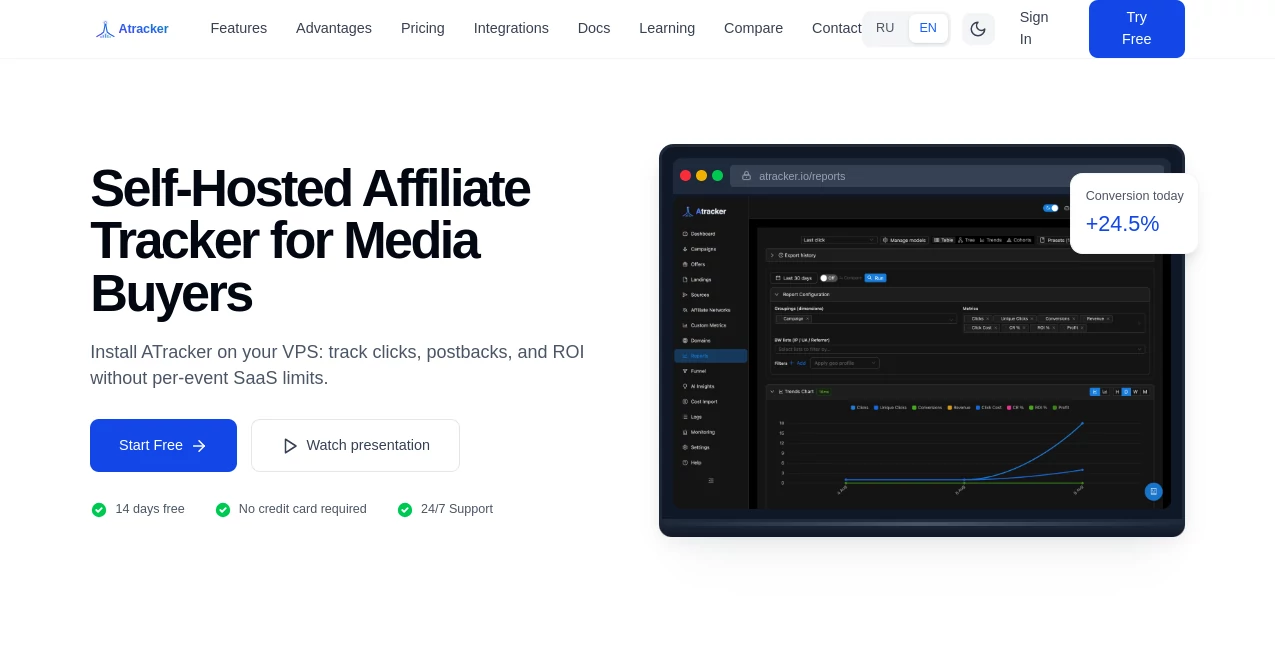
The interface follows a practical dashboard-based structure rather than trying to hide important campaign information behind multiple layers. The administration area includes dedicated sections for campaigns, offers, traffic sources, landing pages, domains, reports, funnels, logs, monitoring, and settings.
For someone managing several advertising campaigns at once, this organization can make daily work considerably easier. A user can move from a campaign overview to detailed reports or individual click and conversion logs without having to rebuild the entire tracking setup. The documentation also recommends a logical setup sequence, starting with the tracking domain and offer before moving through traffic sources, landing pages, and campaigns.
Accuracy & Performance
Performance tracking is most valuable when the numbers arrive quickly and remain connected to the original traffic event. The platform is designed to process large volumes of tracking events and provide real-time access to campaign activity. Its reporting system can connect clicks, conversions, costs, revenue, and ROI, giving media buyers a more complete picture of campaign economics.
The detailed logging system is another practical advantage. Instead of relying only on aggregated dashboards, users can inspect individual clicks, conversions, postbacks, S2S events, and CAPI activity. This makes troubleshooting much easier when a conversion appears to be missing or campaign numbers do not match an advertising network.
Capabilities
The strongest part of the platform is the breadth of its tracking workflow. Users can create campaigns, offers, traffic sources, landing pages, and tracking domains, then connect these components into complete flows. Cost Import can bring advertising spend into campaign reports, allowing cost, profit, and ROI calculations to reflect actual media spend.
AI Insights acts as an analytics copilot for exploring funnels, breaking down campaign data, and generating ROI optimization recommendations. The built-in AI Agent goes a step further in self-hosted environments by allowing users to perform certain tracker operations through natural-language commands, including campaign management, reporting, and scheduled actions.
For technical teams, the CLI and native MCP server add another layer of flexibility. Campaigns and analytics can be managed from the terminal, while MCP-compatible AI environments can interact with the tracking system without requiring every task to be performed manually through the browser.
Security & Privacy
Privacy is a significant part of the product's positioning because the platform can be installed on the customer's own server. This gives businesses more control over where their tracking data is stored and how their infrastructure is managed.
The service also highlights encryption, automatic backups, SSL certificates, and DDoS protection. With the self-hosted AI Agent, users can provide their own OpenAI, Anthropic, or Qwen API credentials while keeping the relevant campaign data on their own server. This approach can be particularly appealing to businesses that prefer tighter control over advertising and conversion information.
Use Cases
Affiliate marketing: Affiliate marketers can track clicks, offers, conversions, postbacks, and payouts while investigating discrepancies between traffic and conversion data.
Paid advertising: Media buyers can monitor campaigns across major advertising platforms, import campaign costs, compare revenue against spend, and evaluate ROI from a central tracking environment.
Performance marketing agencies: Agencies managing multiple campaigns can use centralized reporting, traffic distribution, fraud detection, and API integrations to create a more consistent workflow for different clients.
Campaign optimization: A/B testing, funnel analysis, AI insights, and detailed reports can help teams identify underperforming traffic sources and make better budget decisions.
Technical marketing teams: Developers and advanced users can take advantage of API access, CLI commands, server-side tracking, CAPI, and MCP integrations for more automated workflows.
Pros and Cons
Pros
- Built specifically for media buying and performance marketing.
- Real-time campaign and conversion analytics.
- Strong visibility into individual clicks, conversions, and postbacks.
- Built-in fraud detection and configurable filtering.
- Advertising cost import for several major traffic platforms.
- Self-hosted deployment provides greater control over data.
- AI Insights and an AI Agent extend the traditional tracking workflow.
- CLI and MCP support are useful for technical and automated workflows.
- Offers API access and integrations for custom setups.
Cons
- The large number of tracking and configuration options may take time for beginners to learn.
- Self-hosted deployment requires more technical responsibility than a simple hosted analytics service.
- Advanced campaign tracking workflows are more suitable for professional marketers than casual website owners.
- Advertising cost integrations may require platform credentials and campaign ID mapping.
Pricing Plans
The platform offers a 14-day free trial without requiring a credit card. Paid plans are available on monthly, quarterly, and yearly billing cycles. The monthly plan is listed at $59 per month, while quarterly billing is $230 per quarter and yearly billing is $650 per year.
All listed plans include analytics, support, and API access. The service also states that SSL certificates, automatic backups, and DDoS protection are included. Payment options include cryptocurrencies such as USDT, LTC, BTC, ETH, and TRX, alongside standard payment methods.
How to Use the Tracker
Getting started is easiest when the tracking environment is built in the correct order. First, add and verify a tracking domain and make sure its DNS and SSL configuration are ready. Next, configure the relevant affiliate network and offers, including the necessary click ID and postback settings.
After that, create the traffic source and configure its parameters. If a campaign uses a pre-landing page, add the landing page to the flow. The campaign can then be created by connecting the domain, traffic source, landing page, and offer.
Before relying on reports, run a test click and verify it in the Logs section. If applicable, send a test postback and confirm that the conversion appears correctly. Once the tracking chain works, cost data can be imported from advertising platforms so that reports provide a more realistic view of spend, profit, and ROI.
Comparison with Similar Tools
Compared with simpler analytics platforms, this solution is much more focused on paid traffic operations and performance marketing. Rather than stopping at page views and visitor statistics, it connects traffic sources, campaigns, offers, funnels, conversions, costs, and postbacks.
It is also positioned as a more flexible alternative for teams that need control over their infrastructure. The ability to run the system on their own server, combine API integrations with CLI access, and connect modern AI workflows through an MCP server gives technical teams options that are not normally found in lightweight campaign analytics products.
For marketers who already understand concepts such as tracking URLs, postbacks, traffic sources, conversion events, and ROI, the deeper feature set can be a major advantage. Beginners, however, may find a simpler analytics product easier if they only need basic website statistics.
Conclusion
For serious media buyers and performance marketers, accurate tracking is the foundation of every profitable campaign decision. This platform brings together campaign analytics, conversion tracking, cost management, fraud detection, funnel analysis, integrations, and AI-assisted insights in a single environment.
Its self-hosted architecture is especially interesting for businesses that want more control over their data, while the API, CLI, and MCP capabilities make it suitable for teams looking beyond a conventional dashboard. With a 14-day trial and a clear focus on paid traffic, it is a compelling option for marketers who need detailed visibility from the first click through to the final conversion.
Frequently Asked Questions (FAQ)
What type of users is this platform designed for?
It is primarily designed for media buyers, affiliate marketers, performance marketers, agencies, and technical teams that need detailed control over paid traffic and conversion tracking.
Does it support real-time analytics?
Yes. The platform provides real-time analysis of clicks, conversions, traffic sources, and campaign activity.
Can advertising costs be imported?
Yes. Cost Import supports several advertising platforms, including Facebook, Google Ads, TikTok, Yandex.Direct, VK Ads, and myTarget, as well as CSV-based cost imports.
Does it provide fraud detection?
Yes. The fraud analytics system can identify suspicious traffic such as bots, proxies, VPNs, click farms, and duplicate activity.
Can it be self-hosted?
Yes. Self-hosting is supported and gives users greater control over infrastructure and tracking data.
Does it include AI features?
Yes. AI Insights can analyze campaign and funnel data and provide optimization recommendations, while the built-in AI Agent can assist with selected tracker operations.
Is there a free trial?
Yes. All listed plans include a 14-day free trial, and the website states that no credit card is required to start the trial.
Does it provide API access?
Yes. API access is included in the listed pricing plans, making it possible to connect the tracking environment with external applications and services.