
backlog.cloud
What is backlog.cloud?
Meetings often end with a familiar problem: everyone agrees on what needs to happen, but someone still has to turn the conversation into user stories, tasks, bugs, requirements, decisions, and backlog items. That translation work can take just as long as the meeting itself.
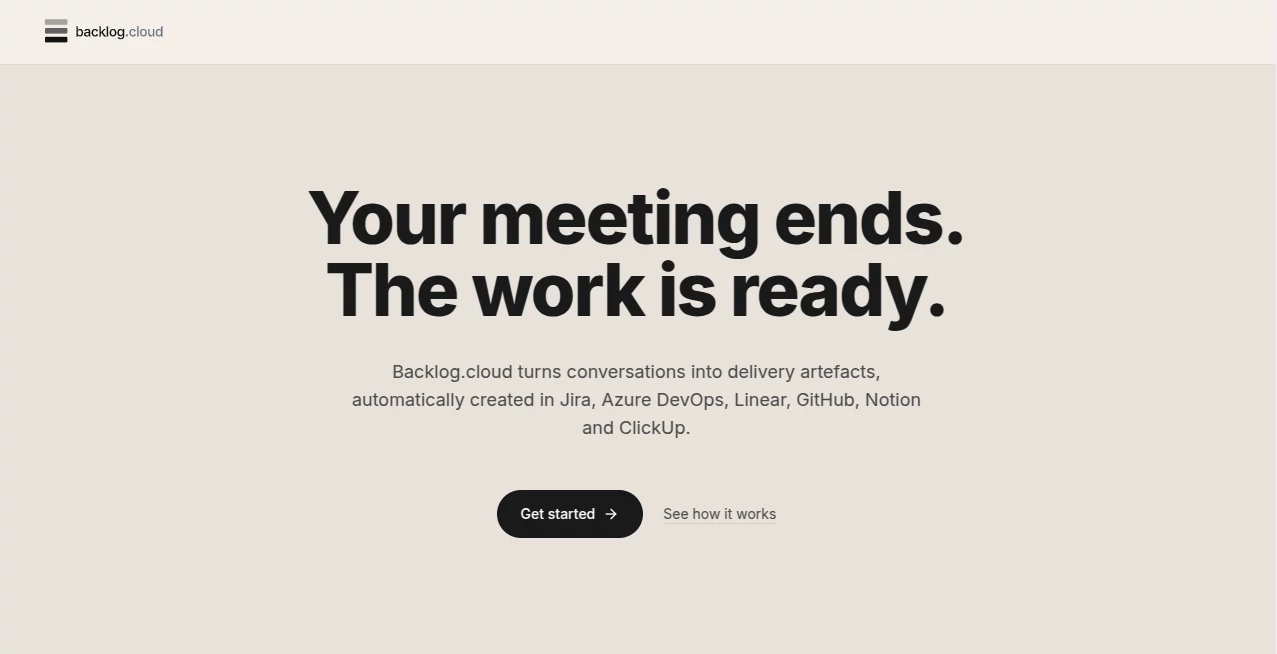
Backlog.cloud is designed to remove that extra layer of manual work. It takes information from meetings, transcripts, recordings, audio, video, or even whiteboard images and turns the discussion into structured delivery artefacts. The result can then be reviewed and sent to the work management platform a team already uses.
What makes the approach particularly interesting is that the system is built around different meeting types rather than treating every conversation as the same. Sprint planning, standups, retrospectives, discovery sessions, incident reviews, one-to-ones, and other ceremonies can have different extraction rules, which helps keep the resulting work relevant to the actual conversation.
Key Features
- Converts meeting conversations into structured work such as user stories, bugs, tasks, epics, requirements, decisions, action items, meeting minutes, RAID entries, and process models.
- Supports 26 meeting and ceremony types, allowing extraction to be tailored to the type of discussion.
- Accepts live meeting links as well as transcripts, meeting notes, audio, video, and whiteboard images.
- Provides evidence quotes and confidence ratings for generated artefacts so users can check where an item came from.
- Includes a verification pass designed to identify unsupported or contradictory generated items.
- Connects with Jira, Azure DevOps, Linear, GitHub Issues, Notion, and ClickUp.
- Offers calendar auto-join through Google Calendar and Microsoft Outlook on the Team plan.
- Provides live meeting coaching with agenda tracking and warnings when a conversation begins to drift.
User Interface
The interface follows a fairly practical workflow. Instead of forcing users through a complicated configuration process, the experience revolves around getting the meeting in, identifying the ceremony, selecting the desired artefacts, reviewing the results, and then sending approved work to the destination platform.
A useful touch is the pre-meeting cheat sheet. Before a scheduled call, users can see the agenda, timebox, open actions carried over from previous work, and other information relevant to the session. During the call, live coaching can show which agenda points have been covered and flag situations that may need attention.
For teams that spend much of their week moving between meetings and project boards, this structure feels more practical than a simple meeting-notes dashboard.
Accuracy & Performance
The strongest part of the workflow is the focus on traceability. Generated artefacts include the source quote from the conversation together with a confidence level. This means a product manager or business analyst does not have to blindly accept an AI-generated ticket.
A second verification pass checks the generated output against the transcript. Items whose supporting quotation cannot be found can be removed, while contradictions can be flagged for review. Users can also edit individual fields, regenerate an item, or change the meeting type and run the extraction again.
That review-first approach is important in real project environments. A fast AI-generated backlog item is useful, but a fast item that can be traced back to what somebody actually said is considerably more practical.
Capabilities
The platform can generate a broad range of project artefacts from a single meeting. Depending on the ceremony, these can include user stories with acceptance criteria, bugs, tasks, epics, spikes, requirements, RAID entries, decisions, action items, meeting minutes, BPMN process models, and discovery material.
It is also flexible about how information enters the system. A team can send a meeting bot to a Zoom, Google Meet, or Microsoft Teams call, paste a transcript after the meeting, upload a recording, or provide supporting visual material such as a whiteboard image.
Once the work has been reviewed, it can be pushed into existing delivery systems. Native formatting and field mapping are available for the supported integrations, reducing the need to copy and paste generated content manually.
Security & Privacy
Security is an important consideration for any service handling internal meetings, customer conversations, product discussions, or planning sessions. The service states that data is encrypted using TLS in transit and AES-256 at rest, while its infrastructure is built on SOC 2 Type 2 certified infrastructure.
The company also states that customer meetings are not used to train AI models and that its AI sub-processor is contractually prohibited from training on customer data. UK and EU GDPR requirements apply to the service, which is operated by Alconbury Tech Ltd.
There are also controls for sensitive meetings. Team users can use a 1:1 privacy mode that limits visibility of a private meeting to the named participants. Uploaded video is automatically deleted after a defined retention period, while the resulting meeting record, transcript, and generated artefacts remain available in the workspace.
Use Cases
Product managers: Product managers can turn discovery calls, sprint planning sessions, customer conversations, and refinement meetings into structured stories and backlog items without spending another hour rewriting their notes.
Business analysts: Workshops can produce requirements, process models, decisions, and discovery material while the conversation is still fresh. This can be particularly useful when a large amount of information is gathered from stakeholders in a short session.
Product owners: Refinement meetings can result in actionable backlog items instead of a long list of notes that still needs to be processed. Evidence attached to each artefact also makes review easier before prioritisation.
Scrum masters: Standups, retrospectives, and planning sessions can be converted into actions, improvement items, and other structured outputs. Live coaching can also help keep ceremonies focused.
Engineering teams: Bug triage and incident reviews can produce issues, decisions, timelines, and follow-up actions without relying on one person to remember everything discussed.
Consultants: Client workshops can be transformed into requirements, discovery material, process documentation, and other deliverables that are easier to review and hand over.
Pros and Cons
- Pros: Meeting-specific extraction rules make the generated output more relevant to the conversation.
- Pros: Source quotes and confidence ratings make generated artefacts easier to verify.
- Pros: Supports multiple input formats, including live meetings, transcripts, recordings, audio, video, and images.
- Pros: Integrates with several popular project and work management platforms.
- Pros: The free plan allows users to test the complete workflow without entering payment details.
- Cons: Usage limits on the free plan make it better suited to occasional use than a busy delivery team.
- Cons: Advanced features such as calendar auto-join and shared workspaces require higher-tier plans.
- Cons: Teams that do not rely heavily on meetings or structured delivery workflows may get less value from the platform.
Pricing Plans
The pricing structure is based on usage limits rather than locking the core AI capability behind different feature sets. The Free plan costs £0 and includes three lifetime generations, one project, and a one-time live meeting bot dispatch, with no credit card required.
The Pro plan is listed at £18 per month when billed annually, or £24 per month with monthly billing. It includes up to 50 finished backlogs per month, 20 active projects, and up to 15 hours of live meeting bot usage each month.
The Team plan is £22 per user per month with annual billing, or £29 per user per month when billed monthly. It adds calendar auto-join, shared workspaces, team roles, privacy controls for one-to-one meetings, and pooled bot hours.
An Enterprise option is also available for organisations that need features such as SAML SSO, audit trails, custom artefact templates, REST API access, webhooks, a dedicated SLA, and a named support contact.
How to Use It
Start by choosing how you want to provide the meeting. You can use a Zoom, Google Meet, or Microsoft Teams link, connect a supported calendar on the appropriate plan, or work with a transcript, recording, audio file, video file, or image after the meeting.
Next, select the meeting or ceremony type. This step matters because the extraction rules change depending on whether the conversation is a standup, sprint planning session, retrospective, discovery meeting, incident review, or another supported format.
Choose the artefacts you want to create and let the system process the conversation. Once the results are ready, review the generated items and check their supporting quotes and confidence ratings. Make any necessary edits before approving them.
Finally, send the approved work to your preferred platform. You can connect a project management or development system, export the information into supported file formats, email a summary, or share it through a secure link.
Comparison with Similar Tools
Traditional meeting assistants generally focus on recording conversations, producing transcripts, or creating summaries. That is useful, but it still leaves a significant amount of work between the end of a meeting and the moment a task appears in the team's workflow.
This approach is more focused on the handoff between conversation and execution. Instead of stopping at a summary, it attempts to produce structured artefacts that can become part of a backlog, requirements set, decision log, or project record.
Another notable difference is the emphasis on meeting ceremonies. A retrospective has different goals from sprint planning, and a customer discovery call should not produce exactly the same type of output as a daily standup. By taking that context into account, the workflow is better suited to teams that follow structured product and software delivery processes.
For a team already working in Jira, Linear, Azure DevOps, GitHub, Notion, or ClickUp, the integration layer is another practical advantage because approved results can move directly into the environment where the work is managed.
Conclusion
For teams that spend a significant part of their week in planning sessions, refinement meetings, workshops, discovery calls, and other structured conversations, turning those discussions into usable work is often the real bottleneck.
This platform takes aim at that specific problem. Its combination of ceremony-aware extraction, evidence-backed artefacts, human review, live coaching, and direct integrations makes it more than a conventional meeting transcription tool.
The free tier is also a sensible way to evaluate the workflow without committing to a subscription. A product manager could run one real refinement session through the system and compare the generated stories with what they would normally write by hand. That is probably the most convincing test: use a real meeting, review the output, and see whether it actually gives time back to the team.
Frequently Asked Questions (FAQ)
What does the platform turn meetings into?
Depending on the meeting type, it can produce user stories, bugs, tasks, epics, spikes, requirements, RAID entries, decisions, action items, meeting minutes, BPMN process models, and discovery material.
Can it join live meetings?
Yes. A meeting bot can join Zoom, Google Meet, or Microsoft Teams meetings through a pasted link. Team users can also connect Google Calendar or Microsoft Outlook for automatic joining of eligible meetings.
Does it support Jira?
Yes. Approved artefacts can be pushed to Jira Cloud with formatted descriptions and project-specific field mapping.
Does it support other project management platforms?
Yes. Supported destinations include Jira, Azure DevOps, Linear, GitHub Issues, Notion, and ClickUp.
Are meetings used to train AI models?
The company states that customer meetings are not used to train AI models and that its AI sub-processor is contractually prohibited from training on customer data.
Is there a free plan?
Yes. The Free plan is available at no cost and does not require a credit card. It includes three lifetime generations, one project, and a one-time meeting bot dispatch.
Can generated items be edited before they are sent to another platform?
Yes. Users can review and edit generated artefacts before approving them for export or integration.
Who can benefit most from this type of tool?
Product managers, product owners, business analysts, Scrum masters, engineering managers, delivery managers, consultants, and other professionals who regularly turn meeting discussions into structured project work are likely to benefit the most.
AI Workflow Management , AI Project Management , AI Task Management , AI Meeting Assistant .
These classifications represent its core capabilities and areas of application. For related tools, explore the linked categories above.
backlog.cloud details
Website unavailable — View Alternatives
Pricing
- Freemium
Apps
- Web App
Categories

backlog.cloud Alternatives Product

LorePanic

Oasis

Meet-Ting

Whisper AI

Zivy

Instantly Id…

Candidate Sc…

Referent

Duct Tape 3