Bare Minimum
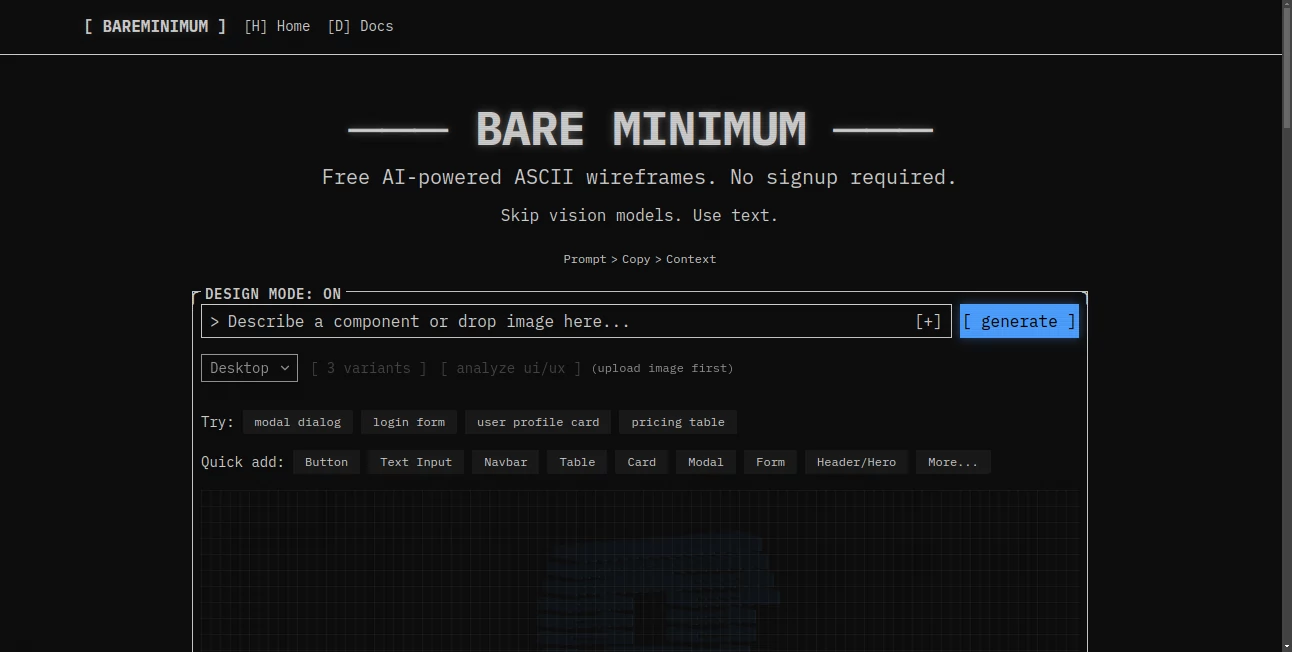
What is Bare Minimum?
I’ve always believed that less can be more, but finding that sweet spot between too plain and too much is tricky. Bare Minimum gets it right. It helps you create interfaces, websites, and visuals that feel calm, intentional, and surprisingly effective. No unnecessary decorations, no visual noise — just clear, confident design that lets your content breathe. The first time I used it, I finished a landing page concept faster than usual and actually liked how peaceful it looked. It’s become my go-to when I want elegance without the exhaustion of over-designing.
Introduction
In a world full of flashy interfaces and cluttered dashboards, there’s growing appreciation for design that respects attention. Bare Minimum is built exactly for that philosophy. It gives you smart templates, components, and guidance focused on clarity, whitespace, and purposeful simplicity. Whether you’re a solo founder building your first site, a designer working on a new product, or a team trying to create consistent internal tools, it helps you achieve beautiful results without getting lost in endless options. The beauty is in how it quietly removes friction while keeping the outcome feeling premium and human.
Key Features
User Interface
The workspace feels like a breath of fresh air. Clean canvas, well-organized component library, and smart suggestions that appear only when useful. You can start from a blank page or choose from thoughtfully designed starting templates. Everything from typography pairing to spacing follows minimal principles automatically, so you don’t have to fight the tool to keep things clean. It’s one of those rare interfaces that actually encourages good design decisions instead of tempting you with too many flashy choices.
Accuracy & Performance
The generated components and layouts stay consistent and visually balanced. Spacing feels natural, typography is readable, and colors stay harmonious. Changes happen instantly without lag, even when working with larger projects. The attention to detail — like proper contrast ratios and accessible patterns — shows that someone thought deeply about real-world usage, not just aesthetics.
Capabilities
You get a full set of minimal UI components, responsive layouts, typography systems, color palettes, and even full page templates that adapt beautifully. It supports both web and mobile views, export options for developers, and the ability to customize while maintaining the clean foundation. Many users love how it helps create design systems that feel cohesive without requiring a full design team.
Security & Privacy
Your projects stay private and under your control. The platform focuses on delivering great design tools without unnecessary data collection or sharing. For teams and individual creators working on sensitive projects, that respectful approach builds confidence.
Use Cases
A solo founder building his SaaS landing page creates a clean, trustworthy design in one afternoon instead of weeks. A product team redesigns their internal dashboard to reduce cognitive load and sees team productivity improve. A freelance designer uses the components to deliver minimal, elegant websites to clients who want sophistication without complexity. Even non-designers creating personal sites or pitch decks end up with results that look professionally considered. It shines anywhere clarity and calm are more important than visual fireworks.
Pros and Cons
Pros:
- Forces thoughtful, clean design decisions naturally.
- Excellent balance between guidance and creative freedom.
- Produces results that feel premium and timeless.
- Saves enormous time compared to starting from scratch.
- Great for both beginners and experienced designers seeking simplicity.
Cons:
- Not ideal if you specifically need highly expressive or decorative styles.
- Some advanced customization options are still growing.
Pricing Plans
It offers a generous free tier for individuals and small projects so you can experience the workflow and quality firsthand. Paid plans unlock team collaboration, more templates, advanced export options, and priority support. The pricing feels fair for the clarity and speed it brings to design work — many users say it quickly becomes an essential part of their toolkit.
How to Use Bare Minimum
Start a new project, choose a template that matches your needs or begin with a blank canvas. Browse the component library and drag elements onto your page. The system automatically maintains good spacing, typography hierarchy, and visual balance. Preview on different screen sizes, make adjustments as needed, and export clean code or high-quality assets when ready. The whole process encourages iteration while keeping things intentionally simple and focused.
Comparison with Similar Tools
Many design tools push you toward complexity and endless options. This one deliberately guides you toward clarity and restraint, which often leads to stronger final products. Where other platforms can feel overwhelming, Bare Minimum feels calming and purposeful. It’s especially valuable for teams and individuals who want beautiful, functional design without the noise and decision fatigue common in more feature-heavy tools.
Conclusion
Great design isn’t about adding more — it’s about knowing what to keep. Bare Minimum helps you find that balance with intelligence and grace. It turns the often chaotic design process into something focused, enjoyable, and genuinely productive. Whether you’re building the next big thing or simply want your work to feel calm and confident, it delivers results that stand out by being thoughtfully simple. In a loud digital world, that kind of quiet strength is powerful.
Frequently Asked Questions (FAQ)
Is it suitable for complete beginners?
Yes — the guidance and smart defaults make it approachable while still powerful enough for pros.
Can I export clean code?
Yes, with high-quality, organized exports ready for developers.
Does it work for mobile and web?
Absolutely — responsive design is built in from the start.
Is there team collaboration?
Yes, available on paid plans with proper permission controls.
What kind of projects is it best for?
SaaS products, marketing sites, internal tools, portfolios — anywhere clarity and elegance matter.
AI Design Assistant , AI Website Designer , AI Design Generator , AI Graphic Design .
These classifications represent its core capabilities and areas of application. For related tools, explore the linked categories above.

Bare Minimum Alternatives Product
RoomDecorFin…

textile gen
Ai logo maker
deck cleaner
BeadPattern

GPT Image 2 …
Color-Analys…
chibi art

The CAD Hub