BeliefTrack
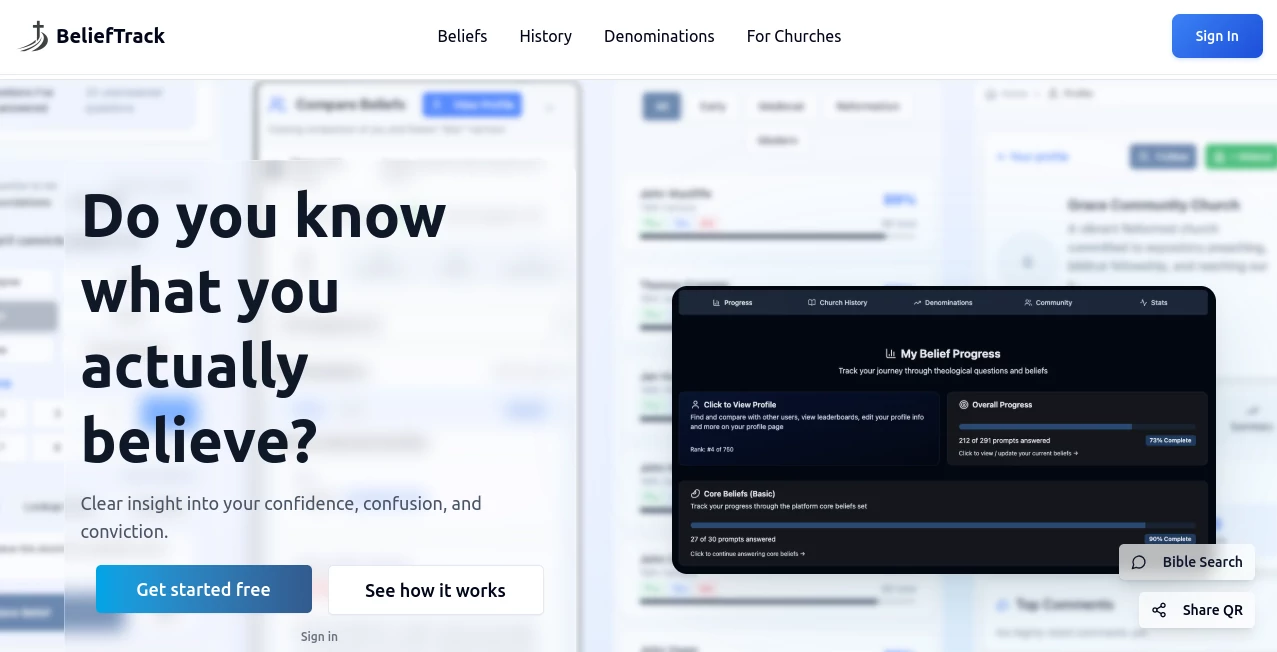
What is BeliefTrack?
Let’s be honest for a second. Have you ever found yourself drowning in a sea of PDFs, trying to find that one specific clause about contract renewal or a non-compete term? It feels like looking for a needle in a haystack, and frankly, it’s a massive waste of your team’s brainpower. We’ve all been there, staying late just to ensure a supplier isn’t slipping in a nasty surprise.
This is exactly why having a dedicated AI partner isn't just a luxury anymore; it’s a necessity for staying safe and moving fast. Instead of manually scrolling through hundreds of pages, imagine having a system that does the heavy lifting for you. That is where a modern solution steps in to change the game. It turns what used to be a boring, error-prone chore into a smooth, strategic advantage. You get to focus on closing deals, not on chasing down legal jargon hidden on page 47 of a dense document.
Key Features
When you start using this platform, you are not just getting a text reader; you are getting a dedicated analyst that lives inside your computer. It has been engineered to pick up on the details that humans often miss when they are in a hurry. Here is a closer look at what makes the engine run so smoothly.
User Interface
No one wants to learn a coding language just to review a contract. The dashboard is refreshingly simple. You can drag and drop your files—whether they are messy scanned images or clean Word docs—and the system gets to work instantly. The layout is clean, with a focus on readability. You don't have to guess where the menus are. Everything is laid out right in front of you, from the upload button to the extracted data fields. It feels intuitive, almost like using a smart email client, which means your team can start using it without a three-hour training seminar.
Accuracy & Performance
This is where the rubber meets the road. We have all tested tools that promise the moon but give you gibberish. In the legal world, a single missed word can cost a company thousands, or worse, lead to a lawsuit. The parsing engine here is incredibly sharp. It doesn't just look for keywords; it understands context. For example, if you ask for “termination rights,” it knows to look for “cancellation,” “expiration,” and “end of term” as well. It provides confidence scores, so you know exactly how sure the AI is about the information it found. For standard NDAs and sales contracts, the extraction rate is remarkably high, giving you peace of mind that nothing has slipped through the cracks.
Capabilities
It’s not just about finding dates and names. This tool reads the “spirit” of the agreement. It can summarize complex risk assessments in plain English. Have a pile of supplier contracts? Ask the system to flag any that have uncapped liability or missing data privacy addendums. It handles a variety of formats effortlessly, from high-res PDFs to older scans, preserving the layout structure so tables don’t become a jumbled mess. It effectively turns your static files into a searchable database, allowing you to ask questions like, “Show me all contracts expiring in Q3 that require a 60-day notice.”
Security & Privacy
Let's face it, uploading your NDAs and M&A term sheets to the cloud can feel a bit nerve-wracking. You need to know your secrets are safe. The platform is built with strict data isolation protocols. Your documents are not used to train public models, meaning what belongs to you stays with you. It supports enterprise-grade encryption, both while the file is resting on the server and while it is being processed. For teams that need extra oversight, access logs are available so you can track exactly who uploaded what and when. It respects the confidentiality that legal and business documents demand.
Use Cases
For Procurement Teams: You deal with hundreds of vendor agreements. Instead of reading every line of every renewal, you can set up the system to auto-flag price increases or auto-renewal clauses. It turns a week of work into an afternoon.
For Sales Departments: Speed is everything. When a client sends a redlined MSA back at 4:55 PM on a Friday, you don’t have to panic. Let the tool scan the changes instantly, highlighting only the sections that deviate from your standard playbook so you can approve or reject with confidence.
For Legal Ops: Standardizing knowledge is hard. You can use this to build a “knowledge base” of past contracts. Need to see how you defined “Force Majeure” three years ago? A quick query pulls up the precedent, saving hours of digging through archives.
For HR Managers: Employment contracts and offer letters often have standardized parts but variable comp structures. You can batch-review offer letters to ensure every single one has the correct non-solicit clause before they go out the door.
Pros and Cons
Why you will love it:
The speed is a game-changer. What used to take a paralegal three hours now takes three minutes. The learning curve is very shallow; if you can drag and drop, you can use it. It also saves money by catching risky clauses before you sign, preventing expensive legal battles down the road.
Things to keep in mind:
Like any AI, it is a powerful assistant, not a replacement for a human attorney on complex, novel legal issues. If your documents are extremely poor quality (think handwritten notes on a napkin), the OCR might struggle. Also, the initial setup to define exactly what “risky” means for *your* specific business takes a bit of fine-tuning.
Pricing Plans
While specific pricing tiers adjust based on volume and features, the platform generally moves away from "per seat" nightmares and focuses on document volume. There is usually a Free Tier or trial available, allowing small teams to test the accuracy on a handful of documents without committing a cent. For growing businesses, a Pro Plan unlocks bulk uploads and API access. Enterprise clients get custom onboarding, dedicated support, and advanced security features like SSO. It is designed to scale with you, so you are not paying for enterprise features you don't need yet.
How to Use BeliefTrack
Getting started takes less time than making your morning coffee. First, simply create your account using a work email. Once you are logged into the dashboard, the magic is just a click away.
Start by uploading your document. You can drag a folder full of PDFs or just a single image. The system will immediately start processing. You’ll see a progress bar as it extracts the text and maps the structure. After processing, you are taken to the "Review" tab. Here, you can ask natural language questions in the chatbox. Type "What is the termination notice period?" and hit enter. The AI will fetch the answer and highlight exactly where in the document it found that text. You can then export the extracted data into a CSV report or share a summary link with your team. It’s really that straightforward.
Comparison with Similar Tools
There are other tools out there like SpotDraft or Evisort, which are fantastic for end-to-end lifecycle management. However, those are often heavy, expensive systems designed for Fortune 500 legal departments. They take months to implement. BeliefTrack fills the gap perfectly for the mid-market and agile teams. While tools like Docusign focus on the signature and workflow, this tool focuses purely on the analysis and comprehension of the document itself. Compared to generic LLMs like ChatGPT, which often hallucinate or miss context when pasting a huge contract, this tool is grounded. It doesn’t guess; it reads specifically your data. It is the sniper rifle to the scattergun of generic chatbots, offering pinpoint accuracy without the fluff.
Conclusion
In a business world that runs on agreements, being slow or inaccurate is simply not an option anymore. You need a way to cut through the noise and protect your interests without slowing down the deal flow. This tool acts as a force multiplier for your team, giving you superhuman speed and near-perfect memory for every clause you have ever signed. It is reliable, surprisingly easy to use, and incredibly secure. If you are tired of losing sleep over hidden legal landmines, give it a try. You will wonder how you ever managed without it.
Frequently Asked Questions (FAQ)
Can it read scanned documents or just digital files?
Absolutely. It uses advanced OCR (Optical Character Recognition) technology that reads scanned images, photos of documents, and even old faxes. If you can see the text, the AI can likely read it.
Is my data safe? Will you use my contracts to train your AI?
No. Privacy is a core principle. Your documents are strictly your property. They are processed securely and are never used to improve the public models of other customers. You can delete your data at any time.
Does this replace my lawyer?
Not at all, nor is it meant to. Think of it as a super-powered research assistant. It finds the data and flags the risks, but a qualified lawyer is still needed to make the final judgment call based on strategy and jurisdiction.
What languages does it support?
While English is the primary language for best performance, the underlying models are robust enough to handle Spanish, French, German, and Chinese with high accuracy for extraction tasks.
AI Document Extraction , AI Documents Assistant , AI Productivity Tools , AI Contract Management .
These classifications represent its core capabilities and areas of application. For related tools, explore the linked categories above.

BeliefTrack Alternatives Product

TypingFirst

Chrome Sidek…

Rename files…

heicpdf.to

Remove Handw…

Grok 4

Free AI Chat

Docubix

Clearterms