
BowerBot
What is BowerBot?
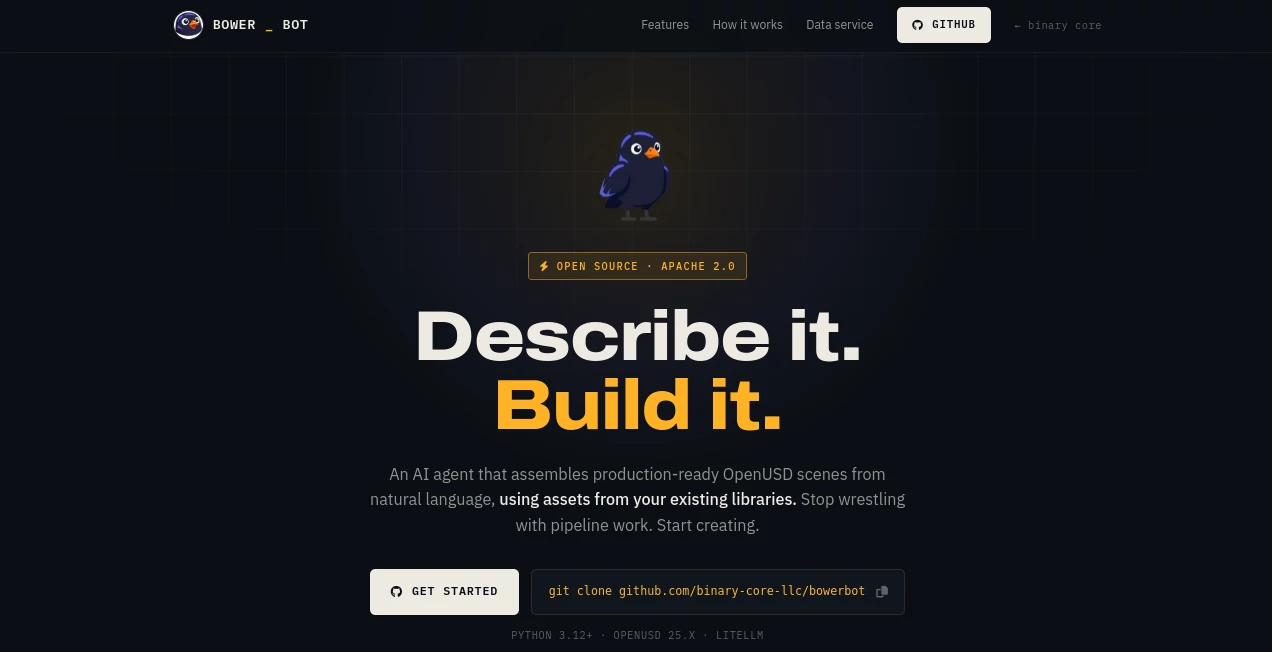
BowerBot is an open-source AI agent designed to transform natural language ideas into production-ready OpenUSD scenes. Instead of spending hours managing complex scene assembly workflows, creators can describe what they want and let an intelligent system handle asset organization, spatial placement, lighting, materials, and validation.
Built for modern 3D workflows, this tool helps artists, technical directors, developers, and creative teams move from concept to structured scenes faster. It brings automation into a traditionally technical process while keeping creative decisions in the hands of the user.
For anyone working with VFX, animation, spatial computing, or digital environments, this approach can reduce repetitive pipeline tasks and make 3D scene creation more accessible.
Key Features
User Interface
The workflow is built around simplicity. Users can describe a scene using everyday language instead of manually configuring every element. The command-based experience keeps the process lightweight while giving technical users precise control over their projects.
The natural language approach makes it easier to experiment with ideas. A creator can start with a simple description and refine the result without rebuilding an entire scene from scratch.
Accuracy & Performance
The system focuses on creating structured and validated scenes rather than just generating visual concepts. It automatically manages scene hierarchy, asset placement, materials, and lighting decisions to produce organized OpenUSD outputs.
Built-in validation helps identify issues during the creation process and improves reliability before exporting the final project. This makes it useful for teams that need cleaner workflows and more predictable results.
Capabilities
The platform can assemble complete 3D environments from prompts, including asset selection, spatial arrangement, lighting configuration, material binding, and scene packaging.
- Natural language scene creation
- Automated OpenUSD scene assembly
- Smart lighting configuration
- Material and asset organization
- Automatic scene validation
- USD and USDZ export support
- Extensible plugin system for additional asset providers
- Integration possibilities with modern 3D ecosystems
Security & Privacy
As an open-source project released under the Apache 2.0 license, the tool provides transparency for developers and technical teams. Organizations can review, customize, and adapt the workflow according to their own requirements.
The open architecture makes it suitable for teams that prefer more control over their creative technology stack.
Use Cases
This AI-powered scene assembly workflow can support a wide range of creative and technical applications:
- VFX and Animation: Quickly create structured environments and reduce repetitive pipeline preparation.
- Spatial Computing: Prepare immersive experiences with export-ready 3D scene formats.
- Digital Twins: Prototype industrial and virtual environments using organized scene structures.
- Pipeline Development: Automate technical tasks such as validation, asset handling, and scene preparation.
- 3D Prototyping: Turn early concepts into working environments faster.
Pros and Cons
Pros
- Transforms text descriptions into structured 3D scenes
- Reduces manual scene assembly work
- Supports professional OpenUSD workflows
- Open-source and customizable
- Useful for both creative and technical teams
- Helps beginners approach advanced 3D workflows
Cons
- Requires understanding of 3D concepts for advanced usage
- May need technical setup compared with fully hosted creative tools
- Results depend on prompt quality and available assets
Pricing Plans
The tool is available as an open-source project, allowing users and developers to explore, customize, and integrate it without traditional software licensing limitations.
Organizations that need custom integrations, enterprise workflows, or additional development support may require professional implementation services.
How to Use BowerBot
Using the platform follows a straightforward workflow:
- Describe: Write a natural language description of the scene you want to create.
- Assemble: The AI agent organizes assets, positioning, lighting, materials, and scene structure.
- Ship: Export the completed scene in compatible formats for your preferred 3D environment.
A simple prompt can become the starting point for a complete 3D environment, allowing creators to spend more time designing and less time managing technical setup.
Comparison with Similar Tools
Many AI creative tools focus mainly on generating images or visual concepts. This solution takes a different approach by focusing on structured 3D scene creation and professional workflows.
Compared with traditional manual 3D assembly methods, it offers faster iteration and reduces repetitive technical steps. Compared with basic AI image generators, it provides editable scene structures that are more useful for production environments.
Conclusion
BowerBot represents a new direction for AI-assisted 3D creation by connecting natural language ideas with professional scene-building workflows. It helps creators move from imagination to structured digital environments with less friction.
For artists, developers, and studios working with OpenUSD-based projects, this technology offers an exciting way to automate time-consuming tasks while keeping creative control at the center of the process.
Frequently Asked Questions (FAQ)
What type of tool is this?
It is an AI-powered 3D scene assembly tool that creates structured OpenUSD environments from natural language descriptions.
Who can benefit from using it?
VFX artists, animation teams, spatial computing developers, digital twin creators, and technical pipeline specialists can benefit from its automation features.
Does it support professional 3D workflows?
Yes. It focuses on structured scene creation and supports OpenUSD-based workflows designed for modern production environments.
Is it open source?
Yes. The project is available as open-source software, allowing developers to explore and customize the technology.
Can beginners use it?
Beginners can use the natural language workflow to explore 3D creation, while advanced users can take advantage of its technical capabilities and extensibility.
AI Diagram Generator , AI 3D Model Generator , AI Text to 3D , Design & Art .
These classifications represent its core capabilities and areas of application. For related tools, explore the linked categories above.

BowerBot Alternatives Product

SciFig

VisualGPT
AI 3D World
volume shader

volume shade…

MakeGraph

Normal Map G…

onuml

Meshy AI