Boords Agent
What is Boords Agent?
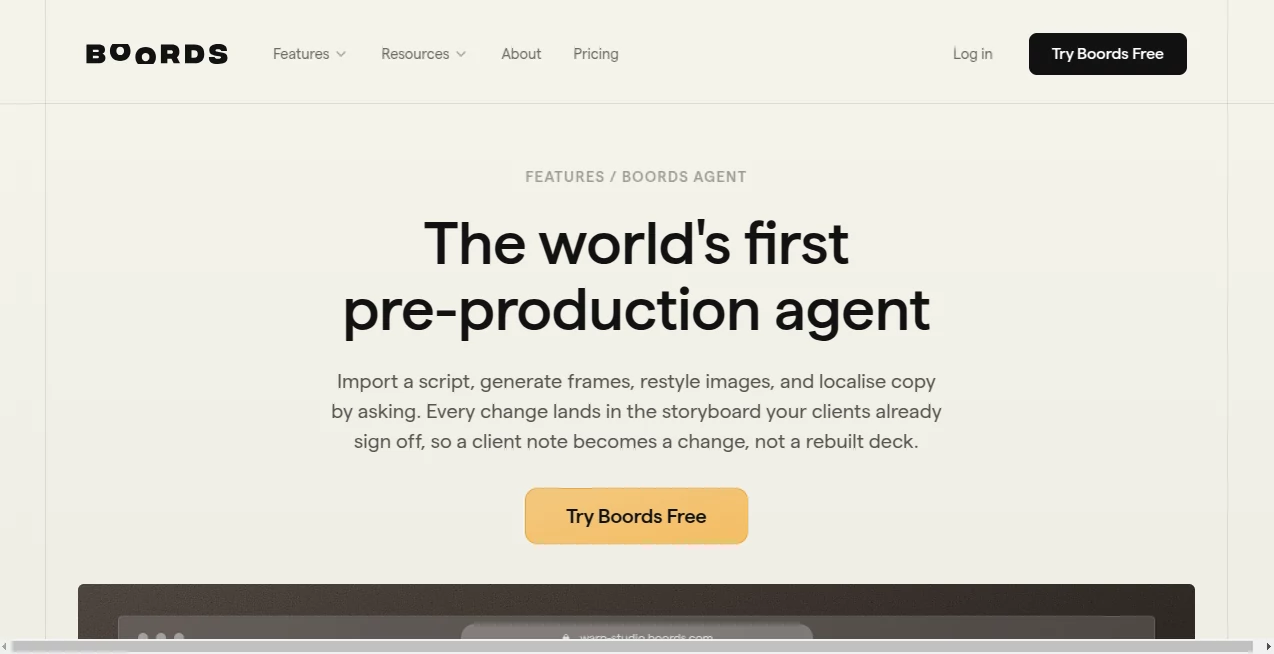
Boords Agent is an AI-powered pre-production assistant designed to help creators transform scripts, ideas, and creative briefs into organized visual storyboards. It brings automation into the early stages of video production, helping filmmakers, agencies, marketers, and creative teams plan scenes, visualize concepts, and collaborate more efficiently.
Creating a storyboard traditionally requires significant time, visual planning, and communication between different members of a production team. This tool simplifies that process by helping users move from a written concept to a structured visual plan. Whether you are preparing an advertisement, an explainer video, animation project, or branded content, it provides a practical workspace for developing ideas before production begins.
The platform combines AI-assisted script understanding, visual generation, collaboration features, and production-focused workflows. Instead of spending hours manually creating rough frames, teams can focus more on storytelling, creative decisions, and improving the final concept.
Key Features
- AI-assisted storyboard creation from scripts, briefs, and ideas
- Automatic scene breakdown and visual planning
- AI-generated storyboard images for different creative styles
- Character consistency across multiple scenes
- Script-to-storyboard conversion workflow
- Shot list generation with production details
- Team collaboration and client feedback tools
- Frame-level comments and approval workflows
- Storyboard sharing and export options
- Support for professional video production processes
User Interface
The interface is designed around a visual workflow that feels familiar for creative professionals. Users can organize scenes, review individual frames, add notes, and adjust storyboard elements without dealing with complicated production software.
The clean workspace makes it easier for directors, marketers, designers, and clients to understand the visual direction of a project. The ability to review individual frames and leave feedback helps reduce confusion during creative discussions.
Accuracy & Performance
The AI system performs well when converting written ideas into structured visual concepts. It understands story context and helps create relevant scenes, camera ideas, and visual directions that match the intended narrative.
While creative decisions still require human input, the tool significantly reduces the time needed for initial planning. It works especially well for teams that need quick visual drafts before moving into full production.
Capabilities
This platform is built for more than simple image generation. It supports complete storyboard workflows, allowing users to move from a basic idea to a production-ready visual plan.
Creators can generate scenes, maintain visual consistency, prepare presentations, collect feedback, and keep different versions of a project organized. These capabilities make it useful for agencies, video producers, animation teams, and marketing departments.
Security & Privacy
The platform focuses on professional creative workflows and provides collaboration features designed for teams working with clients and internal projects. Users can manage project access, share work securely, and maintain control over their creative materials.
Use Cases
- Video Production: Plan scenes and communicate creative direction before filming.
- Marketing Campaigns: Create visual concepts for advertisements and promotional videos.
- Animation Projects: Develop story sequences and maintain character consistency.
- Creative Agencies: Present professional storyboard concepts to clients.
- Educational Content: Design visual lessons and instructional videos.
- Social Media Videos: Quickly prepare ideas for short-form content.
Pros and Cons
Pros
- Speeds up the storyboard creation process
- Useful for both individuals and creative teams
- Helps visualize ideas before production
- Strong collaboration and feedback features
- Reduces the need for manual storyboard drawing
Cons
- Creative professionals may still need to refine AI-generated concepts
- Advanced production teams may require additional editing tools
- AI-generated visuals may need adjustments for highly specific scenes
Pricing Plans
The platform offers multiple plans designed for different types of users, from individuals testing creative workflows to professional teams managing larger production projects. Plans include different levels of AI image generation, collaboration features, exports, and team management options.
A free option is available for users who want to explore the core storyboard workflow, while paid plans provide additional AI credits, advanced collaboration features, version control, and professional production tools.
How to Use Boords Agent
Getting started is simple:
- Create a project and add your script, concept, or creative brief.
- Allow the AI assistant to organize the idea into storyboard scenes.
- Generate or upload visuals for each frame.
- Edit scenes, add notes, and refine the creative direction.
- Share the storyboard with teammates or clients for feedback.
- Export the final storyboard for production use.
Comparison with Similar Tools
Compared with general-purpose AI image generators, this platform focuses specifically on storytelling and video pre-production. Instead of only creating images, it connects visuals with scripts, scenes, and production workflows.
Traditional design tools often require users to manually organize every storyboard element. This solution provides a more structured approach by combining AI assistance with collaboration features, making it better suited for teams that need a complete planning environment.
Conclusion
For creators who want to turn ideas into clear visual plans, this AI-powered storyboard solution provides a practical way to speed up pre-production. It helps teams communicate better, reduce repetitive work, and create professional presentations before cameras start rolling.
Whether you are producing marketing videos, animations, commercials, or creative presentations, this tool offers a valuable workflow for transforming concepts into organized visual stories.
Frequently Asked Questions (FAQ)
What is Boords Agent used for?
It is used to create and manage AI-assisted storyboards for video production, marketing projects, animations, and creative presentations.
Can beginners use this tool?
Yes. The platform is designed for both experienced production teams and beginners who want to visualize ideas without advanced drawing skills.
Can it create images for storyboards?
Yes. It can help generate storyboard visuals and combine them with scripts and scenes to create a complete visual plan.
Is it useful for marketing teams?
Yes. Marketing teams can use it to plan advertisements, social media videos, and branded content before production.
Does it support team collaboration?
Yes. Users can share projects, collect feedback, and collaborate with team members or clients during the creative process.
AI Creative Writing , AI Video Generator , AI Photo & Image Generator , AI Animated Video .
These classifications represent its core capabilities and areas of application. For related tools, explore the linked categories above.

Boords Agent Alternatives Product

hd image con…

AI Picture G…

Seedance 2.0
GPT Image 2

RenderFlow AI

LTX 2.3

S2LIfe AI

image to vid…
Kling 3.0