Braindump
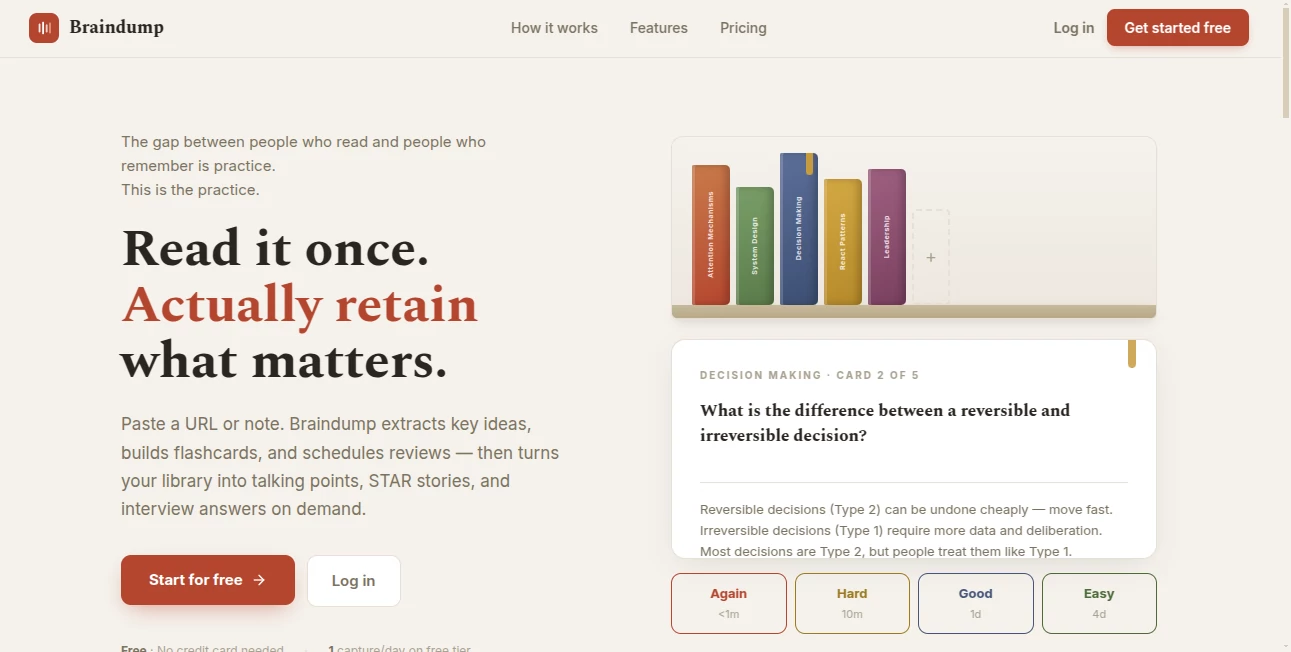
What is Braindump?
Keeping ideas in your head rarely works for long. This productivity tool offers a simple way to capture thoughts, links, notes, and reminders before they disappear. Instead of forcing users into complex workflows, it focuses on quick collection first and organization later, making everyday planning feel effortless. Whether you're managing personal projects or collecting research, everything stays searchable and easy to revisit.
Key Features
User Interface
The interface is refreshingly minimal. You can write, paste links, or save ideas within seconds without unnecessary menus or distractions. A built-in scratchpad automatically saves every note, helping you stay focused on your thoughts instead of the software.
Accuracy & Performance
Fast search and structured organization make finding old notes surprisingly simple. Categories, tags, and a visual workflow help transform scattered information into something practical without slowing down daily work.
Capabilities
- Capture notes, ideas, and web links instantly.
- Automatically organize information into categories.
- Search saved content in seconds.
- Manage ideas with a simple kanban-style workflow.
- Keep a persistent notepad that saves continuously.
Security & Privacy
Information is stored to support continuous access across sessions while maintaining a streamlined experience. Automatic saving reduces the risk of losing important thoughts during busy work.
Use Cases
- Collect brainstorming ideas before they are forgotten.
- Organize research materials for ongoing projects.
- Manage daily tasks and personal reminders.
- Store useful links for future reference.
- Create a personal knowledge library that grows over time.
Pros and Cons
- Pros
- Clean and distraction-free workspace.
- Very fast note capture.
- Excellent organization and search tools.
- Useful visual workflow for managing ideas.
- Cons
- Designed primarily for note management rather than full project planning.
- Advanced collaboration features are limited.
Pricing Plans
A free option is available for getting started. Additional premium features may be offered as the platform continues to expand.
How to Use Brain Dump
Create an account, start writing or pasting anything that comes to mind, and let your notes build naturally. Add categories when needed, move ideas through the workflow, and use the search function whenever you need to retrieve information later.
Comparison with Similar Tools
Unlike traditional note-taking platforms that require folders and detailed organization from the beginning, this solution encourages capturing ideas immediately and organizing them afterward. That simple workflow makes it especially useful for people who think quickly and don't want productivity interrupted by complicated systems.
Conclusion
This is an excellent choice for anyone looking to reduce mental clutter without adding extra complexity. Its combination of fast capture, thoughtful organization, and effortless search creates a natural workspace that supports creative thinking and everyday productivity.
Frequently Asked Questions (FAQ)
Who is this tool designed for?
It works well for students, professionals, creators, researchers, and anyone who regularly collects ideas.
Can I organize my notes?
Yes. Notes can be grouped into categories, arranged visually, and searched whenever needed.
Does it support quick note capture?
Yes. The platform is designed for frictionless note-taking with instant saving.
Can I save links along with text?
Yes. Both links and written notes can be stored together for future reference.
Is there a free version?
Yes. Users can begin with a free plan, while additional features may be available through paid options.
AI Knowledge Management , AI Productivity Tools , AI Task Management , AI Notes Assistant .
These classifications represent its core capabilities and areas of application. For related tools, explore the linked categories above.

Braindump Alternatives Product

Sourcetable

RepoClip

fasturl

CapyQR

FeatureShark

Discord Time…

ForthWrite

Unix Timesta…

Coresite