


















Car Background AI
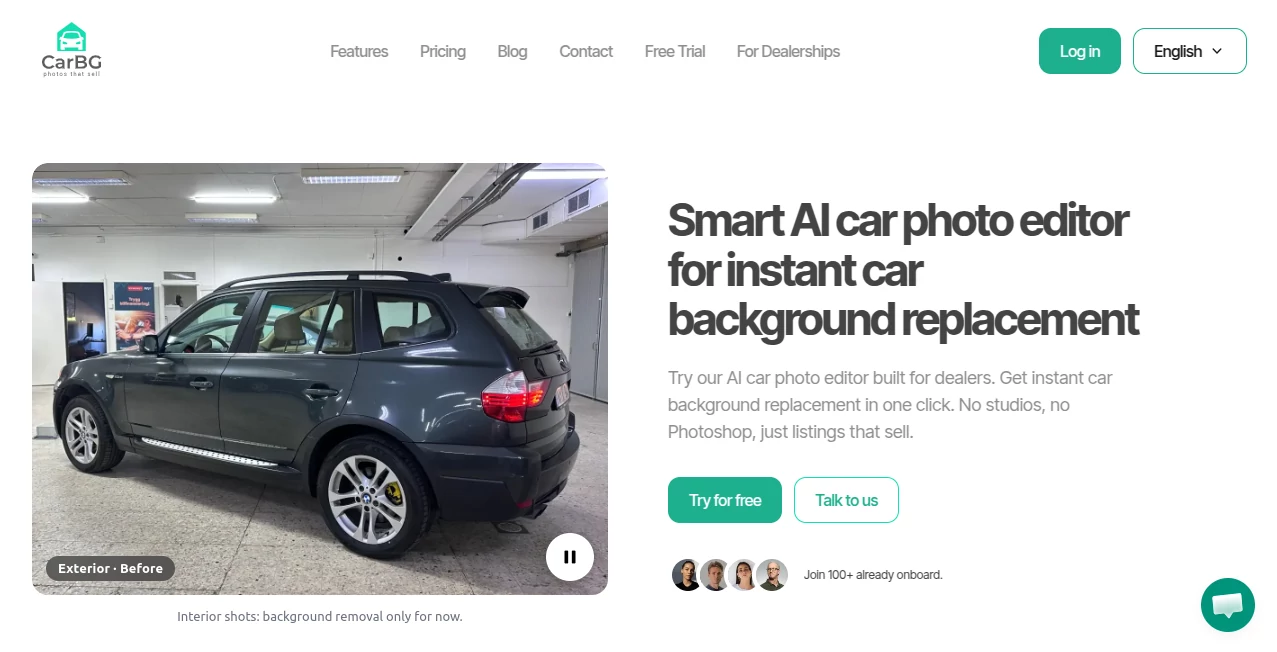
What is Car Background AI?
Professional vehicle photography has always been one of the biggest challenges for dealerships, marketplaces, and private sellers. Creating clean, consistent images often requires expensive studio equipment, skilled editors, or hours of manual work. This platform changes that experience by allowing anyone to transform ordinary vehicle photos into polished, dealership-quality images within seconds.
Built specifically for the automotive industry, the solution focuses on preserving every important detail of the vehicle while replacing distracting surroundings with professional showroom-style backgrounds. Instead of looking like a generic background remover, it produces realistic lighting, natural shadows, and clean edges that make every listing appear trustworthy and visually appealing.
Whether managing a few vehicles or an entire dealership inventory, users can significantly reduce editing time while maintaining a consistent visual identity across every listing. The result is a faster workflow, stronger branding, and photographs that naturally attract more buyer attention.
Key Features
User Interface
The interface is designed with simplicity in mind. Users simply upload one or multiple vehicle photos, choose a preferred background style, and let the AI complete the editing process automatically. Everything is organized in a clean dashboard that requires virtually no learning curve, making it suitable for beginners as well as experienced automotive professionals.
- Simple drag-and-drop image upload.
- Bulk photo processing for large inventories.
- Ready-made showroom and outdoor background templates.
- Mobile-friendly editing experience.
- High-resolution exports for online marketplaces.
Accuracy & Performance
Unlike general-purpose image editors, the AI has been developed specifically for vehicle photography. It accurately detects vehicle outlines, maintains reflections, windows, wheels, and fine details while replacing distracting environments with realistic alternatives. Automatic lighting correction and image enhancement further improve the final presentation without making the vehicle appear artificial.
Large batches of photos can be processed quickly, making the platform especially valuable for dealerships that regularly upload new inventory.
Capabilities
- AI background replacement.
- Automatic lighting enhancement.
- Exposure and color correction.
- Dealer branding and logo placement.
- License plate blurring for privacy.
- Marketplace-ready image optimization.
- Multiple professional background styles.
- Commercial usage rights for generated images.
- API availability for business integrations.
Security & Privacy
Security is treated as an important part of the workflow. Uploaded files are transferred using encrypted connections, and the platform emphasizes secure cloud storage together with modern privacy practices. Businesses handling large inventories can confidently process images while maintaining ownership of their content. The service also highlights compliance with recognized security standards and provides commercial usage rights for processed images.
Use Cases
- Automotive dealerships managing hundreds of vehicle listings.
- Used car sellers looking to improve listing quality.
- Vehicle photographers reducing post-production time.
- Online automotive marketplaces seeking consistent inventory images.
- Dealer management systems integrating automated image processing.
- Marketing agencies promoting automotive brands.
- Private sellers preparing professional classified advertisements.
Pros and Cons
- Pros
- Purpose-built for automotive photography.
- Excellent background replacement quality.
- Fast bulk editing workflow.
- Realistic lighting and shadow enhancement.
- Professional branding options for dealerships.
- Works directly from desktop and mobile devices.
- API support for enterprise automation.
- No advanced editing skills required.
- Cons
- Mainly focused on vehicle photography rather than general image editing.
- Some advanced business features are primarily useful for dealerships.
- Internet connection is required for cloud-based processing.
Pricing Plans
The platform offers a free trial with complimentary credits, allowing new users to evaluate image quality before making a purchase. Paid usage follows a flexible credit-based model instead of requiring a mandatory subscription, making it suitable for both occasional sellers and high-volume dealerships.
How to Use Car Background AI
- Create a free account.
- Upload one or multiple vehicle photos.
- Select a preferred background or branded template.
- Allow the AI to enhance lighting and replace the surroundings automatically.
- Download high-quality images optimized for vehicle listings.
- Publish the finished images on dealership websites or online marketplaces.
Comparison with Similar Tools
Many AI image editors can remove backgrounds, but most of them are designed for general photography. This solution focuses exclusively on automotive images, which results in more accurate vehicle detection, cleaner reflections, better shadow handling, and more natural compositions. Features such as dealership branding, inventory-wide batch processing, marketplace optimization, and automotive-specific enhancements make it especially attractive for professional vehicle sales operations rather than casual image editing.
Conclusion
Creating professional vehicle photography no longer requires a dedicated studio or hours of manual editing. By combining intelligent background replacement, lighting enhancement, branding tools, and bulk processing into a single workflow, this platform helps automotive businesses present inventory with greater consistency and professionalism.
For dealerships, photographers, marketplaces, and private sellers who want cleaner listings, stronger visual branding, and faster preparation times, it provides a practical solution that can significantly improve both efficiency and presentation quality.
Frequently Asked Questions (FAQ)
Can beginners use this platform?
Yes. The interface is designed for users with no professional photo editing experience.
Does it support bulk editing?
Yes. Multiple vehicle photos can be processed simultaneously, making it ideal for dealerships.
Can I use the edited images commercially?
Yes. Processed images are intended for commercial use, including online listings and marketing materials.
Does it work on mobile devices?
Yes. Users can upload, edit, and download vehicle photos directly from smartphones and tablets.
Is there an API for businesses?
Yes. API access is available for dealer management systems, marketplaces, and other business integrations.
Can it improve poor-quality vehicle photos?
The AI automatically enhances lighting, exposure, and image quality while replacing distracting backgrounds to create a more professional final result.
AI Photo & Image Generator , AI Photo Enhancer , AI Background Remover , AI Image to Image .
These classifications represent its core capabilities and areas of application. For related tools, explore the linked categories above.
Car Background AI details
Website unavailable — View Alternatives
Pricing
- Free
Apps
- Web App
Categories

Car Background AI Alternatives Product

WatermarkZero

AI Image Edi…

AI Tattoo Ge…

insMind

AI Hairstyle

Nano Banana …

Wplace Live

AI Hairstyle…

Upscale image
