

















Caricature Studio
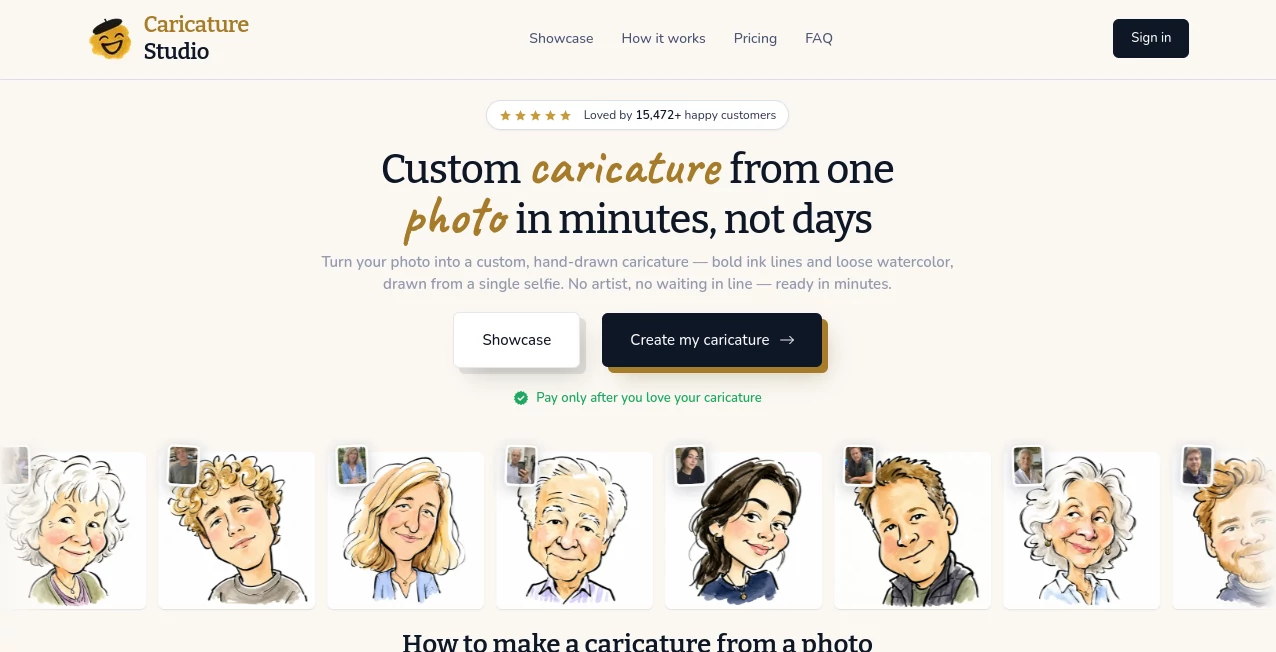
What is Caricature Studio?
Creating entertaining caricatures no longer requires years of artistic practice. This powerful photo editing solution makes it easy to transform ordinary portraits into humorous, exaggerated artwork with just a few clicks. Whether you're designing a funny birthday gift, creating eye-catching social media content, or producing personalized merchandise, the software offers an enjoyable experience from start to finish.
Instead of overwhelming users with complicated editing tools, it focuses on creativity and simplicity. A collection of distortion effects, novelty templates, artistic filters, comic rendering options, and face editing tools allows anyone to build professional-looking caricatures in minutes. Beginners can start immediately, while experienced designers can combine multiple effects to create unique results that stand out.
Its versatility makes it suitable for personal entertainment, event photography, digital marketing, promotional graphics, and custom gift creation. The ability to combine caricature effects with backgrounds, text, clipart, and themed templates gives every project a polished and memorable finish.
Key Features
User Interface
The interface is designed to be approachable even for first-time users. Editing tools are clearly organized, allowing users to warp faces, adjust proportions, apply filters, insert text, and decorate images without navigating through complicated menus. Built-in templates speed up the creative process and help users produce impressive results quickly.
Accuracy & Performance
Image processing is responsive and allows real-time experimentation with facial distortions and artistic effects. Users can fine-tune exaggerations from subtle to dramatic while maintaining recognizable facial characteristics. The software also supports high-resolution output suitable for printing posters, greeting cards, mugs, T-shirts, and novelty gifts.
Capabilities
- Create humorous caricatures from ordinary photos.
- Apply warp, stretch, twist, shrink, and morph effects.
- Generate comic-style illustrations.
- Swap faces easily for entertaining photo edits.
- Add speech bubbles, captions, and decorative text.
- Use parody magazine covers and novelty templates.
- Create head-on-body compositions.
- Apply artistic filters and visual effects.
- Insert clipart, frames, and themed decorations.
- Support personalized posters and greeting cards.
- Create custom graphics for gifts and merchandise.
- Edit brightness, contrast, sharpness, and color settings.
Security & Privacy
The software operates as a desktop application, allowing users to edit images locally on their own computer. Since photos remain on the user's device throughout the editing process, creators have greater control over personal images and sensitive projects compared to many cloud-based editing platforms.
Use Cases
- Design personalized birthday and retirement gifts.
- Create funny social media images.
- Produce custom greeting cards.
- Generate novelty posters and magazine covers.
- Make personalized coffee mugs and T-shirt designs.
- Create event souvenirs for weddings and parties.
- Develop humorous marketing graphics.
- Produce entertaining comics from photographs.
- Create unique family keepsakes.
- Design promotional visuals for businesses and events.
Pros and Cons
Pros
- Easy for beginners.
- Large collection of creative templates.
- Excellent caricature editing tools.
- Supports face swapping and comic rendering.
- High-quality printable output.
- Suitable for both fun and commercial projects.
- Includes numerous artistic filters and decorations.
Cons
- Primarily designed for Windows users.
- Modern AI-powered automatic generation is limited compared to newer cloud services.
- Some advanced features require additional learning.
Pricing Plans
The software is available as a commercial product. Trial versions have been offered for users who want to explore the features before purchasing, while the full version unlocks complete editing capabilities and project saving options. Pricing may vary depending on the latest release and licensing options.
How to Use Caricature Studio
Start by importing a portrait or photograph. Choose one of the distortion tools to exaggerate facial features naturally or dramatically. Enhance the image with comic filters, artistic effects, or novelty templates. Add text, speech bubbles, decorative elements, or themed backgrounds to personalize the design. Once satisfied, export the finished artwork for printing, sharing online, or creating personalized gifts.
Comparison with Similar Tools
Unlike many modern AI generators that automatically create stylized portraits with limited editing control, this software gives users direct control over every transformation. Manual editing tools allow creators to customize facial exaggerations exactly as they imagine them. Its collection of novelty templates, comic rendering options, parody magazines, and printable gift layouts also makes it particularly attractive for users who enjoy hands-on creativity rather than fully automated generation.
Conclusion
For anyone looking to turn ordinary portraits into memorable works of humorous art, this software remains an enjoyable and capable solution. Its balance of simplicity, creative freedom, and extensive editing options makes it suitable for hobbyists, photographers, designers, event organizers, and anyone who enjoys creating personalized gifts. The combination of caricature effects, templates, artistic filters, and printable projects delivers a creative experience that continues to be both entertaining and practical.
Frequently Asked Questions (FAQ)
Is it suitable for beginners?
Yes. The interface is designed for users with little or no graphic design experience.
Can I create printable gifts?
Yes. Designs can be used for posters, greeting cards, mugs, T-shirts, invitations, and other personalized products.
Does it include templates?
Yes. Numerous novelty templates, parody magazine covers, backgrounds, and themed graphics are included.
Can I edit existing photos?
Yes. Users can import photographs and apply caricature effects, artistic filters, text, and decorative elements.
Who is this software best for?
It is ideal for photographers, designers, hobbyists, gift creators, event organizers, and anyone who enjoys creating funny personalized artwork.
AI Photo & Image Generator , Photo & Image Editor , AI Art Generator , AI Face Swap Generator .
These classifications represent its core capabilities and areas of application. For related tools, explore the linked categories above.
Caricature Studio details
Website unavailable — View Alternatives
Pricing
- Free
Apps
- Web App
Categories

Caricature Studio Alternatives Product

GPT Image 1.5

GPT Image 2

LORY

String Art G…

Banana Pro

Flux 2 Cloud
grok imagine…
Image to Pro…
Sketch To
