
















ChatGPT Image 2
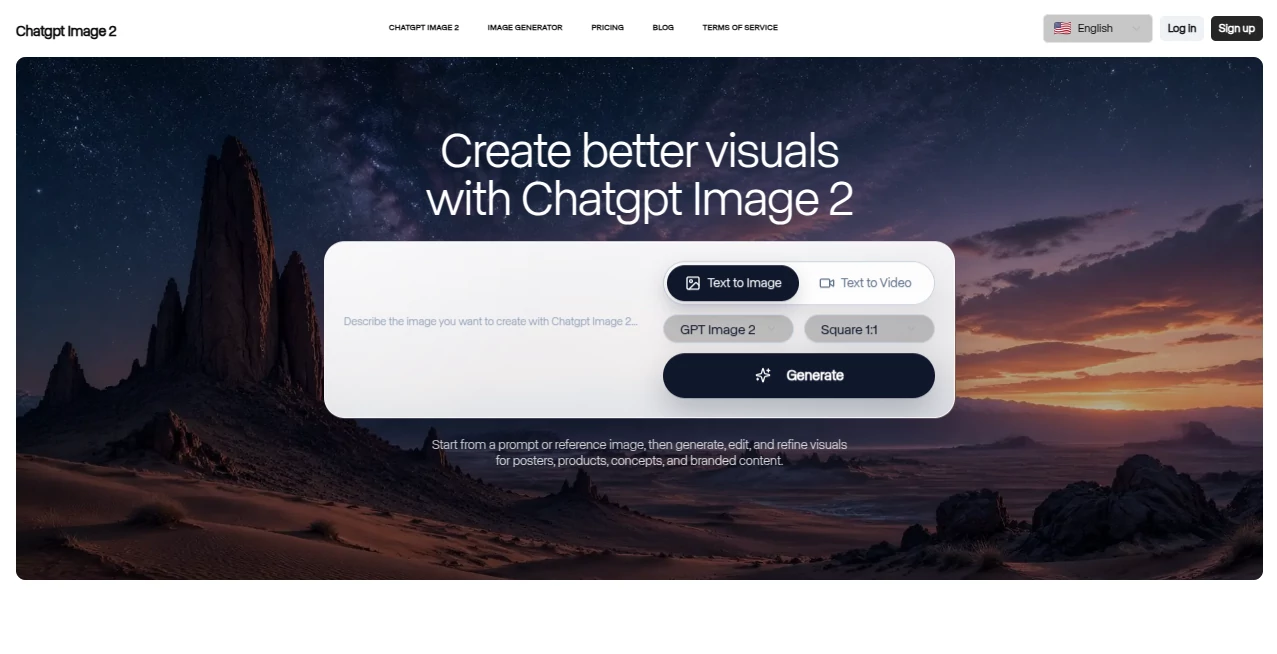
What is ChatGPT Image 2?
You know that feeling when you ask an AI to create an image with text, and it comes back looking like a toddler tried to write with a crayon while riding a rollercoaster? Yeah, we've all been there. For years, that was the price of admission with AI image generators. You'd get the visuals mostly right, but the moment you needed a sign, a menu, or any readable word, things went sideways fast.
That whole problem just evaporated. The team behind this platform watched every other tool struggle with the same issue, and they decided to build something that actually works the way creatives need it to. No more fixing wonky text in Photoshop. No more regenerating the same prompt fifteen times hoping for a miracle.
What landed in April 2026 isn't just another update. It's a complete rebuild from the ground up. The difference shows up immediately—whether you're mocking up a product box, designing social posts, or building a presentation that doesn't look like garbage.
Key Features
Let's talk about what actually makes this thing different. Most image tools throw around buzzwords. This one delivers on the stuff that matters for real work.
User Interface
You don't need a manual to figure this out. The interface strips away everything that doesn't matter. If you've used ChatGPT before, you already know where everything lives. Type what you want, and it happens.
What surprised me most? The speed. Generation runs about twice as fast as the previous version. That means less waiting and more iterating. When you're on a deadline, those seconds add up fast.
The platform supports aspect ratios from 3:1 all the way to 1:3. That covers everything from wide banners to tall mobile stories. And if you're working on something that needs multiple images that look like they belong together, you can generate up to eight coherent outputs from a single prompt. That's huge for anyone building series or collections.
Accuracy & Performance
Here's where things get interesting. Previous models hovered around 90-95% accuracy for text rendering. That sounds good until you realize it means one out of every ten or twenty images had gibberish where words should be. Not great when you're on a tight deadline.
This version jumps to about 99% accuracy. That's not marketing speak—that's "your menu is ready to print" territory. The model processes images differently now. Instead of understanding language first and then drawing second, it does both simultaneously. Every pixel gets placed with awareness of what text it's creating.
Resolution hits up to 4096×4096. And if you need even more headroom, the model handles up to 8,294,400 pixels before automatically resizing. Dimensions need to be multiples of 16, which covers 1024×1024, 1536×1024, and 1024×1536 out of the box.
Capabilities
The Thinking mode changes the game entirely. Turn it on, and the model starts planning before it generates. It maps out composition, checks its own work, and can even pull information from the web when your prompt needs current context.
Need consistent characters across multiple images? That's built in now. One prompt can generate a whole sequence where the same face, same outfit, same style carries through every frame. Artists and brand managers are going to love this.
The training data focuses on real-world visuals—UI screenshots, storefront signs, interface layouts. When you ask for something practical like "wireframe of a dashboard" or "Instagram post for a coffee shop," the results look like actual usable assets, not abstract art interpretations.
Security & Privacy
Capabilities this powerful come with real responsibility. The platform adds C2PA metadata watermarks to every generated image. Think of it like a digital fingerprint that says "an AI made this." It's not perfect—screenshots and compression can strip that data out. But it's a solid first step toward transparency.
OpenAI also runs detection systems on the backend to flag suspicious generation patterns. The company has been clear that this isn't a silver bullet, but they're actively working on the problem rather than ignoring it.
Use Cases
Who actually benefits from upgrading to this? Pretty much anyone who touches visual content regularly.
Social media managers can crank out platform-specific assets without redoing work. The aspect ratio flexibility means one concept adapts to Instagram stories, Facebook posts, and Twitter headers without losing quality.
Marketing teams are already using this for campaign mockups. One designer told me they cut their revision time by about 60% because the text in their proofs is actually correct the first time. No more "can you fix the spelling on the third slide" emails.
Content creators and YouTubers have started treating this as their thumbnail endgame. The combination of accurate text and striking visuals means less time in Canva and more time creating actual content.
Small business owners who can't afford a full design team now have something that produces professional-looking menus, flyers, and social assets. A cafe owner could generate an entire seasonal menu in minutes instead of hiring a freelancer for $200.
UI/UX designers use it to generate interface concepts with realistic placeholder text. No more Lorem Ipsum that distracts from the actual layout.
Pros and Cons
What works beautifully: The text rendering alone makes this worth switching for. Character consistency across multiple generations saves hours of manual tweaking. Speed improvements mean you're not watching progress bars for half your day. The thinking mode catches mistakes before you ever see them. Resolution options cover everything from social graphics to print materials.
What might give you pause: The API pricing uses a token model that can surprise teams who don't track their usage carefully. Thinking mode requires a paid subscription—free users don't get access to the advanced reasoning features. Generation costs vary dramatically based on quality settings, from fractions of a cent to over twenty cents per image. And like any powerful tool, the same capabilities that make it useful for legitimate work could potentially be misused for deceptive content.
Pricing Plans
You have options depending on how you want to use this. For most people, ChatGPT Plus at $20 per month is the sweet spot. That gets you access through the chat interface with reasonable usage limits. If you're a power user or running a business on it, the Pro tier at $200 per month removes most restrictions and adds priority access to new features.
Free tier exists but comes with rate limits. Great for testing the waters, not practical for serious production work.
For teams integrating through the API, the math works differently. Image input tokens run $8 per million, output tokens at $30 per million, and text input tokens at $5 per million. Cached inputs cost significantly less. A single 1024×1024 image at low quality runs about $0.006. Medium quality jumps to roughly $0.053. High quality hits around $0.211.
Here's the catch most people miss: edits cost more because reference images always process at high fidelity. If your workflow involves generating and then editing repeatedly, your real cost per finished asset will be higher than the base numbers suggest. Smart teams use low quality for exploration and only render final assets at high quality.
How to Use It
Getting started takes about two minutes. Head to the ChatGPT interface—web or mobile both work. Select the GPT-image-2 model from the dropdown if it doesn't default there.
Type your prompt naturally. "Create a poster for a jazz night at The Blue Note. Saturday, April 15th at 8pm. Tickets $25." Watch the model render actual readable text exactly where you asked for it. If something's off, just tell it what to change. "Move the date to the bottom right and make the band name bigger." The conversation continues until you're happy.
For multi-image projects, mention that upfront. "Generate eight variations of this album cover concept with consistent colors and the same band logo placement." The model will handle maintaining cohesion across the set.
Pro tip from someone who's burned through way too many API credits: start with low quality settings while you nail down the concept. Once the composition and text are right, regenerate at high quality for the final export. This cuts costs dramatically without sacrificing final output quality.
Comparison with Similar Tools
How does this stack against the competition? Midjourney still wins for pure artistic photography and abstract visuals, but it has never solved the text problem well. If your work needs readable words, this pulls ahead immediately.
Ideogram made text accuracy their whole brand, and they do it well for simpler applications. But they don't have the conversational editing workflow or the multi-image consistency features. Ideogram starts at $8 monthly, cheaper than Plus, but you get fewer capabilities.
Adobe Firefly integrates beautifully with Creative Cloud and offers commercially safe training data, which matters for enterprise work. But Firefly stays conservative and polished. For edgy, experimental work, it's not the right fit. Firefly comes bundled with Creative Cloud subscriptions starting around $70 monthly for the full suite.
DALL-E 3 through ChatGPT laid the groundwork, but the upgrade to GPT-image-2 closes every gap that remained. Better text, faster generation, wider aspect ratios, and actual character consistency across outputs. If you've been using DALL-E 3, switching feels like upgrading from a sedan to a sports car—same basic controls, completely different performance.
Google's Imagen 4 produces gorgeous results but suffers from aggressive content filters that block many legitimate creative requests. The character consistency is excellent when it works, but you'll hit frustrating walls regularly.
Conclusion
This isn't just another incremental improvement. It's the first time an image generator has truly solved the text problem without sacrificing everything else. The team rebuilt the architecture from scratch, and it shows in every interaction.
For anyone who creates visual content professionally—designers, marketers, small business owners, content creators—the time savings alone justify the switch. No more fixing broken text in post. No more regenerating the same image fifteen times. No more explaining to clients why the AI can't seem to spell their business name correctly.
That said, approach it with your eyes open. The power to create convincing images with accurate text is also the power to create misleading content. Use it responsibly. The platform adds watermarks and detection systems, but those are guardrails, not guarantees.
If you're tired of fighting with your image tools and just want something that works the way you expect it to, give this a shot. The free tier lets you test drive everything. Chances are, you won't want to go back to the old way.
Frequently Asked Questions (FAQ)
Can I use this for free? Yes, but free tier comes with rate limits. Casual users will be fine. Anyone generating daily should consider the $20 monthly Plus plan.
Does it work with languages other than English? Absolutely. The model supports multiple languages and understands cultural context for text rendering across different writing systems.
How accurate is the text rendering really? About 99% in testing. Short words, long sentences, menus, signs—it handles them all. Still worth double-checking critical text, but you would do that with any tool.
Can I edit images I already have? Yes. Upload a reference image and describe what you want changed. The model processes edits at high fidelity, so expect slightly higher resource usage compared to fresh generations.
What's the difference between Thinking mode and regular generation? Thinking mode adds planning, self-checking, and optional web search. It's slower but produces more reliable results for complex requests. Only available on paid tiers.
How do I get the best value from API pricing? Use low quality settings for exploration and experimentation. Regenerate only the winners at high quality. Batch API requests when deadlines allow 24-hour turnaround—it cuts token costs in half.
Is the content commercially safe to use? Generated images are yours to use. Standard terms apply. For enterprise legal concerns, consult the full terms of service.
Why can't I see Thinking mode in my account? Thinking features require ChatGPT Plus, Pro, Business, or Enterprise. Free tier gets standard generation only.