
















Z-Image
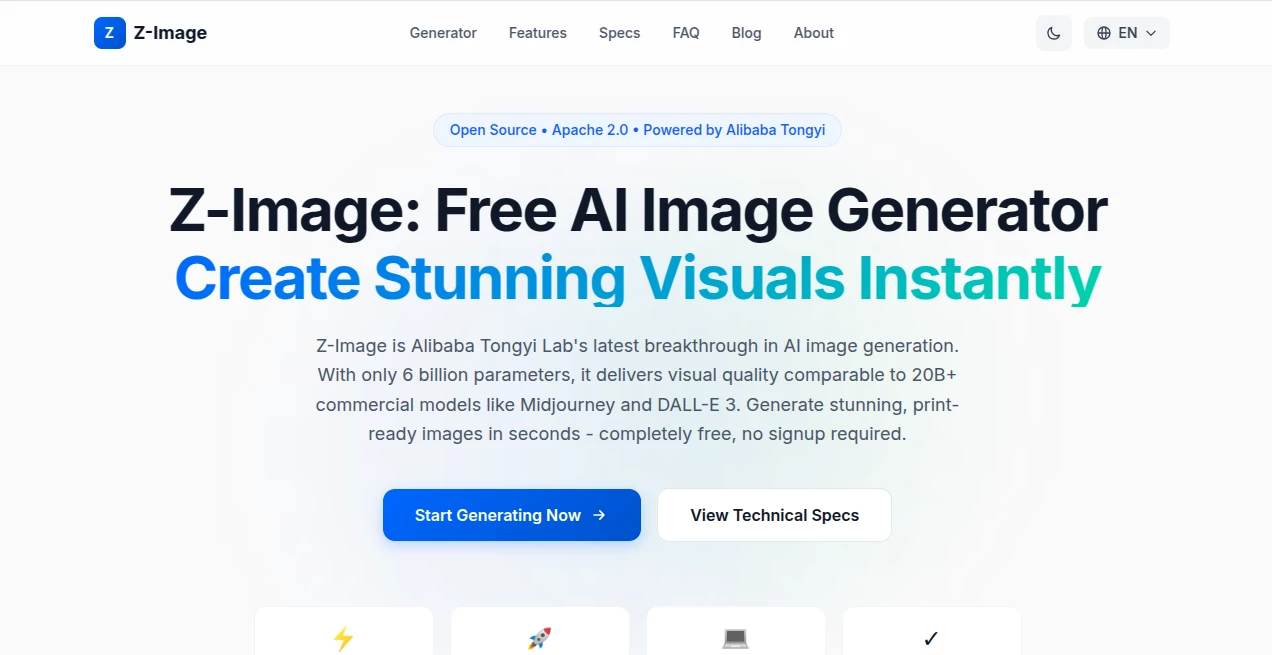
What is Z-Image?
Let’s be honest for a second. Most AI image generators either cost a fortune, force you to sign up for yet another newsletter, or produce results that look nothing like what you actually asked for. It’s frustrating, right? Well, someone finally decided to fix that.
This tool is different. Built by one of the biggest names in AI research, it delivers professional-grade images without asking for your email address or credit card. No subscription fees. No hidden limits. Just pure creative power that runs smoothly on regular computers. Whether you’re a designer working late on a client project, a marketer needing fresh social media visuals, or just someone who loves playing with AI art, this platform actually delivers on its promises.
What caught my attention first was the speed. You type in your idea, hit generate, and within seconds – we’re talking about the time it takes to pour a cup of coffee – you have a high-resolution image ready to use. Not a blurry preview that requires paying to download, but the real deal.
Key Features
This isn’t just another entry in the crowded AI image space. The technology behind it solves real problems that other generators still struggle with daily.
User Interface
The moment you land on the page, you’ll notice there’s no clutter. No pop-ups begging you to subscribe. No confusing sliders or technical jargon that requires a degree to understand. Just a simple text box where you describe what you want, and a generate button that makes it happen.
I appreciate how the interface provides helpful examples right there on the homepage. If you’re new to writing prompts, you’ll see suggestions about adding style descriptions like “oil painting” or “3D render,” lighting notes such as “soft morning light,” and composition details like “close-up portrait.” These small touches make the difference between an okay result and something truly impressive.
Accuracy & Performance
Here’s where things get interesting. Most free image generators either take forever to produce results or deliver images that look obviously AI-generated in a cheap way. This one achieves something rare: genuine quality that holds up under scrutiny.
On a standard RTX 4090 graphics card, generating a full 1024×1024 image takes roughly 2.3 seconds. Even on older hardware like an RTX 3060, you’re looking at under 10 seconds. To put that in perspective, that’s comparable or faster than many paid services that charge monthly fees. The secret lies in an innovative approach called S3-DiT architecture, which essentially does more with less – only 6 billion parameters versus the 20+ billion that competitors need to reach similar quality levels.
Capabilities
What truly sets this tool apart is how it handles text inside images. You’ve probably tried writing words into other AI generators, only to get back something that looks like alphabet soup. Misspelled words, garbled letters, text that drifts off into nonsense. That doesn’t happen here. The model has been specifically trained to render English, Chinese, and other languages accurately directly within the image itself.
Think about what that means practically. You can create posters with actual readable headlines. Design social media graphics with company names spelled correctly. Make birthday cards with personalized messages. These are everyday tasks that most AI tools fail at completely, yet this one handles them naturally.
Beyond text rendering, the model understands various artistic styles, lighting conditions, and composition types. Want a photorealistic portrait? Done. Prefer anime style? Easy. Need something that looks like a vintage film poster? Just describe it. The range of outputs is genuinely impressive for a free tool.
Security & Privacy
No signup means no data collection. Your email address stays yours. Your prompts aren’t being mined for training data unless you explicitly allow it. Because the model is open source under the Apache 2.0 license, you can even download and run it completely locally on your own machine if privacy is a major concern for your work.
For commercial users, this is huge. The license explicitly allows commercial use of both the model and any images you generate. You’re not locked into any platform or restricted from using your creations for client work, merchandise, or marketing materials.
Use Cases
Here are some practical ways people are actually using this tool right now:
- Marketing & Advertising: Creating social media posts, banner ads, product mockups, and promotional materials that look professional without hiring a designer for every single visual.
- Digital Art & Illustration: Generating concept art, character designs, landscape illustrations, and abstract works. Artists use it for reference images or as a starting point for further refinement.
- Content Creation: Producing YouTube thumbnails, blog post headers, podcast covers, and newsletter images that stand out instead of looking like generic stock photos.
- Product Design: Visualizing product concepts, creating packaging mockups, and generating variations for A/B testing before committing to expensive production runs.
- Education & Research: Making educational illustrations, scientific visualizations, historical recreations, and teaching materials that help explain complex concepts visually.
- Personal Projects: Custom wallpapers, profile pictures, gift designs, party invitations, or just experimenting with creative ideas for fun.
Pros and Cons
No tool is perfect for everyone. Here’s an honest breakdown:
Pros:
Completely free with no signup required – that’s genuinely rare these days
Blazing fast generation speeds even on modest hardware
Excellent text rendering that actually works for multiple languages
Open source with Apache 2.0 license allows commercial use
Runs locally on consumer GPUs with under 16GB VRAM
No watermarks or restrictions on your generated images
Cons:
Requires decent GPU hardware for local installation (though the web version works for everyone)
Maximum resolution is 1024×1024 native (sufficient for most uses but not extreme large format)
Web interface currently doesn’t offer advanced editing features like inpainting or outpainting
You’ll need to understand prompt crafting to get the best results consistently
Pricing Plans
This is the simplest section I’ll ever write. It’s free. Completely, genuinely free. No tiers, no premium subscriptions, no credits to purchase. The web interface costs nothing to use. The model weights are available for download at no charge under the Apache 2.0 license. Both personal and commercial usage are included without any payment whatsoever.
Why is this possible? Because it was developed by Alibaba’s Tongyi Lab as an open source contribution to the AI community, not as a commercial product designed to maximize recurring revenue. The researchers wanted to demonstrate that efficient models can match or exceed larger commercial alternatives, and they released their work freely as proof of that concept.
How to Use This Tool
Getting started takes about thirty seconds. Head to the website – you’ll see a large text box right in the middle of the page. Type in your prompt describing what you want to see. Hit the generate button. Wait a few seconds. Download your image.
For better results, follow these simple tips that experienced users have figured out: Be specific about your artistic style – words like “oil painting,” “3D render,” “anime style,” or “photorealistic” guide the model effectively. Include lighting details such as “soft morning light,” “dramatic shadows,” or “neon glow.” Describe the composition: “close-up portrait,” “wide landscape,” or “top-down view.” Add quality modifiers like “highly detailed” or “professional photography.”
If you’re a developer or someone with a capable graphics card, you can also download the model from GitHub, Hugging Face, or ModelScope to run it locally. This gives you complete control and privacy, though the web version works beautifully for everyday needs.
Comparison with Similar Tools
Let’s be direct about how this stacks up against the competition. Midjourney produces gorgeous images but requires a Discord account and monthly subscription starting around $10. DALL-E 3 from OpenAI offers excellent quality but charges per image beyond initial free credits. Stable Diffusion is free and open source but typically requires technical know-how to set up and run effectively.
This tool sits in a sweet spot between them. The quality genuinely competes with Midjourney and DALL-E 3 on many types of prompts, according to independent benchmarks. Yet it remains completely free with a simple web interface that anyone can use immediately. The open source nature means you’re not locked into any ecosystem. And the text rendering capability actually outperforms all three mentioned competitors for multilingual applications.
Where it trades blows with others: resolution tops out at 1024×1024 while some competitors offer larger outputs. The community and prompt libraries aren’t as extensive as Midjourney’s yet. But for the price point – free – and the accessibility, it’s genuinely hard to find a better option for most everyday creative needs.
Conclusion
After spending considerable time testing this tool across various use cases, here’s my honest take: It’s one of those rare finds that actually overdelivers on its promises. The speed is remarkable. The text rendering alone makes it worth using over many alternatives. And the fact that it’s completely free with no signup required feels almost suspicious, except that the open source model proves it’s real.
Is it perfect for every possible scenario? No. Professional studios with specific advanced needs might still want specialized tools. But for designers, marketers, content creators, small business owners, students, and hobbyists, this provides capabilities that were locked behind paywalls just months ago.
The team behind it proved something important: bigger isn’t always better. With smart architecture and focused development, you can build tools that serve people well without extracting money at every turn. If you haven’t tried it yet, give it a shot with a prompt you’ve struggled with in other generators. I suspect you’ll be pleasantly surprised.
Frequently Asked Questions (FAQ)
Is this really free to use?
Yes. No signup, no credit card, no hidden costs. The web interface is completely free, and the open source model is available under Apache 2.0 license for anyone to download and use.
Can I use generated images for commercial projects?
Absolutely. The Apache 2.0 license grants you full rights to use, modify, and distribute images created with this tool for commercial purposes. Client work, merchandise, marketing materials – all permitted.
What hardware do I need to run it locally?
You’ll need an NVIDIA GPU with at least 6GB of VRAM. 16GB is recommended for optimal performance. Cards like RTX 3060, RTX 4060, and above work well. You’ll also need CUDA 11.8+ and Python 3.10+.
How does the quality compare to paid options?
Independent benchmarks show it achieves visual quality comparable to models with 20+ billion parameters despite having only 6 billion. Most users find the results on par with Midjourney and DALL-E 3 for standard image generation tasks.
Does it handle text well?
Better than almost any free alternative. The model was specifically trained for accurate multilingual text rendering in English, Chinese, and other languages. Posters, ads, signs, and cards come out with readable text rather than gibberish.
What’s the catch?
There genuinely isn’t one. This was released as an open source research contribution by Alibaba’s Tongyi Lab to demonstrate their efficient architecture. They’re not trying to convert free users into paying customers because there’s nothing to pay for.