


















Clawi.ai
What is Clawi.ai?
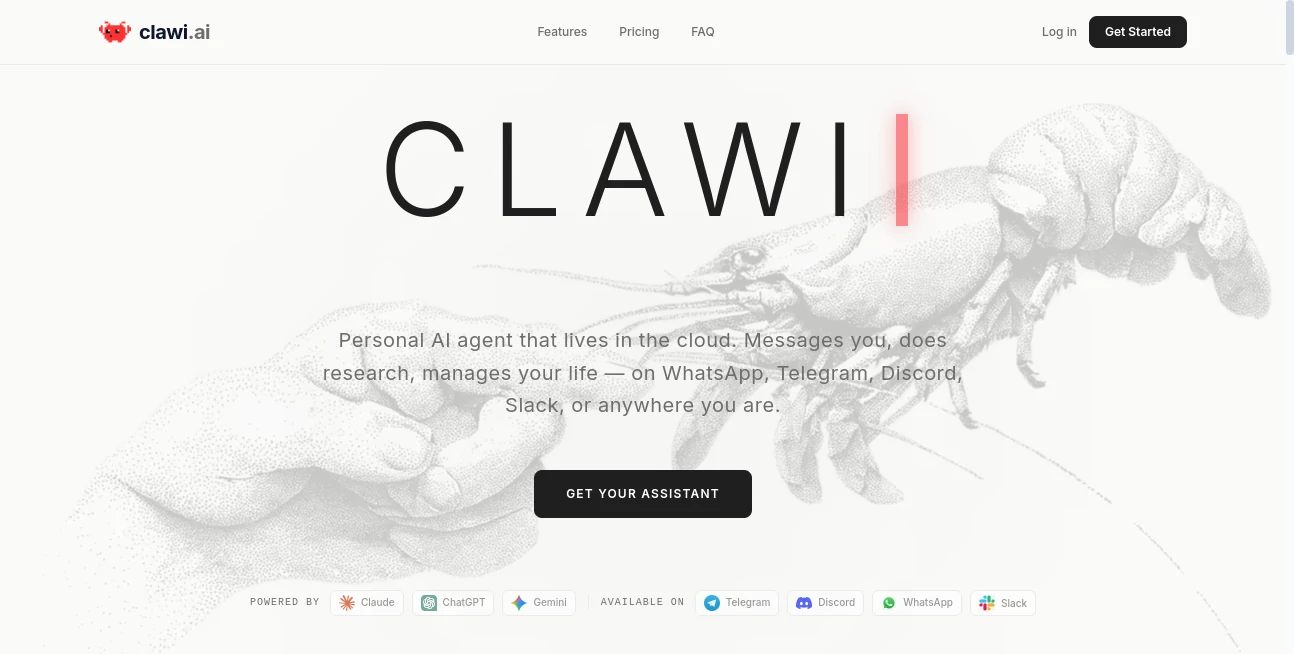
Clawi.ai is a cloud-based personal AI assistant designed for people who want more than a chatbot that simply answers questions. It runs continuously in the cloud, can be reached through familiar messaging platforms, and is built to handle practical tasks such as research, content creation, financial analysis, customer support, social media work, and everyday organization.
The idea is refreshingly simple: instead of opening another application every time you need help, you can communicate with your assistant through platforms such as WhatsApp, Telegram, Discord, or Slack. The assistant can maintain context, remember preferences, work with connected services, and operate inside its own persistent Linux environment.
For someone who wants an AI that feels more like a digital coworker than a search box, this approach is particularly appealing. It is also useful for teams that want shared agents for research, work management, or specialized workflows without maintaining the underlying cloud infrastructure themselves.
Key Features
- Cloud-hosted AI agents that can operate continuously without requiring a local computer to stay online.
- Access through popular messaging platforms including WhatsApp, Telegram, Discord, and Slack.
- Persistent memory for preferences, previous conversations, and useful context.
- Built-in agent email inboxes for receiving newsletters, notifications, and other messages.
- Persistent Linux environments with storage, shell access, package installation, and the ability to run scripts and services.
- Support for different open-source agent options with different approaches to autonomy and self-improvement.
- Team features for creating, sharing, and managing multiple agents.
- Real-time visibility into token usage, active contexts, model parameters, sessions, logs, and analytics.
- Support for advanced AI models, including Claude, ChatGPT, and Gemini-powered workflows.
User Interface
The interface is designed around a central command center rather than a conventional chat window alone. Users can see information such as the active agent, selected model, context window, token usage, active skills, and current sessions from one place.
This dashboard approach is useful because autonomous agents can otherwise feel like a black box. Being able to see what is running and which resources are being used gives users a much clearer picture of their assistant's activity.
The messaging integrations are arguably even more important. Instead of learning another complicated interface, users can communicate through services they already use every day. A quick request from a phone can become a research task, a draft, a reminder, or another automated workflow.
Accuracy & Performance
Performance depends partly on the underlying AI model and the complexity of the requested task, but the platform is designed to provide agents with more than a text-generation interface. They can retain context, access a persistent environment, use connected tools, and execute practical operations.
The combination of persistent memory and a long context window can be particularly useful for ongoing projects. Instead of repeatedly explaining the same preferences or background information, an assistant can retain relevant context between conversations.
There is also a useful distinction between answering a question and completing a task. For example, an assistant can analyze spending information, prepare a cancellation email, conduct market research, or generate a report rather than simply explaining how a person could do those things themselves.
Capabilities
The platform covers a surprisingly broad range of workflows. Its available skills include market research, financial analysis, customer support, content creation, and social media management, making it suitable for both personal and professional use.
The persistent Linux environment adds another layer of flexibility. Users can install packages, execute shell commands, run scripts, and keep files or services stored between sessions. That makes the assistant considerably more capable than a standard conversational AI interface.
Another interesting feature is the dedicated email environment provided for agents. An assistant can receive newsletters, service notifications, and other incoming messages without requiring the user to manually forward everything into a chat.
For organizations, multiple agents can be created and shared. A team might use one agent for research, another for operational tasks, and another for personal notes or specialized workflows.
Security & Privacy
Privacy is a major part of the service's positioning. The platform states that it does not log users' AI assistant conversations and that conversations remain private. Its privacy policy also explains how account and billing information are handled, with payment details processed securely through Stripe rather than storing complete card numbers directly.
The service operates AI agents inside isolated cloud environments, giving each assistant a dedicated place to run its software and store persistent data. Users should still treat connected accounts, tools, and agent permissions carefully, especially when granting an autonomous assistant access to sensitive business or personal services.
For businesses, this balance is important. The benefit of an autonomous agent comes from giving it useful access, but responsible configuration and permission management remain essential.
Use Cases
- Personal productivity: Use an always-available assistant to organize information, remember preferences, research topics, draft messages, and handle recurring tasks.
- Market research: Monitor companies, summarize financial information, investigate industries, and prepare structured research briefs.
- Customer support: Assist with repetitive customer questions and provide responses through messaging channels.
- Content creation: Draft articles, social media content, reports, emails, and other written material while maintaining relevant context.
- Social media management: Support planning, content preparation, monitoring, and repetitive social media workflows.
- Team collaboration: Create shared agents that coworkers can use for research, operations, or specialized internal workflows.
- Real estate: Respond to property inquiries, qualify leads, provide listing information, and help schedule viewings.
- E-commerce: Handle common support questions, assist with order-related requests, and support customer communication.
- Developer workflows: Use the persistent Linux environment to run scripts, install packages, manage files, and perform technical tasks.
Pros and Cons
- Pros: Runs continuously in the cloud, supports multiple messaging platforms, offers persistent memory, provides a full Linux environment, supports shared team agents, and gives users greater visibility into agent activity.
- Pros: The combination of AI models, tools, storage, and persistent context makes it suitable for tasks that extend beyond ordinary chat.
- Pros: The managed infrastructure removes much of the complexity involved in hosting an autonomous AI agent yourself.
- Cons: The monthly cost is higher than many conventional AI chat subscriptions, particularly for users who only need occasional text generation.
- Cons: Advanced agent capabilities can require careful configuration and thoughtful permission management.
- Cons: Users looking only for simple question-and-answer interactions may not need the additional infrastructure and automation capabilities.
Pricing Plans
The pricing structure is aimed at different levels of usage. The Basic plan costs $30 per month and includes full agent capabilities, a full Linux environment, and 1 vCPU, 2 GB of RAM, and 10 GB of storage. It is positioned for casual personal use and includes limited AI credits.
The Pro plan costs $60 per month and is designed for power users. It provides more AI credits, better performance, 2 vCPUs, 2 GB of RAM, and 20 GB of storage. For an individual who expects to use an AI agent regularly, this is likely the most balanced option.
The Ultra plan costs $200 per month and is designed for teams and demanding workloads. It supports up to three parallel agents and provides combined resources of 6 vCPUs, 6 GB of RAM, and 60 GB of storage. This plan is better suited to organizations that want multiple agents operating at the same time.
How to Use the Assistant
- Create an account and select the type of AI agent you want to run.
- Connect a preferred messaging service such as WhatsApp or Telegram.
- Configure your assistant and provide the information or context it needs.
- Start sending requests through your connected messaging platform.
- Use the command center to monitor usage, sessions, contexts, models, and other agent settings.
- For more advanced workflows, use the persistent Linux environment to work with files, scripts, packages, and services.
Comparison with Similar Tools
Traditional AI chat applications are excellent for conversations, brainstorming, writing, and answering questions, but they generally require the user to initiate each interaction and often operate within a relatively limited application environment.
A self-hosted AI agent can provide considerably more control and flexibility, but setting one up usually involves configuring servers, installing software, managing updates, connecting messaging services, and maintaining the underlying infrastructure.
This service sits between those two approaches. Users get the flexibility of a persistent AI agent and a dedicated computing environment while the cloud infrastructure is managed for them. The result is a more practical option for people who want autonomous workflows without becoming responsible for every server-side detail.
Conclusion
For anyone who sees AI as more than a tool for generating answers, this platform offers an interesting step toward persistent digital assistance. Its combination of cloud hosting, messaging integrations, memory, a Linux environment, multiple AI models, and team-oriented agents creates room for much more practical automation.
The strongest part of the experience is the idea of having an assistant available where conversations already happen. Instead of constantly switching between applications, users can send a request through a familiar messenger and let the agent handle the work in the background.
It is not the cheapest option for occasional AI use, but that is not really the point. The value comes from having a persistent agent that can research, remember, communicate, execute tasks, and operate continuously. For power users, entrepreneurs, developers, and teams looking to build more autonomous workflows, that makes the service worth exploring.
Frequently Asked Questions (FAQ)
What is this AI assistant?
It is a managed cloud hosting service for personal and team-oriented AI agents. The service handles the infrastructure while the agent operates continuously in its own cloud environment.
Which messaging platforms are supported?
The service supports messaging platforms including WhatsApp, Telegram, Discord, and Slack. It also describes compatibility with additional messaging channels such as Signal and iMessage.
Can the assistant remember previous conversations?
Yes. Persistent memory is one of the platform's core features. It can retain preferences, useful context, and information from previous conversations to make ongoing interactions more useful.
Can it run code?
Yes. The cloud environment provides Linux access with persistent storage, allowing users to install packages, run shell commands, execute scripts, and keep services running between sessions.
Can I use multiple AI agents?
Yes. Team-oriented plans support multiple agents, while the Ultra plan specifically allows up to three parallel agents that can be shared with a team.
Is my conversation data logged?
The service states that it does not log AI assistant interactions and that conversations remain private. Users should nevertheless review permissions and connected integrations before giving an autonomous agent access to sensitive information.
Which plan is best for individual users?
The Basic plan is intended for casual personal use, while the Pro plan provides more resources and AI credits for regular users. People with heavier workloads or multiple simultaneous agents may benefit from the Ultra plan.
Is this suitable for businesses?
Yes. Shared agents, customer support workflows, research, social media management, persistent cloud environments, and dedicated agent resources make it suitable for a range of business workflows.
How quickly can I get started?
The setup process is designed to be completed in a few minutes: create an account, choose an agent, connect a messaging platform, and begin chatting with the assistant.
AI Life Assistant , AI Productivity Tools , AI Team Collaboration , AI Chatbot .
These classifications represent its core capabilities and areas of application. For related tools, explore the linked categories above.

Clawi.ai Alternatives Product

Online White…

ChatGPT

GPT Image 2 …

MakeGraph

Dialogues wi…

VercelAPP

Firefox

CoolVerdict

lovetype16
