

















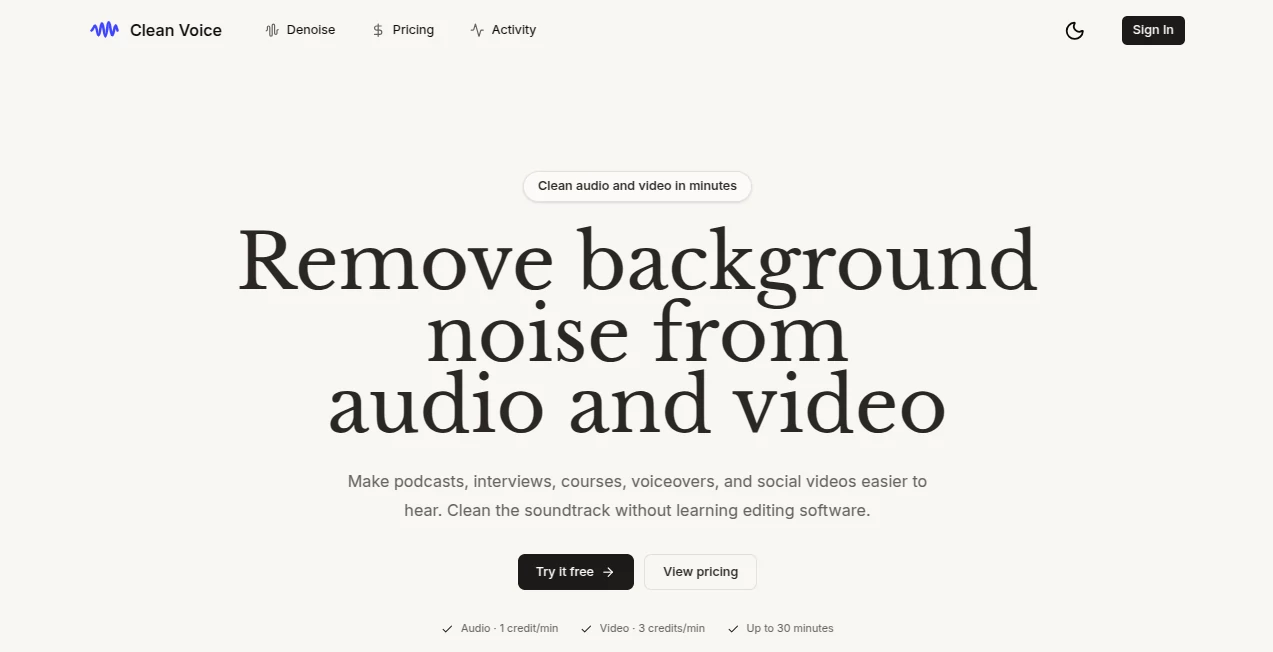
What is Clean Voice App?
Clean Voice is an AI-powered audio and video cleanup tool designed to make recordings easier to hear without requiring traditional editing skills. It focuses on the problems that often appear in real-world recordings, such as traffic, wind, HVAC noise, hiss, hum, microphone noise, and other distracting background sounds.
It is particularly useful for podcasters, interviewers, course creators, voiceover artists, and anyone who records in less-than-perfect environments. Instead of spending time learning complicated audio software, users can upload a recording, let the automated processing handle the cleanup, and export a more polished result.
For example, someone recording a podcast from a home office may have a fan or air conditioner running in the background. Rather than recording the entire conversation again, the cleanup process can reduce those distractions while keeping the speakers natural and comfortable to listen to.
Key Features
User Interface
The workflow is deliberately simple. Users can drag and drop their audio or video files, start the processing, and download the resulting file when it is ready. The interface avoids unnecessary editing terminology, which makes it approachable for people who are comfortable creating content but do not want to become professional audio editors.
A useful part of the experience is the ability to compare the original recording with the cleaned version. This makes it easier to judge whether the processing has improved the recording before using it in a final production.
Accuracy & Performance
The processing is designed to focus on speech while reducing unwanted environmental noise. It can address common problems including traffic, wind, room noise, HVAC sounds, hiss, hum, and microphone-related noise.
The result depends naturally on the quality of the original recording, but the workflow is especially practical for recordings made outside a studio. Audio processing is charged according to processed minutes, while failed processing tasks do not consume credits.
Capabilities
The platform supports both standalone audio and video workflows. Supported audio formats include MP3, M4A, WAV, and AAC, while video files can be provided in MP4, MOV, and WebM formats.
- Background noise reduction
- Speech-focused audio cleanup
- Audio and video processing
- Filler word, silence, mouth sound, and breath removal
- Studio sound enhancement
- Video podcast editing and timeline export
- Transcription and podcast summaries
- Original and enhanced audio comparison
Security & Privacy
File handling is an important consideration when working with recordings. The service provides an Activity history for processed uploads, while anonymous preview inputs are deleted after processing according to the information published on the service. Users working with private interviews, meetings, or unreleased content should still review the current privacy policy and storage terms before uploading sensitive material.
Use Cases
Podcasters can use the service to make conversations easier to follow when recordings contain room noise or environmental distractions. This is particularly helpful when an episode was recorded in a home office, outdoor location, or other uncontrolled environment.
For interviews, background noise can make individual answers difficult to understand. Cleaning the soundtrack can produce a more consistent listening experience without requiring the entire interview to be recorded again.
Online course creators can improve lessons recorded without professional microphones, while voiceover artists can clean home-recorded narration before sending it into a larger editing workflow.
It can also be useful for remote meetings, video calls, social media clips, audiobooks, and other spoken-word recordings where clear speech matters more than elaborate audio production.
Pros and Cons
- Pros: Simple workflow with very little editing knowledge required.
- Pros: Supports both audio and video files.
- Pros: Handles several common sources of background noise.
- Pros: Supports popular formats such as MP3, WAV, M4A, MP4, MOV, and WebM.
- Pros: Includes a free trial without requiring a credit card.
- Pros: Failed processing tasks do not consume credits.
- Cons: Results can vary depending on the quality and complexity of the original recording.
- Cons: Heavy users may need a paid plan for longer recordings.
- Cons: Users looking for detailed manual audio production controls may still prefer a traditional professional editor.
Pricing Plans
The service uses a credit-based pricing model and offers a free trial with 30 minutes of audio and video processing without requiring a credit card.
For occasional projects, the pay-as-you-go options currently include 5 hours for $11, 10 hours for $20, and 30 hours for $45. Purchased credits remain valid for two years.
For recurring production, subscription plans currently include 10 hours per month for $11, 30 hours per month for $30, and 100 hours per month for $90. Unused subscription credits can roll over, up to three times the plan limit.
All listed plans include the available features, and prices are shown before VAT. Audio is charged at one credit per rounded-up minute, while video uses three credits per rounded-up minute.
How to Use the Tool
- Choose the audio or video file you want to improve.
- Drag and drop the file into the processing interface.
- Start the automated cleanup process.
- Wait while the system processes the recording.
- Compare the original and enhanced result when available.
- Download or export the cleaned file for your podcast, course, video, or other project.
Comparison with Similar Tools
Many audio editors provide extensive controls for equalization, compression, noise gates, effects, and detailed waveform editing. Those applications are powerful, but they can require considerably more time and technical knowledge.
This service takes a different approach by concentrating on automated cleanup. Someone who mainly wants to remove distracting background noise from a podcast or voice recording may find the streamlined workflow more convenient than opening a full professional editing suite.
It is therefore best viewed as a focused cleanup solution rather than a replacement for every type of audio production software. Creators who need detailed manual mixing can still use the processed output as one step in a larger editing workflow.
Conclusion
For creators who regularly deal with imperfect recordings, automated cleanup can save a surprising amount of editing time. The combination of background noise reduction, speech-focused processing, audio and video support, and a straightforward upload-and-export workflow makes this a practical option for everyday content production.
Its strongest appeal is simplicity. A podcaster dealing with an unexpected fan noise, an interviewer recording outside a studio, or a creator working with a basic microphone can improve the listening experience without spending hours learning complicated editing tools.
Frequently Asked Questions (FAQ)
What audio formats are supported?
Supported audio formats include MP3, M4A, WAV, and AAC.
What video formats are supported?
Supported video formats include MP4, MOV, and WebM.
Can background noise be removed from video?
Yes. The service can process video while preserving the video itself and cleaning its soundtrack.
Is there a free trial?
Yes. New users can process up to 30 minutes of audio and video during the free trial, and no credit card is required.
How are processing credits calculated?
Audio uses one credit per rounded-up minute. Video uses three credits per rounded-up minute, with a minimum of one credit.
Do failed processing tasks consume credits?
No. Credits are consumed only after a valid output has been uploaded and verified.
What is the maximum file size?
Regular tasks support files up to 1 GB and 30 minutes by default. The published limits may be adjusted by an administrator.
Can it be used for podcasts?
Yes. Podcast production is one of the primary use cases, particularly when recordings contain background noise or other distractions that make conversations harder to follow.