
Clerk AI
What is Clerk AI?
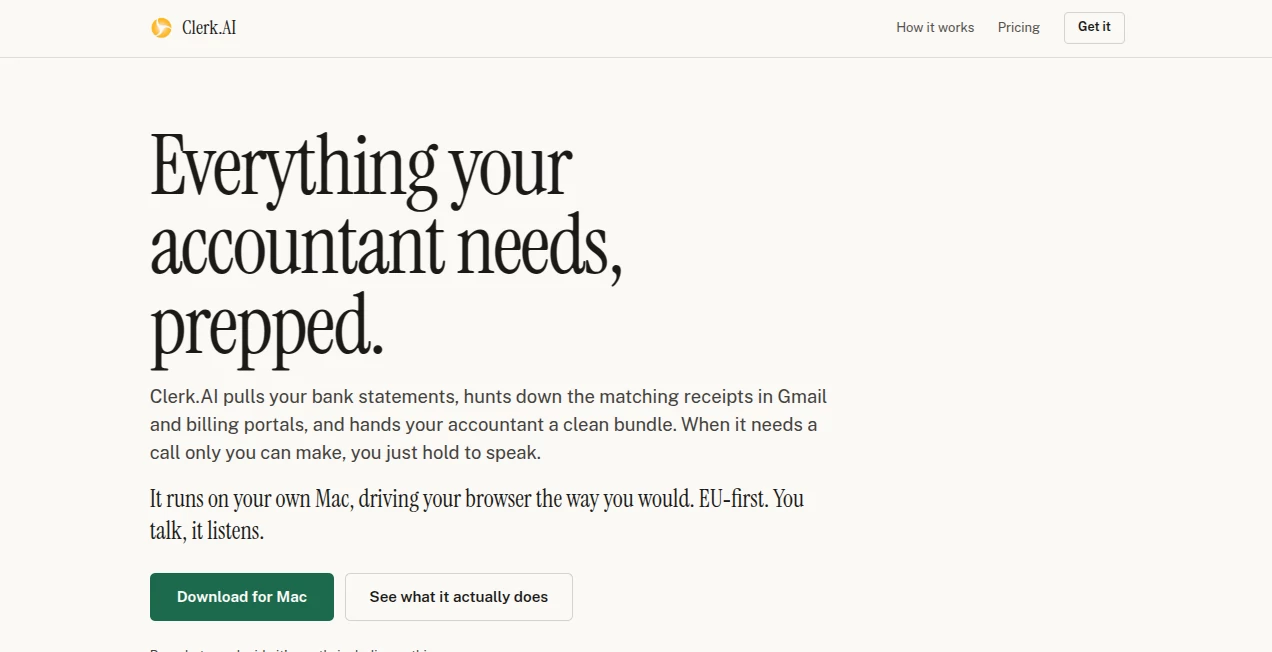
Preparing monthly bookkeeping materials can be one of those jobs that quietly consumes hours. Bank statements need to be collected, receipts have to be found, invoices need to be matched, files must be named correctly, and everything eventually has to be packaged for an accountant. Clerk.AI takes care of much of that routine work directly from a Mac, leaving the business owner to handle the decisions that actually require human judgment.
The approach is refreshingly practical. Instead of asking businesses to move their financial records into another cloud platform or wait for a long list of integrations, the application works through a dedicated Chrome browser profile and the websites the user already accesses. It can collect statements, search Gmail and billing portals for receipts, connect documents with transactions, and prepare a clean package that can be reviewed before it is sent to an accountant.
For a small business owner who normally spends the last few days of every month hunting through inboxes and downloading files, this can turn a tedious recurring task into a much more manageable workflow.
Key Features
- Automated collection of bank and card statements from browser-based accounts.
- Receipt and invoice discovery across Gmail and supplier billing portals.
- Automatic matching of receipts and documents with financial transactions.
- Document naming based on the conventions preferred by the accountant.
- Transaction reconciliation that checks document counts against statements.
- Voice-based responses when the application needs clarification.
- A dedicated Chrome profile separated from the user's everyday browsing.
- Preparation of an accountant-ready folder and draft email.
- Support for multiple businesses, with separate tabs and accounting periods.
- An optional iPhone companion for receiving questions and responding remotely.
User Interface
The interface is designed around decisions rather than complicated accounting forms. During setup, the user can simply describe the business and explain what normally gets sent to the accountant. The application then reflects what it understood and gives the user an opportunity to correct anything before the first period begins.
As the monthly close progresses, outstanding tasks appear as clear prompts. A login may need human approval, a receipt may need to be included or dropped, or an unusual transaction may require an explanation. The result feels closer to supervising an assistant than operating another accounting dashboard.
The iPhone companion adds another useful touch. When a question comes up while the user is away from the Mac, it can be answered from the phone using voice, allowing the workflow to continue without requiring the user to sit in front of the computer.
Accuracy & Performance
Financial automation needs more than fast document collection. The important part is knowing when something is missing or uncertain. The application checks the number of transaction lines against the statements it is working from and reopens downloaded documents to verify that they are actually the documents they appear to be.
It also avoids quietly treating uncertain information as fact. If a receipt cannot be found or a transaction needs clarification, the issue can be surfaced for the user rather than hidden inside the final package. That approach is particularly useful for bookkeeping because a neat-looking folder is not much help if important transactions are missing.
The software remains a preparation and drafting assistant rather than a replacement for professional accounting review. The final materials can be inspected by the business owner and accountant before a period is considered complete.
Capabilities
The strongest capability is its ability to work across browser-based services without requiring a separate connector for every supplier, bank, or billing platform. If a document can be reached through a browser session that the user has signed into, the workflow can generally work with it.
It can collect financial statements, look for corresponding receipts, process photographed receipts, organize files, create transaction information, and prepare an email containing the finished bookkeeping materials. When the process encounters a task that only the user can perform, such as a strong-authentication login, it pauses and asks for help.
Corrections can also improve future periods. If an accountant explains how a particular vendor or transaction should be handled, that information can be retained and applied to subsequent monthly work instead of forcing the same clarification repeatedly.
Security & Privacy
Privacy is one of the more distinctive parts of the product's architecture. The bookkeeping data remains on the user's Mac rather than being stored in a central cloud vault operated by the company. Statements, receipts, voice notes, and the working index are kept locally, while credentials are entered by the user directly into the browser.
The browser profile used for the workflow is separate from everyday browsing. This gives users a practical way to control exactly which accounts are available to the automation. The company also makes an important point that is easy to overlook with browser-based agents: users should never approve an unexpected 2FA request and should treat the agent as something capable of interacting with whatever has been made accessible to it.
This is not presented as risk-free automation. Web pages, emails, and documents can contain misleading instructions, and financial information can still be interpreted incorrectly. Users remain responsible for reviewing the resulting materials and approving actions that require their judgment.
Use Cases
- Small businesses: Reduce the monthly effort involved in preparing records for an external accountant.
- Freelancers: Keep receipts, statements, and supporting documents organized without manually assembling the same package every month.
- Consultants: Spend less time searching email and supplier portals for invoices and receipts.
- Online businesses: Collect documents from multiple browser-based billing services and organize them into one monthly package.
- Business owners working with accountants: Send a consistent, clearly named collection of files without requiring the accountant to install another system.
- Multi-business operators: Manage separate businesses and accounting periods within the same workflow.
Pros and Cons
Pros
- Runs locally on a Mac instead of requiring bookkeeping data to be stored in a dedicated cloud service.
- Works with browser-accessible services without depending on dozens of individual integrations.
- Automates repetitive receipt and statement collection.
- Can match supporting documents with transactions.
- Asks users instead of silently guessing when information is uncertain.
- Creates materials that accountants can receive in a familiar email-and-folder format.
- Voice interaction makes occasional questions less disruptive.
- Offers an unusually flexible pricing model.
Cons
- It is currently designed for Mac users running macOS 14 or later.
- The Mac needs to remain awake and online while an automated workflow is progressing.
- Some websites still require the user to complete a login or authentication step manually.
- Users need to understand the security implications of giving an AI browser access to financial accounts.
- The generated bookkeeping package still needs to be reviewed by the business owner and accountant.
- The AI component involves a separate Claude arrangement, so the total cost can depend on the user's AI subscription.
Pricing Plans
The pricing model takes a different approach from the usual fixed SaaS subscription. The application can be used for free, while users can choose what they want to contribute based on the level of support and extras they want.
- Free: Access to the complete monthly bookkeeping workflow with the application's basic experience.
- €1+: Adds control over the application's small favour request.
- €5+: Includes access to private supporter channels.
- €50+: Provides the option to have a business listed on the homepage.
- €150+: Includes monthly one-to-one sessions.
- €500+: Provides official sponsorship placement.
- €2,000+: Higher-level support with no additional product feature attached.
- €10,000: A top-level contribution intended for customers who want to support the project at a much larger level.
The core application remains the same across the pricing levels. The AI itself is treated separately, with users able to use their own Anthropic subscription; the website also indicates that at-cost AI credits are planned.
How to Use It
- Install the Mac application on a computer running macOS 14 or later.
- Make sure Google Chrome is available, as the workflow uses its own browser window and profile.
- Install and configure the required AI engine during the initial setup.
- Describe the business and explain what is normally sent to the accountant.
- Review what the application understood and correct anything that is inaccurate.
- Allow it to collect statements and search the relevant email accounts and billing portals.
- Respond when a login, transaction question, or receipt decision requires human input.
- Review the completed package and the drafted accountant email.
- Send the materials once everything looks correct.
- Use the feedback from the accountant to make future monthly periods more efficient.
Comparison with Similar Tools
Traditional bookkeeping software generally focuses on recording transactions, managing accounts, generating reports, or connecting directly to supported financial institutions. This product takes a narrower route. Its purpose is to automate the preparation work that happens before the accountant actually receives the books.
That distinction matters. Instead of asking a business to migrate its workflow into a new accounting environment, it operates around the existing browser-based process. A business can continue using its bank, supplier portals, email account, and accountant's preferred file conventions while the repetitive collection and organization work happens in the background.
It is also different from general-purpose AI agents. A general agent may be capable of browser automation, but the user still has to design the workflow. Here, the bookkeeping process itself is already structured around statements, receipts, matching, questions, review, and delivery to the accountant.
For someone comfortable with technical AI tools, a general coding agent can potentially achieve similar automation with enough setup. The advantage here is that the workflow has already been shaped around a specific monthly bookkeeping problem, making it more approachable for small business owners who simply want the repetitive work handled.
Conclusion
Monthly bookkeeping preparation is rarely difficult because every individual task is complicated. It is difficult because there are so many small tasks: finding one invoice, downloading another statement, checking a receipt, renaming a file, answering an accountant's question, and repeating the same routine next month.
This product tackles that exact pain point with a focused approach. It uses the browser and accounts the business already has, collects the supporting documents, checks what it can, asks when it needs a human decision, and prepares the final package locally on the Mac.
The local-first design and honest discussion of automation risks are particularly appealing for businesses dealing with sensitive financial records. It does not pretend that an AI should make every accounting decision. Instead, it handles the repetitive work and leaves the important calls with the person responsible.
For small businesses and independent professionals who are tired of spending the end of every month assembling bookkeeping materials, this is a practical way to make that routine considerably less demanding.
Frequently Asked Questions (FAQ)
Does my accountant need to install anything?
No. The accountant can continue working with the same email and file-based workflow they already use. There is no separate accountant portal or software installation required.
Does it store my bookkeeping data in the cloud?
The product is designed around local storage. Financial records, statements, receipts, and the working index remain on the user's Mac rather than being stored in a company-operated cloud vault.
Can it access my bank account?
It can operate through browser sessions that the user has signed into. However, users should only provide access they are comfortable with and should carefully review every authentication request, especially 2FA prompts.
Does it work with every accounting platform?
It does not depend on a long list of traditional integrations. Because it operates through a browser, it can work with browser-accessible services without waiting for a dedicated connector. Certain websites may still require manual interaction.
Can it process receipts from my phone?
Yes. Photographed receipts can be brought into the workflow, reviewed, and matched with transactions. The optional iPhone companion can also deliver questions from the Mac workflow to the user's phone.
Can it automatically close my books?
No. The workflow stops at a prepared draft rather than declaring the accounting period complete. The user and accountant remain responsible for reviewing the materials and deciding when the period is finished.
Does it work on Windows?
The current application is built for Mac and requires macOS 14 or later, with support for both Apple Silicon and Intel Macs.
Is the AI subscription included?
The AI arrangement is separate from the application contribution. Users can use their own Claude subscription, which the product describes as the most economical option.
AI Tax Assistant , AI Accounting Assistant , AI Email Assistant , AI Workflow Management .
These classifications represent its core capabilities and areas of application. For related tools, explore the linked categories above.

Clerk AI Alternatives Product

Solovio

VisualGPT

AI Wire

Mage Flow AI…

Lime Social

Duct Tape AI…

KronoPrompt

PineBill

Trimless for…