
Clipfly
What is Clipfly?
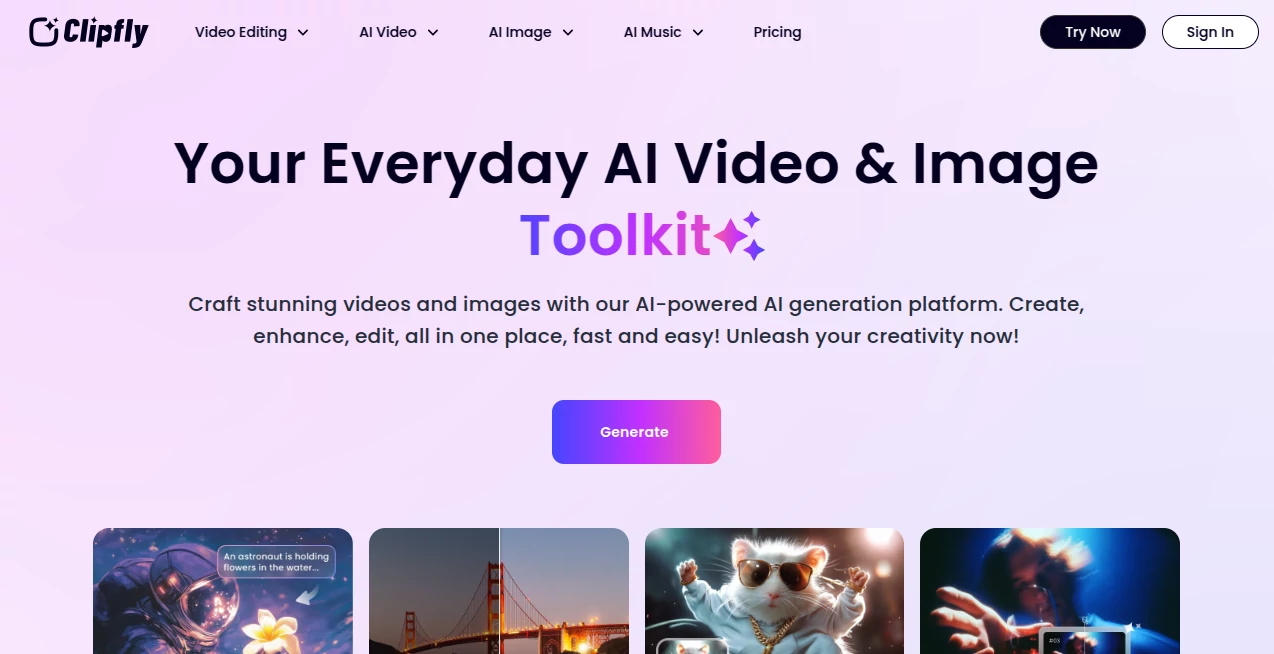
I still remember the first time I used it. I typed a simple script about a new productivity tool, added a couple of reference images, and a few minutes later I had a complete video with smooth transitions, natural voiceover, and visuals that actually looked polished. No camera, no editor, no hours spent learning complicated software. It felt almost like cheating — in the best possible way. That moment showed me how much video creation has changed.
Introduction
Creating videos used to be expensive and time-consuming. You needed equipment, editing skills, and a lot of patience. Clipfly changes that reality. It lets anyone — from solo creators to marketing teams — turn text, images, or existing clips into high-quality videos quickly. What makes it special is how natural the results feel. The motion is smooth, the voiceovers sound human, and the overall output looks like something a real editor put together. It’s become my go-to whenever I need social media content, explainer videos, or quick promotional clips without the usual headache.
Key Features
User Interface
The interface is clean and welcoming. You start with a clear prompt box, options to upload images or clips, and simple controls for style, length, and tone. Everything is visual and intuitive — you see previews as you build, and adjustments are just a click away. There’s no steep learning curve. Even my colleague who usually avoids tech tools was able to create her first video in under ten minutes.
Accuracy & Performance
The AI understands context remarkably well. It generates motion that feels natural instead of robotic, matches voice tone to the script, and keeps visual consistency across scenes. Generation speed is impressive — most videos are ready in a few minutes. The quality holds up even when you give it relatively simple inputs, which is rare for this kind of tool.
Capabilities
You can start from text, images, or existing video clips. It offers talking avatars, auto-generated voiceovers in multiple languages, smart transitions, background music matching the mood, and text-to-video capabilities. You can also edit clips after generation, add subtitles automatically, or create variations with different styles. It handles everything from short social media clips to longer explainer videos with surprising consistency.
Security & Privacy
Your content stays yours. Uploaded media is processed securely and not used to train models without permission. The platform takes data protection seriously, which gives peace of mind when working with client projects or sensitive brand material.
Use Cases
A small business owner creates weekly product explainers without hiring a videographer. A content creator generates consistent YouTube Shorts in their own style using just text prompts. A marketing team produces multiple ad variations for testing in a single afternoon. Teachers turn lesson notes into engaging video explanations for students. The flexibility makes it valuable for anyone who needs video content regularly but doesn’t have a full production setup.
Pros and Cons
Pros:
- Fast turnaround from idea to finished video.
- Natural-looking motion and voiceovers that feel human.
- Great variety of styles and templates to match different needs.
- Easy enough for beginners but powerful for regular creators.
- Regular updates that keep improving quality and features.
Cons:
- Very complex scenes can still need some manual guidance.
- Free tier has limits, though generous for testing.
- Longer videos work best when broken into shorter segments.
Pricing Plans
It offers a solid free plan that lets you create several videos per month to experience the quality. Paid plans remove watermarks, increase generation limits, unlock higher resolutions, and give access to premium voices and features. The pricing feels fair for the time and cost it saves compared to traditional video production.
How to Use Clipfly
Start by typing your script or idea in the prompt box. Upload any reference images or clips if you want to guide the visual style. Choose your preferred aspect ratio (square for social, vertical for reels, horizontal for YouTube) and select a voice. Hit generate and review the result. Make small adjustments to the prompt if needed, then export the final video. You can also use templates for common formats to speed things up even more.
Comparison with Similar Tools
Many AI video tools still produce stiff motion or unnatural voices. Clipfly stands out with better consistency, more natural movement, and easier editing after generation. While some competitors focus only on text-to-video, this one handles images and existing clips beautifully too. It strikes an excellent balance between quality and ease of use that many others haven’t quite reached yet.
Conclusion
Video is one of the most powerful ways to communicate, but it used to be out of reach for many. Clipfly brings professional-looking video creation within easy reach without requiring a big budget or technical expertise. It respects your time and creativity while delivering results you can actually be proud of. Whether you create content daily or just need the occasional video, it’s one of those tools that genuinely changes how you work.
Frequently Asked Questions (FAQ)
How long does it take to generate a video?
Most clips are ready in 1–5 minutes depending on length and complexity.
Can I use my own voice?
Yes, you can upload voice samples or record directly for custom voice cloning on higher plans.
Are the videos watermark-free?
Free plan includes a small watermark; paid plans remove it completely.
What formats can I export?
Multiple aspect ratios including 9:16 for social, 16:9 for standard video, and square.
Is it suitable for commercial use?
Yes — videos created on paid plans are fully cleared for commercial use.
AI Animated Video , AI Image to Video , AI Video Generator , AI Text to Video .
These classifications represent its core capabilities and areas of application. For related tools, explore the linked categories above.

Clipfly Alternatives Product

Motion Contr…

Seedance

AI Happy Hor…

Seedance2 Vi…
Kling 5.0

Seedance AI

LTX 2.3

Paper Animat…

Sora AI Vide…