

















Transcribe Video & Audio to Text
What is Transcribe Video & Audio to Text?
Managing countless videos, meetings, voice recordings, screenshots, and documents can quickly become overwhelming. Instead of letting valuable information disappear into folders, this platform transforms scattered content into a searchable knowledge base that is always ready when you need it. Built around a modern AI-powered memory system, it helps professionals find important moments, conversations, and insights in seconds rather than spending hours searching manually.
Rather than acting as a simple transcription service, it creates meaningful connections between media, documents, and notes. Every recording becomes searchable, every conversation gains context, and every document becomes part of a growing personal knowledge library. Whether you're producing videos, conducting research, attending meetings, or studying lectures, it keeps everything organized while making information remarkably easy to retrieve.
Key Features
User Interface
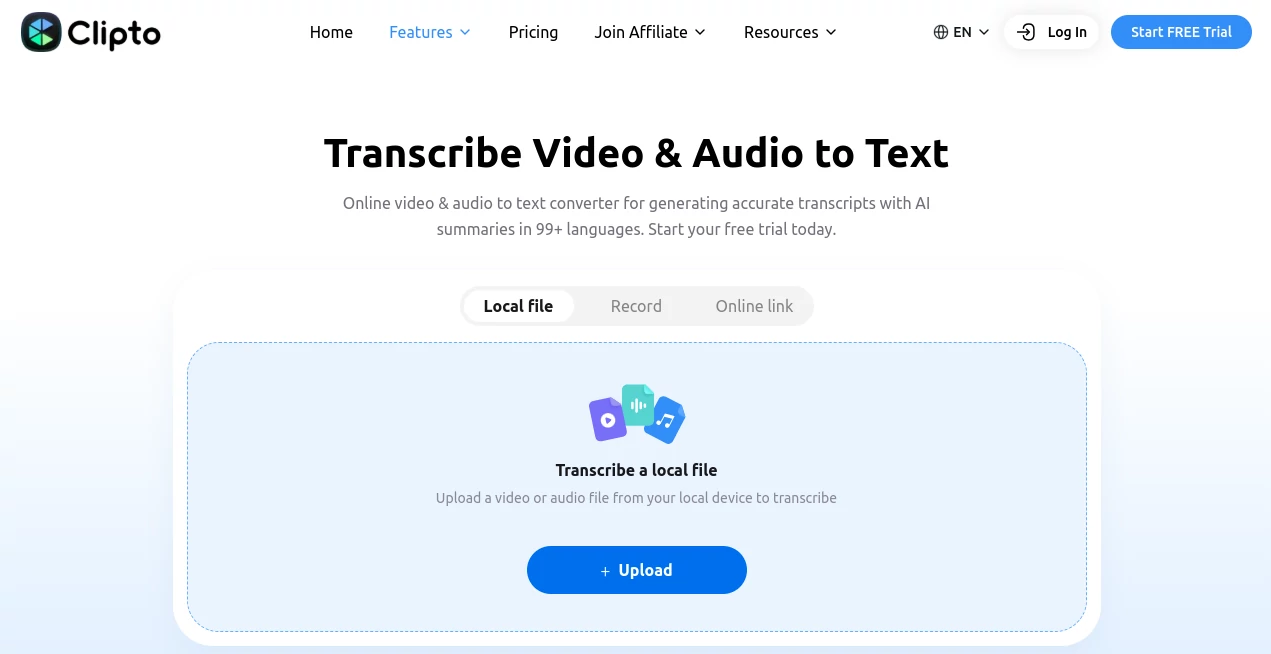
The workspace is designed with productivity in mind. Uploading media, browsing transcripts, searching conversations, and reviewing source references all feel intuitive. The clean interface allows users to jump directly to the exact moment inside a recording without endless scrolling through timelines.
Accuracy & Performance
Advanced speech recognition delivers highly accurate transcriptions across more than 99 languages. AI automatically identifies speakers, organizes content, generates searchable transcripts, and helps locate important moments within lengthy recordings. Even large video files remain responsive thanks to optimized processing.
Capabilities
- Automatic video and audio transcription.
- Search across recordings using natural language.
- Create summaries from lengthy meetings and interviews.
- Organize videos, documents, images, and notes into one searchable memory.
- Locate exact timestamps instantly.
- Generate reusable meeting notes.
- Support for podcasts, lectures, interviews, and presentations.
- Local-first knowledge management for enhanced control.
- Integration with modern AI workflows through MCP connectivity.
- Works across desktop, mobile, and web environments.
Security & Privacy
Privacy is one of its strongest selling points. A local-first architecture allows users to build their searchable memory directly on their own computer before optional cloud intelligence is applied. This approach gives creators and businesses greater control over sensitive recordings, research materials, and internal conversations while reducing unnecessary data exposure.
Use Cases
- Content creators searching years of recorded footage.
- Journalists finding exact quotes inside interviews.
- Researchers organizing interviews and supporting evidence.
- Students reviewing lectures and class recordings.
- Business teams documenting meetings and project decisions.
- Marketing teams managing campaign recordings.
- Podcast producers generating transcripts and summaries.
- Professionals creating searchable personal knowledge libraries.
Pros and Cons
Pros
- Very accurate multilingual transcription.
- Supports over 99 languages.
- Fast search across large media libraries.
- Excellent knowledge organization features.
- Local-first privacy model.
- Useful AI summaries and searchable transcripts.
- Suitable for individuals and collaborative teams.
Cons
- Some advanced capabilities require a paid subscription.
- Large media collections may require significant local storage.
- Desktop-focused features may not all be available on every platform.
Pricing Plans
A free trial is available for new users to explore premium features before subscribing. Paid plans include monthly and yearly options with unlimited media search, automatic transcription, advanced AI models, support for more than 99 languages, and extended processing capabilities for longer recordings. Pricing and available features may change over time, so checking the official pricing page is recommended before purchasing. :contentReference[oaicite:0]{index=0}
How to Use Clipto
- Create an account and start a free trial if desired.
- Upload videos, audio files, documents, or images.
- Allow AI to analyze and organize the content automatically.
- Search using natural language to find specific moments.
- Review transcripts, summaries, and linked timestamps.
- Reuse insights for reports, editing, research, or content creation.
Comparison with Similar Tools
Unlike traditional transcription software that simply converts speech into text, this solution focuses on building a long-term AI memory. Instead of treating every file separately, it connects conversations, documents, recordings, and notes into one searchable knowledge system. For creators, researchers, students, and business professionals who constantly work with media, this approach offers significantly more value than standalone transcription tools.
Conclusion
For anyone dealing with growing collections of recordings and documents, this platform offers a refreshing way to organize information. Powerful transcription, intelligent search, multilingual support, timestamp navigation, and privacy-focused design combine to create a workspace that feels more like a personal knowledge assistant than a conventional transcription service. It simplifies everyday workflows while helping valuable information remain accessible long after it was originally created.
Frequently Asked Questions (FAQ)
What types of files are supported?
It supports videos, audio recordings, documents, images, meetings, podcasts, interviews, and other media files.
Does it support multiple languages?
Yes. The platform supports transcription in more than 99 languages.
Can I search inside recordings?
Yes. Users can search using natural language and instantly locate relevant timestamps.
Is my data stored locally?
The platform follows a local-first approach, allowing users to build searchable memory directly on their own devices while optionally using cloud-powered intelligence.
Who benefits most from this platform?
Content creators, researchers, students, journalists, marketers, business teams, and anyone managing large collections of media files can benefit from its AI-powered organization features.
AI Transcription , AI Speech to Text .
These classifications represent its core capabilities and areas of application. For related tools, explore the linked categories above.
Transcribe Video & Audio to Text details
Website unavailable — View Alternatives
Pricing
- Free
Apps
- Web App
- iOS App
- Mac App
Categories

Transcribe Video & Audio to Text Alternatives Product

AudioScribe

mp3tourl

TranslateAI …

Whisper AI

Fine Voice

EasyVC

Adobe Podcast

TikoTranscri…

Transpocket
