
CloudCLI
What is CloudCLI?
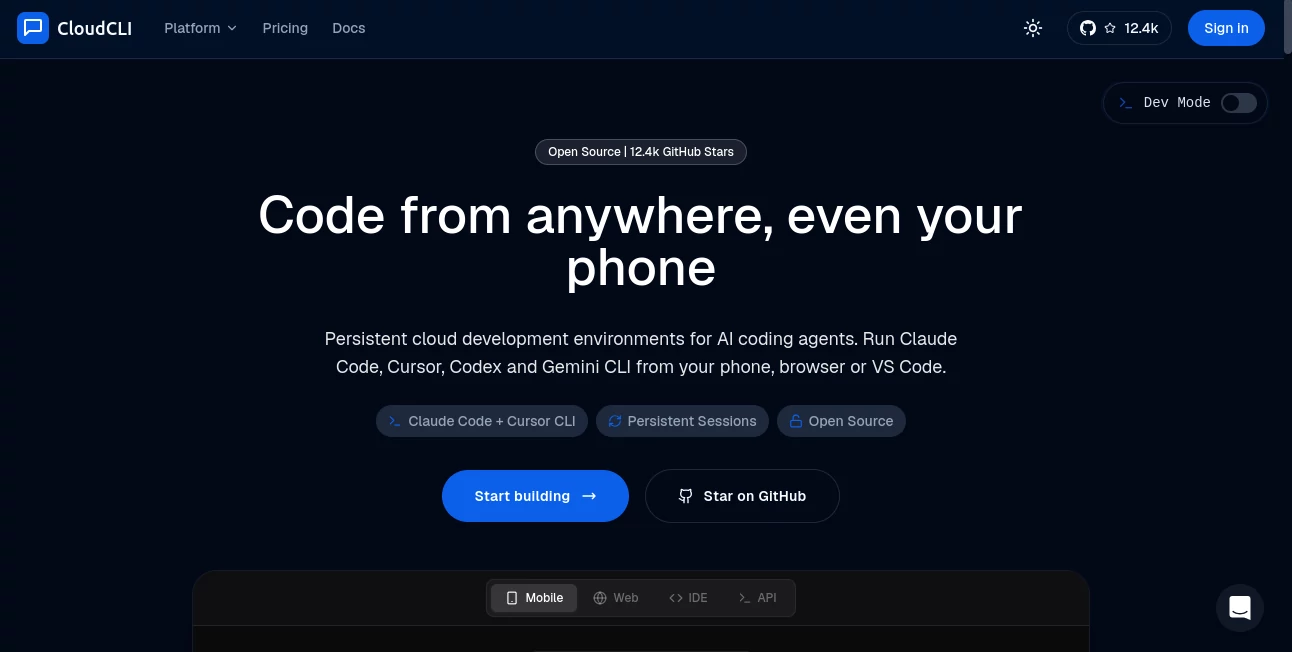
Modern software development is no longer tied to a single workstation. Developers expect the freedom to start coding on one device, continue on another, and keep long-running AI coding tasks active without worrying about sleeping laptops or interrupted sessions. This platform delivers exactly that by providing persistent cloud development environments designed specifically for AI coding agents.
Instead of relying on complex SSH configurations, local servers, or temporary remote sessions, it offers isolated cloud workspaces that remain available around the clock. Developers can launch coding sessions from a browser, smartphone, or API, then reconnect later through VS Code or any SSH-compatible IDE without losing progress.
The platform supports multiple AI coding assistants rather than locking users into a single ecosystem. Whether working individually or collaborating with an engineering team, users can maintain consistent development environments, share configurations, and access projects securely from virtually anywhere.
Key Features
User Interface
The interface is clean, responsive, and designed for real development work rather than simple chat interactions. Developers have access to an integrated file explorer, terminal, Git tools, session management, and browser-based controls that make remote coding feel surprisingly natural. Mobile support is particularly impressive, allowing projects to be monitored or continued while away from the desk.
Accuracy & Performance
Persistent cloud containers eliminate many interruptions that typically affect local development. AI coding agents continue running while users disconnect, enabling lengthy code generation, testing, debugging, and repository analysis to finish without interruption. Reconnecting restores the same workspace, files, terminal history, and development context.
Capabilities
- Persistent cloud development environments
- Support for multiple AI coding agents
- Browser and mobile development access
- SSH connectivity for desktop IDEs
- Integrated Git workflow
- Cross-device session synchronization
- Containerized isolated workspaces
- REST API integration
- Open-source self-hosting option
- Shared team configurations
- Encrypted API key management
- Developer-friendly automation support
Security & Privacy
Each developer works inside an isolated container, reducing the risk of workspace conflicts and improving security. Credentials remain encrypted, while projects stay separated from other users. Organizations that require complete infrastructure control can deploy the open-source version on their own servers.
Use Cases
- Running AI coding assistants continuously without keeping a laptop online.
- Developing software from mobile devices while traveling.
- Remote development using VS Code through SSH.
- Managing cloud-based development teams with shared environments.
- Executing long-running builds and automated testing.
- Collaborating on repositories with standardized configurations.
- Using multiple AI coding assistants within one workspace.
- Building automation workflows through REST APIs.
Pros and Cons
Pros
- Persistent development sessions.
- Works across desktop, browser, and mobile devices.
- Supports several leading AI coding assistants.
- Clean and developer-focused interface.
- Strong collaboration features for engineering teams.
- Available as both managed cloud service and self-hosted solution.
- Encrypted credential storage.
Cons
- Requires separate subscriptions or API keys for supported AI models.
- Advanced collaboration features are reserved for higher pricing tiers.
- Cloud version depends on an internet connection.
Pricing Plans
The platform offers several pricing options designed for different users. Individual developers can start with an affordable entry-level subscription, while active developers, teams, and enterprise organizations have access to larger environments, collaboration tools, centralized billing, and custom infrastructure. An open-source self-hosted edition is also available for users who prefer managing their own deployment.
How to Use CloudCLI
Getting started is straightforward. Create a cloud workspace, connect your repository, and choose your preferred AI coding assistant. Once the environment is ready, development can begin directly from the browser or mobile device. At any point, reconnect through VS Code using SSH to continue working with the exact same files, terminal sessions, and project context. Since the environment remains active in the cloud, long-running AI tasks continue even after closing the laptop.
Comparison with Similar Tools
Unlike traditional cloud development environments that primarily focus on remote coding, this solution is built specifically around AI-assisted software development. Support for multiple coding agents, persistent sessions, mobile-first accessibility, shared developer environments, and integrated Git management make it particularly attractive for modern engineering workflows. Compared with standard cloud IDE services, it places much greater emphasis on uninterrupted AI agent execution and seamless cross-device continuity.
Conclusion
For developers who increasingly rely on AI-assisted programming, having a persistent cloud workspace can dramatically improve productivity. The combination of continuous sessions, flexible device access, collaborative environments, and support for multiple AI coding assistants creates a workflow that feels both practical and efficient. Whether working independently or managing a distributed engineering team, this platform offers a polished solution that removes many of the limitations associated with traditional local development environments.
Frequently Asked Questions (FAQ)
Can I continue my coding session from another device?
Yes. Development sessions remain active in the cloud, allowing seamless switching between desktop, browser, and mobile devices.
Does it support multiple AI coding assistants?
Yes. Developers can work with several popular AI coding agents using their own subscriptions or API keys.
Can teams collaborate using shared environments?
Yes. Team members can share configurations, environments, and development settings while maintaining isolated workspaces.
Is self-hosting available?
Yes. An open-source edition allows organizations and developers to deploy the platform on their own infrastructure.
Is my code kept secure?
Projects run inside isolated containers, encrypted credentials are supported, and self-hosting provides additional control for organizations with strict security requirements.
AI Code Assistant , AI Team Collaboration , AI Developer Tools , AI DevOps Assistant .
These classifications represent its core capabilities and areas of application. For related tools, explore the linked categories above.

CloudCLI Alternatives Product

KaneAI

Project Mela

4ga Boards

DeepSeek V4

Blackbox AI

GOLANG COLLE…

Nimbalyst

Reverse Imag…

UPDF AI