

















StitchCraft
What is StitchCraft?
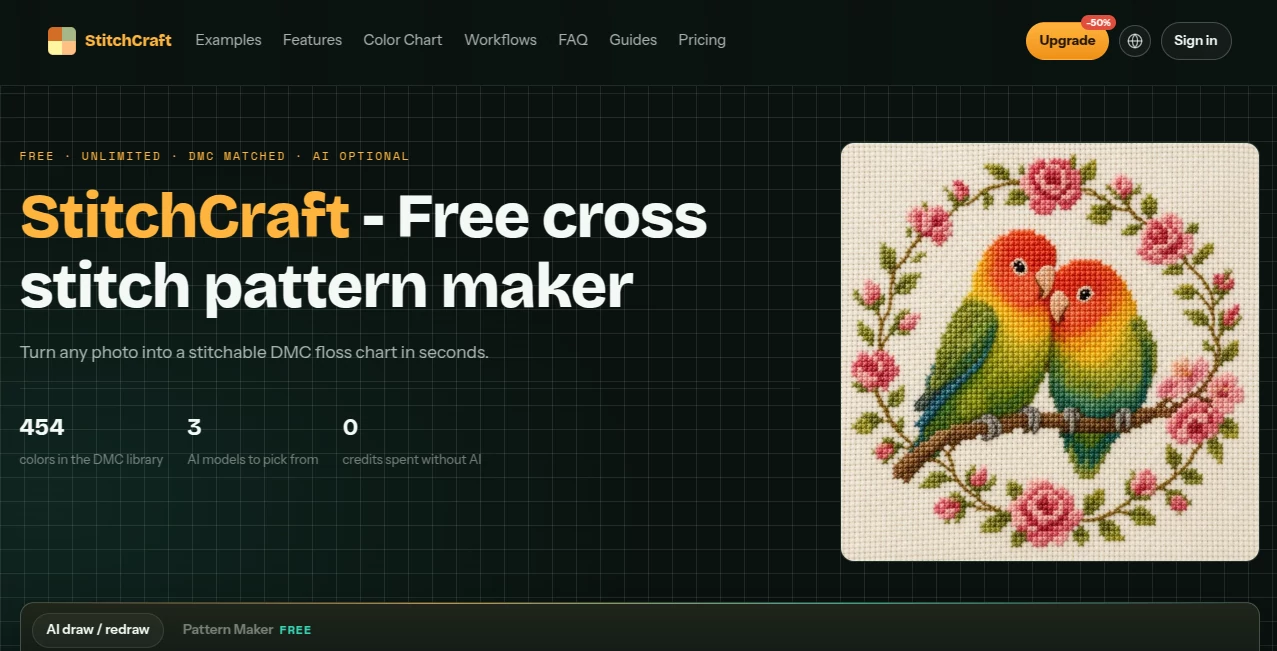
StitchCraft makes it surprisingly easy to turn an ordinary photo or a simple idea into a practical cross stitch pattern. Instead of manually simplifying an image, counting colors, and working out which embroidery threads to buy, you can start with a photo and create a stitchable DMC chart directly in your browser.
The free pattern-making workflow is especially useful for personal projects such as pet portraits, family gifts, landscapes, floral designs, bookmarks, ornaments, and small decorative pieces. The result is not simply an image converted into pixels. The tool is designed around the realities of embroidery, including stitch count, thread colors, fabric size, and unwanted isolated stitches.
For more difficult photographs, optional AI image preparation can simplify gradients and busy backgrounds before the chart is created. There is also a text-to-image workflow for people who want to design an original needlework concept without starting from a photograph.
Key Features
- Convert photographs into counted cross stitch patterns directly in the browser.
- Work with a library of 454 authentic DMC floss shades.
- Match chart colors using perceptual color comparison rather than simple RGB matching.
- Control stitch width, color limits, and smoothing levels.
- Reduce isolated confetti stitches for easier stitching.
- Use optional AI models to simplify challenging photographs.
- Create original designs from text prompts without an existing photo.
- Choose needlework-oriented styles such as flat floss, vintage sampler, and pixel art.
- Export printable PDF symbol charts with color information and DMC codes.
- Calculate estimated floss requirements and finished dimensions for Aida fabric.
User Interface
The interface is built around a straightforward workbench rather than a complicated collection of menus. You can bring in a photograph, adjust the chart parameters, and see how those changes affect the result. Grid width, color budget, and smoothing can be modified while working on the pattern, making it easier to find a balance between visual detail and practical stitching.
This is particularly helpful when preparing a photograph of a pet or a loved one. A highly detailed image may look beautiful on a screen but become frustrating when translated into hundreds of tiny color changes. Being able to adjust the chart before printing gives the stitcher much more control over the final project.
Accuracy & Performance
Color conversion is based on 454 DMC stranded cotton shades, with each chart cell matched using Delta-E color distance in the CIELAB color space. This approach is intended to produce more perceptually useful thread matches than simply comparing raw RGB values.
The conversion process also considers stitchability. Isolated single-color stitches can create the familiar confetti effect that makes a pattern slow and tedious to sew. The smoothing controls help merge unnecessary visual noise while allowing users to preserve more detail when it matters.
For a clean photograph with good lighting and a simple background, direct conversion can be enough. Portraits, gradients, and cluttered scenes may benefit from the optional AI preparation step, which can flatten complicated areas into cleaner shapes before chart conversion.
Capabilities
The strongest part of the tool is its combination of image conversion and practical embroidery controls. A user can choose a target stitch width, limit the number of colors, smooth unwanted detail, and then export a chart suitable for actual needlework.
There are several useful workflows. A pet photograph can become a personalized gift, a landscape can be converted at a wider grid to preserve architectural details, and a small motif can be kept under 60 stitches wide for projects such as bookmarks and ornaments.
The AI workflow adds another creative option. Instead of only converting an existing image, users can describe an idea and generate artwork intended to become a cross stitch pattern. This opens the door to custom monograms, seasonal decorations, folk-art designs, and other original motifs.
Security & Privacy
Privacy is one of the more notable aspects of the direct conversion workflow. The site states that direct photo conversion runs in the browser and does not require an account or upload of the photograph. This makes the basic workflow convenient for people who would rather process personal images locally.
The optional AI workflow is different because it requires an AI image-generation step. Users should therefore distinguish between the local direct conversion process and AI-assisted image preparation when deciding which workflow is appropriate for a particular photograph.
Use Cases
Pet portraits: Turn a favorite photograph of a dog, cat, or other pet into a personalized embroidery project. Clean lighting and defined edges can produce particularly useful charts.
Personalized gifts: Create patterns from family photographs, initials, names, or original ideas for birthdays, anniversaries, holidays, and handmade presents.
Home decoration: Landscapes, flowers, architecture, and still-life photographs can be transformed into decorative cross stitch projects.
Small weekend projects: Simple motifs can be reduced to a compact stitch count, making them suitable for bookmarks, ornaments, gift tags, and other quick projects.
Creative pattern design: The text-to-image workflow allows users to begin with an idea rather than a photograph, which is useful when designing seasonal artwork, folk-inspired motifs, or original decorative patterns.
Pattern sellers: The site's FAQ states that exported charts come with commercial rights, allowing users to sell finished pieces as well as printed or PDF pattern kits without a separate license or revenue share.
Pros and Cons
- Pros: Free unlimited direct photo conversion.
- Pros: 454 DMC floss shades for detailed color matching.
- Pros: Interactive controls for grid size, color count, and smoothing.
- Pros: Print-ready PDF symbol charts.
- Pros: Optional AI assistance for difficult photographs.
- Pros: Text-to-image pattern creation for original designs.
- Pros: No account is required for the basic conversion workflow.
- Cons: AI-assisted generation uses credits.
- Cons: Extremely detailed or poorly lit photographs may still require preparation to produce a comfortable pattern.
- Cons: Users looking for a completely manual pattern-design environment may prefer more specialized desktop embroidery software.
Pricing Plans
The core photo-to-pattern workflow is free and unlimited. Users can convert photographs, adjust the DMC palette, control smoothing, and export PDF or PNG charts without paying for each conversion. The site also states that the direct workflow does not require an account, credit card, or trial period.
AI-assisted features work differently. Optional AI image generation and redraw operations consume credits, with the required credit amount displayed before running the selected AI operation. This gives users the option to stay entirely within the free conversion workflow when their original photograph is already suitable for charting.
How to Use It
Start by adding a photograph to the pattern-making workspace. For the simplest projects, choose a suitable stitch width and set a reasonable DMC color limit. A smaller palette can make a pattern easier to manage, while a wider grid can preserve more detail in landscapes and architectural subjects.
Next, use the smoothing control to reduce isolated stitches. Check the preview carefully rather than simply choosing the highest possible detail. A pattern that looks slightly simpler on screen can often be considerably more pleasant to stitch.
If the photograph contains strong gradients or a distracting background, use the optional AI preparation workflow. Select a suitable needlework style, generate a cleaner version, and load the result into the charting workspace.
Once the chart looks right, export the printable pattern. The resulting files can include symbol charts, DMC color information, estimated skein requirements, and sizing based on the selected Aida fabric count.
Comparison with Similar Tools
Many cross stitch pattern converters focus mainly on reducing an image to a grid of colored squares. This approach can work for simple pictures, but it does not always account for the practical problems encountered while stitching, particularly excessive color changes and isolated stitches.
This tool takes a more embroidery-focused approach by combining DMC matching, stitchability controls, fabric sizing, floss estimates, and printable chart exports. The optional AI preparation layer is another useful distinction because it gives users a way to simplify difficult source images before converting them.
For someone who simply wants to turn a photo into a usable pattern without installing specialized software, this combination makes the workflow considerably more approachable.
Conclusion
Turning a photograph into cross stitch is easy to imagine but surprisingly difficult to do well. The challenge is not just creating a pixelated version of an image; it is producing something that a person can realistically stitch with real thread on real fabric.
That is where this pattern maker stands out. Its DMC-focused color matching, adjustable stitch parameters, confetti reduction, printable exports, and optional AI preparation give users practical control over the entire process. Whether the goal is a pet portrait, a handmade gift, a small weekend project, or an original needlework design, it provides a convenient way to move from an idea to a chart without a complicated setup.
Frequently Asked Questions (FAQ)
Can I create a cross stitch pattern from any photo?
Yes. Photos of pets, portraits, landscapes, flowers, buildings, and still-life subjects can all be converted. Images with clear lighting, defined subjects, and less visual clutter generally produce easier-to-stitch results.
Does the tool use real DMC colors?
Yes. The charting system works with 454 authentic DMC stranded cotton shades and provides DMC codes and estimated skein requirements for the selected colors.
Can I reduce the number of colors?
Yes. The color budget can be adjusted so that a project uses fewer thread colors. This can make shopping and stitching easier while also reducing unnecessary color changes.
What are confetti stitches?
Confetti stitches are isolated stitches that appear as scattered individual colors throughout a pattern. They can add detail but often make embroidery slower and more frustrating. The smoothing controls help reduce this effect.
Do I need an account?
No account is required for the basic direct photo conversion workflow. The site states that direct conversion, DMC matching, and exports can be used without an account.
Can I create a pattern without a photo?
Yes. The optional AI workflow can generate artwork from a text description, allowing you to create an original concept before converting it into a cross stitch chart.
Can I print the finished pattern?
Yes. The exported files can include paged PDF symbol charts with color keys, DMC codes, skein estimates, and Aida fabric sizing. A full-chart PNG is also available.
Can I sell patterns created with the tool?
According to the site's FAQ, exported charts carry commercial rights, allowing users to sell finished pieces as well as printed or PDF pattern kits without a separate license or revenue share.
AI Photo & Image Generator , AI Pattern Generator , AI Art Generator , AI Image to Image .
These classifications represent its core capabilities and areas of application. For related tools, explore the linked categories above.
StitchCraft details
Website unavailable — View Alternatives
Pricing
- Freemium
Apps
- Web App
Categories

StitchCraft Alternatives Product
Picsart
ds image

textile gen

UNi-1 AI
RightAI

Artguru

Flux.2 AI

Image Text E…
Photoshoot A…
