
Deckary
What is Deckary?
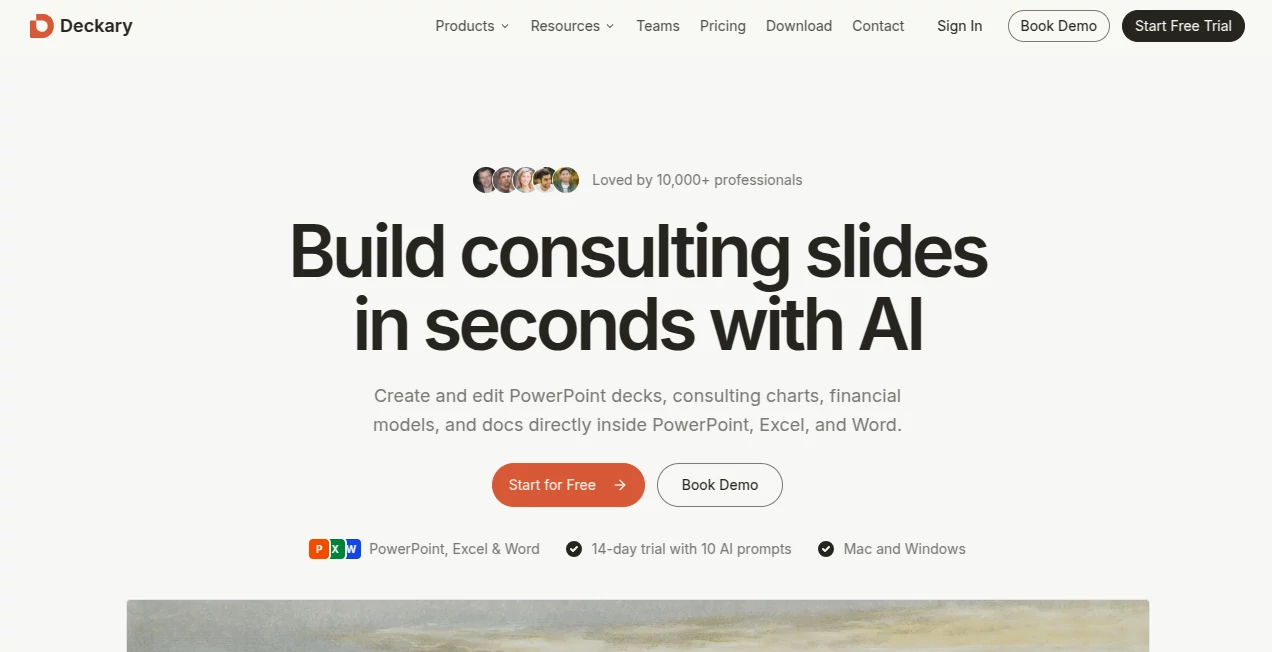
Creating professional business presentations often takes far longer than it should. Organizing ideas, researching supporting information, formatting slides, and maintaining a consistent design can quickly consume hours of valuable work. This platform transforms that experience by bringing intelligent presentation assistance directly into Microsoft PowerPoint, allowing professionals to build polished presentations without leaving the software they already know.
Instead of forcing users into a separate presentation editor, the solution works inside familiar Microsoft Office applications, helping consultants, marketers, analysts, executives, educators, and business teams generate complete slide decks, improve existing presentations, and create consultant-style visuals with remarkable speed. From researching content to generating charts and refining slide layouts, it streamlines nearly every stage of presentation creation while keeping every file fully editable.
One of its strongest advantages is the combination of AI-powered automation with native PowerPoint compatibility. Users keep complete control over their presentations while dramatically reducing the repetitive work involved in designing, editing, and formatting business slides.
Key Features
User Interface
The interface is designed as a Microsoft Office add-in, making it feel like a natural extension of PowerPoint instead of a separate application. Users can generate new presentations, edit existing slides, build charts, insert icons, and improve content without exporting files or learning an unfamiliar workflow. The experience is clean, intuitive, and especially valuable for professionals who spend hours creating presentations every week.
Accuracy & Performance
The platform goes beyond simple text generation by researching information from the web, organizing ideas into logical business structures, and providing cited sources whenever external information is included. It produces consultant-style layouts, structured bullet points, timelines, frameworks, and professional charts that require minimal manual adjustments. Presentation creation that normally takes hours can often be completed within minutes while maintaining a polished business appearance.
Capabilities
- Generate complete presentations from a simple prompt.
- Edit existing PowerPoint slides with AI assistance.
- Rewrite content into a more professional business tone.
- Reduce unnecessary text while preserving important ideas.
- Create consulting-style slide structures.
- Generate Waterfall, Gantt, Mekko, and business charts.
- Research supporting information from the web.
- Add cited sources directly to presentation slides.
- Automatically match company branding and themes.
- Suggest thousands of icons and visual assets.
- Work with PowerPoint, Excel, and Word workflows.
- Generate financial models inside Excel.
- Maintain native editable Office documents.
Security & Privacy
Business users frequently work with confidential information, making security an essential consideration. The platform follows modern security practices including encrypted data transmission, encrypted storage, authenticated access, GDPR compliance, and secure payment processing. According to the official documentation, users retain ownership of their content, while AI requests are securely processed and handled using industry-standard privacy measures.
Use Cases
- Business consulting presentations.
- Investor pitch decks.
- Board meeting reports.
- Corporate strategy presentations.
- Sales presentations.
- Marketing campaign reports.
- Financial planning documents.
- Executive summaries.
- Project status updates.
- Educational presentations.
- Internal company documentation.
- Research presentations with referenced sources.
Pros and Cons
Pros
- Works directly inside Microsoft Office.
- No need to export presentations.
- Generates complete presentation decks.
- Edits existing slides instead of starting from scratch.
- Creates consultant-quality layouts.
- Includes AI-powered research with cited sources.
- Supports advanced business charts.
- Maintains brand consistency across presentations.
- Native editable PowerPoint output.
- Suitable for both individuals and enterprise teams.
Cons
- Designed primarily for Microsoft Office users.
- Some advanced AI capabilities require a paid subscription.
- Internet connectivity is necessary for AI-powered features.
Pricing Plans
A free trial is available, allowing new users to experience the AI capabilities before purchasing a subscription. Paid plans include Starter, Premium, and Team options, offering additional AI features for PowerPoint, Excel, Word, business charts, collaboration, and enterprise deployment. Pricing is designed for both individual professionals and larger organizations.
How to Use Deckary
- Install the Microsoft Office add-in.
- Open PowerPoint, Excel, or Word.
- Describe the presentation, document, or model you want to create.
- Allow the AI to generate content and organize the layout.
- Review the generated slides or documents.
- Edit text, charts, and formatting using AI-powered tools.
- Save the finished file as a fully editable Microsoft Office document.
Comparison with Similar Tools
Many AI presentation builders require users to create slides inside proprietary web applications before exporting them into PowerPoint. That workflow often introduces formatting inconsistencies and limits editing flexibility. This solution takes a different approach by keeping every presentation inside Microsoft Office from beginning to end.
Compared with many online presentation generators, it places greater emphasis on business consulting workflows, professional chart creation, financial modeling, document editing, and maintaining corporate branding. For organizations that rely heavily on PowerPoint, Excel, and Word every day, this integrated approach offers a practical advantage over standalone presentation platforms.
Conclusion
Professionals who regularly prepare business presentations know that formatting, research, and repetitive editing often consume far more time than developing the actual ideas. This platform helps shift that balance by automating the repetitive work while leaving users in complete control of their documents.
Its combination of AI-assisted presentation generation, consultant-style design, advanced chart creation, Office integration, and enterprise-ready security makes it an excellent productivity solution for consultants, finance teams, corporate strategists, marketing professionals, educators, and anyone who wants to create high-quality presentations significantly faster without abandoning familiar Microsoft Office tools.
Frequently Asked Questions (FAQ)
Can presentations be edited after AI generation?
Yes. Every generated presentation remains a native Microsoft PowerPoint file that can be edited normally.
Does it work only with PowerPoint?
No. It also includes AI capabilities for Microsoft Excel and Microsoft Word.
Can it generate entire presentation decks?
Yes. Users can describe a topic and receive a structured presentation complete with professionally organized slides.
Does it include web research?
Yes. The AI can research relevant information and include cited sources for supporting content.
Is there a free version?
A free trial is available, while additional AI capabilities are offered through paid subscription plans.
AI Presentation Generator , AI Spreadsheet , AI Productivity Tools , AI Documents Assistant .
These classifications represent its core capabilities and areas of application. For related tools, explore the linked categories above.

Deckary Alternatives Product

Speechara

Period Calcu…

Keepmind

Hairstyle An…

Productivity…

Vibe Coding …

TypingFirst

KarmaGuy

aiiStudio