DesignDNA
What is DesignDNA?
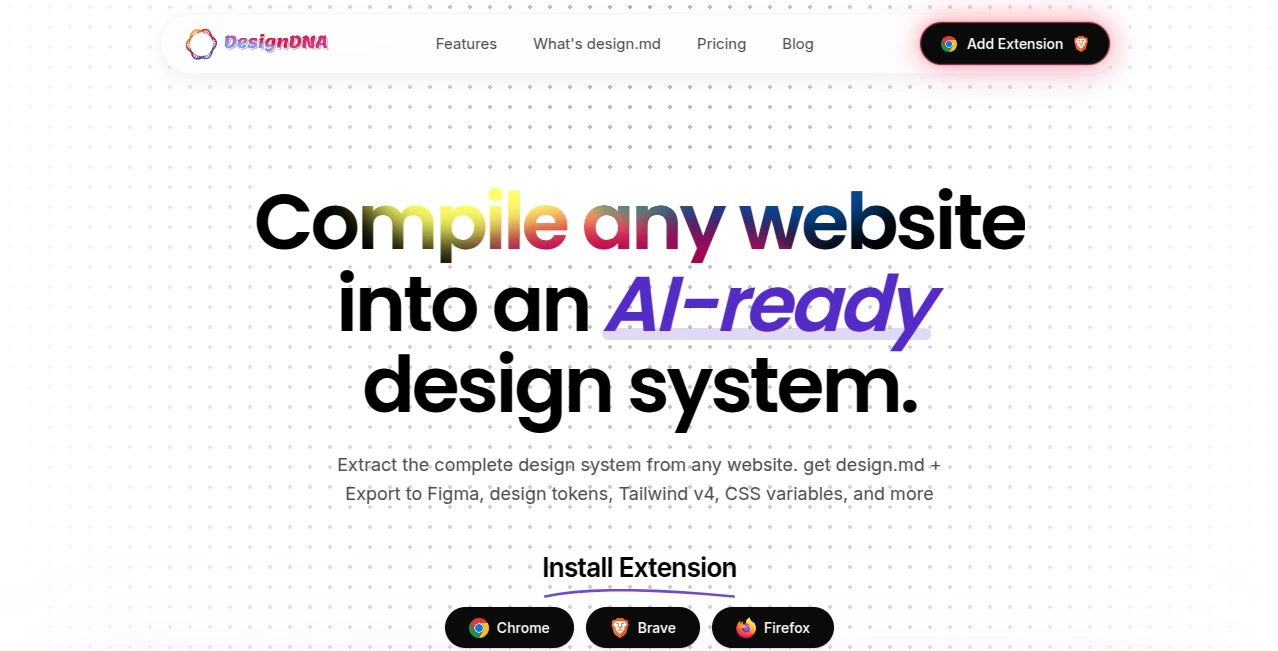
DesignDNA turns the visual language of a website into a structured design system that developers, designers, and AI coding agents can actually use. Instead of relying on screenshots or manually searching through stylesheets, it analyzes a live website and extracts important design details such as typography, colors, spacing, shadows, borders, components, assets, and motion.
The result is a practical collection of files, including an AI-friendly design-system.md, design tokens, CSS variables, Tailwind configuration, and Figma-ready data. This makes it particularly useful for teams building interfaces with tools such as Cursor, Claude Code, Codex, Replit, Lovable, and other AI-assisted development environments.
For someone starting a new project from an existing visual reference, the biggest advantage is simple: the design language can be handed to an AI agent as structured context rather than being explained from scratch.
Key Features
- Extracts computed colors, fonts, spacing, shadows, and other visual tokens from live websites.
- Identifies recurring interface patterns such as buttons, cards, inputs, and navigation elements.
- Creates a structured design-system.md file designed for AI coding workflows.
- Exports design information as JSON tokens following a W3C-oriented format.
- Generates CSS custom properties and Tailwind CSS configuration.
- Provides Figma-ready JSON for reconstructing typography and color variables.
- Packages the generated files into a downloadable ZIP for convenient use.
- Maintains scan history and provides previews within the workflow.
User Interface
The workflow is deliberately straightforward. Users begin with a website whose visual language they want to study, activate the browser extension, and let the compiler inspect the page. The process avoids a complicated dashboard-first experience and focuses on getting from a URL to usable design information quickly.
The generated files are also organized in a way that makes sense to different users. A developer can take the CSS or Tailwind output, while an AI builder can attach the Markdown specification to a coding session. Designers can instead work with the Figma export.
Accuracy & Performance
The system works with the live DOM and computed styles rather than simply interpreting a screenshot. That distinction matters when precise values are important. The platform says its average compilation time is around 40 seconds per website and reports 90% token extraction accuracy compared with the source.
Performance is especially useful when exploring several references during the early stages of a project. Rather than spending hours manually recording colors, type scales, spacing values, and component patterns, users can generate a structured starting point in a relatively short session.
Capabilities
The output goes beyond a simple list of colors and fonts. The generated documentation can cover typography, colors, spacing, shadows, radius values, components, assets, and motion. This broader structure gives an AI coding agent more context when creating a new page or extending an existing interface.
Its compatibility with multiple output formats is another strong point. Markdown can provide context to coding agents, CSS variables can be incorporated into front-end projects, Tailwind configuration can support utility-based workflows, and JSON files can bridge the gap between development and design tools.
Security & Privacy
Because the service analyzes websites that users choose to scan, privacy and authorization should be considered before processing a third-party website. Extracting a design system does not automatically grant permission to reproduce another company's branding, interface, or proprietary assets. Users should make sure their use of extracted information complies with the relevant website terms, intellectual-property rules, and applicable laws.
Use Cases
- AI-assisted development: Give an AI coding agent structured design context before asking it to build a new interface.
- Design research: Study the typography, spacing, colors, and component patterns behind an existing website.
- Design-to-code workflows: Convert visual design rules into developer-friendly CSS, Tailwind, and JSON formats.
- Figma reconstruction: Use the generated Figma data to recreate typography and color variables.
- Brand consistency: Capture the design language of an existing product before expanding its interface.
- Rapid prototyping: Provide structured visual references to AI builders instead of relying only on screenshots.
- Competitive research: Examine how different websites organize their visual systems while keeping implementation decisions in context.
Pros and Cons
- Pros: Fast design-system extraction, AI-friendly Markdown output, multiple developer formats, Figma support, component-aware analysis, and a simple browser-based workflow.
- Pros: Useful for developers who want AI-generated interfaces to follow an established visual language instead of inventing unrelated styles.
- Cons: Extracted information should still be reviewed before being treated as a complete source of truth for a production design system.
- Cons: Scanning third-party websites can raise legal or permission considerations, particularly when the intention is to reproduce a distinctive branded interface.
Pricing Plans
The service offers a free option for trying the extension, while paid plans are aimed at users who need more scans. The Starter yearly plan is listed at $39 and includes 300 scans per year, a five-file ZIP package, previews, and scan history.
The Pro yearly plan is listed at $69, reduced from $80, and increases the allowance to 700 scans per year while retaining the same core output package, preview functionality, and scan history. The annual scan allowance can be used at any time rather than being divided into monthly limits.
How to Use It
- Visit the website whose design language you want to capture.
- Open the browser extension and start the compilation process.
- Allow the system to inspect the page and identify its visual tokens and recurring interface patterns.
- Download the generated ZIP package when the compilation is complete.
- Use the design-system.md file as context for an AI coding agent, or use the CSS, Tailwind, JSON, and Figma files in the appropriate workflow.
Comparison with Similar Tools
Traditional screenshot-based design-to-code workflows often leave developers to interpret visual details themselves. A screenshot can show what an interface looks like, but it does not directly communicate the exact spacing scale, computed colors, typography rules, reusable components, or design tokens behind it.
This approach is more focused on extracting the underlying design system. That makes it particularly interesting for AI-assisted development, where structured context can be more useful than a collection of visual references. The ability to produce Markdown, CSS, Tailwind, JSON, and Figma-oriented output also gives it a broader role than a simple screenshot-to-code utility.
For a developer working with an AI coding agent, the difference can be practical. Instead of writing a long prompt explaining the visual characteristics of a reference website, the generated specification can provide those details in a reusable format.
Conclusion
DesignDNA takes an otherwise tedious part of the design and development process and turns it into a much more approachable workflow. Its focus on extracting actual design tokens, recognizing interface patterns, and producing formats that work across development and design tools makes it a useful option for AI-assisted product development.
The strongest use case is for developers and designers who already work with AI coding agents and want those agents to follow a consistent visual language. A structured design specification can give an AI system considerably more useful context than a screenshot alone, helping teams move from visual reference to implementation with fewer manual steps.
Frequently Asked Questions (FAQ)
What can be extracted from a website?
The system can extract information covering typography, colors, spacing, shadows, radius values, components, assets, and motion, along with other design-system information detected from the live page.
Which AI coding tools can use the generated output?
The generated Markdown is designed for AI coding workflows and is presented as compatible with tools including Cursor and Claude Code. The site also showcases workflows involving several other AI development environments.
Can the generated design system be used with Figma?
Yes. A Figma-ready JSON export is provided so that relevant typography and color variables can be reconstructed inside Figma.
Does it generate Tailwind CSS files?
Yes. The service provides a Tailwind v4-oriented theme configuration alongside CSS variables and other developer-ready formats.
How long does a website scan take?
The service reports an average compilation time of about 40 seconds per website, although the actual time can vary depending on the page being analyzed.
Is there a free option?
Yes. The website advertises a free way to try the extension before moving to a paid plan.
AI Design Assistant , AI Website Designer , AI Design Generator , AI Developer Tools .
These classifications represent its core capabilities and areas of application. For related tools, explore the linked categories above.

DesignDNA Alternatives Product

ImgEnhancer

Nano Banana 2

GPT Image 2

Wolfcut Onli…

vivgrid

AppScreens
Fuser Studio

freellm

meta ai image