
Dramily
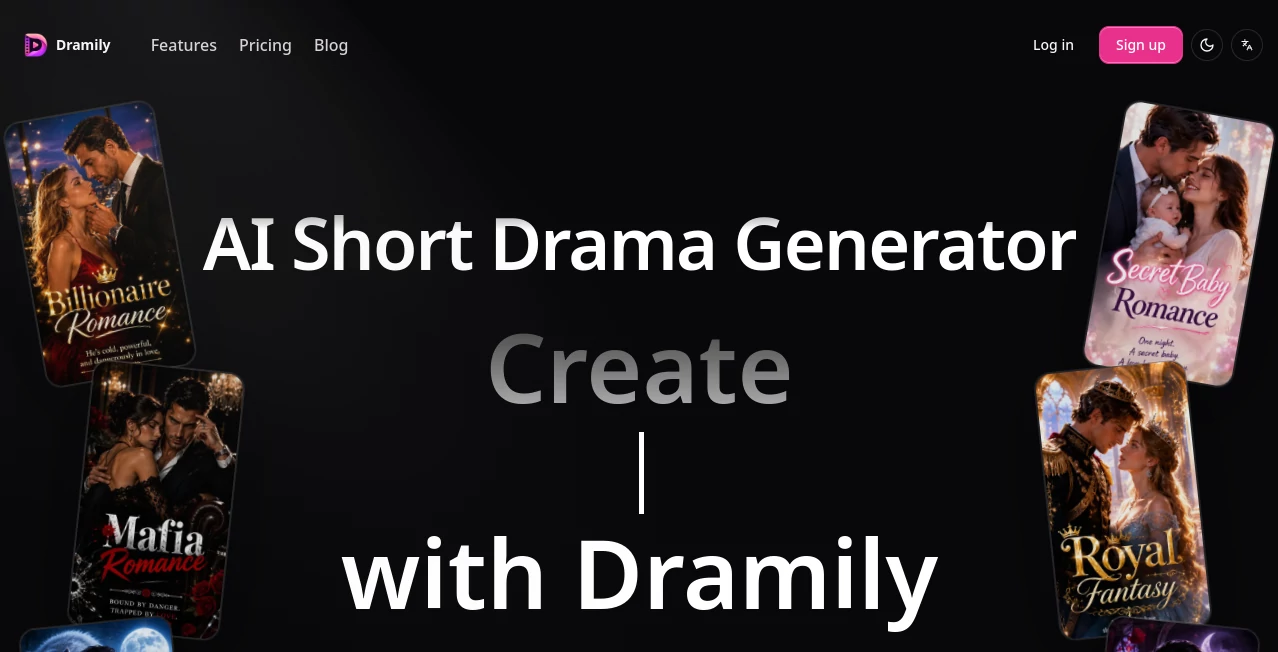
What is Dramily?
Turning a simple story idea into a complete short drama usually involves far more than generating a few attractive video clips. Writers need scripts, characters need consistent appearances, scenes have to stay recognizable, and every shot needs to fit the larger story. When these pieces are handled separately, even a promising project can quickly become difficult to manage.
Dramily brings these parts together in a dedicated AI short-drama production workspace. Instead of treating every generation as an isolated task, the platform connects story planning, episode scripts, reusable production assets, storyboards, prompts, previews, covers, and video workflows inside the same project.
The approach is particularly interesting for creators working with serialized content. A single project can support dramas of up to 120 episodes, making it possible to plan a longer story rather than building every episode from scratch. The workflow is designed around formats used by platforms such as ReelShort, DramaBox, ShortMax, GoodShort, TikTok, and Instagram.
For someone who has ever generated an AI character in one tool, recreated the same character in another, and then spent hours trying to make the two versions look alike, this type of connected workflow can make a noticeable difference.
Key Features
- AI-assisted short-drama script generation based on story ideas, genres, and character context.
- Support for serialized projects with up to 120 episodes.
- Reusable character, scene, prop, cover, and still-shot assets.
- Storyboard planning with linked production references.
- Video prompts prepared within the same project context.
- Asset version comparison and locking for better visual continuity.
- Character voice samples that can be reused across storyboard videos.
- Support for uploading existing production assets instead of generating everything from scratch.
- Workflows involving Seedance 2.0 and 2.5 alongside other text, image, and video models available in the workspace.
- Episode outline review covering character states, causality, and cross-episode continuity.
User Interface
The interface is built around the idea of a production workspace rather than a single-purpose generator. Characters, scenes, props, scripts, storyboards, and other references can be kept together inside a project, which makes the process easier to follow as a series grows.
One useful detail is the ability to compare different asset versions and approve a preferred one. For example, a creator might generate several versions of a main character before selecting one as the official reference. That approved version can then remain connected to downstream shots.
The same principle applies to scenes and props. Instead of keeping reference images in scattered folders or switching between different applications, the production material can stay attached to the relevant story workflow.
Accuracy & Performance
For AI-generated drama, visual consistency is often more important than simply producing a beautiful individual frame. A character who looks completely different from one episode to another can break the viewer's immersion, even when every individual image looks impressive.
The platform addresses this problem by connecting storyboard shots with the characters, scenes, and props used in them. It also allows creators to lock approved asset versions, giving later generations a more reliable reference point.
Another useful part of the workflow happens before expensive video generation. Scripts, shots, prompts, and linked assets can be reviewed together, allowing creators to identify problems before spending additional generation credits. Episode outlines can also be checked for character-state issues, causality, and continuity across episodes.
This does not eliminate the need for human review. AI-generated stories and videos can still require creative decisions and corrections. The advantage is that those decisions can happen inside a more organized production process.
Capabilities
The platform goes beyond basic text-to-video generation. Its workflow starts with an idea and can move through script development, asset creation, storyboard preparation, prompt development, visual previews, and final production preparation.
For serialized storytelling, this structure is especially useful. A creator working on a billionaire romance, revenge story, vampire fantasy, or another fast-paced drama can establish recurring characters and locations once and reuse them throughout the series.
Creators can also upload their own covers, character references, scenes, props, and approved still shots. This makes the workflow suitable for projects where the creator wants to combine AI-generated material with assets created or selected manually.
Voice consistency is another notable capability. Character voice samples can be generated or uploaded and then associated with individual roles, helping maintain a more recognizable speaking style throughout the production.
Security & Privacy
Because the platform is designed around production projects and uploaded creative assets, privacy is an important consideration for anyone working with unpublished stories, character references, or other proprietary material. Users should review the current privacy policy and terms before uploading commercially sensitive content.
It is also worth checking the commercial-use conditions attached to the selected subscription. The paid Creator, Studio, and Producer plans currently include commercial use, while the Free plan is intended for non-commercial evaluation.
Use Cases
Short-form drama creators are one of the clearest audiences for this workflow. Someone developing a serialized romance can use the platform to move from an initial premise to episodes, recurring characters, scenes, and storyboard shots without rebuilding the project structure for every chapter.
It can also be useful for producers experimenting with AI-assisted production. Before generating a complete sequence, a team can review the script, visual references, shot composition, and prompts together. This provides a practical checkpoint between creative planning and resource-heavy video generation.
Writers can use the workflow to develop episode structures and story beats, while storyboard artists can focus on shot planning and visual continuity. Asset designers can maintain approved character and scene references, and production leads can keep track of which shots are ready for the next stage.
Social media creators may also find the approach useful when developing recurring video series for TikTok or Instagram. Rather than treating every short as an unrelated experiment, they can build a recognizable world with recurring characters, visual elements, and story patterns.
Pros and Cons
Pros
- Designed specifically around AI short-drama production.
- Connects scripts, assets, storyboards, prompts, and video workflows in one workspace.
- Supports serialized stories with up to 120 episodes per project.
- Useful tools for maintaining character, scene, prop, and voice consistency.
- Allows users to upload existing production assets.
- Provides asset version comparison and locking.
- Supports commercial use on paid plans.
- Offers a free plan for testing the workflow before committing to a subscription.
Cons
- The platform is focused heavily on short-drama production, so it may be more specialized than a general-purpose AI video editor.
- Video production can consume credits quickly, particularly for larger serialized projects.
- Monthly credits expire after 30 days according to the current pricing structure.
- The Free plan is intended for non-commercial evaluation and has a low-priority generation queue.
- Creators who only need occasional single video generations may not need the full production workflow.
Pricing Plans
The pricing structure is based on monthly production credits. All current plans provide access to the core workflow, while the amount of available credits, generation priority, and commercial permissions vary by plan.
Free
The Free plan costs $0 and includes 50 evaluation credits. It provides access to the available workflow for testing, but is intended for non-commercial evaluation. Credits expire after 30 days and generation uses a low-priority queue.
Creator
The Creator plan costs $49 per month and includes 1,250 monthly credits. It is aimed at individual creators producing publication-ready short dramas. Commercial use is included, the generation queue is standard, and additional credit top-ups are available.
Studio
The Studio plan costs $99 per month and provides 2,600 monthly credits. It is positioned for more substantial short-drama pre-production work and includes commercial use, a priority generation queue, and credit top-ups.
Producer
The Producer plan costs $199 per month and includes 5,300 monthly credits. It is designed for higher-volume production and includes commercial use, the highest-priority generation queue, priority support, and additional credit top-ups.
For creators who are still learning the workflow, starting with the Free plan can be a sensible way to understand how the production system fits their process. A paid subscription becomes more relevant once a project requires regular commercial output.
How to Use It
- Start with a short-drama concept, genre, and basic story direction.
- Develop the episode structure and generate or refine the scripts using the available AI workflow.
- Create the important recurring assets, including characters, scenes, props, covers, and reference images.
- Compare asset variations and approve the versions that best represent the project.
- Build storyboard shots and connect each shot with the appropriate characters, locations, and props.
- Review the script, shot composition, prompts, and linked assets before committing video credits.
- Prepare video-generation prompts using the selected workflow and available models.
- Review the resulting previews and make corrections where necessary.
- Repeat the process across episodes while keeping approved assets connected to maintain continuity.
- Export or prepare the completed production material for the intended short-form platform.
Comparison with Similar Tools
General AI video generators are often excellent when the goal is to create a single clip from a prompt. Short-drama production introduces a different challenge. A serialized story needs recurring characters, locations, props, dialogue, episode structure, and visual references to remain connected over time.
The main distinction here is therefore the production workflow rather than a simple claim that one video model is better than another. Instead of asking creators to manage scripts, references, storyboards, and prompts across several unrelated tools, the platform places these elements inside one project environment.
This makes it particularly appealing to creators who are building a series rather than producing isolated experiments. Someone making a single five-second visual may prefer a simpler generator, while a team developing dozens of connected episodes can benefit more from structured asset management and pre-generation review.
The ability to use existing assets also gives the workflow an advantage for hybrid productions. Creators are not required to regenerate every character, scene, or prop simply because part of the project was created elsewhere.
Conclusion
AI video creation is moving beyond the idea of generating one impressive clip at a time. For short dramas, the harder problem is keeping an entire story coherent while producing enough material to make a series practical.
This platform takes a production-first approach to that challenge. Scripts, recurring assets, storyboards, prompts, voice references, and video preparation are connected within the same project, while asset locking and pre-generation review help reduce some of the inconsistency that can appear in AI-assisted production.
Its strongest appeal is likely to creators and teams who think in episodes rather than individual clips. If the goal is to build a recurring short-drama universe with recognizable characters, connected scenes, and a repeatable production process, the workflow offers a compelling alternative to stitching together several independent AI tools.
Frequently Asked Questions (FAQ)
What is this AI short-drama platform used for?
It is designed to help creators develop short dramas from an initial story idea through scripts, reusable production assets, storyboards, video prompts, previews, and production-ready episodes.
How many episodes can one project support?
A single serialized project can support up to 120 episodes, making it suitable for longer short-drama series rather than only standalone clips.
Can I upload my own images and production assets?
Yes. Users can upload existing covers, character references, scenes, props, and approved still shots and incorporate them into the production workflow.
Does it support AI video generation?
Yes. The workflow prepares reviewed shots and video prompts and supports available Seedance 2.0 and 2.5 workflows alongside other models shown in the workspace.
How does it help with character consistency?
Characters can be maintained as reusable assets, connected to storyboard shots, and kept as approved versions for downstream production. Character voice samples can also be associated with individual roles.
Is there a free plan?
Yes. The Free plan costs $0 and provides 50 evaluation credits. It is intended for non-commercial evaluation and uses a low-priority generation queue.
Can generated content be used commercially?
Commercial use is included with the Creator, Studio, and Producer plans. The Free plan is intended for non-commercial evaluation.
Do unused monthly credits carry over?
No. The current pricing information states that monthly credits expire after 30 days. Paid plans also provide access to credit top-ups when additional production capacity is needed.
Who would benefit most from this workflow?
Short-drama writers, producers, storyboard artists, AI video creators, asset designers, and teams producing serialized content are likely to get the most value from its connected production approach.
Can it guarantee that a drama will go viral?
No. AI production tools can help with story development, consistency, and production efficiency, but audience response depends on factors such as storytelling, genre, execution, distribution, timing, and viewer preferences.
What types of stories can be created?
The workflow can support genres such as billionaire romance, revenge drama, vampire fantasy, and other serialized short-drama formats. Creators can shape the story direction, characters, and genre around their own concept.
Why use a dedicated short-drama workflow instead of several separate AI tools?
The main benefit is continuity. Keeping scripts, characters, scenes, props, storyboards, prompts, and production references connected can reduce the amount of manual work required when a story grows from one episode into an entire series.
AI Animated Video , AI Video Generator , AI Script Writing , AI Story Writing .
These classifications represent its core capabilities and areas of application. For related tools, explore the linked categories above.

Dramily Alternatives Product

seedance 2
Seedance 2.0

Vidtool AI

Seedance 2 P…

RunwayAI
Kling 3.0

MiniMax H3

Runway Gen-4…

LTX 2.3