
Drizz
What is Drizz?
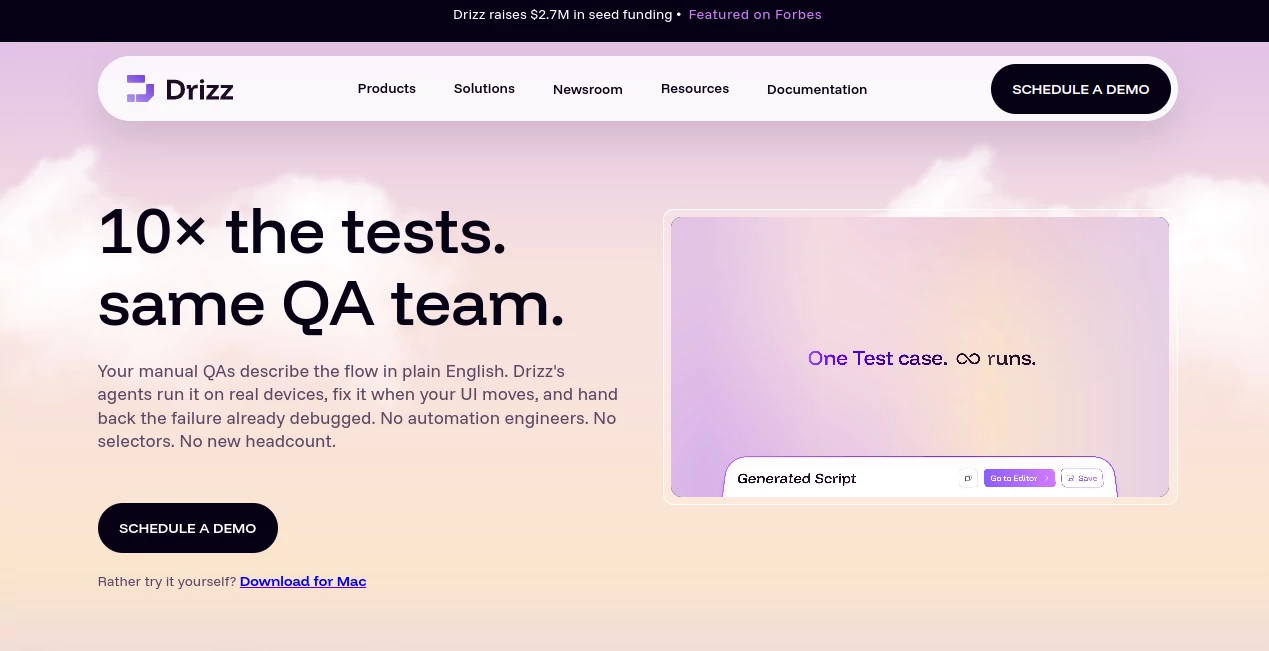
Mobile app testing can become frustrating surprisingly quickly. A small change to a screen can break a test, selectors need constant attention, and teams often end up spending more time maintaining automation than expanding coverage. Drizz takes a different approach by using Vision AI to understand mobile interfaces and execute tests from plain-English instructions.
The platform is designed for teams testing Android and iOS applications that want faster regression cycles without building a large automation engineering operation. Instead of forcing every tester to write and maintain traditional scripts, it lets QA teams describe what a user should do and turns those instructions into executable test flows.
What makes the approach particularly interesting is the combination of AI-powered visual understanding and real-device execution. A tester can describe a flow such as logging in, searching for a product, adding it to a cart, and completing checkout without having to manually maintain a collection of selectors for every screen.
For a fast-moving mobile product, that can make a meaningful difference. The goal is not simply to automate more tests, but to make those tests easier to create, maintain, understand, and run repeatedly.
Key Features
- Plain-English test authoring without requiring traditional automation scripts.
- Vision AI that understands mobile screens and adapts to UI changes.
- Self-healing automation designed to reduce maintenance when interfaces change.
- Real-device test execution for Android and iOS applications.
- End-to-end testing covering user interfaces, APIs, and complete application flows.
- Centralized management for apps, builds, test plans, devices, and environments.
- CI/CD integration for automated regression testing.
- Detailed debugging information including screenshots, logs, and screen-state information.
- Accessibility testing as part of mobile test flows.
User Interface
The interface is built around the idea that testing should feel closer to describing a user journey than programming a test framework. Testers can work with readable instructions and organize applications, builds, test suites, and execution history in one environment.
This approach is especially useful for QA professionals who understand application behavior very well but do not want every test case to become a coding project. Developers can still work with more advanced workflows when necessary, while manual testers can participate in automation without learning a selector-heavy framework first.
The overall experience is geared toward getting a test running quickly. Uploading an application build, describing the desired flow, executing it, and reviewing the resulting evidence forms a relatively straightforward workflow.
Accuracy & Performance
Visual understanding is the central part of the testing approach. Instead of depending entirely on fixed selectors, the system evaluates what is visible on the screen and uses that context when performing actions. This is intended to make tests less fragile when layouts or interface elements change.
The company reports that its approach can support substantially higher test authoring volume than traditional Appium-based workflows. Its published comparison shows approximately 200 tests per month per QA versus 15 tests per month for an automation engineer using Appium, while also reporting a reduction in flakiness from 15% to 5%.
Those numbers are company-reported benchmarks rather than universal guarantees, so actual performance will depend on the application, test complexity, devices, and workflow. Still, they illustrate the product's core proposition: increase coverage while reducing the amount of repetitive maintenance required from the QA team.
Capabilities
The platform goes beyond simple tap-and-check automation. It supports end-to-end flows involving application interfaces and APIs, real-device execution, self-healing test steps, CI/CD workflows, and detailed failure investigation.
More complex scenarios can include deep links, push notifications, application restarts, background and foreground transitions, conditional logic, variables, API calls, and state-based validation. This makes it suitable for testing flows that behave more like real applications than isolated interface demonstrations.
Another useful capability is cross-platform testing. Teams can reuse testing concepts across Android and iOS rather than maintaining completely separate approaches for every operating system. For products with frequent releases, that can reduce duplicated QA effort.
Security & Privacy
Security is an important consideration for mobile testing because test environments can contain application builds, screenshots, logs, device information, and potentially sensitive test data. The platform states that test data, logs, and screenshots are encrypted both in transit and at rest.
For organizations with stricter requirements, the platform also describes region-locked storage and custom retention settings. Enterprise deployments can include options such as on-premises or VPC deployment, which can be particularly relevant to regulated industries and organizations with demanding infrastructure policies.
Teams should still review the provider's current security documentation and contractual terms before using production-sensitive information in automated tests.
Use Cases
Mobile regression testing: Teams can repeatedly test critical journeys after each application release without rebuilding the entire automation suite from scratch.
E-commerce applications: Checkout, login, search, cart, payment, recommendation, and delivery flows can be tested as complete customer journeys.
Fintech applications: QA teams can validate login, KYC, payments, transfers, wallets, dashboards, and other high-risk workflows where regressions can have serious consequences.
Healthcare applications: Organizations can automate repetitive mobile workflows while maintaining tighter control over test environments and data-handling requirements.
Startups and small QA teams: A small team can expand automated coverage without immediately hiring dedicated automation engineers for every new test flow.
CI/CD regression testing: Development teams can trigger mobile tests as part of their delivery pipeline and receive execution results and debugging evidence after a run.
Accessibility testing: Teams can incorporate accessibility checks into application flows rather than treating accessibility as an isolated review at the end of development.
Pros and Cons
Pros
- Plain-English test creation makes automation accessible to non-programmers.
- Vision AI reduces dependence on brittle selectors.
- Self-healing tests can lower maintenance after UI changes.
- Supports real-device mobile testing.
- Designed for both Android and iOS workflows.
- Useful debugging artifacts make failures easier to investigate.
- CI/CD support fits modern development workflows.
- Enterprise deployment options are available for organizations with stricter requirements.
Cons
- Teams with highly customized automation frameworks may need time to evaluate how well the platform fits their existing architecture.
- AI-driven testing still requires well-defined test scenarios and sensible validation criteria.
- Enterprise features and advanced requirements may require a sales discussion rather than a simple self-service purchase.
- Teams heavily invested in traditional Appium infrastructure may need to adjust their existing testing processes.
Pricing Plans
The platform offers several options aimed at different stages of adoption. A Free Trial is available for users who want to explore the testing workflow, with 50 test runs and features such as APK uploads, visual testing, plain-English test writing, basic visual bug detection, and email support.
The Pay As You Go option is intended for individuals and teams with variable testing requirements. It provides test runs on demand along with unlimited test authoring, Vision AI execution, visual regression testing, CI/CD integration, and seven-day test history.
The Team plan adds shared workspace and collaboration features and is positioned for engineering teams that release frequently. Organizations with larger scale, regulated workloads, or specialized infrastructure requirements can choose the Enterprise option, which includes features such as on-premises or VPC deployments, unlimited test runs, dedicated account management, and custom SLAs.
Because pricing structures and included limits can change, teams should check the current commercial terms before making a purchasing decision.
How to Use It
Getting started follows a practical testing workflow rather than requiring a large automation setup.
- Upload your Android application build or connect the application environment you want to test.
- Describe the desired test flow using simple English instructions.
- Define the actions, conditions, and validations that matter for the scenario.
- Run the test using Vision AI on the available testing environment and devices.
- Review screenshots, logs, screen states, and failure information when the test completes.
- Organize successful tests into reusable suites or plans for future regression runs.
- Connect the testing workflow to your CI/CD pipeline when automated release validation is required.
For example, a QA tester could create a flow that opens an application, signs in with a test account, searches for a product, adds it to a cart, proceeds through checkout, and verifies the final screen. If the interface changes later, the visual testing approach is designed to adapt rather than immediately failing because a traditional selector no longer matches.
Comparison with Similar Tools
Traditional Appium-based testing remains powerful and gives engineering teams detailed control, but it commonly involves scripts, selectors, platform-specific maintenance, and engineering effort. A UI change can require several test cases to be updated before the suite becomes reliable again.
This platform takes a more visual and natural-language-oriented route. Instead of making selectors the center of every test, it uses Vision AI to interpret the application's interface and adapt to changes. That makes it particularly appealing to teams that want manual QA professionals to participate directly in automation.
Compared with low-code testing platforms, the main distinction is the emphasis on visual understanding and self-healing behavior for mobile applications. Compared with conventional scripted frameworks, the trade-off is less low-level control in exchange for easier authoring and reduced maintenance.
The best choice ultimately depends on the team's existing infrastructure. A highly technical QA organization that needs granular framework-level control may prefer a conventional approach, while a product team looking for faster mobile coverage with less scripting may find an AI-driven workflow considerably more attractive.
Conclusion
Mobile testing should not become the bottleneck that slows down an otherwise fast development team. When an application changes every week, maintaining a large collection of brittle test scripts can consume valuable QA and engineering time.
Drizz approaches that problem from a practical angle: describe the test in ordinary language, let Vision AI interact with the application, execute the flow on real devices, and provide useful evidence when something goes wrong. The combination of self-healing automation, cross-platform testing, CI/CD integration, and detailed debugging makes it a compelling option for teams that want to increase mobile test coverage without dramatically increasing maintenance work.
It is particularly well suited to QA teams, developers, startups, and growing product organizations where release speed matters but application quality cannot be sacrificed. If your current mobile testing process involves repetitive manual checks or constantly repairing selectors after UI changes, this approach is worth evaluating.
Frequently Asked Questions (FAQ)
What is Drizz?
It is an AI-powered mobile testing platform designed to automate UI and end-to-end testing using plain-English instructions and Vision AI.
Does it support Android and iOS?
Yes. The platform supports automated testing for Android and iOS applications and is designed to work across real devices and other testing environments.
Do I need programming experience?
No. Test cases can be written using readable, natural-language instructions. More advanced workflows can still be created when engineering teams need additional control.
Can it run tests on real devices?
Yes. Real-device execution is a major part of the platform's mobile testing workflow, allowing teams to validate applications in environments closer to actual user conditions.
Can it be used in CI/CD?
Yes. CI/CD integration allows mobile tests to become part of automated development and release workflows.
What happens when the application's UI changes?
The Vision AI and self-healing approach is designed to recognize UI changes and adapt test execution instead of relying entirely on fixed selectors.
Can it test more than simple UI interactions?
Yes. The platform supports end-to-end flows, API interactions, state-based logic, application restarts, deep links, push notifications, and other scenarios that go beyond simple tap-and-click testing.
Is there a free option?
Yes. A Free Trial is available with a limited number of test runs and core testing capabilities, making it possible to evaluate the workflow before moving to a paid option.
Is it suitable for enterprise teams?
Yes. Enterprise capabilities include options such as on-premises or VPC deployments, unlimited test runs, dedicated account management, and custom service-level agreements.
AI No-Code & Low-Code , AI Testing & QA , AI Developer Tools , AI Monitor & Report Builder .
These classifications represent its core capabilities and areas of application. For related tools, explore the linked categories above.
Drizz details
Website unavailable — View Alternatives
Pricing
- Freemium
Apps
- Web App
- Mac App
Categories

Drizz Alternatives Product

Verne

BetterAntisp…

LocaFlow

AI Agent Ski…

Vibe Coding …

Agent Grid
Duct Tape AI…

Scillus

AI Workflow …